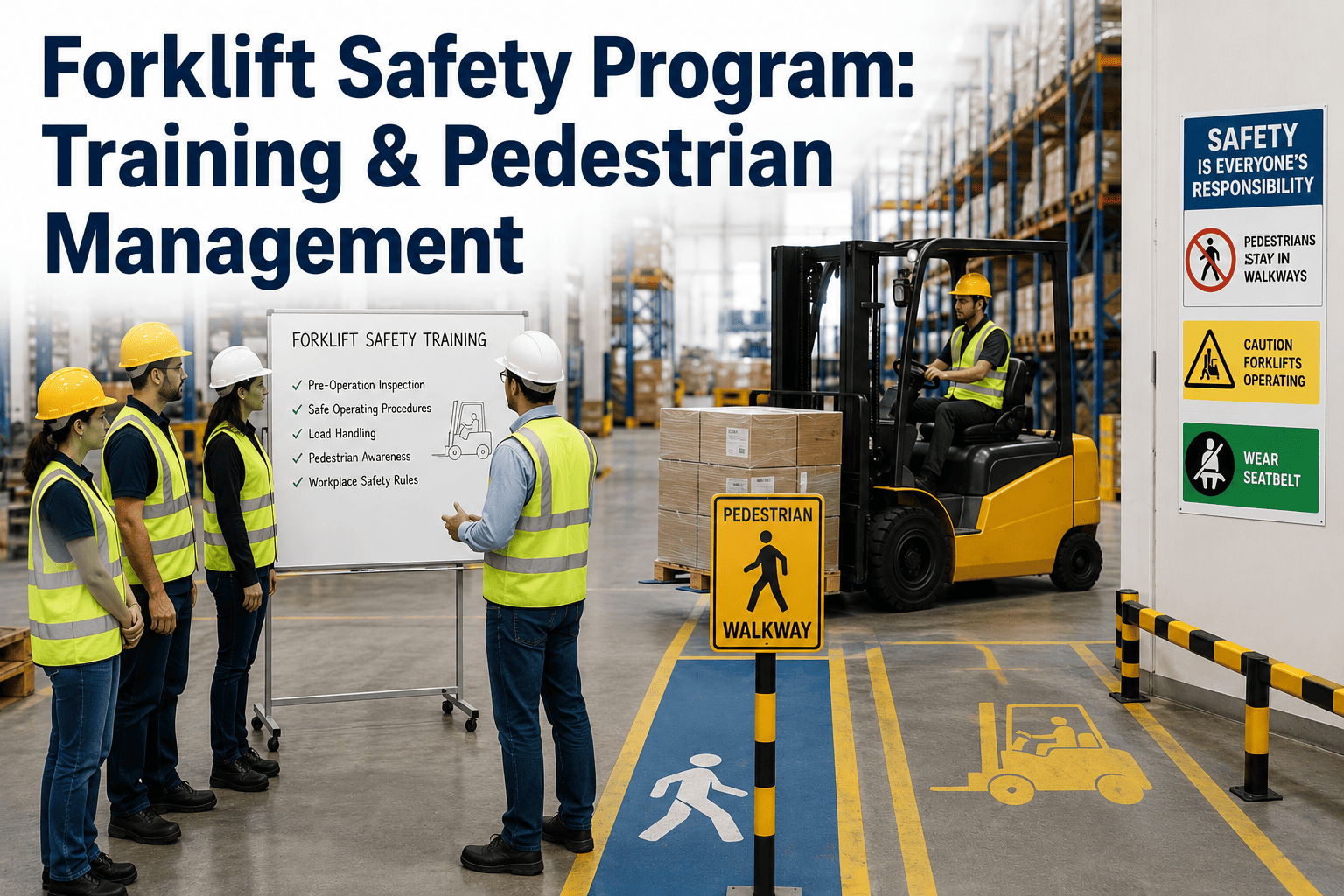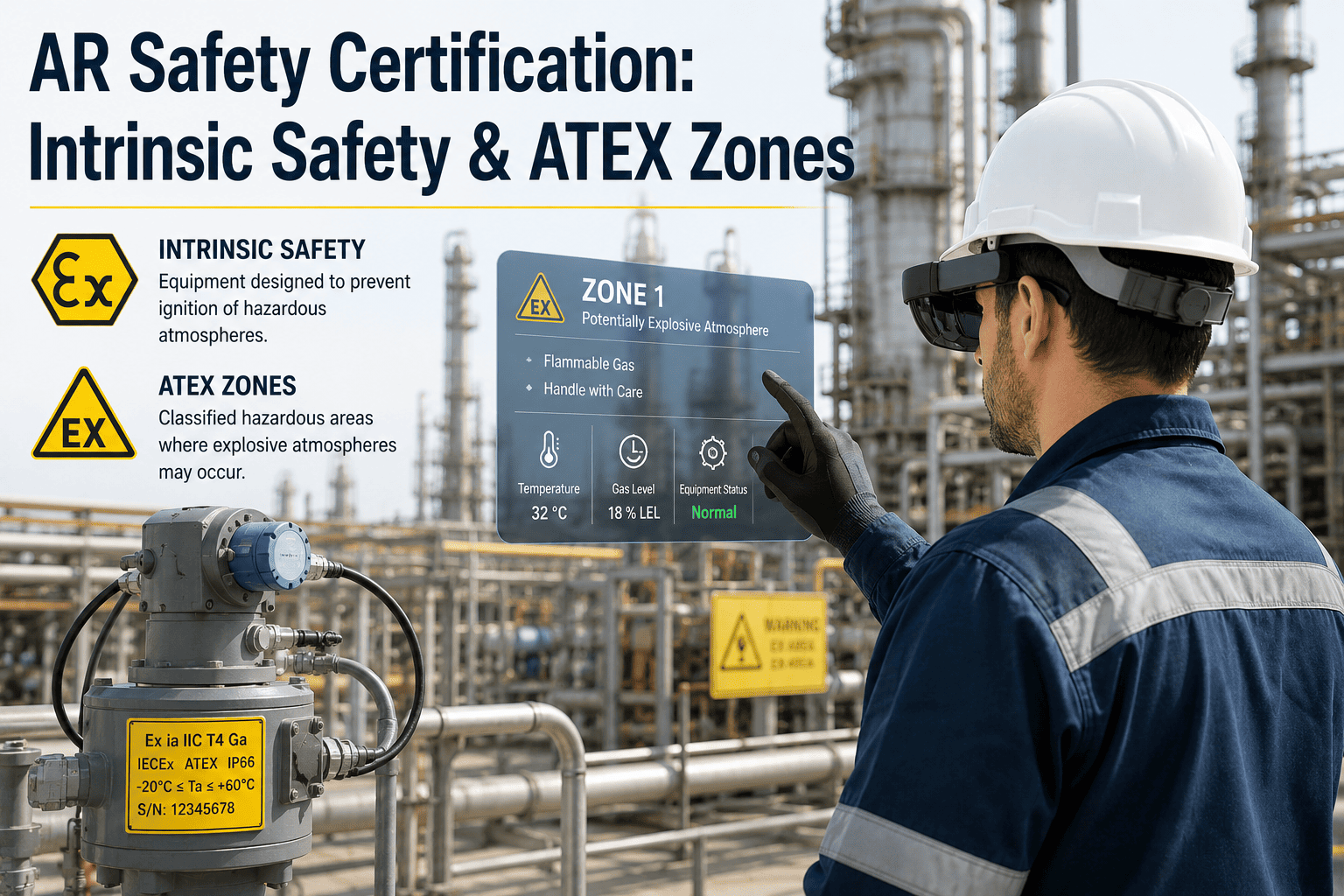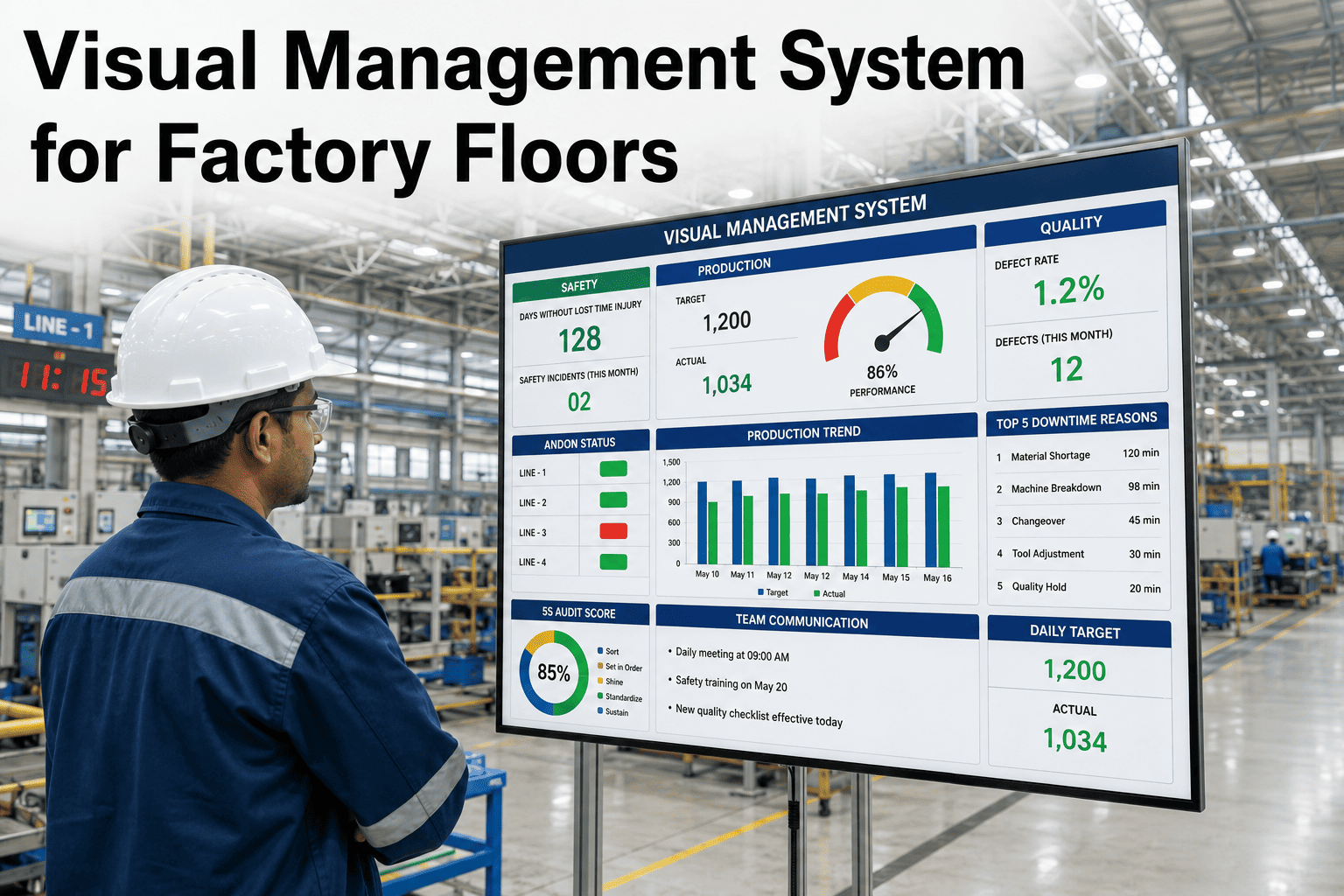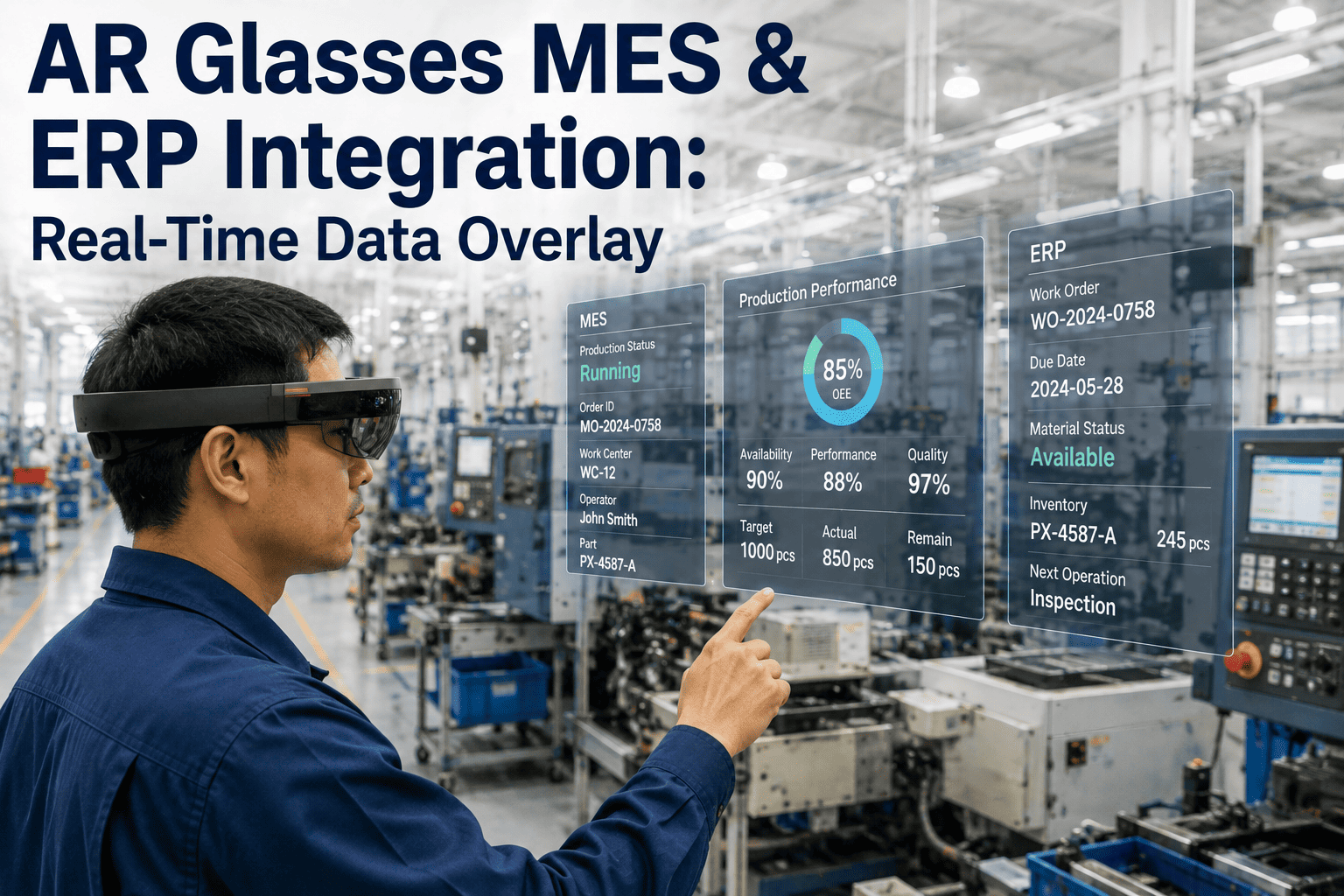
A forklift reverses around a blind corner in a warehouse aisle. A technician steps toward a live 11kV panel without noticing the isolation tag was never applied. A visitor wanders past a taped-off floor marking that faded months ago and nobody repainted. None of these workers ignored a rule — they simply never saw the hazard in time, because paint on a floor and a sign on a wall cannot follow a person's line of sight or update the moment conditions change. AR smart glasses close that gap by rendering hazard zones, proximity warnings, and restricted-area boundaries directly into a worker's field of view, updated in real time as they move. If you want to see how iFactory's AR safety layer projects live hazard data onto a plant floor, book a 30-minute demo with our team.
Hazard Zones Should Follow the Worker, Not Wait on a Sign
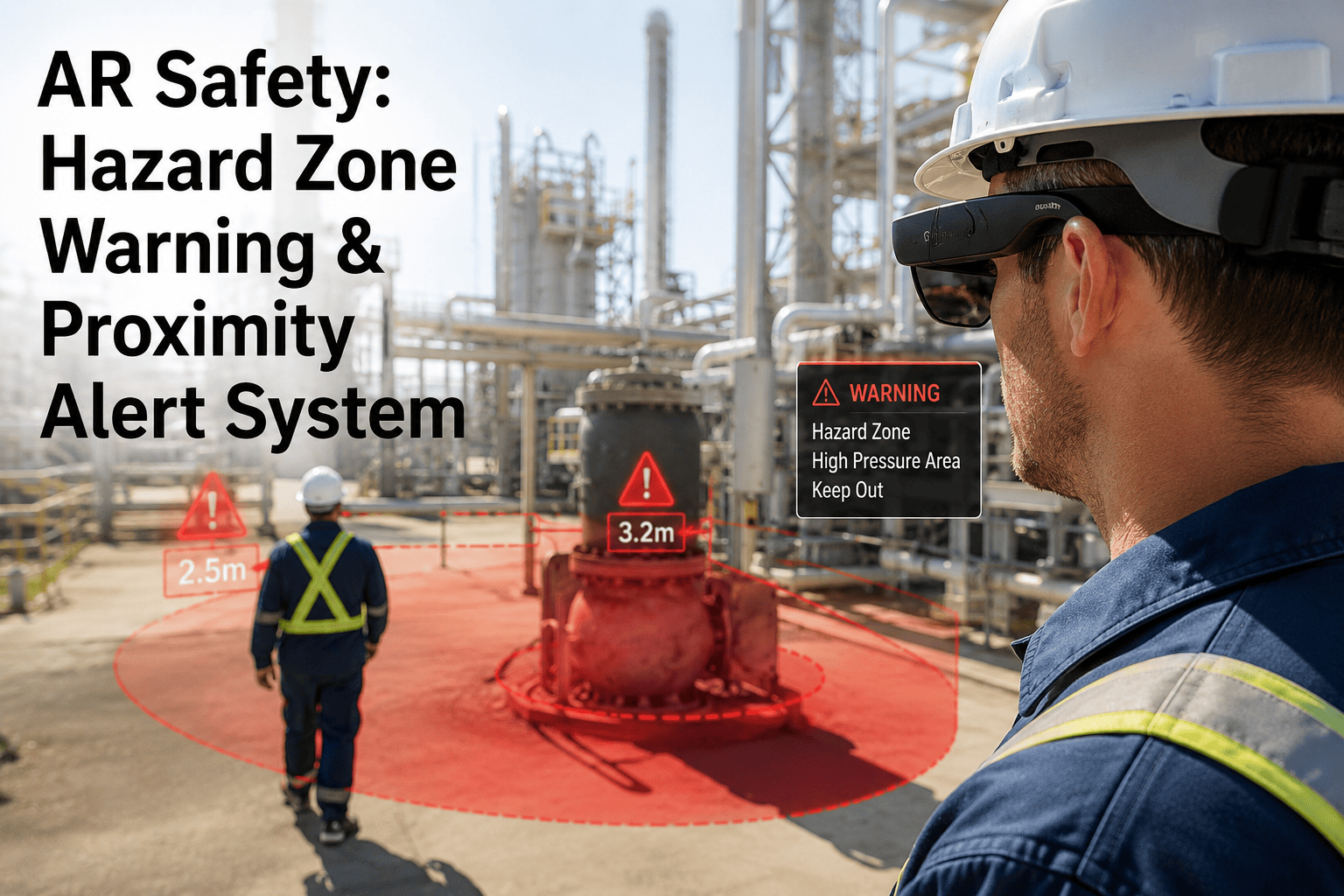
iFactory's AR safety layer overlays live hazard boundaries, proximity alerts, and restricted-zone warnings directly into a worker's field of view — pulling from real-time sensor and location data instead of static floor markings that go stale.
Static Warning Signs Cannot Keep Pace With a Moving Plant Floor
Painted floor lines, laminated signage, and fixed barriers assume the hazard stays in one place and the worker reads the sign before entering. Neither assumption holds on an active industrial site. Equipment moves, isolation states change shift to shift, and a worker focused on a task rarely scans every wall for a warning label. The result is a category of incident that safety audits repeatedly flag as preventable in hindsight but difficult to catch in the moment with static controls alone. Safety teams often describe this as the "we had a procedure for that" problem — the control existed on paper, the signage was technically present, but neither one reached the worker's attention at the exact second it mattered. Closing that gap requires a system that follows the worker's actual position and line of sight rather than waiting for them to notice a fixed marker.
A hazard boundary painted for one process configuration does not automatically update when equipment is reconfigured, leaving workers trusting a floor marking that no longer reflects the real danger zone.
Workers focused on a task — torque-checking a bolt, reading a gauge — are looking down or forward, not scanning walls and floors for signage placed outside their immediate field of attention.
Forklifts, AGVs, and cranes move through shared aisles with pedestrians, and a moving hazard cannot be represented by a fixed sign — by the time it's visible, the reaction window is already shrinking.
Verbal or PA-based hazard alerts depend on someone noticing the hazard, reaching a radio, and broadcasting — a chain of steps that adds seconds a worker in a live danger zone does not have.
Site inductions and toolbox talks cover hazard locations once, but memory of exact boundaries fades over weeks, especially for contractors or rotating staff who only spend occasional shifts on a given line.
How the AR Hazard Warning Pipeline Actually Works
The system behind a hazard alert appearing in a worker's glasses runs through four connected stages, each feeding the next in under a second so the warning reaches the worker before they cross into danger, not after. None of these stages depend on a person manually updating a sign or a supervisor remembering to issue a verbal warning — the pipeline runs continuously in the background for every worker wearing the glasses, across every mapped zone, simultaneously.
Zone and Asset Mapping
Restricted areas, confined spaces, high-voltage zones, and equipment exclusion radii are digitally mapped once during setup, then linked to live plant data so a zone's status — active, isolated, energized — updates automatically rather than relying on someone repainting a line. This mapping step typically runs alongside an existing facility layout or CAD drawing, so safety and engineering teams are working from the same source of truth rather than recreating boundaries from memory.
Real-Time Position Tracking
Bluetooth low energy beacons, ultra-wideband anchors, or vision-based tracking determine each worker's position relative to mapped zones and moving equipment, typically resolving location within a few meters and updating multiple times per second. The choice between beacon-based and vision-based tracking usually comes down to facility layout — dense metal structures and long sight lines favor different approaches, and a site survey during onboarding determines the right mix for a given plant.
Proximity Calculation and Threat Scoring
The platform continuously calculates distance, closing speed, and trajectory between the worker and each nearby hazard or moving asset, escalating the alert level as the gap closes rather than issuing a single flat warning at a fixed distance.
Heads-Up Visual and Audio Overlay
The glasses render a color-coded boundary or directional indicator directly in the worker's field of view, paired with an audio tone, so the warning appears exactly where the hazard is relative to the worker rather than as a generic alarm anywhere in the building.
Three Hazard Zone Tiers, Color-Coded in the Worker's View
Not every hazard warrants the same urgency, so the AR overlay uses a tiered zone system that mirrors how safety teams already classify risk — the visual intensity and audio alert scale up as a worker moves from awareness distance into an active danger radius. This tiered approach mirrors the same red-amber-green logic already familiar from permit boards and traffic control in most plants, which is deliberate: workers do not need to learn a new visual language, they just see the same risk logic rendered directly into their line of sight instead of on a wall-mounted board they have to walk over and check.
Proximity Alert Escalation: From First Warning to Emergency Stop
A proximity alert is not a single event — it is a sequence that intensifies as the worker's distance from a hazard or moving asset decreases, giving them multiple chances to self-correct before the system escalates to a hard stop.
At the critical threshold, the platform can optionally trigger a connected equipment interlock — slowing or stopping a forklift, crane, or conveyor — rather than relying solely on the worker noticing the alert and reacting in time. Each escalation step is configurable per zone type, since a two-meter buffer that makes sense for a slow-moving AGV is not the same buffer a plant would want around a high-voltage panel or a rotating shaft, and safety teams typically tune these thresholds during the pilot phase against their own incident history and layout constraints.
See the Hazard Overlay Rendered on Your Own Floor Plan
We map your actual restricted zones, equipment paths, and confined spaces into the demo so you see exactly what your team would see in the glasses — not a generic showroom walkthrough, and not a hypothetical scenario built for a sales deck.
Where This Actually Prevents an Incident
The value of an AR hazard overlay is easiest to see in the specific moments where a static sign or a verbal briefing would have arrived too late. The scenarios below are the ones safety teams consistently point to first when scoping a pilot, because each represents a hazard type where timing, not awareness of the rule itself, is what actually determines the outcome.
A pedestrian walking toward a blind intersection gets a directional alert the moment a forklift's tracked position enters the same corridor, before either party can see the other around the racking. This is precisely the scenario where traditional convex mirrors and painted crossings fall short, since both depend on the pedestrian and the operator happening to look in the right direction at the right moment.
A technician approaching a panel gets an immediate restricted-zone warning if the isolation status linked to that panel is not confirmed, catching a lockout-tagout gap before contact rather than after. This closes one of the most common gaps in electrical safety programs, where the permit exists correctly on paper but the technician working the job never physically verified it against the specific panel in front of them.
Entry into a mapped confined space triggers an automatic check against permit status and atmospheric monitoring data, warning the worker in real time if entry conditions are not currently valid.
Workers on the floor beneath an active crane path receive an overhead hazard warning as the load's tracked position moves toward their location, independent of whether the crane operator can see them.
Approach to a pinch point or rotating equipment zone during operation triggers an alert scaled to the actual operating state of the machine, not a permanent warning that gets ignored because it never changes.
Personnel unfamiliar with a site's layout get the same real-time zone awareness as full-time staff from the moment they put the glasses on, without relying on a one-time induction briefing to stick.
Zones linked to gas detection sensors escalate automatically the moment a reading crosses a safe threshold, warning anyone approaching before they walk into a concentration spike that a fixed sign could never reflect in real time.
What Changes When Hazard Warnings Move Into the Worker's Line of Sight
Published field studies on wearable proximity warning systems in construction and mining consistently report the same pattern: hands-free visual and audio alerts are noticed faster and cause less mental workload than checking a phone or radio, because the warning appears exactly where the worker is already looking. Researchers comparing unaided workers, smartphone-based alerts, and glasses-based alerts found the lowest reported mental, temporal, and physical stress with the glasses-based approach, even though the underlying detection technology — Bluetooth proximity sensing — was functionally similar across all three setups. The difference was entirely in how and where the warning reached the worker.
How This Connects to the Rest of Your Plant Data
An AR hazard overlay is only as accurate as the data feeding it, which is why iFactory ties the visual layer directly into the same plant systems already tracking equipment state, permits, and asset location, rather than running as a standalone app that needs manual updates. This is the difference between a wearable device that shows a static hazard map and one that actually reflects what is happening on the floor right now, and it is the reason the integration layer matters as much as the glasses themselves.
Lockout-Tagout and Permit Systems
Zone status reflects live isolation and permit-to-work data, so a restricted-area warning automatically clears or activates as the underlying permit changes state. This removes the dependency on a worker remembering to check a permit board before entering an area, since the check happens continuously and automatically instead.
SCADA and Equipment Control
Machine operating state feeds directly into zone risk level, so a machine in maintenance mode shows a different warning profile than the same machine running production.
Fleet and Asset Tracking
Forklifts, AGVs, and cranes already tracked for fleet management supply the same position data used to calculate proximity alerts, avoiding a separate tracking system for safety alone.
Incident and Audit Logging
Every alert, near-miss trigger, and zone crossing is timestamped and logged automatically, giving safety teams a data trail for audits and incident investigations without relying on self-reported near-misses. Over time, this log becomes its own dataset for identifying which zones generate the most frequent alerts, informing where a physical layout change might reduce risk more effectively than an alert ever could.
Frequently Asked Questions
Do workers need a data connection at all times for the AR hazard alerts to work?
The glasses maintain a local map of static hazard zones and can render awareness and caution-level warnings even during a brief connectivity gap, since fixed restricted areas like confined spaces or electrical rooms do not depend on a live data feed to remain valid. Dynamic alerts tied to moving equipment or changing permit status do require an active connection to stay accurate, which is why plant wireless coverage is reviewed as part of deployment planning rather than assumed. Facilities with known dead zones — deep inside steel structures, underground areas, or far corners of a large warehouse — typically need supplemental access points installed before rollout so that the dynamic alert layer stays reliable everywhere workers actually go, not just in areas with strong existing coverage. If you want to know how this would perform across your specific facility's wireless footprint, book a demo and we'll walk through it.
How accurate is the proximity detection, and does it work indoors?
Indoor positioning using Bluetooth low energy or ultra-wideband infrastructure typically resolves worker location within one to three meters, which is precise enough to distinguish between a worker in an adjacent aisle and one actually entering a hazard zone. Field research on similar wearable proximity systems has demonstrated consistent detection at ranges of ten meters or more regardless of which direction the wearer is facing, since the alert does not depend on line of sight the way a visual sign does. Indoor environments with heavy steel structure, dense racking, or significant RF interference from other equipment can affect signal accuracy, which is why a site survey during deployment planning identifies where additional anchors or beacons are needed to maintain consistent coverage across the full facility rather than leaving gaps in high-traffic zones.
Can the AR glasses be worn with prescription lenses, hard hats, or hearing protection?
Most industrial AR safety glasses on the market today are designed to fit over standard safety eyewear or accept prescription insert lenses, and are built to be compatible with hard hats and common hearing protection, since a device that cannot be worn alongside required PPE would not get adopted on a real site. Comfort and fit vary by hardware model, which is a key part of any proof-of-concept, since a device that slips or feels intrusive during a full shift gets abandoned regardless of how good the software is. Weight distribution, battery life across a full shift, and how the device performs in dusty or wet conditions are all practical factors worth testing directly with the workers who will actually wear it, rather than relying on spec sheets alone. For guidance on hardware compatible with your existing PPE program, reach out to our support team.
Does this replace physical barriers, signage, and existing safety procedures?
No — AR hazard overlays are designed to reinforce and update existing controls, not replace physical guarding, lockout-tagout procedures, or required signage where regulation mandates it. The overlay's real value is filling the gap between a static control and a worker's real-time awareness, catching the moments where someone is unaware a zone status has changed or a hazard is approaching from outside their field of view, in addition to the physical safeguards already in place. Most safety teams position this as an additional layer in a defense-in-depth strategy rather than a substitute for any single existing control, since redundancy across multiple independent safeguards is what actually reduces incident rates over time, not the removal of one control in favor of another.
How long does it take to map hazard zones and deploy this across a facility?
Initial zone mapping and beacon or anchor installation for a single production area typically takes a few weeks, depending on facility size and how many hazard categories are being tracked at launch, with most deployments starting on the highest-risk zones — confined spaces, mobile equipment corridors, high-voltage areas — before expanding site-wide. A phased rollout lets safety teams validate alert accuracy and worker comfort on one area before committing to a full-facility deployment, and it also gives the team a chance to tune escalation thresholds against real operating conditions before scaling to areas with different risk profiles. Most sites find that the second and third zones map significantly faster than the first, once the workflow and integration points from the initial rollout are established. To scope a realistic timeline for your site, book a call with our team.
Put Hazard Awareness Directly Into Your Team's Line of Sight
Live zone mapping, proximity escalation, and equipment-linked alerts — built to catch the near-misses static signage and radio calls miss. See it running against your own floor plan, mapped to your own restricted areas and equipment before you commit to anything.