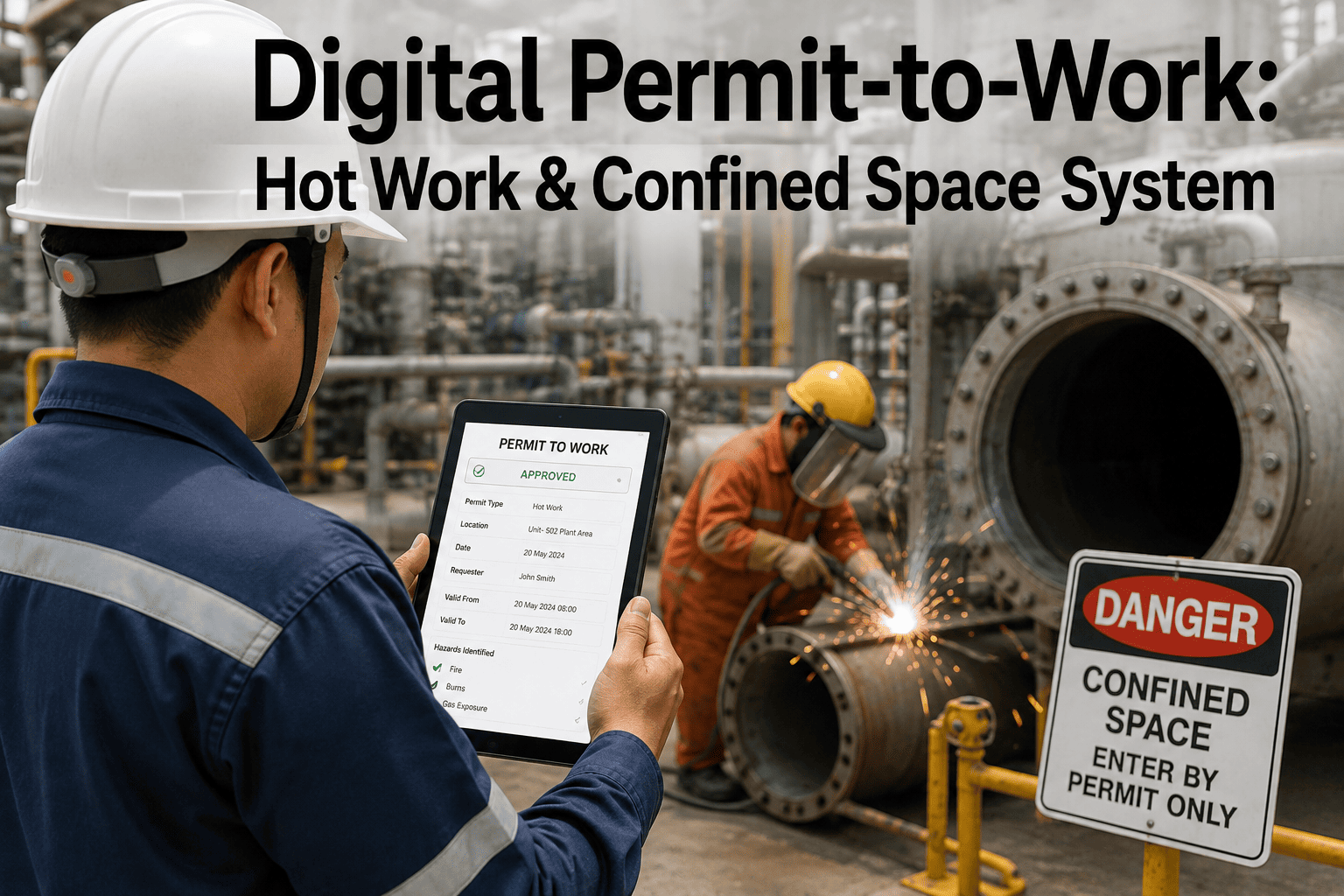
Digital Permit-to-Work: Hot Work & Confined Space System
By Johnson on August 13, 2026
A hot work permit that lives on a clipboard in the maintenance office is only as reliable as whoever remembers where the clipboard is, whether the fire watch actually signed it, and whether the gas test underneath it is still valid three hours later. Paper permit systems don't fail loudly — they fail quietly, staying "active" on paper long after the conditions that made them safe have changed. The bigger risk on any plant floor with more than one crew working at once isn't a single bad permit, it's two valid-looking permits that conflict with each other and nobody catches it until something goes wrong. This page walks through what a digital permit-to-work system actually replaces, and you can see the workflow live on a call with our team once you've read through it.
Safety & EHS · Permit-to-Work
Every High-Risk Job, Properly Permitted, Time-Bound, and Conflict-Checked
Hot work, confined space entry, electrical isolation, and excavation permits routed through an automated approval chain that expires on its own and flags conflicts before they become incidents.
Permits Don't Usually Fail Because Someone Skipped a Step
Most serious permit-to-work incidents don't trace back to a supervisor who forgot to check a box. They trace back to two permits that were each individually valid but became dangerous the moment they overlapped — a hot work job producing sparks near a confined space entry that opened an hour later, or an electrical isolation that got re-energized while a crew working adjacent to it never got the update. Paper systems have no mechanism to catch this. A permit coordinator relying on memory and a whiteboard cannot reliably track every active permit across a large site, every shift, every day. A digital system doesn't just digitize the form — it actively checks every new permit request against every currently active one, flags spatial and time overlaps automatically, and holds the new permit for review before it's ever issued. That single capability addresses the most dangerous and least visible gap in paper-based permitting.
Permit Categories
Five High-Risk Permit Types Covered in a Digital Workflow
Hot Work
Welding, cutting, grinding, and any spark or flame-producing task. Requires a fire watch sign-off, hazardous area clearance, and automatic expiry at shift end.
Confined Space Entry
Tanks, vessels, and enclosed spaces with atmospheric risk. Requires gas test results logged at entry, continuous monitoring, and a re-check trigger if conditions change.
Electrical Isolation
Lockout-tagout on energized equipment. Requires every personal lock logged before work begins and verified removed before re-energization is authorized.
Excavation
Digging near buried utilities or structural elements. Requires utility clearance confirmation and shoring verification before the permit can be issued.
Working at Height
Any task above a defined fall-risk threshold. Requires fall protection equipment verification and a rescue plan attached before approval.
How It Actually Runs
The Approval Chain, Step by Step
1
Requester Submits the Permit
The work crew submits the permit type, location, scope, and duration from a mobile device on the floor, with activity-specific hazard checklists built into the form itself.
2
System Runs an Automatic Conflict Check
Before it ever reaches an approver, the request is checked against every other active permit for spatial and time overlap, and anything that conflicts gets flagged immediately.
3
Area Authority Reviews and Approves
A qualified approver reviews the hazard controls and, for confined space and electrical work, confirms gas test or isolation lock data before signing off.
4
Permit Goes Live With a Built-In Expiry
Once issued, the permit is visible to every crew and shift on the affected zone, and it expires automatically at the end of its authorized window instead of staying valid by default.
5
Closure and Audit Trail
Closing the permit captures a final sign-off and timestamp, building a complete audit trail that's retrievable in seconds instead of days during an incident investigation.
Paper vs Digital
Where the Failure Modes Actually Get Fixed
Failure Mode
Paper-Based Permitting
Digital Permit-to-Work
Simultaneous operations conflict
Relies entirely on the coordinator's memory
Automatic spatial and time conflict detection
Permit expiry
Stays valid until someone remembers to close it
Expires automatically at the end of its window
Gas test and isolation records
Handwritten, easy to lose or backdate
Logged with timestamp and tied to the permit record
Shift handover visibility
Depends on a verbal handoff or a whiteboard note
Active permits visible to the incoming shift instantly
Audit trail during investigation
Can take days to locate the right permit and sign-offs
Full history retrievable in seconds
Bring Your Current Permits
Watch Live Conflict Detection Run Against Your Own Site Data
Bring a snapshot of the permits your team has open right now, and we'll show you exactly how the system flags overlaps, escalates them to an area authority, and closes the gap paper permitting can't see.
Typical reduction in permit processing time once approval routing moves off paper
50+
Hot work, confined space, and isolation permits active on a single day in a mid-sized plant
Seconds
Time to retrieve a full permit history during a regulator or incident investigation
Applied Example
Catching a SIMOPS Conflict Before It Became a Near-Miss
A steel plant running multiple concurrent maintenance jobs during a planned outage had a hot work request come in for a zone twelve meters from an active confined space entry. Under the plant's previous paper process, the two crews would have had no automatic way of knowing about each other — the hot work permit and the confined space permit were issued by different area authorities on different shifts, and neither had visibility into the other's paperwork. With the digital system in place, the hot work request was automatically checked against every currently active permit the moment it was submitted, flagged the twelve-meter overlap, and held the request for area authority review before it was ever issued. The review confirmed the ventilation risk and required the hot work to be rescheduled until the confined space entry closed out. What would have been an invisible overlap under the old process became a documented, resolved conflict in under five minutes.
"
Almost every major permit-related incident I've investigated wasn't caused by a single bad decision. It was two permits that were each fine on their own, issued by people who had no way of seeing each other's work. That's not a training problem, it's a visibility problem — and it's the one thing paper genuinely cannot solve, no matter how good your team is.
Priya Ramesh
EHS Systems Consultant · 15 years in permit-to-work and process safety management across heavy industry
Before You Switch
What to Check Before Moving Your Site Off Paper Permits
Map Every Permit Type You Actually Issue
List every permit category your site uses today, not just the common ones, so the digital workflow doesn't leave a high-risk task without a matching template on day one.
Confirm Mobile Access on the Floor
A digital system only closes the paper gap if crews can actually submit, view, and close permits from where the work is happening, not just from an office terminal.
Define Your Area Authority Structure First
Digitizing an unclear approval chain just makes the confusion faster — confirm who has authority to approve, hold, or escalate each permit type before go-live.
Plan the Paper-to-Digital Transition Window
Run both systems in parallel on a limited set of zones first, so gaps in the new workflow surface before the whole site depends on it.
Digital PTW Questions
Frequently Asked
What is a digital permit-to-work system?
A digital permit-to-work system replaces the paper form and clipboard folder with an electronic workflow that routes hot work, confined space, electrical isolation, and excavation permits through a defined approval chain, checks new requests against every other active permit for conflicts, and automatically expires permits at the end of their authorized window. Book a demo to see the full workflow in action.
How does a digital system catch simultaneous operations conflicts?
Every new permit request is checked automatically against all currently active permits for the same site zone and time window, comparing location and task type to flag potential interactions such as hot work near an open confined space or overlapping isolations. Where a paper coordinator has to rely on memory and a whiteboard, the system runs the check on every single request without exception. Talk to support about how conflict detection is configured for your site layout.
Do permits expire automatically in a digital system?
Yes, and this is one of the most important differences from paper. Every permit is issued with a defined authorized window, and once that window closes the permit automatically moves to an expired status rather than remaining valid by default until someone remembers to close it out. This removes the most common quiet failure mode in paper-based permitting. Book a call to see expiry rules configured for hot work, confined space, and isolation permits.
Can workers submit and close permits from the plant floor?
Yes — mobile access is a core part of a working digital PTW system, since a system that only functions from an office terminal doesn't actually close the gap paper permitting leaves. Crews can submit requests, view active permits for their zone, and complete closure sign-offs directly from a mobile device where the work is happening. Contact our team to confirm mobile access fits your site's connectivity setup.
How does a digital audit trail help during a regulatory investigation?
Every permit action — submission, conflict check, approval, gas test entry, and closure — is timestamped and stored in one retrievable record, so a full permit history can be pulled in seconds instead of the days it can take to locate the right paper form and matching sign-off sheets after an incident. That speed and completeness matters directly to how regulators assess a site's operational controls. Book a scoping session to see the audit trail format used in practice.
Stop Trusting a Clipboard With High-Risk Work
Move Hot Work, Confined Space, and Isolation Permits Onto One Digital System
iFactory routes every high-risk permit through an automated approval chain with built-in conflict detection, mandatory sign-offs, and expiry that can't be silently skipped.