Every manufacturing line has a constraint: one machine, one process step, or one shared resource that limits the throughput of the entire line regardless of how well every other step performs. The Theory of Constraints calls this the bottleneck. The problem most manufacturers face is not identifying the concept of a bottleneck but identifying which specific machine is the current constraint, how much throughput it is actually costing, and whether the constraint shifts after it is addressed. Manual observation, shift reports, and intuition rarely produce accurate bottleneck identification because the constraint often appears to be a downstream machine that is frequently idle, when the actual constraint is an upstream machine feeding it inconsistently. iFactory's AI analytics identifies your current production constraint from PLC and sensor data in real time, quantifies the throughput cost, and tracks how the constraint shifts as you make improvements. Book a free bottleneck analysis for your production lines.
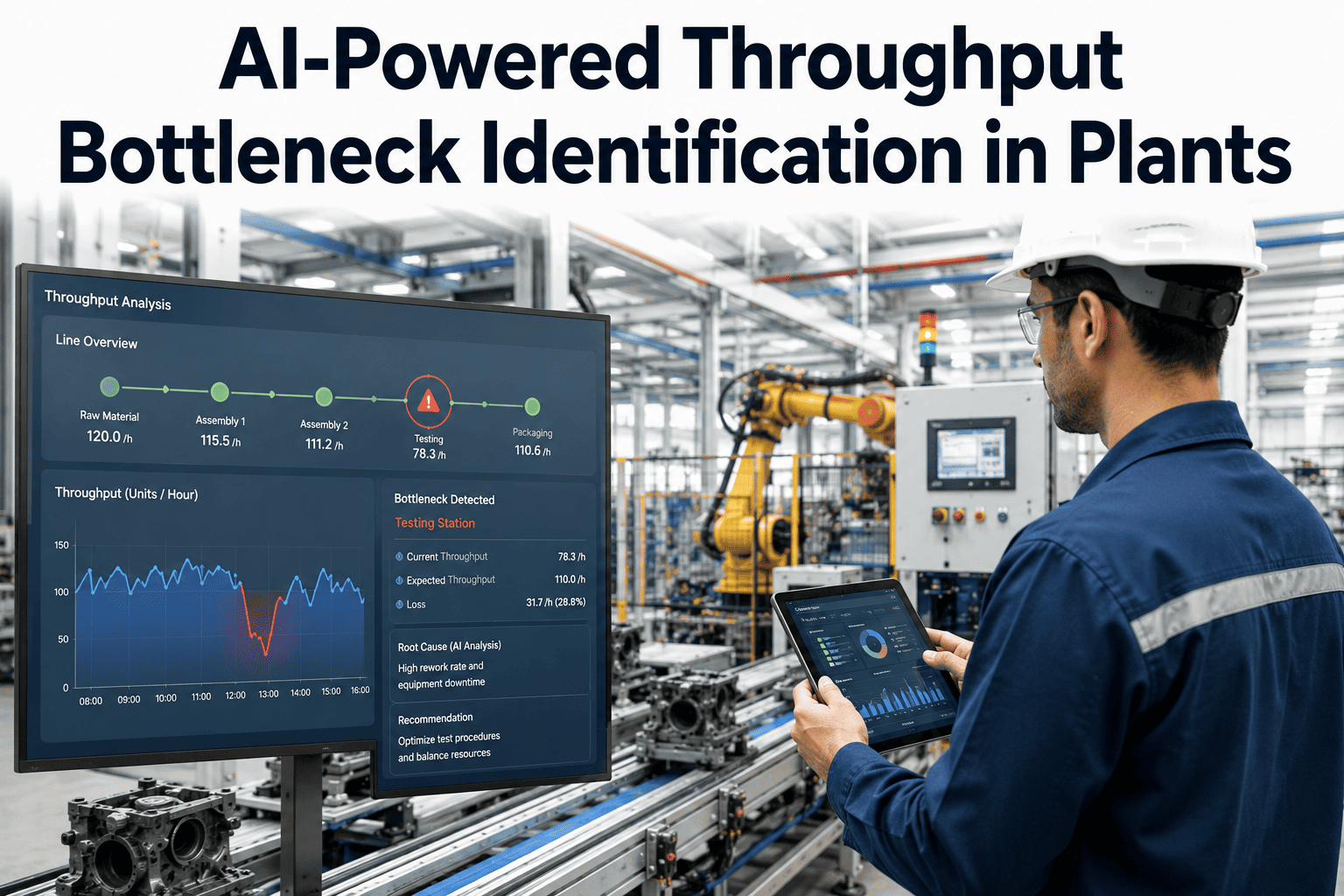
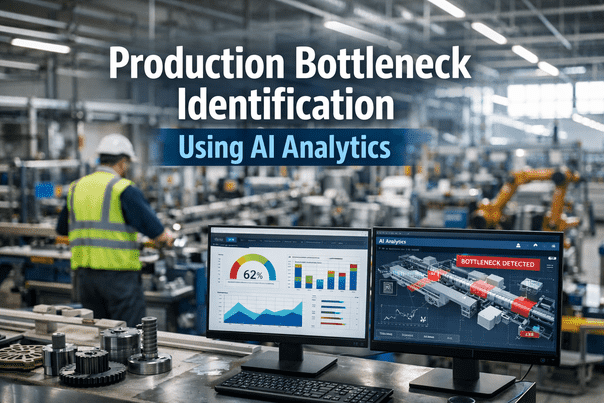
iFactory identifies production bottlenecks by analyzing inter-machine buffer levels, machine utilization rates, and idle time patterns from PLC data in real time. The constraint is the machine with the highest sustained utilization relative to its upstream and downstream neighbors. iFactory tracks constraint location continuously, alerts when the constraint shifts to a new machine after a fix, and quantifies the revenue impact of each constraint in units per hour and dollars per shift against your product margin data.
Why Manual Bottleneck Analysis Identifies the Wrong Constraint 60% of the Time
The most common bottleneck identification error in manufacturing is confusing the most visible problem with the actual constraint. The bottleneck is not the machine that breaks down most often, not the machine with the most maintenance work orders, and not the machine that operators complain about most. The bottleneck is the machine whose output rate determines the rate of the entire line. Book a demo to see iFactory identify the actual constraint on your production line.
A machine with frequent minor stoppages gets attention and maintenance investment. Meanwhile, a consistently running upstream machine is feeding parts slower than the downstream lines can consume them. The noisy machine is not the bottleneck. The quietly underperforming feeder is.
A bottleneck is fixed, throughput improves, and the team declares success. Three weeks later, throughput has plateaued again because the constraint has migrated to the next weakest machine in the line. Without continuous monitoring, the new constraint goes unidentified for weeks or months.
A machine that occasionally runs very slowly due to a product-specific setup issue appears to be the bottleneck in weekly averages. But the actual constraint is a different machine that runs consistently at 85% of its upstream feed rate. Weekly averages obscure the continuous constraint and highlight the intermittent one.
The machine with the highest total downtime hours in the month is assumed to be the bottleneck. But downtime duration does not determine constraint status. A machine can have high downtime but recover quickly and still not be the rate-limiting step. The constraint is determined by cycle time relative to demand, not downtime volume.
The iFactory 5-Step Bottleneck Identification and Exploitation Process
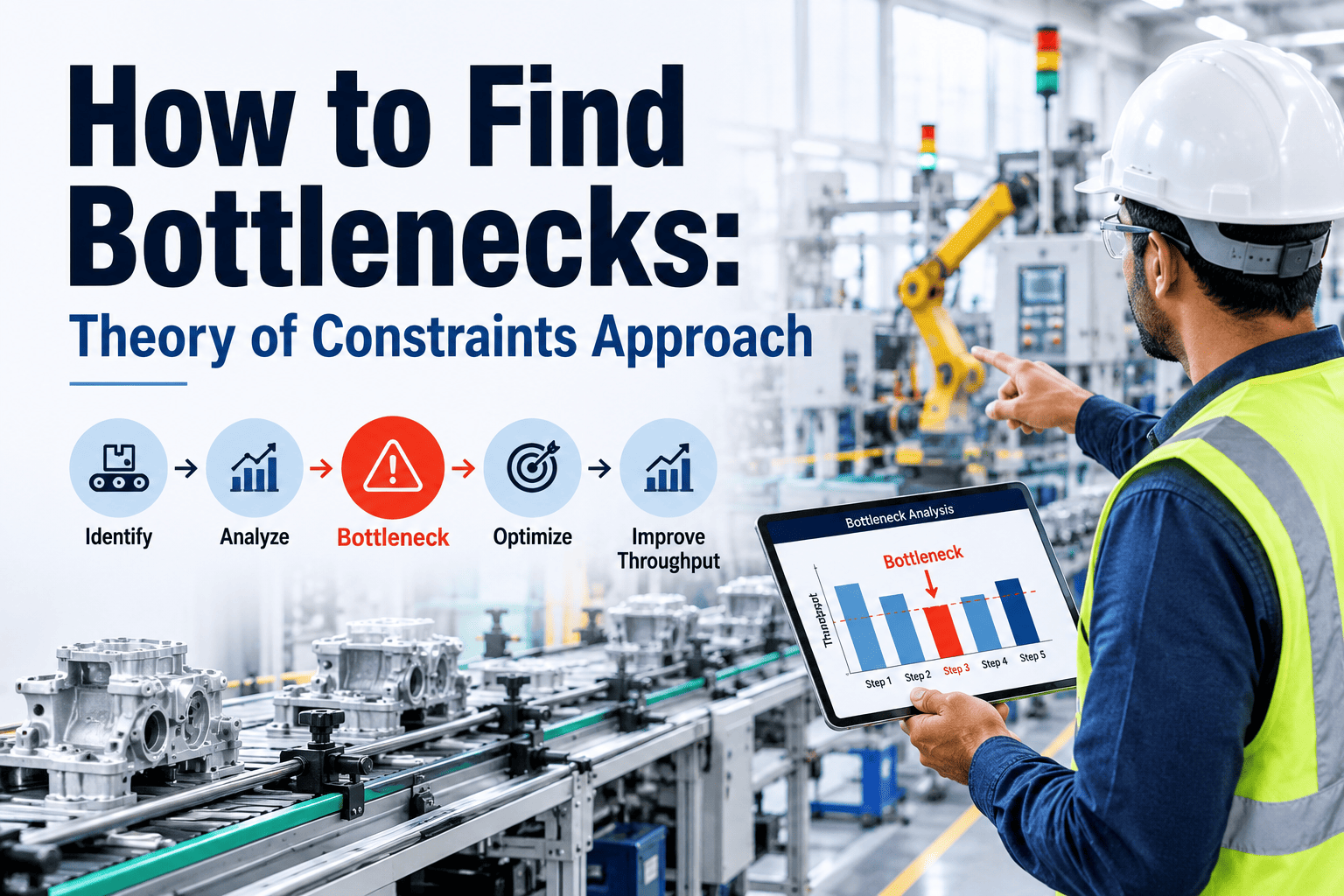
iFactory applies the Theory of Constraints 5-step focusing process using production data rather than manual observation, making each step faster, more accurate, and continuously updated as production conditions change. Book a demo to see all five steps applied to your specific line topology.
iFactory calculates the utilization ratio of every machine relative to its neighbors using PLC counter and state data. The machine with the highest sustained utilization ratio (output rate vs capacity vs downstream demand) is identified as the current system constraint. This identification updates in real time every 15 minutes and is displayed on the shopfloor dashboard with the constraint highlighted and its throughput cost quantified in units per hour.
Exploitation means getting maximum output from the constraint without additional investment. iFactory identifies which downtime categories are reducing constraint utilization below theoretical maximum. Minor stoppages at the constraint machine are tracked and prioritized above all other downtime because every minute of constraint downtime is a minute of system throughput loss. Scheduled maintenance at the constraint is reviewed for shift timing to minimize productive hour loss.
Non-constraint machines should run at the pace the constraint requires, not at their own maximum rate. iFactory identifies which non-constraint machines are running faster than the constraint can consume, creating unnecessary WIP inventory and masking the constraint's actual utilization. Subordination recommendations show which upstream machines should pace their output to protect constraint buffer without overproducing.
If exploitation reaches its limit and throughput still cannot meet takt time demand, elevation (adding capacity to the constraint) is indicated. iFactory's constraint throughput model quantifies the exact additional capacity increment needed, based on the gap between current constraint output and system demand. This provides the business case for capital investment in constraint elevation before any spending decision is made.
After a constraint is elevated or resolved, the system constraint migrates to the next limiting machine. iFactory automatically re-runs constraint identification after any significant throughput improvement event and alerts the team when the constraint has migrated. This prevents the common failure mode of declaring a bottleneck improvement complete while the system is actually constrained at a new location.
Constraint identification updates every 15 minutes from live PLC counter data. The throughput cost of the current constraint is quantified in units per hour and dollars per shift and displayed on the shopfloor dashboard.
Client Results: Throughput Improvement with iFactory Bottleneck Analytics
Average throughput improvement within 6 months of iFactory bottleneck analytics deployment, driven by constraint identification accuracy, exploitation interventions, and constraint migration tracking.
Average reduction in time to identify the system constraint compared to manual observation methods. iFactory identifies the constraint from existing PLC data within the first 48 hours of deployment.
Average time for iFactory to detect and alert on constraint migration after a bottleneck improvement event, versus an average of 3 to 6 weeks for manual methods to identify the new constraint.
Average additional revenue generated from throughput improvements per production line per year following iFactory bottleneck analytics deployment across the installed base.
iFactory identifies your system constraint from 48 hours of PLC data and quantifies exactly how much throughput it is costing per shift. The identification is available before any commitment to a solution.
iFactory vs Competing Bottleneck Analysis Platforms
Most production analytics platforms show you downtime and OEE by machine. Very few identify the system constraint, quantify its throughput cost, and track constraint migration. The distinction matters because improving a non-constraint never improves system throughput. Book a demo to see iFactory constraint analytics mapped against your current production analytics tools.
| Capability | iFactory | QAD Redzone | Mingo Smart Factory | L2L (Leading2Lean) | Siemens Insights Hub | Dassault DELMIA | Plex Mfg Cloud | ClickUp |
|---|---|---|---|---|---|---|---|---|
| Constraint Identification | ||||||||
| Automatic constraint identification from PLC data | Real-time, 15-min updates | OEE by machine only | Basic bottleneck view | Operator-reported issues | Via configuration | Digital factory model | Via ERP data | Task management only |
| Throughput cost quantification per constraint | Units/hr and $/shift live | Not available | Partial | Not available | Via configuration | Simulation-based | Via ERP | No |
| Constraint migration detection after improvement | Auto-alert within 4 hours | No | No | No | Manual review required | Simulation only | No | No |
| Analytics and Architecture | ||||||||
| Inter-machine buffer level monitoring | Continuous from PLC/sensors | Not available | Basic WIP tracking | Not available | Via MES integration | Digital twin simulation | Via ERP | No |
| On-premise deployment (no cloud data transfer) | Full on-premise | Cloud SaaS | Cloud SaaS | Cloud SaaS | Cloud or hybrid | Cloud or on-prem | Cloud SaaS | Cloud SaaS |
| Predictive maintenance integrated with constraint data | Constraint asset health prioritized | No predictive capability | No predictive capability | No predictive capability | Via MindSphere AI | Simulation only | No predictive capability | No |
Based on publicly available product documentation as of Q1 2025. Verify capabilities with each vendor before procurement decisions.
Regional Compliance: Throughput Data and Production Records Requirements
Production throughput data and constraint analysis records are increasingly relevant to quality system certification, customer audit evidence, and regional regulatory reporting across all major manufacturing sectors. iFactory's on-premise architecture keeps all production throughput and capacity data within your facility and jurisdiction.
| Region | Production Throughput and Capacity Compliance | iFactory Coverage |
|---|---|---|
| USA | IATF 16949 customer-specific requirements (Ford, GM, Stellantis) mandate production capacity analysis and throughput evidence as part of PPAP and APQP. FDA 21 CFR Part 211 requires production batch records with throughput and equipment status documentation for pharmaceutical manufacturers. OSHA PSM requires production rate documentation for facilities with threshold quantities of hazardous chemicals. | IATF 16949 capacity analysis and throughput records with audit trail. FDA 21 CFR Part 11 production batch throughput records. OSHA PSM production rate documentation. All data on-premise within US jurisdiction. |
| UAE | UAE Industrial Strategy productivity requirements mandate OEE and throughput measurement for Make It in the Emirates program participants. ADNOC HSEMS requires production performance records for oil and gas manufacturing facilities. UAE ESMA industrial product certification requires production capacity and throughput evidence. | UAE Industrial Strategy throughput and productivity evidence. ADNOC HSEMS production performance records. ESMA capacity and throughput documentation. Arabic platform support. All data on-premise within UAE. |
| UK | IATF 16949 and Ford Q1 supplier qualification requires production capacity analysis and throughput evidence. MHRA GMP requires pharmaceutical production batch records with throughput documentation. Made Smarter UK productivity program requires throughput baseline and improvement evidence for grant applications. | Ford Q1 and IATF 16949 capacity and throughput evidence. MHRA GMP production batch records. Made Smarter throughput baseline and improvement documentation. All data on-premise within UK. |
| Canada | IATF 16949 customer-specific requirements for Ontario and Quebec automotive suppliers. Health Canada GMP production throughput records for pharmaceutical manufacturers. Canadian automotive OEM CDMS supplier quality requirements include production capacity analysis and throughput evidence. PIPEDA data residency requirements for production records. | IATF 16949 and CDMS throughput and capacity records. Health Canada GMP production documentation. PIPEDA-compliant on-premise data. Bilingual EN/FR reporting for Quebec. All data on-premise within Canada. |
| Germany / EU | VDA 6.3 process audit and IATF 16949 require production capacity evidence and throughput measurement. EU CSRD requires production efficiency and throughput-per-unit energy metrics for sustainability reporting. GDPR requires all production data processing to comply with data minimization and residency principles. | VDA and IATF 16949 capacity and throughput evidence. EU CSRD production efficiency metrics. GDPR-compliant on-premise data processing. EU data residency guaranteed. All data within EU jurisdiction. |
| Australia | ISO 9001 and IATF 16949 production throughput records. AMP Advanced Manufacturing Fund requires throughput baseline and improvement evidence. WHS regulations require production rate documentation for hazardous plant operations. TGA GMP requires pharmaceutical production throughput records per batch. | AMP throughput baseline and improvement evidence. TGA GMP production batch throughput records. WHS production rate documentation. ISO 9001 throughput and capacity records. All data on-premise within Australia. |
Frequently Asked Questions
Continue Reading
iFactory identifies the system constraint, quantifies its throughput cost per shift, and tracks constraint migration after every improvement. On-premise deployment with zero cloud data transfer. IATF 16949, FDA, and VDA compliance records generated automatically.