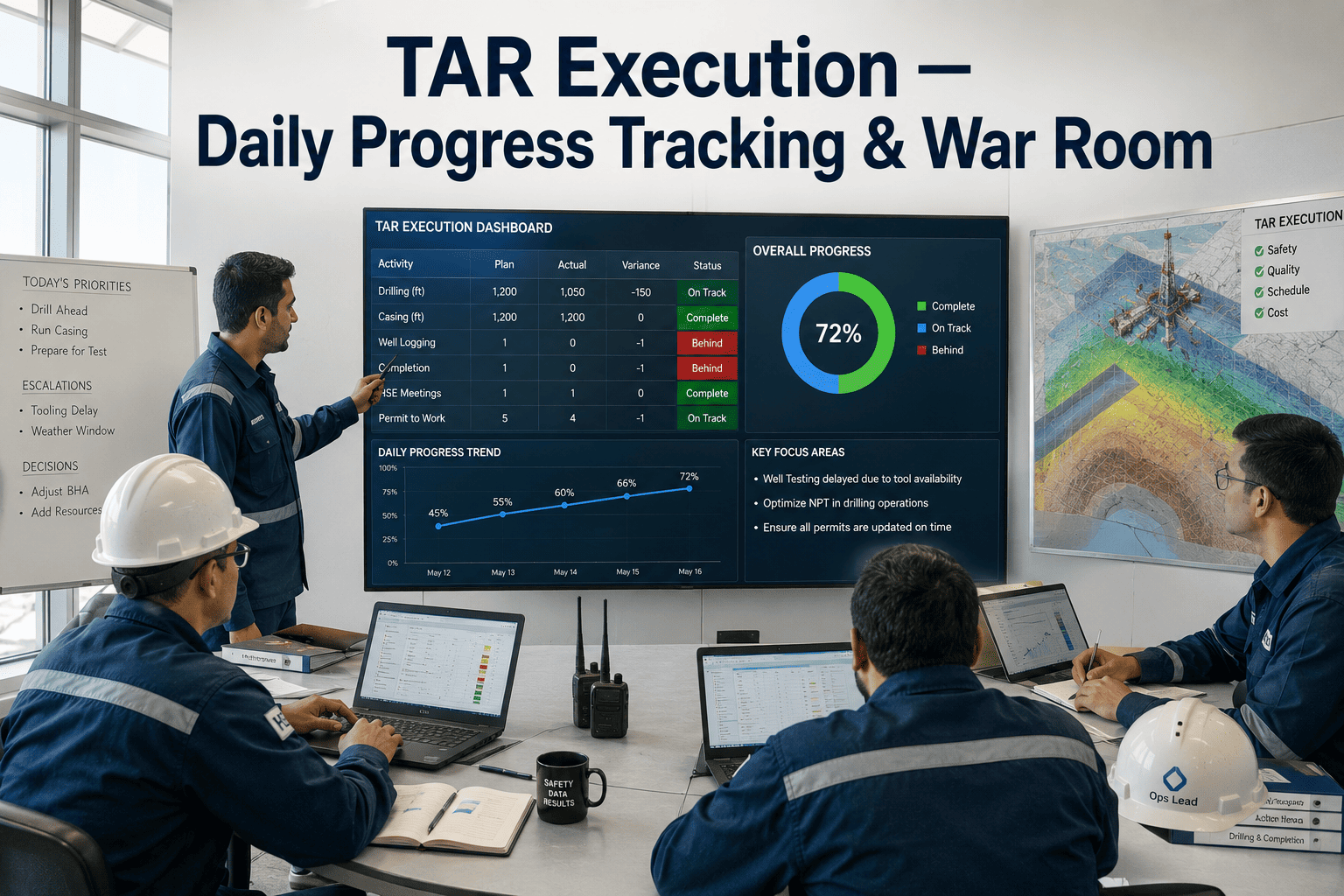
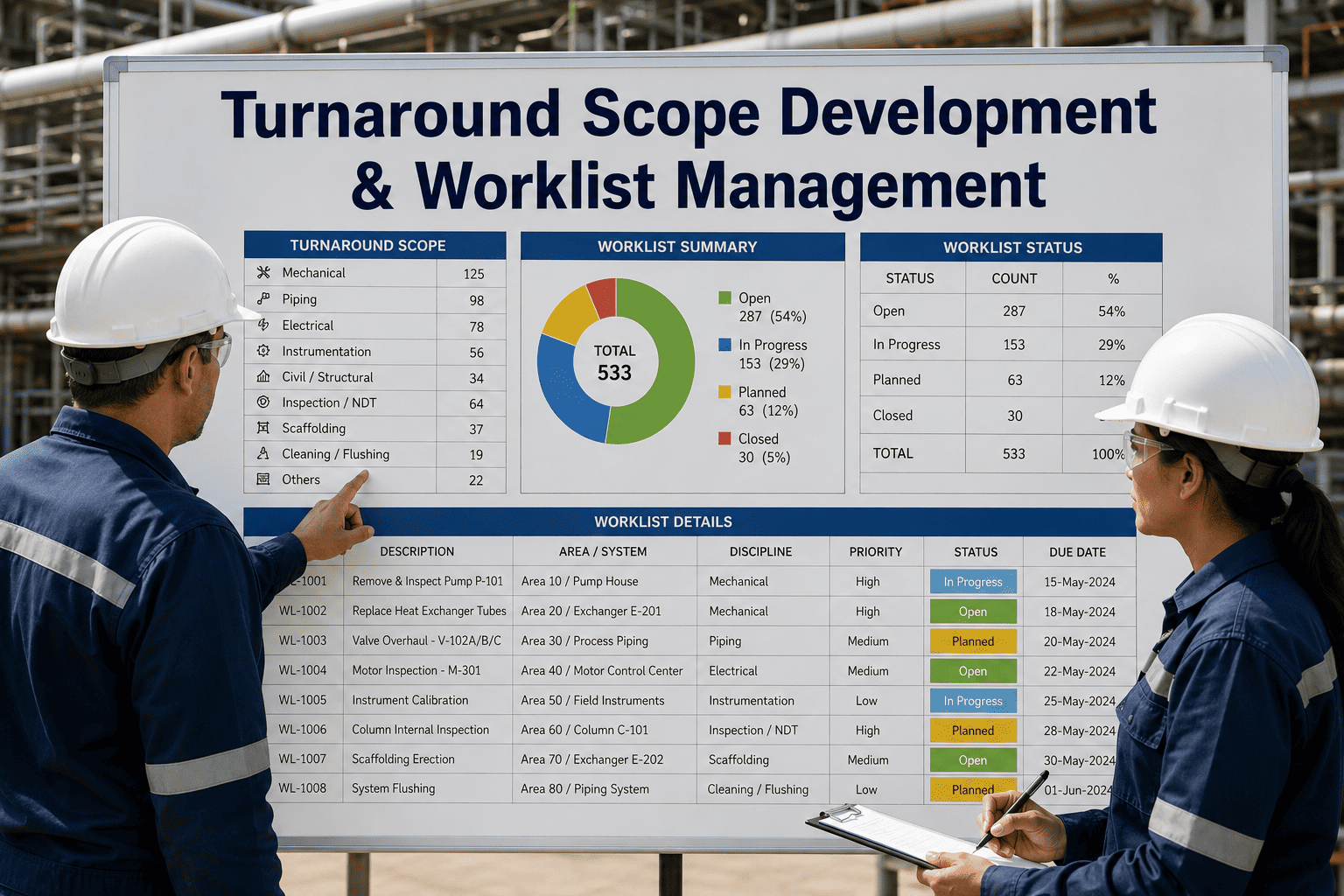
Turnaround planning can be flawless and a turnaround can still slip badly during execution, because the tool most teams use to track daily progress is a spreadsheet that's already a day out of date by the time it's updated. Execution runs on a completely different rhythm than planning does: hundreds of work orders closing, reopening, and slipping every single day, and a war room that can't see that in real time is making decisions on yesterday's picture. Daily progress tracking built for execution, not planning, changes what the war room actually sees each morning. A demo can show this running against a live turnaround schedule.
Shutdown Planning
Turnaround Execution — Daily Progress Tracking & War Room
Real-time progress tracking, structured daily stand-ups, and exception management that keep the war room working from today's numbers, not yesterday's.
Why the Spreadsheet Breaks Down During Execution
During planning, a spreadsheet works fine. Updates happen weekly, the pace is manageable, and one person can reasonably own the file. During execution, that same spreadsheet has to absorb hundreds of work order status changes a day, contractor progress updates coming from multiple crews across multiple areas simultaneously, and the war room needing an accurate picture before the 6 a.m. stand-up regardless of how chaotic the previous shift was. A single file updated manually simply cannot keep pace, and the gap between what the spreadsheet shows and what's actually happening on the unit grows every single day the turnaround runs.
The cost of that gap isn't abstract. A war room working from a day-old picture makes resourcing decisions based on numbers that no longer reflect reality, which means crews get shifted to problems that have already been resolved while genuinely critical path work sits unnoticed until it's already causing a schedule slip that's much harder to recover from by the time anyone sees it.
Planned vs Actual Progress Across the Turnaround
Planned % CompleteActual % Complete
A gap between planned and actual that's caught on day three is a resourcing conversation. The same gap discovered on day nine, after it's compounded silently for a week, is a schedule crisis that forces hard choices about scope cuts or an extended outage. Real-time tracking exists specifically to surface that gap on the day it opens, not the week it becomes undeniable.
The Daily War Room Stand-Up, Structured
1
Overnight shift closes out: work order status updates from the previous 24 hours are pulled into the dashboard before the morning meeting starts, not compiled live during it.
2
Critical path review: the stand-up opens with whatever is on the critical path today, not a generic area-by-area walkthrough that buries the one thing that actually threatens the finish date.
3
Exception flagging: any work order more than a defined threshold behind schedule is flagged automatically, so the room spends its limited time on genuine problems instead of hunting for them.
4
Resource reallocation decisions: crews are reassigned based on where today's actual bottleneck sits, not where yesterday's plan assumed the bottleneck would be.
5
Action ownership logged: every decision made in the stand-up is assigned an owner and a close-out time before the meeting ends, so nothing discussed today gets lost by tomorrow's version of the same meeting.
What Actually Gets Flagged as an Exception
Schedule Slip
A work order or activity falling meaningfully behind its planned duration, especially anything sitting on the critical path.
Safety Exceptions
Permit issues, confined space entries running long, or any activity that has triggered a safety stand-down affecting downstream work.
Quality Holds
Inspection failures or rework requirements that block a work order from closing and may cascade into dependent activities.
Resource Conflicts
Crew or equipment double-booked across simultaneous work fronts, usually the first sign that the plan and reality have diverged.
See Today's Numbers, Not Yesterday's
Bring Real-Time Progress Into Your War Room
See how live work order status, exception flagging, and critical path tracking change what the daily stand-up can actually decide.
Spreadsheet Tracking vs Real-Time War Room Dashboard
| Aspect | Spreadsheet Tracking | Real-Time Dashboard |
|---|
| Update frequency | Once or twice daily, manually compiled | Continuous, as work orders close |
| Critical path visibility | Requires manual cross-referencing | Surfaced automatically at the top of the view |
| Exception detection | Depends on someone noticing during review | Flagged automatically against defined thresholds |
| Multi-crew visibility | Each contractor often tracks separately, then reconciled | All crews update into the same live view |
| Stand-up preparation time | 30 to 60 minutes compiling before the meeting | Dashboard is ready before the meeting starts |
Frequently Asked Questions
How do contractor crews actually update progress in real time?
Field updates come in through whatever device the crew is already using, whether that's a tablet at the work front or a supervisor updating status at the end of each shift, and those updates flow directly into the shared dashboard rather than into a separate contractor spreadsheet that has to be reconciled later.
Support can walk through setup for multi-contractor turnarounds.
What counts as a schedule exception that gets flagged?
Thresholds are set per turnaround, but typically any work order running a defined percentage behind its planned duration, or any critical path activity slipping at all, triggers a flag. The goal is to surface problems while there's still time to act on them, not to flood the war room with noise over minor, non-critical variances.
Does this replace the daily stand-up meeting itself?
No, the stand-up still happens and the decisions made in it still matter just as much. What changes is how much of that limited meeting time gets spent compiling status versus actually deciding what to do about it, since the dashboard is already current before anyone walks into the room.
Can this integrate with the scheduling software used during planning, like Primavera?
Yes, the execution-phase schedule is built from the same baseline established during planning, so critical path and dependency logic carries through directly rather than being rebuilt from scratch once execution starts. Actual progress updates feed back against that same baseline in real time.
A demo can show this against your existing planning baseline.
How much does this help if the turnaround is already underway?
It can still be brought in mid-turnaround, and often is, once a spreadsheet-based tracking approach starts visibly falling behind reality. The current schedule status and remaining scope are loaded in as a starting point, and from that point forward the war room works from live data for whatever days remain.
Ready When You Are
Run Your Next War Room on Today's Data
See real-time progress tracking, exception flagging, and stand-up-ready reporting for your next turnaround.