Every power plant analytics team faces the same structural inefficiency: the data needed to answer a maintenance question, troubleshoot an equipment anomaly, or document a work order exists somewhere in the plant's information systems — but finding it requires logging into four different platforms, navigating complex menu trees, and manually cross-referencing outputs that were never designed to speak to one another. Book a Demo
Why AI Chatbot Analytics Changes How Power Plant Teams Access Operational Data
The bottleneck in power plant analytics is not data availability — it is data accessibility. Modern plants generate millions of data points per day from DCS systems, vibration monitors, oil analysis laboratories, thermography surveys, and CMMS work order records. But the process of accessing the temperature trend from the historian, the lubrication record from the CMMS, and the alignment measurement from the last outage report requires three separate system logins and three separate query constructions — and by the time all three data sources have been consulted, the cognitive context of the original question has been diluted by the mechanics of data retrieval. Book a Demo to see how iFactory's AI assistant eliminates this friction.
Natural Language Equipment History Queries
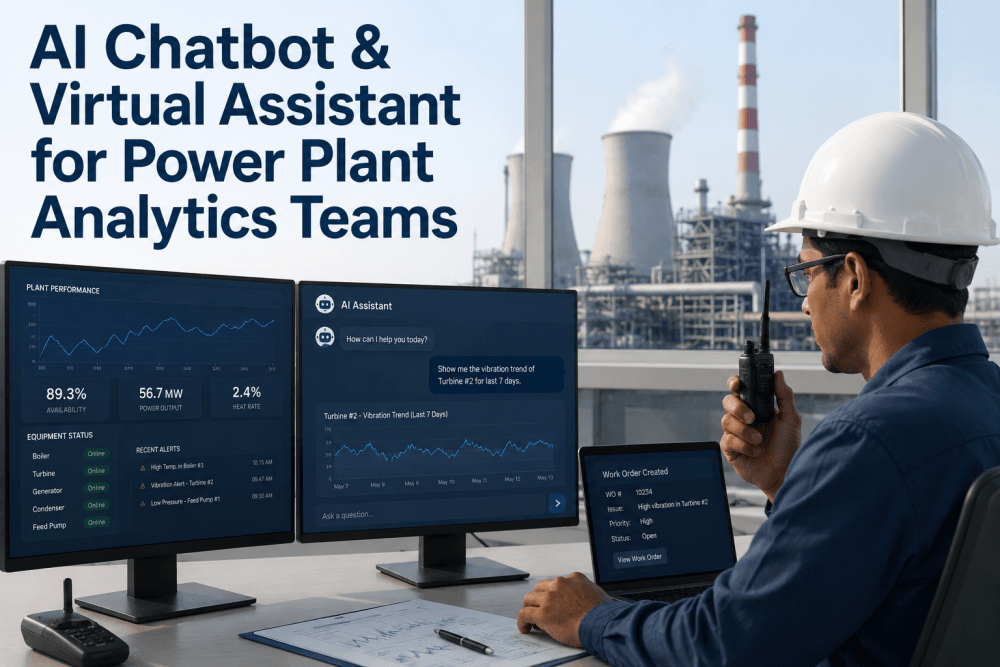
Ask questions about any asset's complete history — work orders, vibration trends, oil analysis results, operating conditions — in plain English. The AI retrieves and synthesizes data from all connected plant systems without requiring the user to know which system holds which data.
AI Troubleshooting Guidance
Describe an equipment symptom — "The feedwater pump is vibrating and the drive-end bearing temperature is rising" — and receive AI-generated troubleshooting guidance informed by the plant's maintenance history, OEM documentation, and industry failure mode libraries.
Conversational Work Order Creation
Create CMMS work orders through natural language: "Create a work order to replace the coupling on circulating water pump 2A, priority high, schedule for the next outage window." The AI populates all required fields, attaches relevant documentation, and submits the work order to the CMMS.
Multi-System Data Synthesis
Query across connected systems in a single interaction: "Compare the vibration trend for all four boiler feed pumps over the last month and flag any that show accelerated degradation." The AI accesses vibration, process, and maintenance data simultaneously.
Your Analytics Team Spends 40% of Their Time Searching for Data. iFactory Lets Them Ask for It.
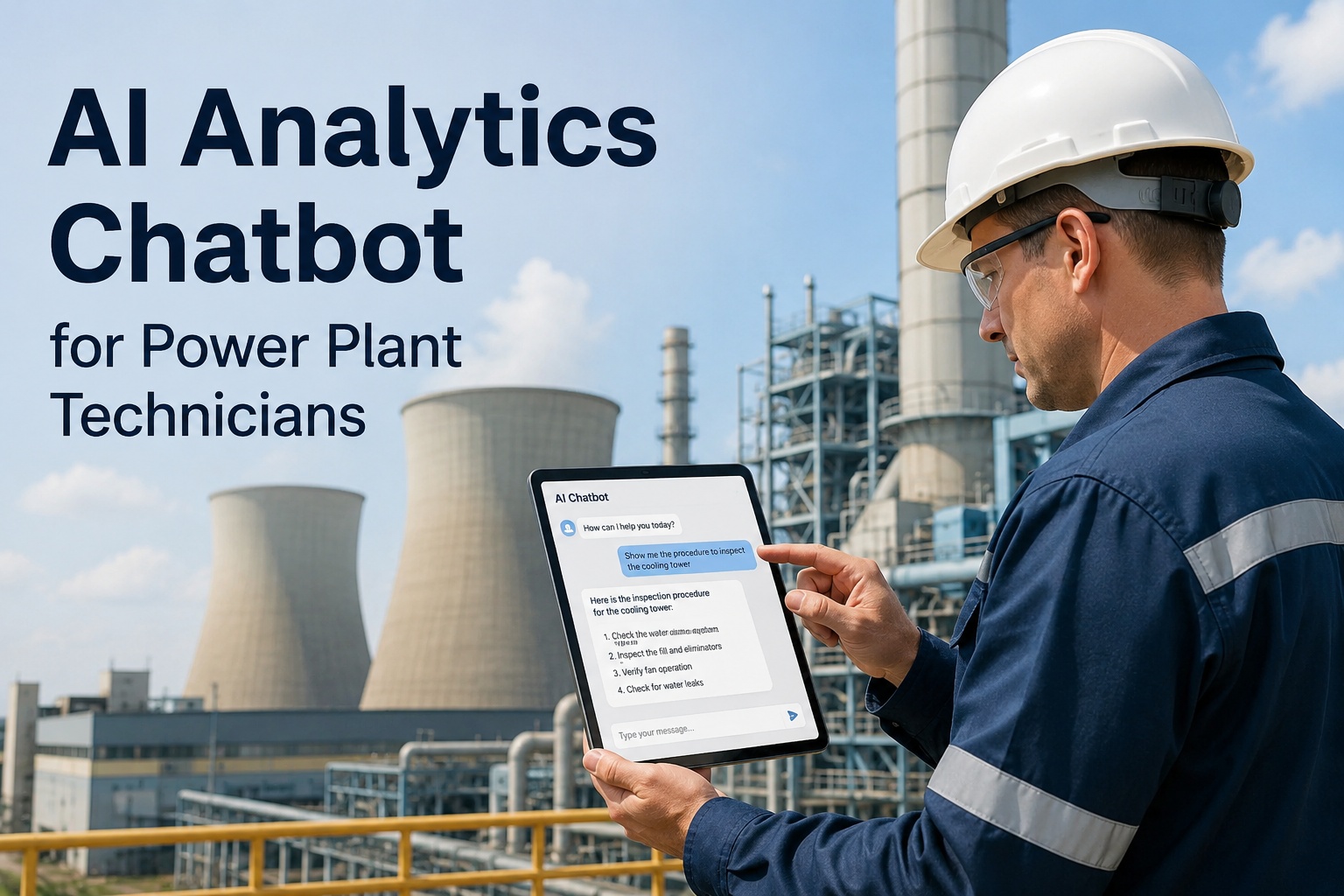
iFactory's AI-powered virtual assistant connects directly to your plant's DCS historian, CMMS, LIMS, and document management systems — enabling analytics teams, maintenance supervisors, and engineers to query equipment history, receive troubleshooting guidance, and create work orders using natural language. No complex query languages. No multi-system navigation. Just answers. Book a Demo
Natural Language Querying for Equipment History and Troubleshooting Guidance
The core technical capability that differentiates an industrial AI assistant from a general-purpose chatbot is the depth and accuracy of its connection to plant-specific operational data. A consumer chatbot can answer general questions about pump maintenance theory. An industrial AI assistant must answer specific questions about pump 3B on unit 2 at your plant — its vibration trend over the last 72 hours, the torque values recorded at its last coupling replacement, the oil sample results from last month, and whether any of those data points correlate with the current operating condition.
| Query Type | Natural Language Example | Systems Accessed | Response Time | Value Delivered |
|---|---|---|---|---|
| Equipment History | "Show me all maintenance events on condensate pump 4A in the last 12 months" | CMMS, Historian | 3–6 seconds | Eliminates 15–20 min of manual searching |
| Trend Analysis | "Compare bearing vibration on ID Fan 2A and 2B over the last 7 days" | Historian, Condition Monitoring | 4–8 seconds | Enables real-time comparative analysis |
| Diagnostic Support | "The boiler feed pump discharge pressure is dropping. What are the likely causes?" | Historian, CMMS, OEM Docs | 8–15 seconds | Surface probable causes in seconds vs hours |
| Compliance Check | "List all safety valve tests due in the next 30 days for Unit 1" | CMMS, LIMS | 2–5 seconds | Eliminates manual compliance tracking |
| Cross-Asset Comparison | "Which cooling tower fans have the highest vibration levels this month?" | Historian, CMMS | 5–10 seconds | Identifies outliers for targeted intervention |
Conversational Work Order Creation and Workflow Automation
The administrative burden of work order creation and documentation is one of the most persistent sources of analytics team inefficiency in power plant operations. A typical work order creation workflow requires the user to open the CMMS, navigate to the work order module, select the correct asset from a hierarchical list, populate 12 to 18 fields including problem description, priority, trade, scheduling window, and safety requirements, attach relevant documentation, and submit the record for approval. For an experienced CMMS user, this process takes 4 to 7 minutes per work order. For an occasional user — a shift supervisor, a reliability engineer who primarily works in other systems, or a technician who has been asked to document a finding — the time can be 10 to 15 minutes, often with field omissions or classification errors that require correction later. When a plant processes 80 to 150 work orders per week across all trades and priorities, the cumulative administrative time is substantial — and it is time that analytics professionals and maintenance supervisors should be spending on analysis and decision-making, not data entry. Book a Demo to see iFactory's conversational work order creation in a live environment.
Natural Language Input Capture
User describes the required work in conversational language — including asset identification, problem description, priority, and scheduling context. The AI parses the input in real time, extracting structured fields from unstructured natural language.
Asset and Context Verification
AI cross-references the identified asset against the plant's equipment hierarchy, confirms the asset exists and is active, and retrieves any relevant context — open work orders, recent maintenance history, current operating status — to include in the work order record.
Supporting Data Attachment
AI automatically retrieves and attaches relevant supporting data from connected systems — current vibration trends from the historian, last three oil analysis results from the LIMS, relevant OEM procedure documents from the document management system — eliminating the manual attachment step that is frequently omitted in practice. Book a Demo
User Confirmation and Submission
Completed work order is presented to the user in a confirmation view with all fields populated and attachments listed. User reviews, makes any corrections verbally or through the interface, and confirms submission. Work order is written to the CMMS with full audit trail.
Post-Creation Analytics Update
Work order creation event is logged to the AI assistant's analytics module, tracking creation time, user, asset category, priority distribution, and common problem descriptions — providing operations leadership with visibility into maintenance demand patterns.
"We deployed iFactory's AI assistant across our analytics team of 12 engineers covering a 1,800 MW combined-cycle plant. In the first 90 days, our team processed 2,400 queries through the assistant — 860 equipment history requests, 720 troubleshooting guidance interactions, 530 work order creations, and 290 cross-system analytical queries. The average query response time dropped from 18 minutes using our traditional multi-system workflow to 6 seconds with the AI assistant. Our team estimated that they recovered an average of 3.2 hours per person per week in reduced data retrieval and system navigation time — time that was reallocated to root cause analysis, predictive model development, and proactive equipment reviews. The work order creation accuracy improved from 82 percent to 97 percent because the AI eliminated field omissions and classification errors that were common in manually created records. Book a Demo"
Integration with Existing Plant Systems and Analytics Platforms
The effectiveness of an AI assistant in a power plant environment is directly proportional to the breadth and depth of its system integration. An AI assistant that can only access the CMMS provides limited value. An AI assistant that can access the CMMS, the DCS historian, the LIMS, the document management system, the condition monitoring platform, and the outage scheduling system — and can correlate data across all of them in response to a single natural language query — delivers transformational value. iFactory's AI assistant is built on an integration architecture that connects to existing plant systems through read-only data connectors, ensuring that the assistant has access to the full breadth of plant operational data without requiring any modifications to the source systems or introducing any write access that could compromise data integrity. Book a Demo to discuss iFactory's integration approach for your specific plant systems.
Read-only connector to OSIsoft PI, Siemens SIMATIC, ABB Ability, or GE Historian. Supports real-time and historical data queries with configurable resolution from 1-second to 1-hour intervals. Asset hierarchy synchronized automatically to align with plant equipment naming conventions.
Bidirectional connector to SAP PM, Maximo, Infor EAM, or Oracle Maintenance. Supports read operations for work order history, asset records, and PM schedules. Write operations limited to work order creation and update, with field-level validation to prevent data quality issues.
Connector to major LIMS platforms for oil analysis, water chemistry, and fuel quality data. Enables queries that correlate laboratory results with equipment operating conditions — for example, linking bearing wear metal trends to operating hours since last overhaul.
Integration with document management systems and network file shares enables the AI assistant to retrieve OEM manuals, engineering specifications, maintenance procedures, and shift handover notes as context for troubleshooting guidance and work order creation.
Connection to vibration analysis, thermography, and motor condition monitoring platforms enables the AI assistant to include current equipment health status in responses and to flag assets with active alerts during troubleshooting interactions.
Integration with outage planning and scheduling systems provides context for work order scheduling recommendations, enabling the AI assistant to suggest the appropriate outage window based on current schedule and asset criticality.
The Conversational Analytics Layer Your Power Plant Operations Team Is Missing
The gap between the analytical questions that power plant operations teams need to answer and the speed at which they can currently access the data required to answer them is a system navigation problem, not a data availability problem. The data exists. Book a Demo
Stop Navigating Systems. Start Asking Questions.
iFactory's AI-powered chatbot and virtual assistant connects your plant's DCS historian, CMMS, LIMS, and document management systems into a single conversational interface — enabling analytics teams and maintenance professionals to query equipment history, receive troubleshooting guidance, and create work orders using natural language. Deployed in 14 power generation facilities across North America. Average query time reduction: 18 minutes to 6 seconds.
AI Chatbot and Virtual Assistant for Power Plant Analytics — Common Questions Answered
Does the AI assistant require natural language training or specific vocabulary to function effectively in a power plant environment?
No specialized training or vocabulary memorization is required. The AI assistant is pre-trained on a comprehensive industrial and power generation vocabulary that includes equipment names, failure modes, maintenance terminology, and process parameters specific to combined-cycle, coal, nuclear, and hydroelectric plant operations. Users can refer to equipment using common plant terminology — "ID Fan 3B," "boiler feed pump," "Unit 2 generator," "circulating water system" — and the AI assistant maps these references to the correct assets in the plant's equipment hierarchy. The assistant also learns from usage patterns in each specific plant, improving its recognition of plant-specific terminology, abbreviations, and naming conventions over the first 30 to 60 days of deployment.
How does iFactory ensure data security and prevent the AI assistant from exposing sensitive operational information?
iFactory's AI assistant operates within a security architecture designed specifically for critical infrastructure environments. All data queries are processed through a dedicated edge gateway appliance installed on the plant's operations network, with no data transmitted outside the plant boundary for standard query execution.
Can the AI assistant handle complex multi-part queries that require data from multiple plant systems simultaneously?
Yes — multi-system queries are the primary use case that iFactory's AI assistant is designed to handle. Single-system queries such as "Show me the work order history for condensate pump 4A" are technically simple. The high-value queries are the ones that cross system boundaries — "Compare the vibration trend for the boiler feed pump with the last three oil analysis results and check whether there were any operating condition excursions in the same period" — which requires simultaneous access to the historian, LIMS, and DCS systems. The AI assistant's query engine decomposes complex natural language requests into sub-queries directed at the appropriate source systems, executes them in parallel where possible, and synthesizes the results into a coherent response with the relevant data visualizations. In iFactory's deployment experience, approximately 35 percent of user queries involve data from two or more source systems, and the AI assistant handles these multi-system queries without any reduction in accuracy or response speed compared to single-system queries.
What happens if the AI assistant encounters a query it cannot answer or a system that is temporarily unavailable?
The AI assistant is designed to handle partial data availability gracefully. If a source system is temporarily offline — for example, the historian is undergoing maintenance — the assistant informs the user of the limitation and provides whatever data it can retrieve from the available systems. The response clearly states which data sources were queried, which responded successfully, and which were unavailable, along with a suggested time to retry the query.
What is the typical deployment timeline and user adoption pattern for iFactory's AI assistant in a power plant setting?
iFactory's AI assistant deployment follows a phased approach designed to minimize disruption and maximize early value demonstration. Phase one — data connector installation and configuration for the initial set of source systems — is typically completed in 2 to 3 weeks, with one week per additional source system beyond the initial three. Phase two — knowledge base population and query model tuning — requires 1 to 2 weeks to index the plant's maintenance history, OEM documentation, and equipment hierarchy into the AI assistant's knowledge base. Phase three — pilot deployment with 5 to 10 users from the analytics and maintenance teams — runs for 4 to 6 weeks, during which the assistant's query accuracy is monitored, user feedback is collected, and the query model is refined based on the plant's specific terminology and query patterns. Book a Demo