A power plant generates more usable operational data every day than most control rooms ever see. The SCADA system knows the real-time breaker status. The DCS knows the combustion setpoints. The historian knows last month's efficiency drift, and the CMMS knows which valve is already flagged for replacement. None of these systems talk to each other by default. See how iFactory connects all four into one live data layer with a Book a Demo.
Four Systems, Four Versions of the Truth. iFactory Makes It One.
Stop reconciling numbers between your SCADA screens, DCS trends, historian tags, and CMMS work orders. iFactory integrates all four into a single real-time data layer that every team in the plant can trust and query the same way.
The Four Systems Were Never Designed To Talk To Each Other
SCADA, DCS, historian, and CMMS platforms were purchased at different times, from different vendors, for different purposes, often by different departments. SCADA and DCS were selected by controls engineering for real-time process control and safety interlocks. The historian was added later by the reliability team to archive tag data for trend analysis. The CMMS was brought in by maintenance planning to schedule work orders and track spare parts inventory. Each system does its own job well, but none of them were built with a shared data model, so connecting them after the fact has always required custom point-to-point interfaces that break every time one vendor pushes a firmware update.
Duplicate Tag Naming
The same pressure transmitter might be called "PT-2201" in the DCS, "Unit2_FeedPress" in the historian, and "Boiler Feed Pump Discharge" in the CMMS asset register — with no shared identifier linking them together.
Manual Reconciliation
Engineers spend hours each week manually cross-referencing historian trends against CMMS work order history to figure out whether a process upset correlates with a maintenance event on the same equipment.
Delayed Root Cause Analysis
When a trip occurs, the SCADA alarm log, the DCS sequence of events recorder, and the historian trend all need to be pulled separately and aligned by hand before a root cause investigation can even begin.
Reactive Maintenance Scheduling
Because CMMS work orders are not automatically informed by historian degradation trends, maintenance planning defaults to fixed calendar intervals instead of actual equipment condition, which either wastes labor or misses failures.
A Unified Data Layer Sitting Above All Four Systems
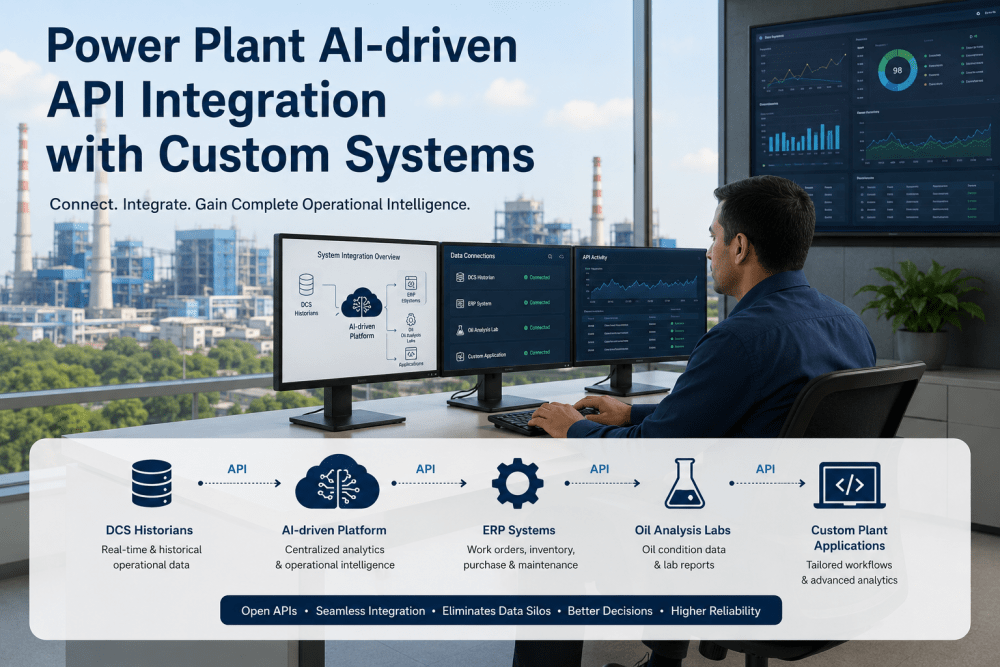
Rather than building direct point-to-point connections between every pair of systems — which creates a fragile web of custom interfaces that multiplies with each new system added — iFactory implements a unified data layer architecture. Each source system connects once into the integration layer, and every consuming application draws from that same layer. This reduces the number of connections from a growing web to a simple hub-and-spoke model, and it means a new consuming application, such as a dashboard or an analytics model, only needs one connection instead of four. The practical difference becomes obvious the first time a plant adds a fifth data source, such as a vibration monitoring system or an energy management platform. In a point-to-point model, that addition requires building new custom connections to every existing system it needs to share data with. In the unified layer model, it requires exactly one new connection into the layer, and every existing consuming application automatically gains access to the new data source without any additional integration work on their end.
OPC UA, REST API, and Middleware — Which Connection Method Fits Which System
Different source systems expose their data through different protocols, and choosing the right connection method for each one determines whether the integration is stable long term or requires constant maintenance. The table below breaks down which method applies to each of the four systems, along with the tradeoffs involved.
| System | Typical Protocol | Update Frequency | Integration Complexity |
|---|---|---|---|
| SCADA | OPC UA / OPC DA | Sub-second to 1 second | Low to Moderate |
| DCS | OPC UA / Proprietary Gateway | Sub-second | Moderate to High |
| Historian | REST API / SQL Query | Minutes (batch) or streaming | Low |
| CMMS | REST API | On event (work order created or closed) | Low to Moderate |
SCADA and DCS connections generally require the highest update frequency because they carry live process values that feed real-time dashboards and alarms. Historian and CMMS connections are typically lower frequency because they carry archived trends and discrete maintenance events rather than continuous process data.
Your Four Systems Already Hold The Answer. They Just Can't Share It.
iFactory connects SCADA, DCS, historian, and CMMS data into one layer so your teams stop reconciling numbers by hand and start working from the same picture.
SCADA, DCS, Historian, and CMMS Each Answer A Different Question
A useful way to think about integration is not "which system is most important" but "which question does each system answer best." Real value comes from linking those answers together rather than replacing any of the four systems.
SCADA — What Is Happening Right Now
SCADA answers the immediate operational question: is the breaker open or closed, is the pump running, what is the current flow rate. It is the fastest-updating system and the one operators rely on for moment-to-moment control decisions across the plant.
DCS — How Is The Process Being Controlled
The DCS answers how a continuous process is being regulated — combustion air-to-fuel ratio, drum level control, turbine governor response. It holds the control logic and setpoints that keep the process within safe and efficient operating limits.
Historian — What Happened Over Time
The historian answers the trend question: how has heat rate drifted over the last quarter, what did vibration look like in the weeks before a bearing failure. It is the archive that makes pattern recognition and root cause analysis possible.
CMMS — What Has Been Done About It
The CMMS answers the maintenance question: what work orders exist on this asset, what parts were replaced, when is the next scheduled inspection due. It is the record of intervention that closes the loop on equipment condition.
From A Vibration Alarm To A Closed Work Order In One Connected Path
The clearest way to see the value of integration is to follow a single event through all four systems, both before and after the connection is made.
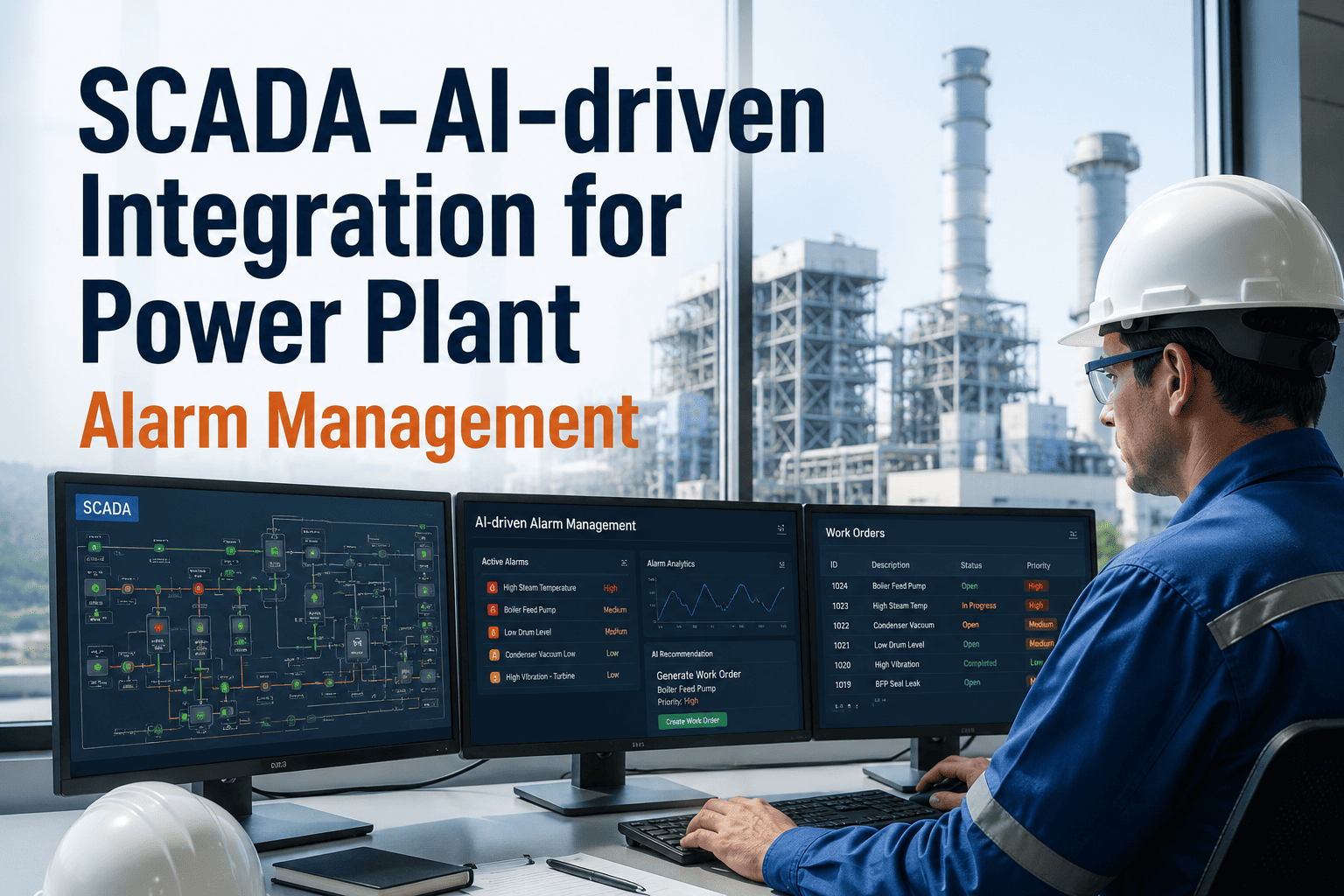
Without integration, this same sequence requires a control room operator to notice the alarm, a reliability engineer to separately pull the historian trend, and a maintenance planner to manually create a work order days later — by which point the bearing may already have failed. Each handoff between people and systems in that manual version introduces both delay and the risk that context gets lost along the way, since the operator who first noticed the alarm rarely writes down every detail the reliability engineer would need, and the reliability engineer's findings often don't make it into the work order in a form the maintenance planner can act on quickly. The integrated version removes those handoffs entirely by carrying the full context automatically from the moment the alarm fires to the moment the work order is closed.
Where Most SCADA-To-CMMS Integration Projects Go Wrong
Plants that attempt this kind of integration on their own, or through a series of one-off consulting engagements, tend to run into the same handful of problems. Recognizing these ahead of time is the difference between an integration that holds up for years and one that quietly falls apart within a few months of going live.
Treating It As A One-Time Project
Tags get added, historian software gets upgraded, and CMMS asset hierarchies get reorganized on an ongoing basis. An integration built as a single static project rather than a maintained connection tends to drift out of sync with the source systems within a year, quietly producing incomplete or mismatched data without anyone noticing until a report looks wrong.
Skipping The Asset Hierarchy Mapping Step
It is tempting to connect the systems first and worry about naming consistency later, but without a shared asset hierarchy defined upfront, every downstream dashboard and analytics model has to guess which tags and work orders belong to which physical piece of equipment, which produces unreliable results that undermine trust in the entire platform.
Ignoring Timestamp And Time Zone Alignment
SCADA and DCS systems typically log in local plant time while historians and CMMS platforms sometimes default to UTC or server time. When these are not reconciled during integration, event sequencing during a root cause investigation can appear to happen in the wrong order, leading to incorrect conclusions about what actually caused an upset.
Underestimating CMMS Data Quality Issues
CMMS records are only as good as the technicians who close out work orders, and years of shorthand notes, inconsistent failure codes, and incomplete parts records can undermine the value of an otherwise well-built integration. Cleaning and standardizing this historical data is often the most time-consuming part of the project, but skipping it limits how useful the integrated dataset becomes.
Before integration, our reliability team spent nearly a full day every week just cross-referencing historian trends against CMMS work order history to figure out which alarms had already been actioned and which hadn't. Since connecting our SCADA, DCS, historian, and CMMS through iFactory, that reconciliation work has essentially disappeared, because every alarm arrives already linked to its trend history and its maintenance record. Our planners now spend that recovered time on actual prioritization instead of data hunting.
What Plants Typically See After Connecting These Four Systems
The value of integration shows up less in any single dramatic improvement and more in the steady removal of small frictions that, added together, consume a surprising amount of engineering and maintenance planning time every week. The figures below reflect the range typically reported by plants after completing a SCADA, DCS, historian, and CMMS integration and adjusting their workflows to use the unified data layer.
These ranges vary by plant complexity, the number of units and vendors involved, and how much historical CMMS data quality cleanup is required before integration. Facilities with a single DCS vendor and a well-maintained CMMS asset register tend to land at the faster and higher end of these ranges, while multi-unit plants with mixed vendor history typically see the improvement build gradually as more source systems are connected and mapped into the unified model.
Connecting Four Systems Doesn't Mean Opening Four New Doors
Plant IT and OT security teams are right to ask hard questions before allowing any new integration layer to connect into SCADA and DCS networks, which are governed by strict segmentation rules for good reason. A properly designed integration respects those boundaries rather than working around them, and the questions below are the ones most security reviews raise first.
Read-Only Access To Control Networks
The integration layer reads process values from SCADA and DCS historians through standard OPC UA read permissions. It does not write setpoints or commands back into the control network, which keeps the safety and control function of those systems fully isolated from the data integration layer.
Respecting Purdue Model Segmentation
Data flows outward from Level 2 and Level 3 control systems through a data diode or unidirectional gateway pattern into the IT-side integration layer, following the same segmentation principles that plant cybersecurity policies already require for any OT-to-IT data flow.
Role-Based Access To Unified Data
Once data reaches the unified layer, access is controlled by role, so an operator, a reliability engineer, and a maintenance planner each see the subset of the integrated dataset relevant to their job rather than a single undifferentiated pool of information.
Audit Trail On Every Connection
Every connector, every data flow, and every access event is logged, giving the plant's cybersecurity team a complete audit trail that satisfies the documentation requirements typically expected for OT-adjacent systems during a compliance review.
Frequently Asked Questions
Q: Does integrating SCADA, DCS, historian, and CMMS require replacing any of our existing systems?
No. iFactory is designed to connect to your existing SCADA, DCS, historian, and CMMS platforms as they are, without requiring a replacement of any underlying system. The integration layer sits above these systems and pulls data through standard connectors such as OPC UA for real-time control data and REST APIs for historian and CMMS records. This means the control engineers, reliability team, and maintenance planners can continue using the interfaces they already know, while gaining a shared data layer underneath that links everything together. Reach out through Support Contact to discuss your specific system versions and connector requirements.
Q: How long does a typical SCADA, DCS, historian, and CMMS integration project take?
Timeline depends primarily on how many source systems are involved and how standardized the existing tag naming and asset hierarchy already is. A facility with a single historian and CMMS platform and reasonably consistent tag naming can typically have a working integration within a few weeks. Facilities with multiple DCS vendors across different units, or with historically inconsistent tag naming conventions, require additional time upfront for the mapping and normalization work, but this investment pays off because it eliminates the need for repeated manual reconciliation afterward. A Book a Demo session is the fastest way to get a realistic timeline for your specific plant configuration.
Q: What happens if our historian or CMMS vendor changes their API in a future update?
Vendor API changes are one of the most common reasons point-to-point integrations break over time, which is exactly why the unified data layer approach is designed the way it is. Because every consuming application draws from the unified data model rather than connecting directly to each source system, a vendor API change only requires updating the single connector for that source system, rather than tracking down and fixing every downstream dashboard or report that depended on the old format. This isolates the impact of vendor changes to one point in the architecture instead of letting it ripple through every connected application.
Q: Can the integration handle multiple SCADA or DCS vendors across different units at the same plant?
Yes, this is a common scenario, particularly at plants that have added units or undergone equipment upgrades over multiple decades, resulting in different control system vendors on different units. The connector and mapping layer is built specifically to normalize tag names, units, and timestamps across different vendor systems into the same unified asset hierarchy, so a dashboard or analytics model can query "feedwater pump vibration" across every unit consistently, regardless of which DCS vendor originally supplied that unit's control system.
Q: Does integrating these systems improve our ability to do predictive maintenance, or is that a separate project?
Integration is the foundational step that predictive maintenance depends on, because predictive models need historian trend data linked to CMMS failure history and asset metadata to identify meaningful degradation patterns. Once SCADA, DCS, historian, and CMMS data are unified under one asset model, that same integrated dataset becomes the input for predictive maintenance models, without requiring a separate data collection effort. Many plants treat integration and predictive maintenance as sequential phases of the same initiative rather than unrelated projects. Discuss how this phased approach could apply to your plant with a Book a Demo.
Stop Reconciling Four Systems By Hand. Connect Them Once.
iFactory unifies your SCADA, DCS, historian, and CMMS data into one live layer, so every alarm arrives with its trend history and maintenance record already attached.