An integrated steel plant burns through four different utilities at once, power, steam, gas and fuel, and each one usually lives on its own meter, its own historian tag and its own monthly bill. Nobody can answer a simple question like how much energy a tonne of hot-rolled coil actually cost last shift, because the four numbers were never stitched together with production in the first place. This guide covers how a live energy view joins all four utilities to shift-by-shift output, so energy intensity becomes something you can watch, not something you calculate weeks later. Plants ready to see their own utilities stitched together can book a demo with the iFactory AI team.
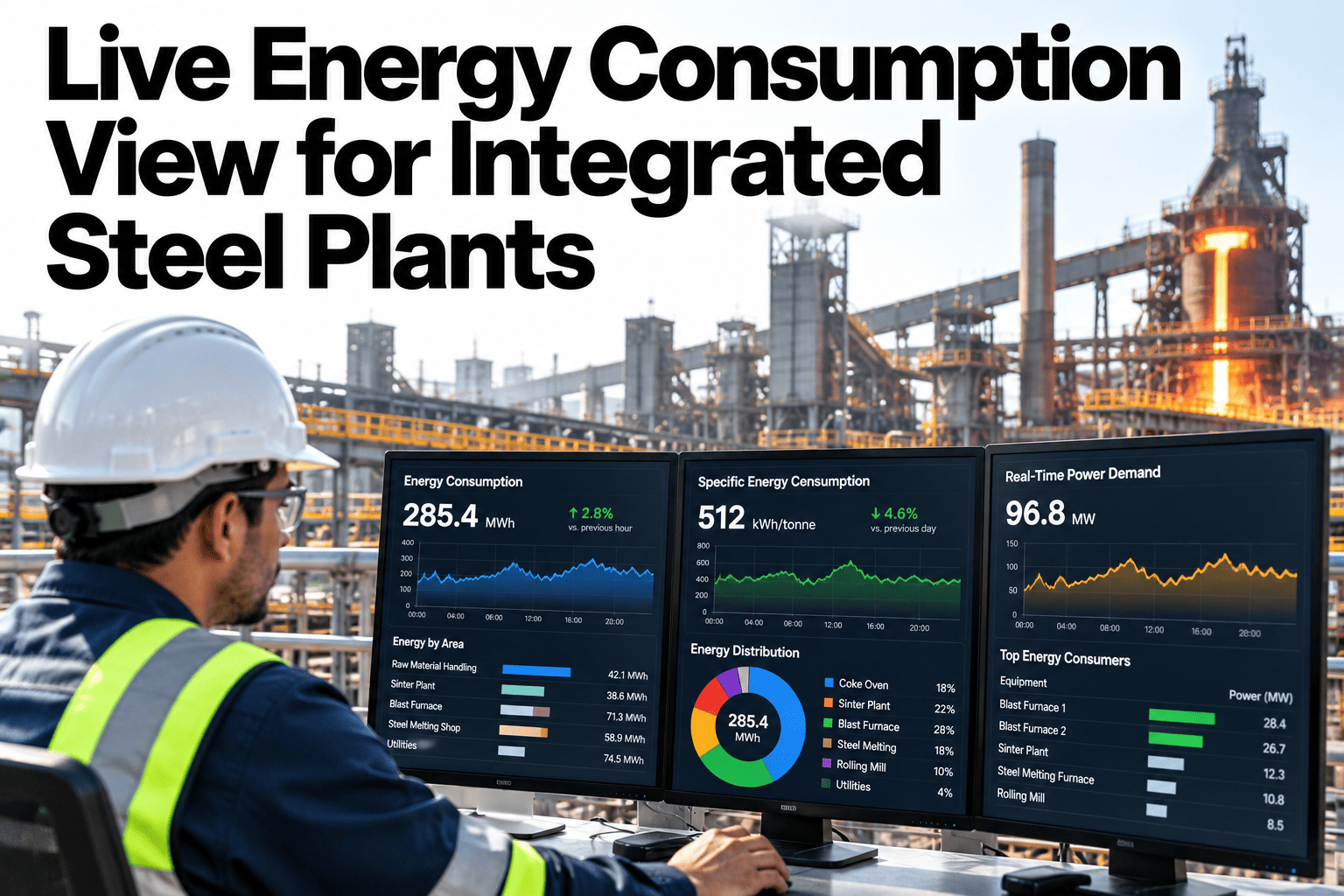
Live Energy Consumption View for Integrated Steel Plants
Power, steam, gas and fuel consumption stitched together with production data, read shift by shift instead of month by month.
Four utilities, one shift, read together against the tonnes they actually produced.
Why Four Separate Meters Never Add Up
Power comes from the electrical substation meter, steam from the boiler house, gas from the utility supplier, and fuel oil from a tank level log. Each lives in a different system, updated on a different schedule.
By the time all four are pulled together for a monthly energy report, the shift that actually drove a spike is long forgotten, and the chance to ask anyone about it has passed.
Four Utilities, One Shared View
Each utility carries its own units and its own source, but all four can be normalised to the same shift window and the same production total.
| Utility | Typical Source | Normalised To |
|---|---|---|
| Power | Substation or sub-metered feeder data | MWh per tonne produced |
| Steam | Boiler house flow meters | Tonnes of steam per tonne produced |
| Natural gas | Utility supply meter or furnace meter | Nm³ per tonne produced |
| Fuel oil | Tank level or flow meter | Litres or tonnes per tonne produced |
From Raw Meters to Energy Intensity
The view is built in a short sequence that runs continuously, so intensity updates as the shift progresses rather than only once it ends.
Watch Energy Intensity Change by the Shift
Book a 30-minute walkthrough and see your own power, steam, gas and fuel data stitched to production in real time.
A Sample Shift Intensity, Illustrative
The figures below are invented to show the shape of a shift intensity view, not to benchmark your plant.
Common Stitching Mistakes
The same mistakes repeat across plants building their first unified energy view.
Where Live Intensity Gets Used
Once energy intensity updates live, the same figure gets pulled into conversations well beyond the energy team's own reporting.
Shift supervisors watch it to catch a drifting furnace before it shows up in the monthly bill. Sustainability teams use the same shift-level data to build carbon intensity figures without a separate data pull.
Frequently Asked Questions
Do we need new meters for all four utilities?
Usually not. Most plants already meter power, steam, gas and fuel somewhere in their systems, and the work is mainly in connecting and aligning those existing readings rather than installing new hardware. Ask support which meters typically connect.
How current is the intensity figure shown?
The view updates as new meter and production data arrives, so intensity reflects the shift as it progresses rather than waiting until the shift closes out to calculate a final number.
Can intensity be broken down by shop instead of the whole plant?
Yes, where meters exist at the shop or line level, intensity can be shown at that resolution, giving a shop manager a figure specific to their own area rather than a diluted plant average. Book a demo to see shop-level intensity.
Does this feed into our carbon reporting too?
Yes, the same stitched energy data that drives live intensity also supports carbon intensity calculations, since both start from the same underlying power, steam, gas and fuel figures.
See Every Utility Against Every Tonne, Live
iFactory AI stitches power, steam, gas and fuel to production data shift by shift. Book a walkthrough built around your plant.