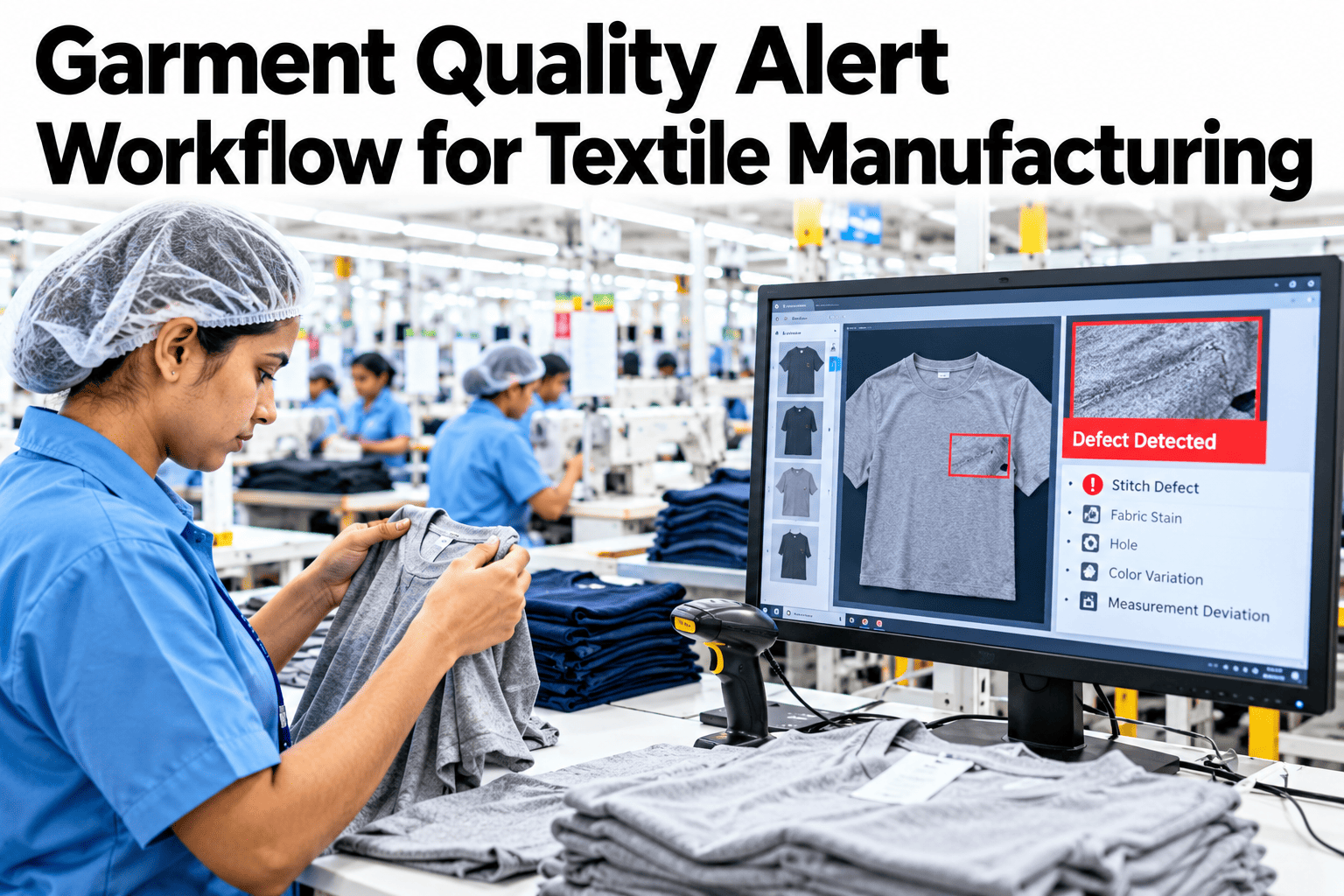
A garment batch is rarely rejected because of one bad piece. It is rejected because a defect trend ran unnoticed through hundreds of pieces before anyone raised a hand. An alert workflow replaces that silence with a clear chain, a trigger, a recipient, a response time and a decision about the batch. The aim is not to inspect harder but to react sooner and more consistently. Apparel teams who want to set one up can ask iFactory AI how quality alerts are triggered and routed on sewing lines.
Raise the Alert Before a Bad Trend Becomes a Rejected Batch
iFactory AI watches defect rates by line, operation and style, and routes the right alert to the right person with the response clock already running.
The Alert Chain From Defect to Decision
A good workflow is a short chain. Each link has an owner and a time limit.
Three Alert Levels and What Each Demands
One alert type fits no one. Levels tell people how urgently to act.
Watch
Rate is rising but within tolerance. Supervisor checks the operation.
Warning
Rate is above the agreed threshold. Line leader investigates and contains.
Stop
Rate or a critical defect breaches the limit. Production pauses and quality is called.
Who Does What When an Alert Fires
Clear roles prevent the stand-off that follows a vague alert.
| Role | Responsibility | Time Expectation |
|---|---|---|
| Operator | Stop and flag the issue at the machine | Immediately |
| Line supervisor | Check the operation and contain suspect pieces | Within minutes |
| Quality lead | Decide on hold, rework or release for the batch | Within the hour |
| Production manager | Resolve resource and schedule effects | Same shift |
Which Defects Come From Which Operation
The matrix, shown as an illustration, links defect families to the stage that usually creates them.
| Defect Family | Cutting | Sewing | Finishing |
|---|---|---|---|
| Skipped or broken stitches | Low | High | Low |
| Seam puckering and misalignment | Moderate | High | Low |
| Measurement and size issues | High | Moderate | Moderate |
| Stains and marks | Low | Moderate | High |
| Missing or wrong trims | Moderate | Moderate | High |
Make Every Defect Trend Reach Someone Who Can Act
Book a 30-minute session and iFactory AI will review your inspection data and rejection history to show how many rejected batches an earlier alert could have saved.
Inspect at the End or Alert as You Go
End-of-line inspection finds problems. Inline alerts stop them from multiplying.
Where Batch Rejections Come From
The chart shows an illustrative ranking of why batches are rejected.
Building the Workflow in Five Steps
Start with one line and one style.
Agree defect families, grades and thresholds with the buyer standard.
Record defects with operation and operator identity.
Set alert levels and the people who receive them.
Practise containment and decision steps.
Check alert times and rejection results monthly.
Alert Workflow Checklist
Use this list when setting up or reviewing a line. Each box should be answerable from the record.
A Composite Scenario: The Seam That Crept
This is a composite example, not a named factory. It shows how an early alert saves a batch.
Mistakes That Make Alerts Useless
These habits turn alerts into noise.
Alerts with no owner
Nobody feels responsible, so nobody acts.
Thresholds that fire constantly
The team learns to ignore them.
No containment step
The defect spreads while people discuss it.
No record of decisions
The same debate repeats every batch.
What iFactory AI Adds to Garment Quality Alerts
iFactory AI is smart manufacturing and industrial software for textile and apparel operations. Explore quality alerts in a live product tour on realistic sewing data.
Review of Garment Quality Alert Workflows
A practical review of what makes alerts effective on sewing lines, written as editorial guidance rather than a named expert quote.
Match levels to action
Each alert level should call for a different, clear response.
Always name an owner
An alert without a person attached is only a notice.
Record the decision
Written reasons stop the same argument returning every batch.
Frequently Asked Questions
What is a garment quality alert workflow?
It is a defined chain from a defect trend to an alert, an owner, a response and a decision about the batch. See a live alert chain in a short demo with realistic data. It replaces silent trends with timely reactions.
How do we set alert thresholds?
Start from the buyer standard and your own defect history, and set levels by style and operation. Review them monthly. Thresholds that fire too often will be ignored.
Who should receive alerts?
The person who can act first, usually the line supervisor, with escalation to quality and production. Ask support how alert routing is configured by level in the system. Clear roles speed up response.
Does this replace end-of-line inspection?
No. End-of-line checks remain, but inline alerts reduce what they find. Together they protect the batch and the buyer relationship.
How soon can we see results?
Many factories see fewer late rejections within weeks on one pilot line. Book time to scope an alert workflow pilot with your quality team. One saved batch makes the case.
Stop Rejected Batches Before They Start
iFactory AI turns defect trends into timely alerts with clear owners and recorded decisions. Book a walkthrough to see it on your own sewing lines.