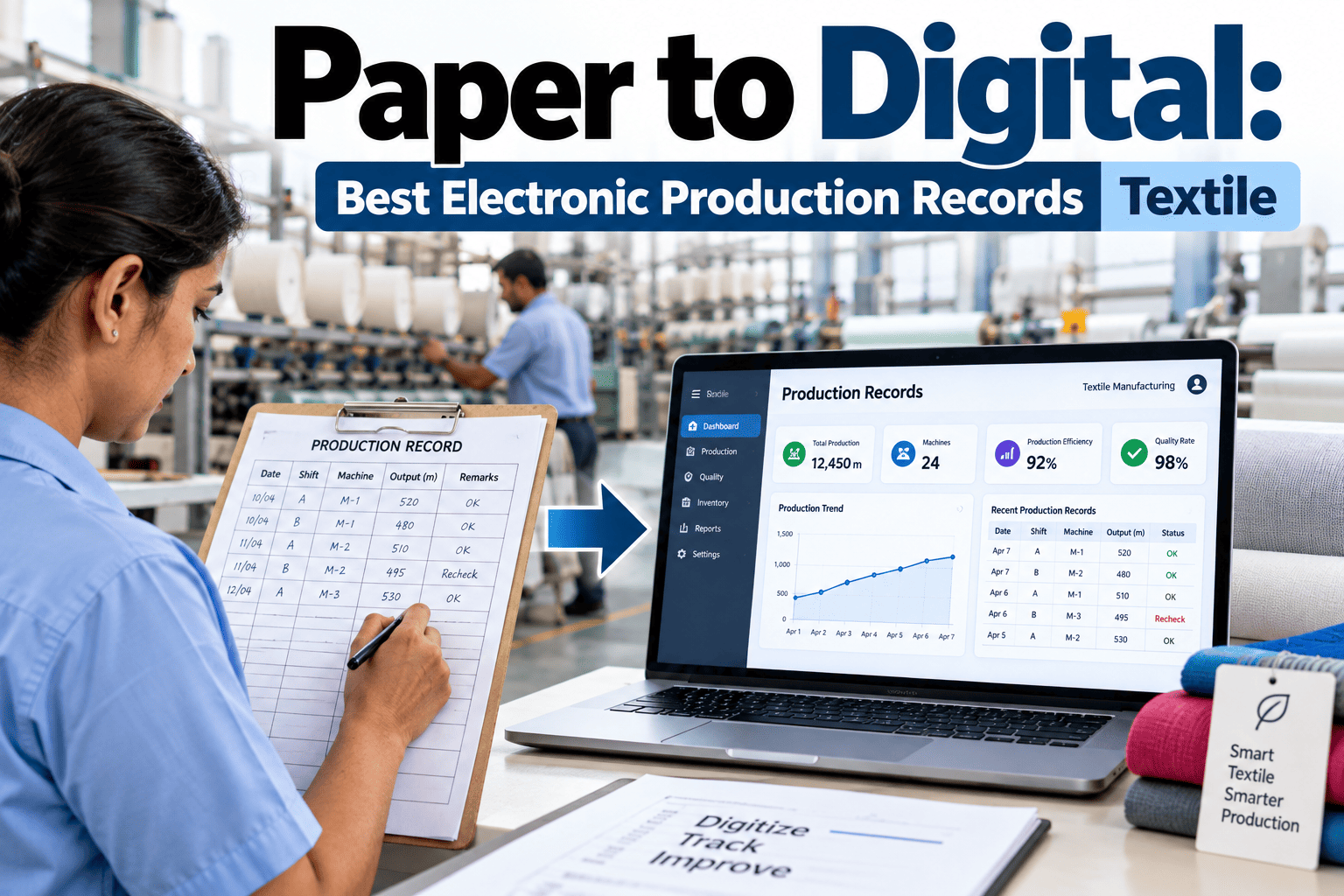
A textile mill running three shifts across dyeing, weaving, and finishing typically generates hundreds of paper production tickets, quality checksheets, and shift logs every single day — most of which get filed in a binder, glanced at once, and never looked at again until an auditor or a customer asks a question nobody can answer quickly. The real cost of paper isn't the forms themselves; it's the two or three days it takes to reconstruct a single lot's history when a customer complaint arrives, the transcription errors that creep in when a supervisor re-keys handwritten numbers into a spreadsheet, and the visibility gap that means a quality issue on the loom floor doesn't reach a manager until the next morning's paper report gets walked over. Moving to electronic production records isn't about eliminating paperwork for its own sake — it's about making every entry searchable, timestamped, and visible the moment it's captured. If your mill's traceability still depends on someone finding the right binder, book a demo to see digital production records built for textile floors.
Somewhere in a Binder Is the Answer Your Customer Needs Today
iFactory replaces paper production tickets, checksheets, and shift logs with digital forms and mobile data entry — so every record is searchable, timestamped, and visible the moment it's captured, not filed away until someone goes looking for it.
Where Paper Records Actually Cost a Textile Mill Money
Paper-based production tracking isn't just old-fashioned — it creates specific, recurring costs that compound across every shift, every lot, and every customer inquiry. These costs rarely show up as their own line item, which is exactly why they persist for years without being directly challenged.
A quality deviation logged on a paper checksheet at 2am doesn't reach a supervisor or quality manager until the paper is physically walked over during the next shift change, hours after the moment it could have been addressed.
Every time a handwritten number is re-keyed into a spreadsheet or ERP system for reporting, there's a real chance of a digit transposed or a decimal misplaced, and nobody catches it until the resulting report looks obviously wrong.
Tracing a specific dye lot or fabric roll through weaving, dyeing, and finishing means physically locating and cross-referencing paper records from three separate departments, often stored in three separate locations.
A recurring quality issue that shows up gradually across several shifts is nearly invisible on paper, since nobody is systematically comparing this week's checksheets against last month's by hand.
Paper Records vs. Digital Production Records
The comparison below reflects what actually changes for a textile mill's daily operations when production tracking moves from paper to a digital system, not just a surface-level format change.
| Dimension | Paper Records | Digital Production Records |
|---|---|---|
| Time to log an entry | Handwritten, then transcribed later | Entered once, directly at the point of work |
| Visibility to management | Delayed until physically reviewed | Immediate, visible on a live dashboard |
| Lot traceability | Manual cross-referencing across departments | Automatic linkage from raw material to finished roll |
| Error rate | Handwriting and re-keying errors common | Structured fields reduce entry errors significantly |
| Audit preparation | Days spent locating and organizing paper files | Records exported on demand in minutes |
| Trend analysis | Impractical across large volumes of paper | Automatic pattern detection across shifts and lots |
See Your Own Production Forms Digitized
Bring a sample of your current paper checksheets or production tickets and we'll show you exactly how they translate into a digital, mobile-friendly form.
Three Capabilities That Actually Replace the Paper Binder
Digitizing production records is more than scanning a paper form into a PDF — it requires specific capabilities designed around how textile floor work actually happens.
Digital Forms Matching Your Process
Structured digital versions of your existing checksheets and production tickets, configured to match your specific dyeing, weaving, or finishing process rather than a generic template.
Mobile Data Entry at the Point of Work
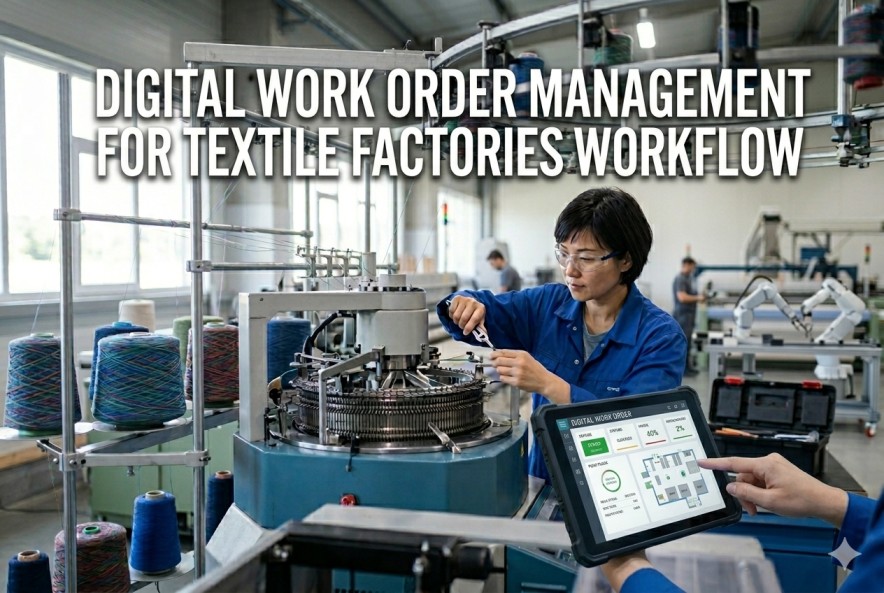
Operators and supervisors enter data directly on a tablet or mobile device at the loom, dye vat, or finishing line, eliminating the delay between when work happens and when it's recorded.
Automated Record Keeping and Retrieval
Every entry is timestamped, linked to its lot and operator, and instantly searchable, so a customer inquiry or audit request can be answered in minutes rather than days.
A Realistic Path From Paper to Digital
Mills that succeed at this transition rarely digitize everything at once. A phased rollout builds operator confidence and surfaces process gaps early, before they're baked into a plant-wide standard.
Digitize the highest-value paper form first — typically the quality checksheet or the production ticket with the most frequent customer or compliance inquiries tied to it.
Pilot the digital form on one line or department, running it alongside the existing paper process to confirm accuracy before fully retiring the paper version.
Expand to additional departments, connecting the digital records so a lot can be traced end to end across dyeing, weaving, and finishing in one system.
Introduce trend reporting and automated deviation alerts once the underlying data is reliably flowing in, building on the digitized foundation rather than starting from scratch.
What Changes Once the Binder Is Gone
Beyond the direct time savings, mills that complete this transition report changes that extend well past the production floor itself.
A customer question about a specific lot's dye process or quality result can be answered on the same call instead of requiring a callback after someone locates the paper file.
Certification and customer audits move faster when records can be pulled up and filtered on screen rather than physically searched for across multiple storage locations.
A quality trend developing gradually across several shifts becomes visible on a dashboard days or weeks before it would have been noticed by manually comparing paper checksheets.
Supervisors spend less time transcribing and filing paper and more time actually managing the floor, since the record-keeping happens automatically as work is entered.
What Digital Records Found at One Weaving Mill
A mid-size textile mill producing woven fabric for apparel customers was spending an average of two full days locating and compiling paper records every time a customer raised a quality concern about a specific lot — checksheets from weaving, dye records from a separate department, and finishing inspection notes stored in yet another binder, none of them cross-referenced in any consistent way.
After digitizing the three departments' production forms and linking them through a shared lot identifier, the same lot history that previously took two days to assemble became retrievable in under five minutes, filtered directly by lot number. Within the first quarter of full deployment, the quality team also noticed a recurring shade variation pattern on a specific loom that had been showing up intermittently for months on paper checksheets but had never been connected across shifts — visible almost immediately once the data lived in one searchable system instead of scattered across binders in three departments.
Frequently Asked Questions
Will operators who are used to paper forms be able to adapt to mobile data entry?
Most textile floor operators adapt to a well-designed digital form faster than expected, particularly when the form closely mirrors the layout and language of the paper checksheet they already know, rather than introducing an entirely new structure at the same time as the new device. Starting with the simplest, most frequently used form first, and running it alongside the paper version during a short pilot period, gives operators a low-risk way to build confidence before the paper is fully retired. Mills that pilot on a single line with a receptive supervisor tend to see faster organic adoption once other departments see it working. Our team can help design a rollout plan suited to your specific workforce — book a demo to walk through it.
Do we need new hardware, or can this run on devices we already have?
Digital production record systems are generally designed to run on standard tablets or smartphones, meaning many mills can start with devices already available rather than a specialized hardware purchase, particularly for departments where a rugged, dust- and moisture-resistant case is sufficient rather than fully specialized equipment. Certain harsher environments, such as directly at a dye vat, may warrant a more ruggedized device, but this is typically a targeted purchase for specific stations rather than a wholesale hardware overhaul. For a specific hardware recommendation based on your floor conditions, contact our support team.
What happens to our historical paper records once we move to a digital system?
Historical paper records don't need to be discarded or fully digitized retroactively in most cases — the transition point is typically the go-live date for the digital form, with paper records prior to that date retained in their original physical or scanned format for whatever retention period your compliance requirements specify. Some mills choose to digitize a limited window of recent historical records, particularly if a specific customer or certification audit requires searchable access to a longer history, but this is usually a targeted decision rather than a blanket requirement. For guidance on your specific retention and migration needs, schedule a session with our team.
Can digital records integrate with our existing ERP or quality management system?
Yes — digital production records are typically designed to feed directly into existing ERP, quality management, or traceability systems rather than becoming another disconnected data source, eliminating the manual re-entry step that paper records previously required. This means data captured once at the point of work flows automatically into whatever downstream reporting or compliance system your mill already relies on. For a review of your current system stack and how digital records would connect to it, reach out to support.
How long does a typical digitization project take for a mill with multiple departments?
Digitizing the first, highest-priority form typically takes two to three weeks including configuration and pilot testing, with full multi-department rollout — weaving, dyeing, and finishing all connected through a shared lot identifier — generally completing within six to ten weeks depending on how many distinct forms and departments are involved. Mills that phase the rollout department by department, rather than attempting a single simultaneous cutover, tend to see smoother adoption and fewer disruptions to ongoing production. For a specific timeline estimate based on your mill's department structure, book a demo to scope it together.
Stop Searching Binders for Answers Your System Should Already Know
See how iFactory turns your paper checksheets and production tickets into searchable, real-time digital records built for the textile floor.