A paper inspection form seems harmless enough on its own — an inspector walks the line, marks defects on a printed sheet, and hands it in at the end of the shift. But multiply that single form by dozens of inspectors across multiple shifts and multiple lines, and the paper trail becomes a genuine liability: illegible handwriting, missing fields, forms that go missing between the floor and the quality office, and data that has to be manually re-entered into a spreadsheet before anyone can analyze it. Mills ready to move past that liability can Book a Demo to see how a mobile inspection app changes what quality data actually looks like on arrival.
The Real Problems Paper Inspection Forms Create
Paper inspection forms fail textile quality teams in ways that are easy to underestimate until someone actually tries to analyze a stack of them. Handwriting quality varies wildly between inspectors, defect codes get abbreviated inconsistently, required fields get skipped when an inspector is rushing through a busy shift, and the physical form itself can be damaged, lost, or simply forgotten in a pocket before it makes it back to the quality office. Even when every form is completed correctly and returned promptly, someone still has to manually type every data point into a spreadsheet or quality system before any analysis can happen — a transcription step that adds both delay and a fresh opportunity for error on top of whatever inconsistency existed in the original handwritten entry.
What a Mobile Inspection App Actually Changes
Moving inspection data capture to a mobile app does not simply digitize the same paper form — it restructures how the data gets captured in the first place, replacing free-text fields prone to inconsistency with structured input that enforces completeness and standardization at the moment of entry. A dropdown list of standardized defect codes replaces handwritten abbreviations that mean different things to different inspectors. Required fields cannot be skipped, preventing the incomplete forms that plague paper-based processes. And because the data is captured digitally from the start, it is immediately available for analysis rather than waiting for a transcription step that might happen hours or days later.
Structured Defect Entry
Standardized dropdown defect codes and required fields eliminate the ambiguity and incompleteness common in handwritten forms, ensuring every inspection record contains the same consistent data structure.
Photo Documentation
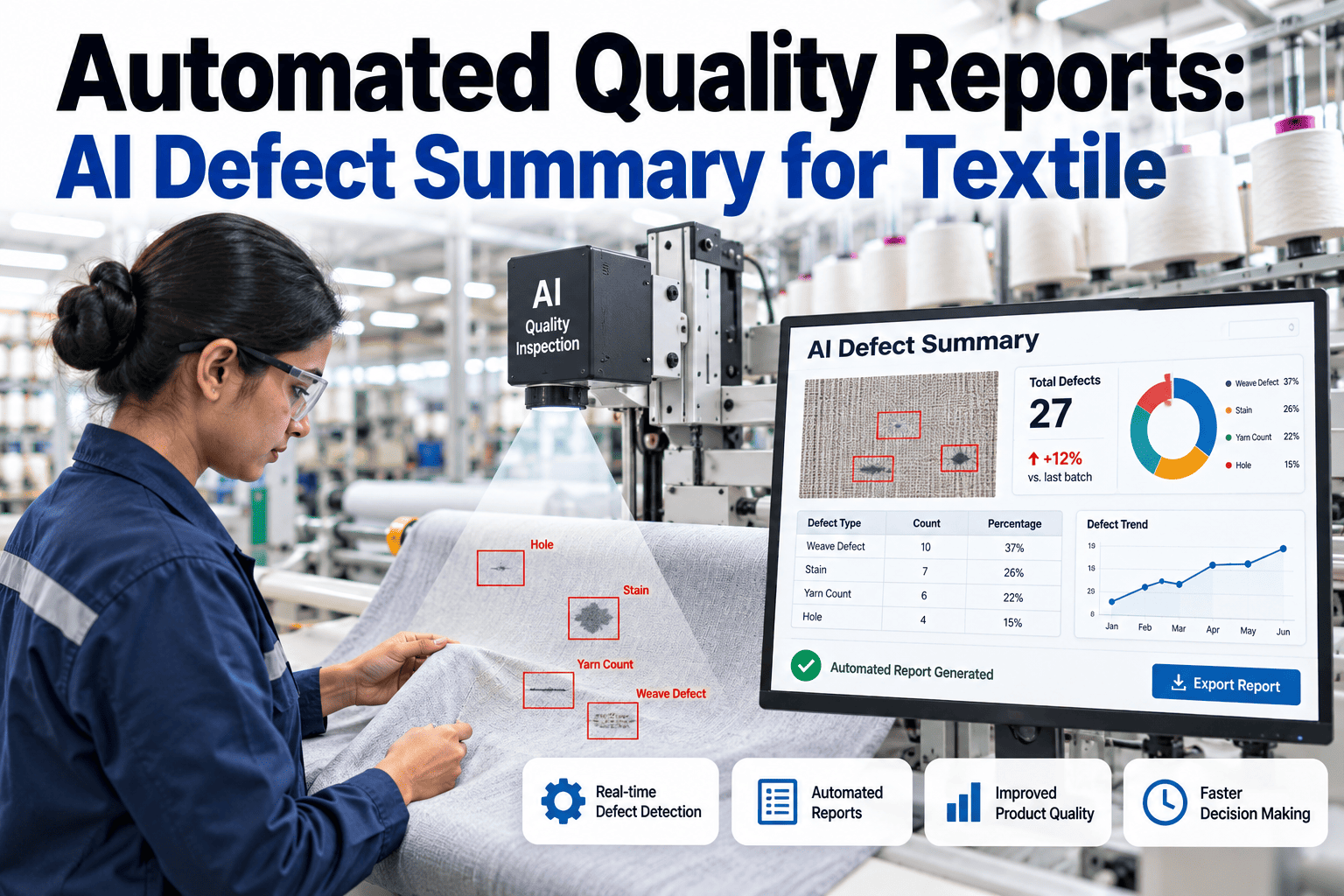
Inspectors attach photos directly to a defect record at the point of inspection, giving quality analysts visual context that a text description alone cannot convey, especially for subtle or unusual defect types.
Automated Calculation
Defect rates, four-point scores, and other standard textile quality metrics calculate automatically from entered data, eliminating manual arithmetic errors that creep into hand-calculated paper summaries.
Paper vs. Digital: A Direct Comparison Across the Inspection Workflow
Comparing paper and digital inspection side by side across the full workflow — from the moment an inspector notices a defect to the moment that data informs a decision — makes clear that the difference is not merely about convenience but about how much value the mill can actually extract from its quality data. Every stage of the paper workflow introduces friction and potential error that the digital workflow simply does not have, and those individually small frictions compound into a meaningfully slower, less reliable overall quality process.
| Workflow Stage | Paper Process | Digital Mobile Process |
|---|---|---|
| Defect recording | Handwritten, inconsistent codes and detail | Structured dropdown, standardized codes |
| Evidence capture | Text description only, no visual record | Photo attached directly to the defect entry |
| Calculation of quality metrics | Manual arithmetic, error-prone | Automatic calculation at time of entry |
| Data availability for analysis | Delayed by transcription, 1–2 days | Immediate, real-time availability |
| Form completeness | Fields frequently skipped or left blank | Required fields enforced before submission |
Real-Time Data: What Becomes Possible Once the Delay Disappears
The one-to-two day delay typical of paper-based inspection processes does more damage than it might first appear, because it means quality issues are consistently discovered after the production that generated them has already moved on to the next stage — sometimes after the fabric has already shipped. Real-time data capture through a mobile app closes this gap entirely, meaning a defect trend emerging mid-shift can be flagged and investigated while the responsible machine, operator, and material lot are all still active and available for inspection, rather than being reconstructed from memory after the shift has ended and the specific conditions that caused the issue have changed.
This immediacy also changes the nature of the response a quality team can mount. A defect pattern caught in real time allows a supervisor to pull a machine for inspection before it produces an entire shift's worth of defective fabric, whereas the same pattern discovered a day later through delayed paper-based reporting means the mill has already committed that entire shift's production to a quality issue that could have been caught and corrected hours earlier. Over a full production year, this difference in response speed accounts for a meaningful share of the total defect cost a mill absorbs, independent of any improvement in the underlying inspection accuracy itself.
Rolling Out a Mobile Inspection App on the Floor
Transitioning inspectors from paper to a mobile app is as much a change management challenge as a technology deployment, since experienced inspectors who have used paper forms for years have their own informal shortcuts and habits that a new digital tool needs to accommodate rather than fight against. Rollouts that succeed tend to involve inspectors directly in configuring the digital form — which defect codes to include, how photo requirements should work for different defect severities, what the required fields should be — rather than imposing a generic template designed without floor input.
Configure the Digital Form With Inspector Input
Build the defect code list, required fields, and photo requirements collaboratively with experienced inspectors so the digital form matches real inspection practice rather than a generic template.
Pilot on One Line or Shift
Run the mobile app on a single line or shift first, comparing data quality and inspector feedback against the existing paper process before expanding further.
Provide Hands-On Device Training
Give inspectors dedicated time with the device before go-live, since comfort with basic navigation matters more to adoption than any feature list explained in a meeting.
Expand Line by Line
Extend the app across the remaining lines and shifts once the pilot demonstrates reliable data capture and inspectors report the tool is faster or at least no slower than paper.
Connecting Inspection Data to Downstream Quality Systems
Digital inspection data delivers its full value only when it flows directly into the systems that use it, rather than remaining trapped in the mobile app itself as a digital equivalent of a filed paper form. Feeding structured inspection data directly into automated quality reporting eliminates the transcription step entirely and shortens the path from an inspector noticing a defect to that defect appearing in a shift or daily report that a supervisor actually reads. This connection is what separates a mill that has simply digitized its paper forms from a mill that has genuinely modernized its quality data pipeline from point of inspection through to action.
Photo evidence captured at the point of inspection adds particular value once it reaches downstream systems, since a photo attached to a specific defect record gives anyone reviewing that record — a quality manager investigating a trend, a supplier being shown evidence of a material issue, a maintenance technician correlating defects against a specific machine — visual context that text alone cannot provide. Mills that build this connection consistently report faster resolution on ambiguous defect cases that would previously have required someone to physically locate the affected fabric before an investigation could even begin.
Choosing the Right Device and Form Factor for the Floor
The physical device inspectors use matters more than mills often anticipate when planning a digital inspection rollout, because a device that is awkward to hold while walking a production line, prone to dropping, or difficult to use with gloved hands quickly becomes a source of frustration that undermines adoption regardless of how well the underlying app is designed. Rugged tablets or handheld devices with protective cases, wrist straps, or lanyards suited to constant movement around active machinery tend to hold up far better in a textile production environment than consumer-grade phones or tablets not designed for industrial conditions, and the modest additional cost of ruggedized hardware is usually justified by reduced device replacement and downtime from damage.
Screen size and touch sensitivity also matter more on the floor than they might in an office setting, since inspectors are frequently working in areas with lint, dust, or humidity that can affect touchscreen responsiveness, and a device that requires precise, small touch targets becomes genuinely difficult to use reliably in these conditions. Mills that pilot a small batch of different device options with actual inspectors before committing to a fleet-wide purchase consistently report better long-term satisfaction and fewer hardware-related complaints than mills that select a device based purely on specifications without floor-level testing under real working conditions, and this small upfront investment in comparative testing routinely pays for itself many times over across a multi-year device deployment.
Data Ownership and Access Across Roles
A digital inspection system introduces a question paper forms never had to answer clearly: who can see which data, and at what level of detail. Individual inspector performance data, for instance, is genuinely useful for identifying training needs and recognizing strong performers, but making that data visible in a way that feels like surveillance rather than support can undermine the trust needed for inspectors to engage honestly with the new tool. Mills that handle this transition well are explicit from the start about how inspector-level data will and will not be used, typically aggregating individual performance data for coaching conversations rather than publishing comparative rankings that can create unhealthy competition or discourage inspectors from flagging borderline defects for fear of how the data might be interpreted.
Role-based access also matters for how effectively different parts of the organization can use the data once it is captured. Production supervisors typically need real-time visibility into defects on their specific line or shift without needing access to mill-wide historical trend data, while quality managers need the opposite — broad access across lines and extended time periods to support trend analysis and root cause investigation. Configuring these access levels thoughtfully during rollout, rather than defaulting to either fully open or fully restricted access, ensures each role gets the visibility that actually supports their decisions without creating unnecessary friction or unnecessary exposure of sensitive performance data.
Frequently Asked Questions: Digital Inspection Forms
Do inspectors need specialized technical skills to use a mobile inspection app effectively?
No — mobile inspection apps are designed around the same basic navigation patterns inspectors already use on personal smartphones, and most inspectors become comfortable with the core workflow of recording a defect, attaching a photo, and submitting an entry within their first few shifts using the tool. Providing dedicated hands-on training time before go-live, rather than a brief walkthrough, makes the biggest difference in how quickly inspectors reach full comfort and speed with the digital process. Mills can Book a Demo to see the inspector-facing interface directly and walk through how the training and configuration process typically unfolds for a new deployment.
What happens to inspection data capture if the mobile device loses network connectivity on the floor?
Well-designed mobile inspection apps capture data locally on the device and sync automatically once connectivity is restored, meaning a temporary network gap on a specific section of the floor does not interrupt an inspector's ability to keep recording defects. This offline capability is particularly important in textile mills where dense equipment layouts and building construction can create inconsistent wireless coverage in certain areas of the shed.
How does a mill handle inspectors who strongly prefer the paper process during the transition?
Resistance is common and usually stems from genuine concerns worth addressing directly rather than dismissing — inspectors may worry the app will be slower, that it will be used to monitor their individual performance unfairly, or that they simply are not comfortable with the device. Involving resistant inspectors directly in the pilot configuration process, demonstrating that the app is genuinely faster once mastered, and being transparent about how the data will and will not be used typically resolves most resistance within the first few weeks of hands-on use.
Can historical paper inspection records be digitized and included in trend analysis alongside new digital data?
Historical paper records can be manually entered into the digital system to extend the trend analysis timeline further back, though most mills find the effort worthwhile only for a limited recent window rather than attempting to digitize years of archived paper forms, since the data quality of those old records carries the same inconsistency issues that motivated the switch to digital capture in the first place. Contact iFactory Support for guidance on how much historical data is worth digitizing for your specific analysis needs.
Does moving to a digital inspection app change the four-point or ten-point scoring systems textile mills already use?
No — the app is built to support whatever scoring methodology a mill already uses, whether four-point, ten-point, or a custom internal system, and automates the calculation based on the defect entries recorded rather than requiring a change to established quality standards. The main change inspectors experience is that the scoring calculation happens automatically from their entries instead of requiring manual tallying at the end of an inspection, which removes a common source of arithmetic error in the paper-based process.
Measuring Whether the Transition Actually Worked
Mills sometimes assume a digital inspection rollout has succeeded simply because inspectors are using the app rather than paper, but adoption alone does not guarantee the data quality and speed improvements the transition was meant to deliver. Tracking form completion rates before and after the transition gives a direct, easily measured signal of whether the structured digital format is actually reducing the incomplete records that plagued the paper process, and mills should expect to see completion rates climb into the high nineties within the first month or two if the digital form is well designed and inspectors have received adequate training.
A second useful measure is the time elapsed between an inspection happening and that data becoming visible to the quality team for analysis, which should drop from the one-to-two day delay typical of paper processes down to near-immediate availability once the digital system is fully adopted. Mills that continue to see meaningful delay after transitioning to digital capture often find the bottleneck has simply moved rather than disappeared — perhaps inspectors are completing forms accurately but not submitting them promptly, or data is captured in real time but nobody has built the habit of reviewing it until end of shift — and identifying where the remaining delay sits is the key to capturing the full value the digital transition was meant to provide, whether that means reinforcing prompt submission habits during training, adjusting notification settings so supervisors see new entries as they arrive, or simply building a daily review habit that did not exist under the old paper-based routine where data only became visible once someone got around to compiling it.