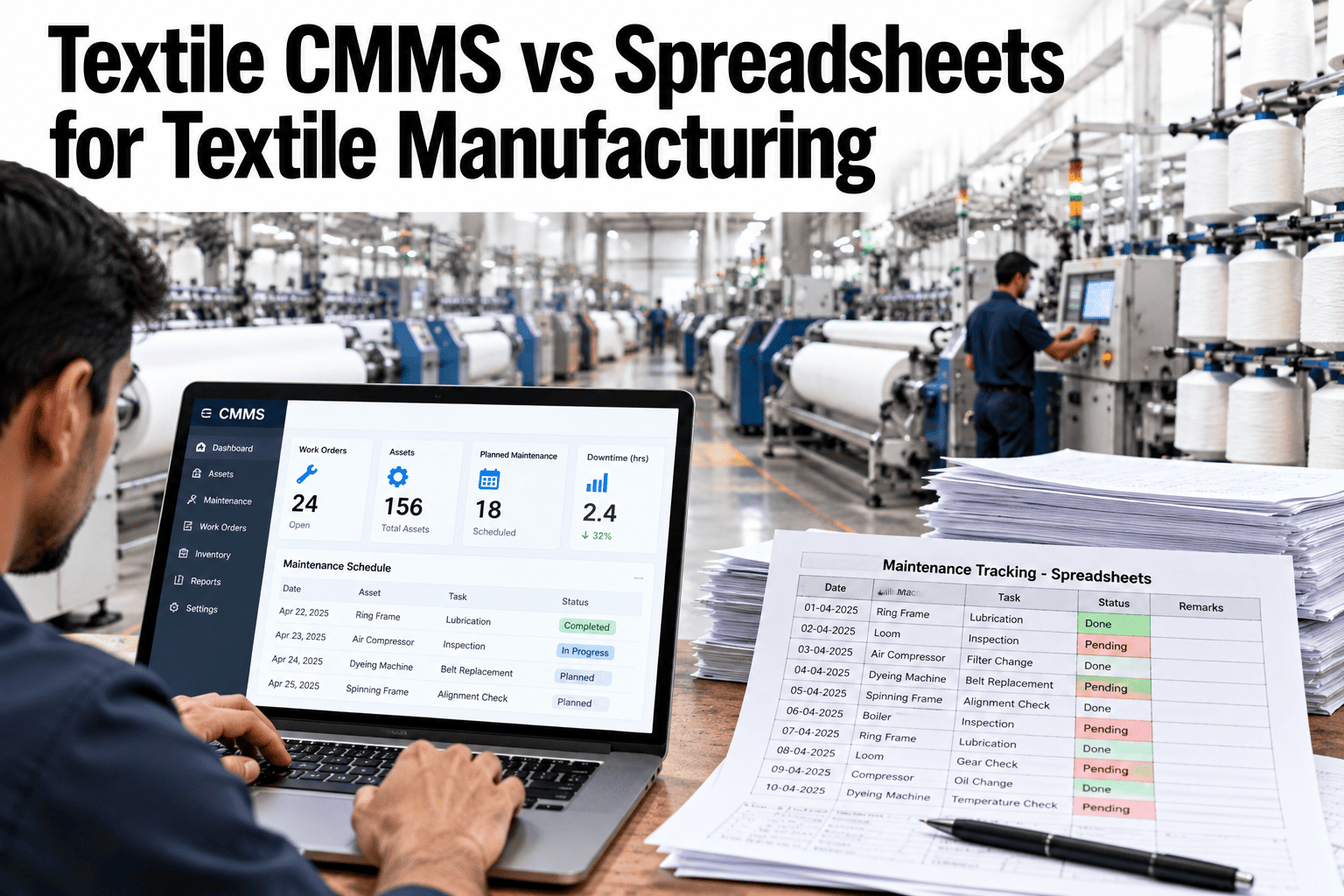
Almost every textile maintenance team starts with a spreadsheet, and for a small mill it can work well. The trouble begins when assets multiply, shifts change and the file is copied, renamed and edited by five people. Missed services, duplicate entries and lost history follow, and the spreadsheet quietly becomes a source of downtime instead of a defence against it. Knowing where the line falls helps decide when to move. Maintenance leads can ask iFactory AI how a CMMS handles work orders, history and spares.
CMMS or Spreadsheets: Where Maintenance Control Is Won or Lost
iFactory AI gives maintenance teams one live record of assets, work orders, history and spares, so nothing depends on which version of a file someone opened.
Where Spreadsheets Work and Where They Break
Spreadsheets are not the enemy. They fit some situations and fail in others. The table shows where the line usually falls.
| Situation | Spreadsheet | CMMS |
|---|---|---|
| Small mill, few assets, one maintenance lead | Often fine | Not essential |
| Many machines, several shifts, many technicians | Starts to break | Strongly preferred |
| Need for service history by asset | Hard to maintain | Built in |
| Preventive schedules with reminders | Manual and error-prone | Automatic |
| Spare parts linked to repairs | Separate files | Linked records |
How Spreadsheet Maintenance Fails in Practice
The failures are predictable. The chart shows an illustrative ranking of the most common ones.
Spreadsheet Files or a Live CMMS Record
The real difference is whether everyone works from the same live record.
What a CMMS Adds Beyond a Better Spreadsheet
A CMMS is more than a tidy table. Four capabilities change daily work.
Automatic preventive schedules
Tasks appear on time and escalate when they are late.
Asset history
Every repair, part and note stays with the machine.
Spares and stock
Parts are reserved, counted and reordered from the work order.
Response and repair metrics
Times are captured as work happens, not typed later.
See What Your Maintenance Records Look Like Without the Spreadsheet
Book a 30-minute session and iFactory AI will review your current maintenance files to show what a connected record would change for your mill.
Which Maintenance Tasks Suit Which Tool
Some tasks work fine in a spreadsheet and others need a system. The matrix, shown as an illustration, rates the fit of each tool.
| Task | Spreadsheet Fit | CMMS Fit |
|---|---|---|
| Listing assets and basic details | High | High |
| Scheduling preventive tasks | Moderate | High |
| Raising and tracking work orders | Low | High |
| Tracking spares and stock | Low | High |
| Analysing failures and repeat repairs | Low | High |
Moving From Spreadsheets in Five Steps
Migration is easier than most teams fear. These steps keep it low-risk.
Tidy the asset list and remove duplicates.
Start with critical machines and their preventive tasks.
Import assets, tasks and key history.
Use both for a short period and compare.
Switch off the spreadsheet once the team trusts the system.
Readiness Checklist: Is It Time to Move?
If you can tick several of these, a spreadsheet is likely holding you back.
A Composite Scenario: The Missed Lubrication
This is a composite example, not a named mill. It shows how small gaps become downtime.
Mistakes When Choosing or Using a CMMS
These habits waste the investment.
Importing a messy asset list
The system inherits the confusion of the spreadsheet.
Turning on every feature at once
Teams get overwhelmed and revert to the old file.
No champion on the floor
Technicians stop using it when no one helps.
Not measuring anything
Without KPIs, the gain is invisible.
What iFactory AI Adds to Maintenance Control
iFactory AI is smart manufacturing and industrial software for textile operations. Explore the maintenance module in a live product tour on realistic data.
A 30-Day Plan to Start
A month is enough to run a first set of machines on a live record.
Review of CMMS Versus Spreadsheets
A practical review of when a CMMS pays off, written as editorial guidance rather than a named expert quote.
Judge by people and shifts
The breaking point is how many people edit the record, not just asset count.
Clean before you move
A tidy asset list makes the new system work from day one.
Run in parallel briefly
A short overlap builds trust and catches gaps.
Frequently Asked Questions
When should a textile mill move from spreadsheets to a CMMS?
When several people or shifts edit the record, preventive tasks are missed or history is hard to find. See what a CMMS changes in a live demo with your own examples. Many mills move before the first expensive failure.
Is a CMMS expensive to introduce?
Costs vary, but starting with critical machines and a few features keeps effort and spend modest. The main cost is time to clean data and train people. Savings often appear in avoided downtime.
Can we keep using spreadsheets alongside a CMMS?
For a short overlap, yes, but long parallel use causes confusion. Ask support how to plan a clean cut-over date with your team. Retire the spreadsheet once the CMMS is trusted.
Will technicians accept a CMMS?
They do when it is quick to use on a phone or terminal and clearly saves them paperwork. A floor champion and short training help. Adoption is the real project.
How quickly can we see value?
Many mills see missed tasks fall and history improve within weeks on a first department. Book time to scope a CMMS pilot for your plant. A visible reduction in missed tasks builds support.
Replace Guesswork and File Copies With One Live Maintenance Record
iFactory AI gives your team one record of assets, work orders, history and spares. Book a walkthrough to see it on your own machines.