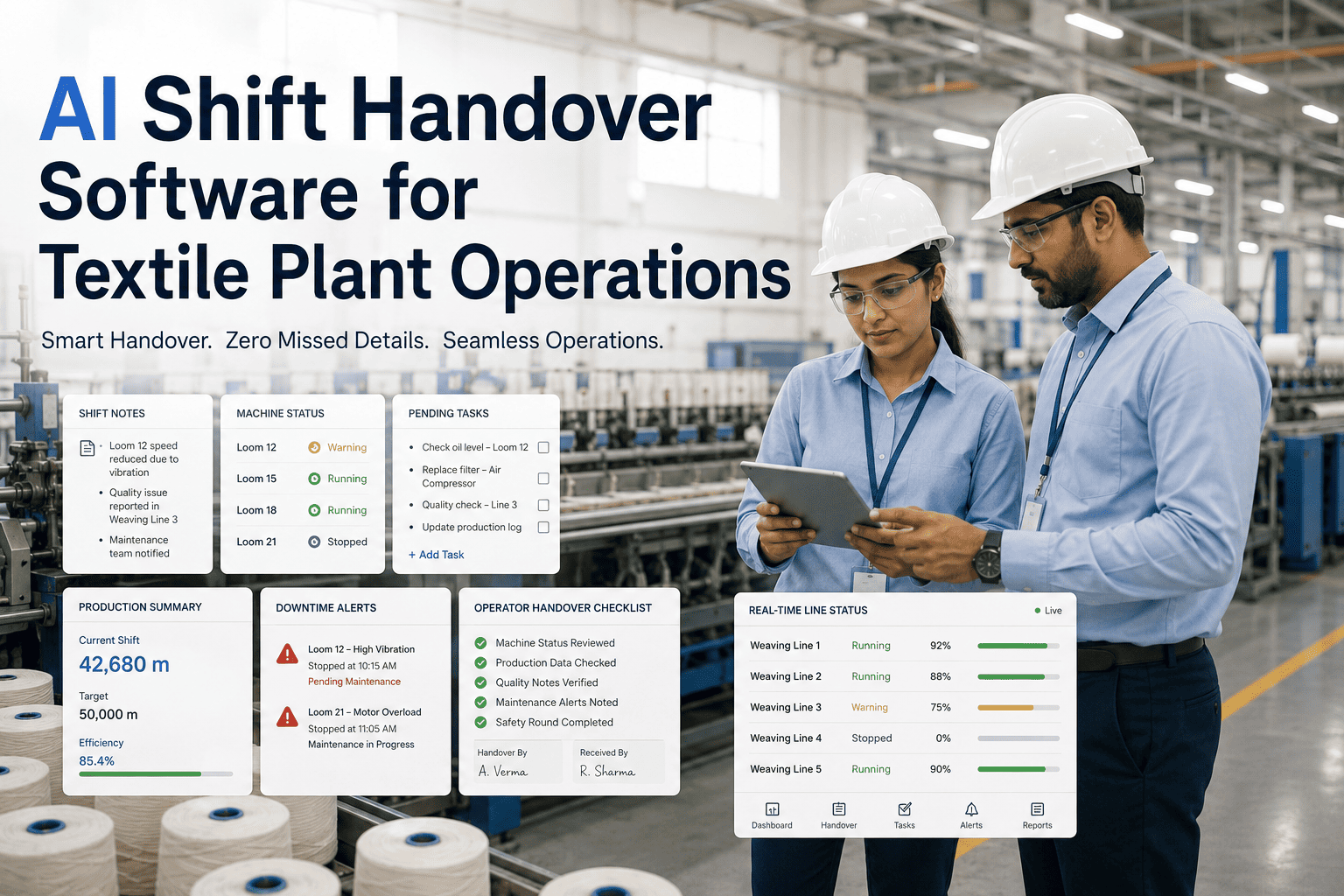
The night shift supervisor scribbles four lines on a handover sheet before clocking out: one machine running slow, a quality hold on a dye lot, a maintenance ticket half-finished, and a note about low yarn stock that never quite gets read by the morning team until they hit the same problem themselves. Paper handover notes get lost, get skimmed, or get skipped entirely when the shift change happens in a rush, and every skipped detail becomes a problem the next shift discovers the hard way instead of the easy way. Digital shift handover software fixes this by capturing open issues, machine status, quality holds and work orders in one place that both shifts actually see, and you can book a handover workflow demo to see what a clean handover actually looks like.
Nothing Should Get Lost Between One Shift and the Next
iFactory digitizes shift handover across production, quality and maintenance, so open issues, machine status and pending work orders follow the shift, not the memory of whoever wrote the last note.
What a Paper Handover Sheet Actually Loses
A handwritten handover note is written by one tired person at the end of a long shift, read by another tired person at the start of theirs, and neither has much incentive to slow down and get every detail right. The cost shows up later, as a repeated problem, a missed quality hold, or a maintenance job nobody realized was still open.
Open Issues Vanish
A noted machine issue that was "keeping an eye on it" gets forgotten by the next shift, who has no record it was ever raised.
Quality Holds Get Missed
A dye lot flagged on hold overnight sometimes gets released by mistake because the hold note never made it past the paper log.
Work Orders Duplicate
Maintenance work already started gets re-logged by the next shift because there is no shared, current status anyone can check.
No Historical Record
Paper notes get thrown away or filed unread, so a pattern across several shifts is invisible until it becomes a real problem.
Try a Handover on Your Own Shift Structure
Bring a recent example of a handover that went wrong, and iFactory will show you how the same situation plays out with a digital workflow in place.
How the Digital Handover Actually Works
Structured Entry
Outgoing operators, quality staff and maintenance techs log status against a structured template, not a blank paper form, so nothing gets left off by accident.
Machine and Quality Status
Live machine data and current quality hold status pull in automatically alongside manual notes, giving the next shift a full picture instead of a partial one.
Required Acknowledgment
The incoming shift lead must review and acknowledge open items before the handover is marked complete, closing the gap where a note simply goes unread.
Searchable History
Every handover is stored and searchable, so a recurring issue across several shifts becomes visible as a pattern instead of getting lost between logs.
Paper Handover vs Digital Handover
| Factor | Paper Log | iFactory Digital Handover |
|---|---|---|
| Completeness | Depends on what got written down | Structured fields ensure nothing is skipped |
| Confirmation of receipt | No way to confirm it was read | Incoming shift must acknowledge open items |
| Machine and quality status | Manually recalled, often stale | Pulled live alongside manual notes |
| Historical search | Filed away, rarely reviewed | Searchable across shifts and weeks |
Impact After Digital Handover Goes Live
fewer repeated issues caused by incomplete or unread handover notes
of open quality holds and work orders visible to the incoming shift automatically
average time saved per shift change compared to a manual walk-through handover
Frequently Asked Questions
Does this replace the verbal handover conversation between shift leads?
It supports the conversation rather than replacing it entirely. Most mills keep a short verbal handoff between shift leads, but back it with a structured digital record so nothing depends purely on what was said in that conversation being remembered correctly afterward. The digital record becomes the reference point if a question comes up later about what was actually communicated during the handover.
Can production, quality and maintenance each have their own handover template?
Yes. Each department can have a structured template tailored to what actually needs to be captured, so a maintenance handover focuses on open work orders and equipment status while a quality handover focuses on holds, pending tests and non-conformance items. All templates feed into the same shift record so a plant manager can see a complete picture across departments in one place.
What happens if the incoming shift lead does not acknowledge an open item?
Unacknowledged open items remain flagged and visible on the dashboard, and depending on your configuration can trigger a reminder or an escalation to a supervisor if they go unacknowledged past a set time. This closes the specific failure mode of a paper note being written but never actually read by the person who needed to act on it.
Does the handover data connect to our existing maintenance or quality systems?
Yes, work orders and quality holds referenced in a handover can sync with your existing CMMS or QMS through standard integrations, so status updates flow both ways instead of living only in the handover log. Talk to a specialist about connecting this to the systems you already run.
How long does it take to roll this out across all shifts on one line?
Most single-line rollouts are live within three to four weeks, covering template setup for each department and a short training session for shift leads. Because the workflow replaces a paper process most teams already understand, adoption is usually faster than other shop-floor software changes. Book a scoping call to get a rollout plan for your shifts.
A Handover Should Transfer Knowledge, Not Lose It
Every shift change is a moment where a mill either keeps what it learned or quietly forgets it, and a paper note written in the last five minutes of a long shift is rarely enough to carry that knowledge forward reliably. Digital handover software makes sure open issues, quality holds and pending work orders travel with the shift instead of getting left behind on a clipboard. Talk to iFactory about what this would look like across your production, quality and maintenance teams.