A GPU server that runs flawlessly in a data center can throttle, fault, or die within weeks on a plant floor — not because the compute is wrong, but because the environment is brutal. Industrial floors run hot, and the air is full of dust, metal fines, oil mist, and humidity that no data-center server was built to survive. Put an unprotected AI server out there and heat plus contamination will clog its filters, coat its heatsinks, and push its GPUs past their thermal limits until performance collapses. Getting on-premise AI vision to run reliably on the floor is as much a thermal and enclosure problem as a compute one. This guide covers AI server thermal design for industrial plant floors — the ambient heat, the dust and oil-mist filtration, the airflow and cooling, and the enclosure requirements that keep a GPU server alive — and how iFactory delivers a floor-ready on-premise appliance or a managed cloud alternative.
AI Server Thermal Design for Industrial Plant Floors
The plant floor is hostile to GPU servers: high ambient heat, dust, metal fines, oil mist, and humidity. Keeping an AI vision server reliable out there takes real thermal design — filtered airflow, adequate cooling, and a sealed enclosure rated for the environment. Get it right and the server runs 24/7 on the floor. iFactory ships a floor-ready appliance, or runs the same vision engine in the cloud.
Why the Plant Floor Is Hostile to GPU Servers
Data-center servers assume a clean, cool, humidity-controlled room. The plant floor is the opposite on every axis, and each difference is a separate way for an unprotected AI server to fail. Understanding the threats is the first step of thermal design.
High ambient heat
Floors near ovens, furnaces, and machinery run well above data-center temperatures, shrinking the thermal headroom a GPU needs.
Dust & metal fines
Airborne particulate and conductive metal fines clog filters, coat heatsinks, and can short unprotected electronics.
Oil mist & humidity
Machining oil mist and high humidity condense on internals, building a sticky, dust-trapping film that ruins cooling.
Vibration & grime
Constant machinery vibration and general shop grime stress connectors, fans, and seals a clean room never tests.
What Happens Without Thermal Design
Skip the thermal engineering and the failure isn't dramatic — it's a slow decline that looks like the AI getting worse. In reality the hardware is cooking and choking.
The Four Pillars of Floor-Ready Thermal Design
Protecting a GPU server on the floor comes down to four engineering concerns, each answering one of the threats. Get all four right and the server runs continuously in an environment that would kill an unprotected one.
Manage ambient heat
Design for the floor's real intake temperature, not a data-center assumption — size cooling for the worst-case ambient near the machinery so the GPU keeps its thermal headroom.
Filter dust & oil mist
Multi-stage filtration on every air path traps particulate, metal fines, and oil mist before they reach heatsinks — with filters serviceable on a schedule, not a failure.
Direct the airflow
Engineered intake-to-exhaust airflow moves heat through the GPUs efficiently, with positive pressure keeping unfiltered floor air from leaking in.
Seal the enclosure
A rated, sealed enclosure protects against dust, mist, and humidity while its cooling loop keeps the internals clean and within temperature.
Want your floor's conditions assessed before you deploy a server? Book a 30-minute demo — iFactory will review ambient temperature, contamination, and placement for your line and specify a thermal design that survives it. Sessions available this week.
Sealed & Cooled vs Open Airflow
There are two broad enclosure strategies, and the right one depends on how dirty the air is. Cleaner areas can use filtered open airflow; genuinely harsh areas need a sealed, closed-loop enclosure that never breathes floor air at all.
For moderate environments
Multi-stage filters clean incoming floor air before it cools the GPUs. Effective where dust and mist are moderate, with filters on a maintenance schedule.
For harsh environments
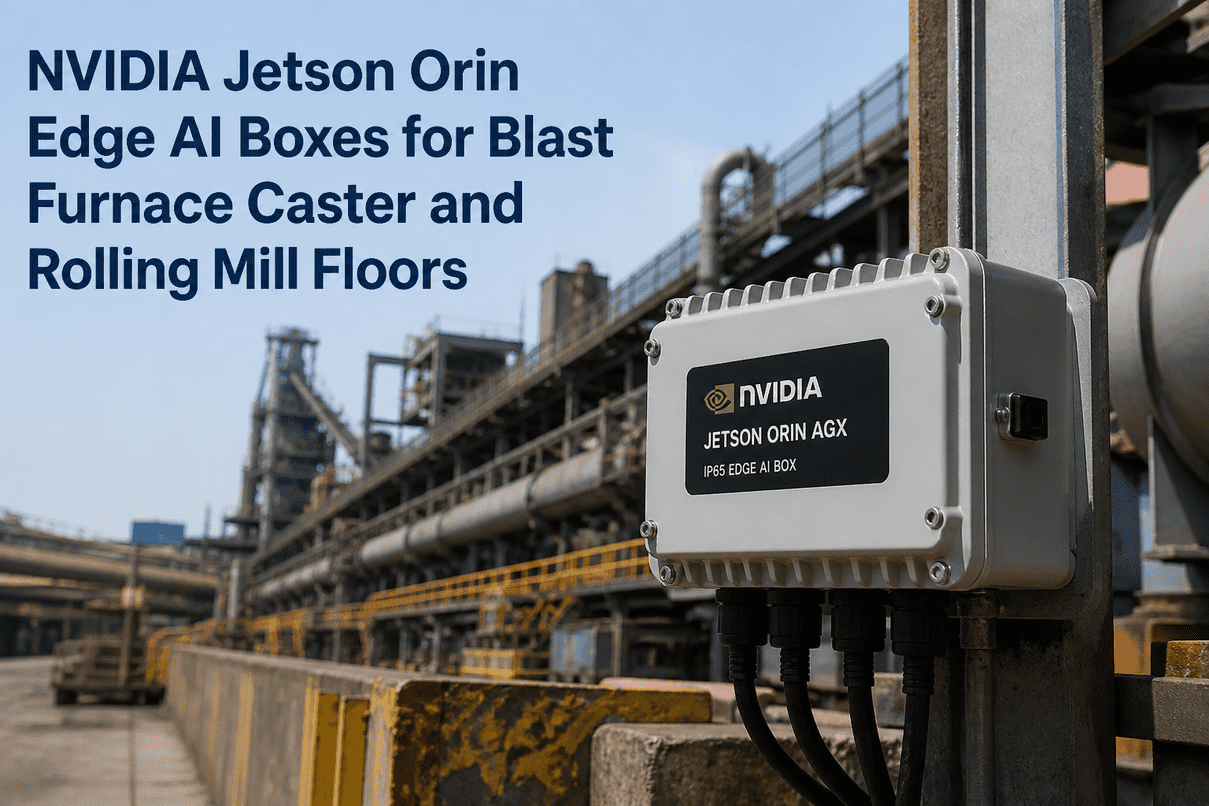
A sealed enclosure with an internal cooling loop and heat exchanger — the electronics never touch floor air. The choice for heavy oil mist, metal fines, or high humidity.
Not sure whether filtered airflow or a fully sealed enclosure suits your floor? Ask iFactory Support with your ambient temperature, contamination type, and placement, and the team will specify the enclosure and cooling that will survive it — typically a response within 3 business days, no obligation.
How iFactory Delivers Floor-Ready AI
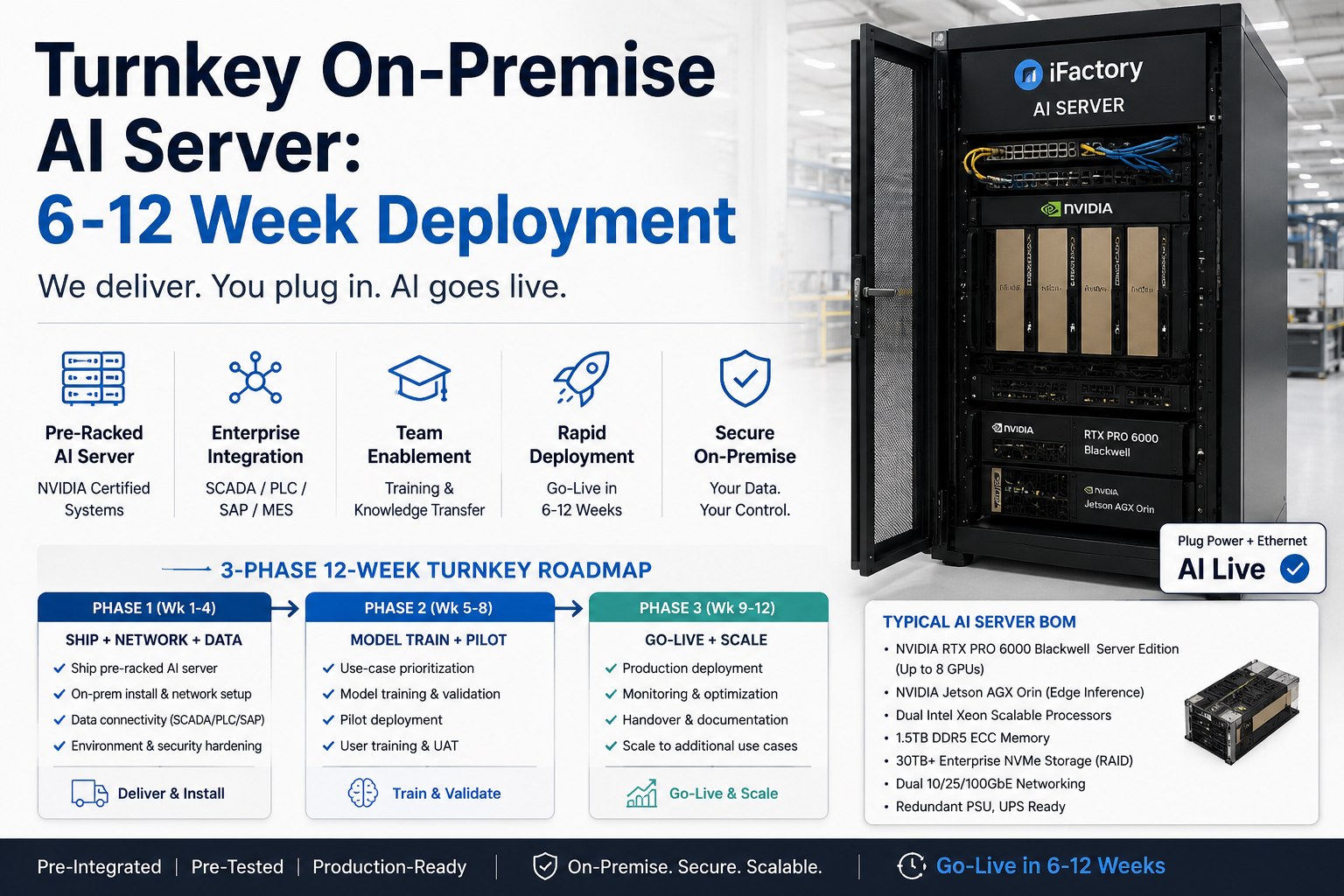
Rather than hand you a data-center server and wish you luck, iFactory ships the on-prem appliance already engineered for the floor — the thermal design, filtration, and enclosure matched to your environment, so it runs 24/7 where the cameras are.
On-Premise or Cloud — Thermal Is One Reason to Choose
Thermal design is exactly why the on-prem-versus-cloud choice matters, and iFactory offers both. Where the environment is manageable and images must stay in-fence, the floor-ready on-prem appliance is the answer. Where a site would rather avoid on-floor hardware and thermal upkeep entirely, the same vision engine runs as a managed cloud service. Many manufacturers do both across their plants.
iFactory On-Premise Floor-ready appliance, images in-fence
- Engineered for the floor — thermal design and enclosure matched to your environment.
- Images never leave — full data residency behind your firewall.
- Line-latency inference — local, no round-trip, outage-independent.
- Runs where the cameras are — no server room required.
iFactory Cloud No on-floor hardware or thermal upkeep
- Fully managed — no on-site server, no cooling to maintain.
- Same vision engine — identical models, SPC, and analytics.
- Cross-site consistency — one model version everywhere.
- Elastic scale — add cameras and sites without local hardware.
The floor will kill an unprotected server. Design for it — or go cloud.
Reliable on-floor AI vision needs real thermal design: manage the ambient heat, filter the dust and oil mist, direct the airflow, and seal the enclosure. iFactory ships an appliance engineered for exactly your floor — filtered or fully sealed, cooled for worst-case ambient, serviceable on schedule — or runs the same vision engine as a managed cloud service when you'd rather skip on-floor hardware entirely. ROI proven on one line first.
Frequently Asked Questions
Why can't I just put a data-center server on the plant floor?
Because data-center servers assume a clean, cool, humidity-controlled room, and the floor is the opposite. High ambient heat shrinks the thermal headroom a GPU needs; airborne dust and metal fines clog filters and coat heatsinks; oil mist and humidity build a sticky film that ruins cooling; and vibration stresses connectors and fans. Without thermal design, the server contaminates, throttles, slows, and eventually faults — usually within weeks to months.
What's the biggest thermal threat on a plant floor?
It's usually the combination rather than any single factor: high ambient heat reduces cooling margin at the same time contamination is degrading the cooling system. Oil mist is especially damaging because it condenses on internals and turns ordinary dust into a sticky, insulating film on heatsinks. Effective design addresses heat and contamination together — cooling sized for worst-case ambient, plus filtration or full sealing against the air.
Do I need a fully sealed enclosure, or is filtered airflow enough?
It depends on how dirty the air is. In light-to-moderate environments, multi-stage filtered airflow that cleans incoming air before it cools the GPUs is often sufficient, with filters on a maintenance schedule. In harsh areas with heavy oil mist, metal fines, or high humidity, a sealed, closed-loop enclosure — where the electronics never touch floor air and heat leaves through an exchanger — is the reliable choice. iFactory specifies which based on your floor.
How does thermal design affect AI performance?
Directly. When cooling is compromised, a GPU throttles — it lowers its clock speeds to avoid overheating — which slows inference. On a moving line that shows up as lagging decisions or missed units, and it looks like the AI getting worse when the real cause is heat. Proper thermal design keeps the GPU at full clocks continuously, so inspection performance stays consistent instead of degrading through a shift.
How does iFactory handle floor thermal design?
iFactory ships the on-prem appliance already engineered for your environment rather than a generic server. That means an enclosure matched to your floor — filtered or fully sealed — cooling sized for worst-case ambient near the machinery, and filters serviceable on a planned schedule so protection never lapses. It arrives racked and floor-ready: plug in power and network and the vision system runs where the cameras are.
Can I avoid floor thermal issues with cloud instead?
Yes — that's one reason iFactory offers both. If a site would rather not maintain on-floor hardware and cooling, the same vision engine runs as a managed cloud service with no on-site server. On-premise remains the default where images must stay in-fence and reject decisions need line latency, delivered in a floor-ready appliance. Many manufacturers mix the two across sites. Contact iFactory Support to choose the right deployment.
Built to run where the cameras are — heat, dust, and all.
On-floor AI vision survives only with thermal design that manages ambient heat, filters dust and oil mist, directs airflow, and seals the enclosure. iFactory ships an appliance engineered for your exact floor, or runs the same vision engine in the cloud when you'd rather skip on-floor hardware. ROI proven on one line first. The next step is a 30-minute demo and a thermal assessment of your plant. Sessions available this week.