A vision system that rejects good parts is almost as expensive as one that misses defects — it just fails quietly, in the form of scrapped inventory, frustrated operators, and a quality team that starts overriding the AI by hand. False positives are usually blamed on the model, but the real cause is almost always somewhere else: inconsistent lighting, an uncalibrated confidence threshold, or annotation guidelines that were never tight enough to teach the model a clean concept of a defect. Well-tuned systems now routinely hold false positive rates under 2% while still catching virtually every real defect, and the fixes that get a struggling deployment there follow a fairly predictable order. If your current system is generating more false rejects than your team can tolerate, book a demo and we will walk through the diagnostic on your actual reject data.
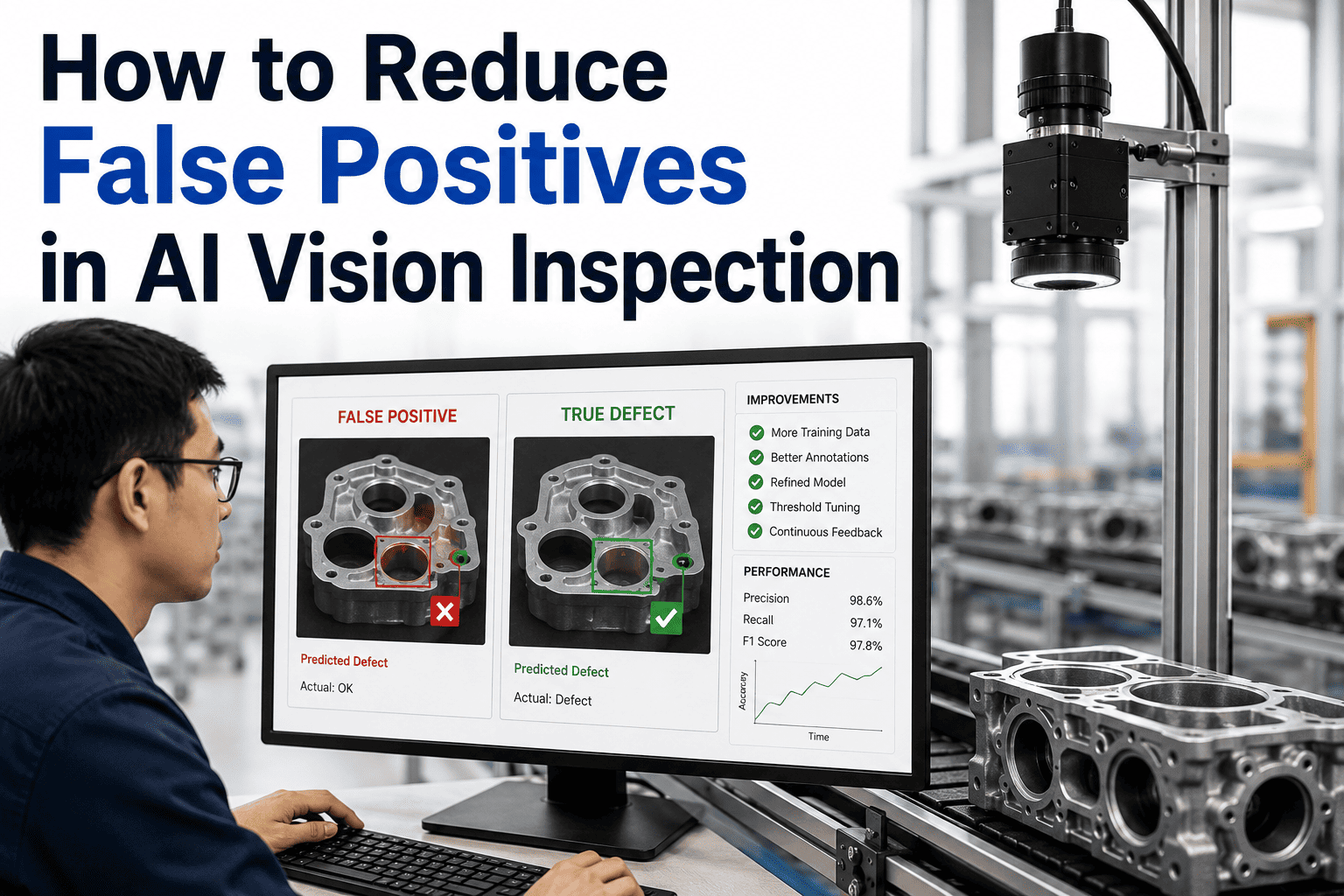
How to Reduce False Positives in AI Vision Inspection
The proven fix sequence — lighting, threshold tuning, hard negative mining, and multi-frame confirmation — that brings false rejects below 2% without missing real defects
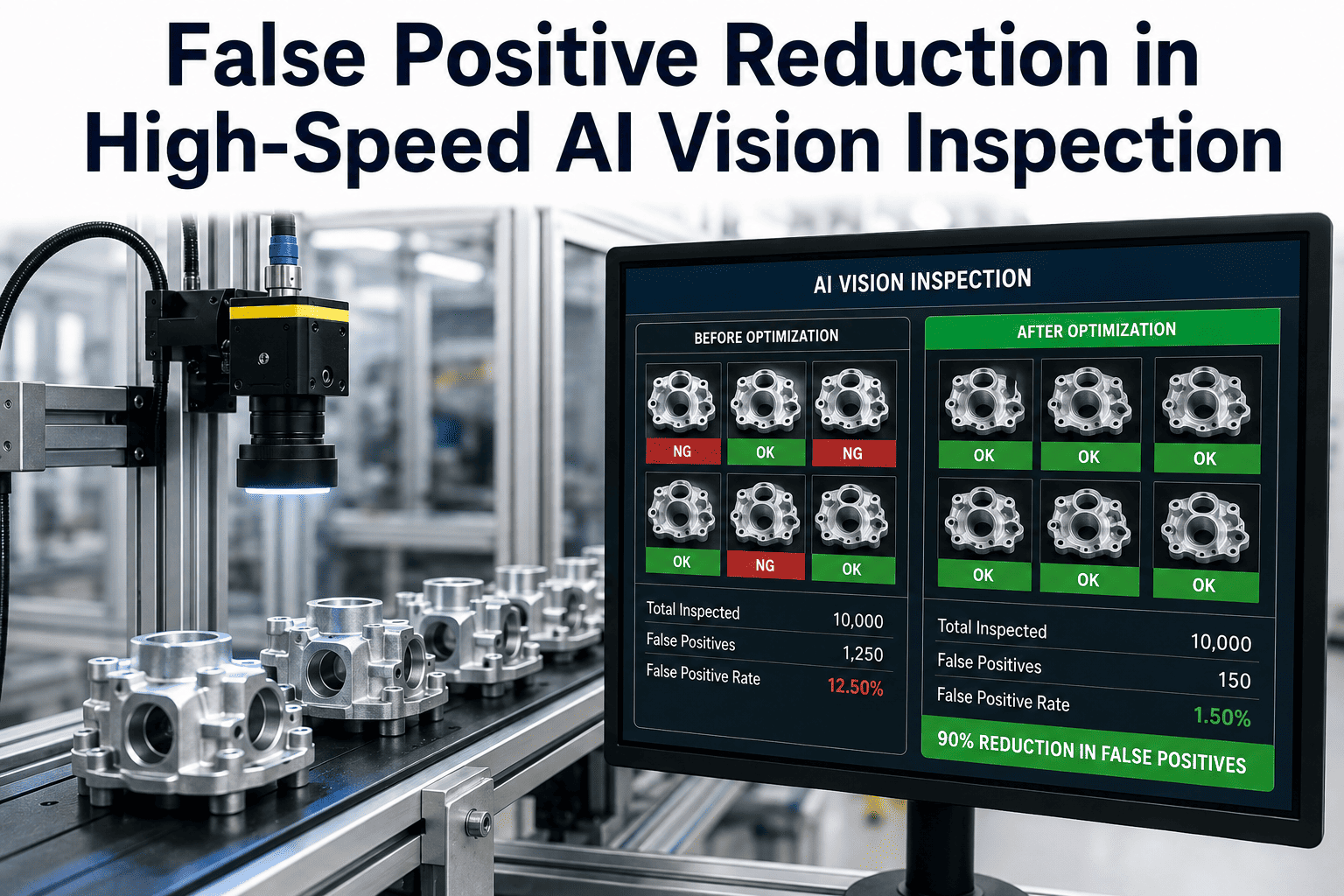
Untuned System
12–15%
False positive rate
to
Tuned System
Under 2%
False positive rate
What a False Positive Actually Costs
Every good part flagged as defective triggers rework, scrap, or a manual override — and each of those quietly erodes trust in the entire system faster than most teams realize.
Wasted Material & Labor
Conforming parts pulled for rework or scrapped outright consume labor and material for a defect that never existed.
Throughput Loss
Every false reject that stops a line or triggers manual review slows the exact throughput gain the system was installed to deliver.
Operator Distrust
Once operators see enough false alarms, they start overriding or ignoring the system entirely — quietly returning you to manual inspection risk.
Where False Positives Actually Come From
Before tuning anything, it helps to know which layer is actually responsible. Most chronic false positive problems trace back to one of four root causes.
Cause 1
Lighting & Hardware Drift
Degraded LED output, camera lens contamination, or loose mounting brackets change what the camera sees over time, even when nothing on the part has changed.
Cause 2
Miscalibrated Confidence Threshold
A model with excellent underlying accuracy can still reject constantly if the score threshold for an automatic fail is set too aggressively for your risk tolerance.
Cause 3
Inconsistent Annotation Standards
When annotators draw boundaries differently or disagree on cosmetic versus critical defects, the model inherits a blurred, inconsistent concept of what a real defect looks like.
Cause 4
Domain Shift Since Deployment
New material lots, a new supplier, or a different machine introduce visual variation the original training data never covered, and the false reject rate climbs on a previously stable model.
The Fix Sequence, in the Right Order
Fixing false positives works best in a specific sequence — cheap, fast fixes first, model-level tuning next, and structural retraining last.
Fix 1
Restore Lighting & Camera Calibration
Inspect lighting intensity and uniformity, clean camera optics, and check mounting stability before touching the model at all. This is the fastest and highest-return fix available, and it resolves a large share of chronic false positive cases on its own.
Recalibrate the Confidence Threshold
Adjust the score threshold for an automatic reject based on your actual risk tolerance for that defect class, rather than leaving a generic default in place. Raising the threshold reduces false rejects but should always be checked against recall on true defects.
Fix 2
Fix 3
Harvest and Label Hard Negatives
Every real false reject the system produces is a labeled training example waiting to happen. Feeding these hard negatives back into the next training cycle teaches the model exactly the borderline cases it is currently getting wrong.
Add Multi-Frame Confirmation
For borderline cases, require agreement across multiple frames or angles before triggering an automatic reject, instead of acting on a single uncertain frame. This catches the ambiguous cases a one-shot decision would get wrong in either direction.
Fix 4
Lighting and calibration fixes alone resolve a large share of chronic false reject problems. Book a demo to run this diagnostic against your current reject logs.
Stop Losing Good Parts to a Miscalibrated System
iFactory's continuous learning pipeline harvests every false reject automatically and folds it into the next retraining cycle — no manual dataset rebuild required.
What Improvement Actually Looks Like on a Timeline
False positive reduction does not happen overnight, but hardware fixes show results almost immediately, while model-level improvements compound over the following weeks.
Same Day
Lighting and camera calibration fixes typically show immediate improvement once degraded components are cleaned or replaced.
1–2 Weeks
Threshold recalibration and early hard negative batches begin reducing false rejects measurably as decision logic is tuned to production risk.
2–4 Weeks
Full model retraining on harvested hard negatives typically shows its complete effect, with most teams seeing a 30–50% reduction in false rejects within the first month of systematic tuning.
Frequently Asked Questions
Will reducing false positives cause us to miss more real defects?
Not when the fixes are done in the right order. The goal of this process is to improve overall decision accuracy, not simply loosen the system until it stops complaining. Lighting and calibration fixes remove noise without touching detection logic at all, and threshold changes are always validated against recall on true defects before being finalized, so real defect catches should hold steady or improve as false noise drops.
What is hard negative mining and why does it matter so much?
Hard negatives are the specific good parts your system has already, incorrectly, flagged as defective. Continuously collecting these real false rejects, labeling them correctly, and including them in the next training cycle teaches the model exactly the borderline patterns it is currently confusing — far more efficiently than adding more generic training images that do not address the actual failure pattern.
Our false positive rate was fine at launch but has climbed since — why?
This pattern almost always points to domain shift — a new material lot, a different supplier, a machine change, or gradual lighting degradation that the original training data never covered. It is one of the most common reasons a previously stable deployment starts producing more false rejects months after go-live, and it is fixed the same way as any other false positive cause: check hardware first, then recalibrate, then retrain on the new variation.
How do we know if the problem is the model or the confidence threshold?
A model can have excellent underlying classification accuracy and still produce a high false positive rate if the decision threshold on top of it is not calibrated to your actual risk tolerance. Reviewing the score distribution of recent false rejects usually reveals whether most of them cluster just above the current threshold, which points to a threshold problem, or whether the model is confidently wrong, which points to a training data problem instead.
How quickly can we expect to see results after starting this process?
Hardware-related fixes like lighting and camera calibration often show improvement the same day they are addressed. Threshold recalibration typically shows measurable results within one to two weeks. Full model retraining on harvested hard negatives usually takes two to four weeks to show its complete effect, with most organizations seeing a substantial reduction in false rejects within the first month of systematic optimization.
Contact support for a diagnostic tailored to your current deployment.
Get a Diagnostic on Your Current False Positive Rate
Bring your recent reject logs — we will identify whether the fix is lighting, threshold tuning, or a retraining cycle, and how fast each one will move the number.