Real-Time Anomaly Detection from Warehouse Video Feeds with AI
By Johnson on July 29, 2026
A warehouse manager cannot watch 40 camera feeds at once, and the security guard staring at a video wall for eight hours straight will miss the spill in aisle 7, the propped fire door in the shipping bay, and the forklift running the wrong direction on a one-way lane — every single time. Traditional CCTV is a recording system, not a monitoring system, and its real job has always been forensic review after something goes wrong rather than prevention before it does. The industry has known this gap for decades and simply lived with it. AI anomaly detection changes what a camera actually does: it watches every frame, on every feed, without fatigue, and it raises a hand the moment something looks wrong. See how iFactory's warehouse video intelligence layer converts your existing camera network into an always-on safety and security system.
iFactory Warehouse Video Intelligence
Your Cameras Already See Everything. Now They Can Actually Watch.
Real-time AI anomaly detection turns passive CCTV into an active monitoring layer — flagging spills, blocked exits, unauthorized zones, PPE violations, and unusual movement patterns the moment they happen, across every camera feed simultaneously.
Video surveillance research from operations centers and airport security studies has been surprisingly consistent for two decades: a human monitor watching a single video feed misses more than 45 percent of significant events after 12 minutes of continuous observation, and more than 95 percent after 22 minutes. The numbers get dramatically worse when the same human is asked to watch multiple feeds at once, which is exactly what a warehouse security console requires. The result is that most CCTV networks generate a large volume of recorded footage that is only ever looked at after an incident has already happened — and by then it is a forensic exercise, not a prevention one, and the cost of the event has already landed on the operation.
The four numbers below are what a warehouse operations leader is actually up against when they rely on human monitoring alone, and they explain why so much investment in cameras and DVR storage historically translates into so little day-to-day risk reduction. AI anomaly detection is not a replacement for the security team — it is a way to make the existing feeds worth watching in the first place, so the humans on shift are focused on judgment calls and physical response rather than trying to spot exceptions in a wall of near-identical frames.
45%
of events missed after just 12 minutes of continuous single-feed monitoring by a trained human observer
95%
of events missed after 22 minutes, at which point the monitor has become effectively unproductive
40+
camera feeds on a typical mid-size DC console, far beyond what any human can meaningfully watch
1-3%
of recorded footage ever actually reviewed, and almost always only after an incident is already reported
Ten Anomaly Classes AI Vision Actually Detects
Anomaly detection is not one model with one output — it is a stack of specialized detection classes, each tuned to a specific type of event that matters in a warehouse operation. The ten categories below are the ones most commonly deployed across distribution, cold-storage, and manufacturing-adjacent warehouses, and each one carries its own severity threshold, alert routing, and typical false-positive profile. A single vision platform runs all ten in parallel across the same camera feeds, so no additional hardware is required to expand from safety to security to operations coverage over time.
Safety
Spill and Liquid Detection
Identifies liquid on the floor from broken product, hydraulic leaks, roof drips, or bathroom overflow within seconds of appearance. Alerts route to maintenance and the shift supervisor with camera location and estimated spill size for cleanup dispatch.
Safety
Blocked Aisles and Exits
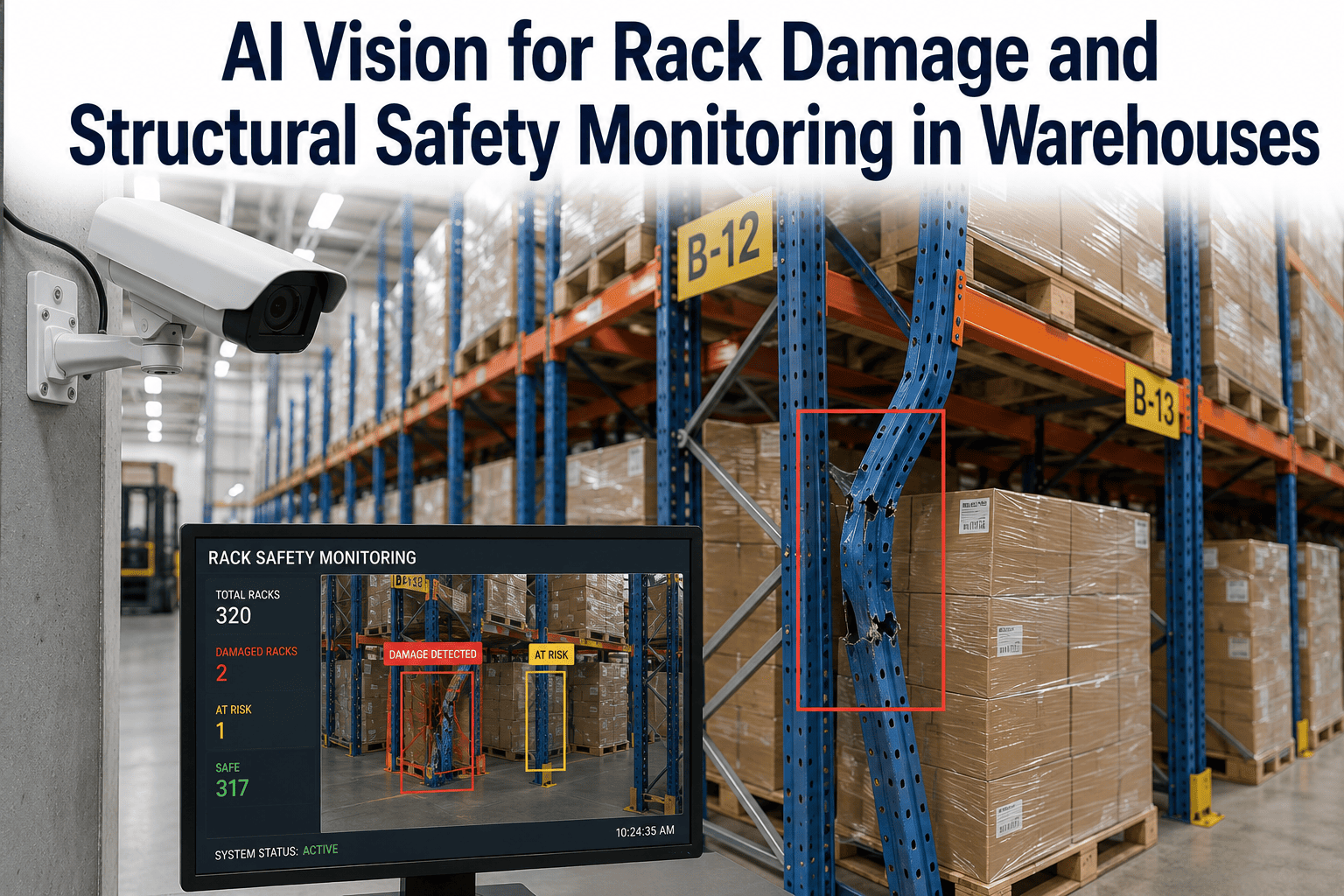
Flags obstructions in fire lanes, emergency exits, sprinkler access, and electrical panel clearance zones. Critical because a blocked emergency exit is one of the fastest ways a routine OSHA walk becomes a citation and a shutdown risk.
Safety
PPE Compliance
Detects missing hi-vis vests, hard hats, safety glasses, or hearing protection in zones where each is required. Alerts route to the zone supervisor with a photo, avoiding the awkward and often incomplete manual audit approach.
Safety
Pedestrian and Forklift Conflict
Recognizes when a person on foot enters an active forklift lane or when a forklift enters a designated pedestrian-only zone. Critical for preventing struck-by incidents, which remain a leading cause of warehouse fatalities year after year.
Security
Unauthorized Zone Access
Flags entry into restricted areas including high-value cages, hazmat rooms, mechanical spaces, and after-hours zones. Ties camera detection to badge system data to catch tailgating and unbadged access patterns that access control alone will miss.
Security
Perimeter and Yard Intrusion
Detects fence line breaches, unauthorized vehicles in the yard, and trailer tampering during overnight and weekend hours when the yard is unstaffed. Especially valuable for cross-dock operations with high dwell-time trailer inventory.
Security
Loitering and Unusual Presence
Identifies a person remaining in one area longer than baseline patterns for that zone, whether a stationary vehicle at a receiving door or a person in a break area outside shift hours — patterns that are hard to catch on a live feed but obvious to a trained model.
Operations
Dock Door and Bay Status
Recognizes open, closed, occupied, and empty status per dock door across the entire dock face without requiring dedicated dock sensors. Powers dashboard views that yard managers actually use to make live door assignment decisions.
Operations
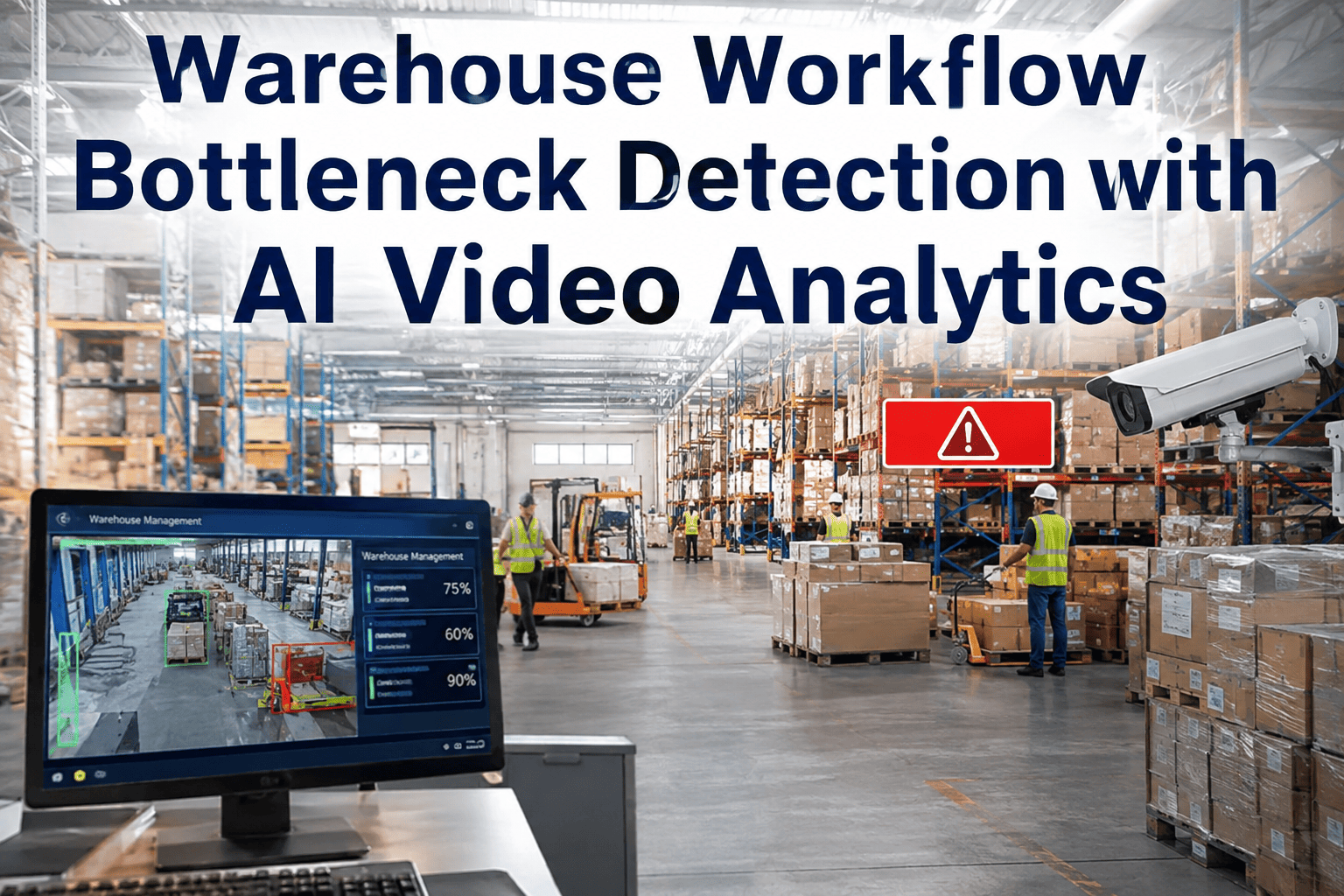
Congestion and Bottleneck Zones
Detects unusual crowding at pick faces, staging lanes, and dock approaches that signal a workflow slowdown. Alerts to the operations lead so a labor rebalance happens before the delay compounds across the shift and blows the ship-cutoff window.
Operations
Unusual Movement Patterns
Learns the normal flow of activity per zone over time and flags deviations — a forklift going the wrong way on a one-way aisle, unusual foot traffic during shift change, or an unfamiliar pattern of pallet moves after hours.
How Real-Time Detection Actually Works
The technical pipeline behind a working anomaly detection deployment is straightforward once you separate what happens at the camera from what happens in the cloud. Video streams from existing IP cameras are ingested at an edge compute node in the DC, where the vision models run against every frame with detection latency measured in fractions of a second. Only events — not raw video — are pushed to the cloud, which keeps bandwidth requirements manageable and event evidence retention affordable. Alerts are dispatched to the appropriate role based on category and severity, and the full detection history remains searchable by camera, time window, event type, and severity for later review and audit.
The Detection Pipeline From Camera to Response
Want to see this pipeline running on a sample feed from your own DC? Book a walkthrough and we will run our detection stack against a clip you provide.
Anomaly Severity Levels and Response Flow
Not every anomaly deserves the same alert treatment, and one of the most common reasons early vision deployments lose credibility is that every event gets treated as urgent, which trains the response team to ignore alerts within a few weeks. Severity tiering is what separates a working deployment from an ignored one — each detection carries a severity level based on category, location, and context, and that severity determines whether an alert pages the incident commander in seconds or lands quietly in a dashboard for the ops team to review at end of shift.
Severity
Example Events
Response Path
Target Time
Critical
Blocked fire exit, spill on main aisle, unauthorized secure zone entry
Immediate page to shift supervisor and security lead
Under 60 seconds
High
PPE violation in required zone, pedestrian in forklift lane
Zone supervisor mobile alert with photo evidence
2-5 minutes
Medium
Aisle congestion, dock door status change, loitering pattern
Operations console update with drill-down link
Same shift review
Low
Unusual movement pattern, minor workflow deviation
Logged for trend analysis and dashboard reporting
Weekly review
Applications Across Warehouse Roles
The same detection layer serves different roles differently, and the mistake most vision deployments make is trying to sell a single dashboard to every stakeholder. In practice, the safety manager, the operations lead, and the security team each need a different view onto the same underlying event stream — and their success metrics are also different. The role breakdown below reflects how a working deployment is typically configured, with each role getting a purpose-built view onto the events that matter to them, backed by the same detection stack running underneath.
Safety Manager
Prevention and OSHA readiness
Priority events: spills, blocked exits, PPE violations, pedestrian-forklift conflict
Key metric: preventable near-miss count trending down month over month
Reporting: monthly safety review with heat maps by zone and category
Operations Lead
Throughput and workflow visibility
Priority events: aisle congestion, dock door status, unusual patterns
Key metric: ship-cutoff hit rate and dock utilization during peak
Reporting: real-time console view during shift, weekly ops review
Security Lead
Loss prevention and access control
Priority events: unauthorized zone entry, perimeter intrusion, loitering
Key metric: shrink rate and after-hours incident count
Reporting: nightly summary and monthly loss prevention audit
Key metric: incident cost avoidance and insurance renewal position
Reporting: monthly executive summary with cross-category rollups
Curious how this would look mapped to your team's specific roles and shift structure? Send us your org chart and we will show you a working view built for it.
What Warehouses Actually See After Deployment
Distribution centers and mid-size warehouses that have moved from passive CCTV to active anomaly detection consistently report the same category of outcomes across the first twelve months of steady-state operation. The numbers vary based on baseline incident rates, camera coverage, and how aggressively the operation acts on flagged events during the initial ninety days — but the shape of the improvement is highly consistent, because the underlying problem it solves (human attention capacity) is universal.
The results grid below reflects the typical range across grocery, retail, general merchandise, and cold-chain distribution operations. It is presented as a range rather than a single number precisely because the payoff depends on your starting point — a facility with existing high safety and security discipline will see smaller relative gains than one where CCTV has been effectively write-only for years. Either way, the categories that improve are consistent, and the payback horizon for the deployment tends to fall inside the first year.
70-85%
Faster Incident Response
Alerts arrive with photo evidence and location, cutting the guesswork out of dispatch and shortening time-to-containment for spills, blocked exits, and safety events.
55-70%
Fewer Recordable Injuries
PPE compliance and pedestrian-forklift monitoring catch behavioral drift before it becomes a lost-time injury or a near-miss that never gets reported through the normal channels.
3-5x
Higher OSHA Audit Readiness
Continuous event logging with photo evidence and location means audit prep becomes a report pull instead of a scramble through DVR archives that nobody has actually looked at.
40-60%
Reduction in After-Hours Loss
Perimeter and unauthorized zone detection during unstaffed hours converts security cameras from a forensic tool into an active deterrent that gets acted on in real time.
2-3x
Faster Insurance Claim Resolution
Automatic event capture with timestamped video evidence speeds workers comp, general liability, and property claim resolution when incidents do occur despite the monitoring layer.
6-12 Mo
Typical Payback Window
Combined incident cost avoidance, faster response, and insurance renewal position typically recover the deployment cost inside the first year for mid-size DCs.
What Makes This Different From a Repackaged CCTV Analytics Feature
The market is full of camera vendors offering "smart analytics" as a bundled feature, and most of them are limited to basic motion detection with tripwires and generic person or vehicle classification. That is not what a warehouse operation actually needs, because motion is the norm in a working DC and tripwires generate more noise than signal on a busy floor during a peak shift.
Real anomaly detection is a fundamentally different capability — it is a family of specialized vision models trained on the specific event classes that matter in industrial and logistics environments, tuned to run at the scale and lighting conditions of a real DC, and integrated with the WMS, YMS, and access control systems the operation already runs. The comparison below is the honest version of the difference between the two, and it is why buyers who evaluated CCTV analytics five years ago and moved on are worth re-evaluating a dedicated vision platform today.
Standard CCTV Analytics
Basic motion detection with static tripwires
Generic person, vehicle, and object detection
High false-positive rate in busy environments
No integration with WMS, YMS, or access control
Single-category detection, not warehouse-specific
Limited to a single camera vendor ecosystem
No severity tiering or role-based routing
vs
Purpose-Built Warehouse Vision
Ten-plus specialized detection classes for DC operations
Models trained on real warehouse footage and lighting
Multi-category severity and role-based alert routing
Works across mixed camera vendors and generations
Continuous model tuning based on site-specific data
Frequently Asked Questions
Do we need to replace our existing camera network?
In most deployments, no — the platform is specifically designed to work with the IP cameras already installed on the site, provided they meet minimum resolution and frame rate requirements for the vision models to run against them reliably. During the site assessment phase our team evaluates each camera position for reuse and flags only the gaps where additional coverage is needed, which is typically a small number of new cameras at specific vantage points rather than a full network replacement. This keeps the hardware footprint minimal and preserves the investment already made in existing surveillance infrastructure. Talk to our integration team for a site-specific evaluation of your current camera network.
How do you keep alert fatigue from making our team ignore the system?
Alert fatigue is the number one reason early vision deployments fail, and severity tiering is the specific mechanism that prevents it — every detection carries a severity score based on category, location, and context, and that severity determines whether an alert pages someone immediately or lands quietly in a dashboard for end-of-shift review. On top of that, the first ninety days of a deployment include continuous model tuning against real detected events from your site, so false-positive patterns specific to your operation get filtered out before the response team is asked to trust the alerts. The goal is that when a critical alert does come through, the responder treats it as real rather than defaulting to skepticism, which only happens if the false-positive rate has been driven down to a level people trust. Book a walkthrough to see how the tuning process works on real footage.
What about employee privacy and monitoring concerns?
The platform detects events and behaviors rather than identifying individuals, and it does not use facial recognition or biometric identification as part of standard anomaly detection. Where badge system integration is enabled for access control purposes, it works from the existing access data rather than adding new identification, and event logs are configured with role-based access so only authorized reviewers can see specific event categories. This positioning is intentional because privacy-forward deployment is easier to sustain long-term with the workforce, and it is also what unions and employee committees typically want to see documented before signing off on a new monitoring layer. Reach out to our compliance team to walk through the specific privacy configuration used at deployments similar to yours.
How long does a typical deployment take from contract to live monitoring?
For a mid-size distribution center with an existing IP camera network in reasonable condition, a typical deployment runs 6 to 12 weeks from contract signature to live monitoring on the first set of detection classes. That includes site assessment, edge compute install, integration with your WMS and access control systems, model tuning against your specific pallet types and workflow patterns, and pilot operation before the operation cuts over to production alerts. Additional detection classes can be added incrementally after the initial go-live without re-doing the base install, so it is common to start with three or four high-priority categories and expand from there. Book a walkthrough for a timeline specific to your site.
Will this work in cold storage, dim lighting, or other challenging conditions?
Yes, and cold storage plus low-light environments are actually where the value of AI anomaly detection is often highest, because human monitors struggle disproportionately with those conditions and safety events in those zones tend to have more severe consequences when they do happen. The vision models are trained on footage from cold storage operations, freezer environments, dim-lit long-storage aisles, and outdoor yard operations with variable lighting throughout the day and night. During deployment the models get tuned to the specific lighting profile of each site, so a freezer aisle at negative twenty degrees with fluorescent flicker performs comparably to a well-lit shipping bay under the same detection stack. Talk to our specialists about the specific environments in your facility.
Turn Passive Cameras Into Active Monitoring
See Anomaly Detection Running on Your Own Feeds
Send us a clip from your busiest camera. We will run our anomaly detection stack against it and show you exactly what would have been flagged in real time — no hardware install, no long evaluation, just a working demonstration on your own footage.