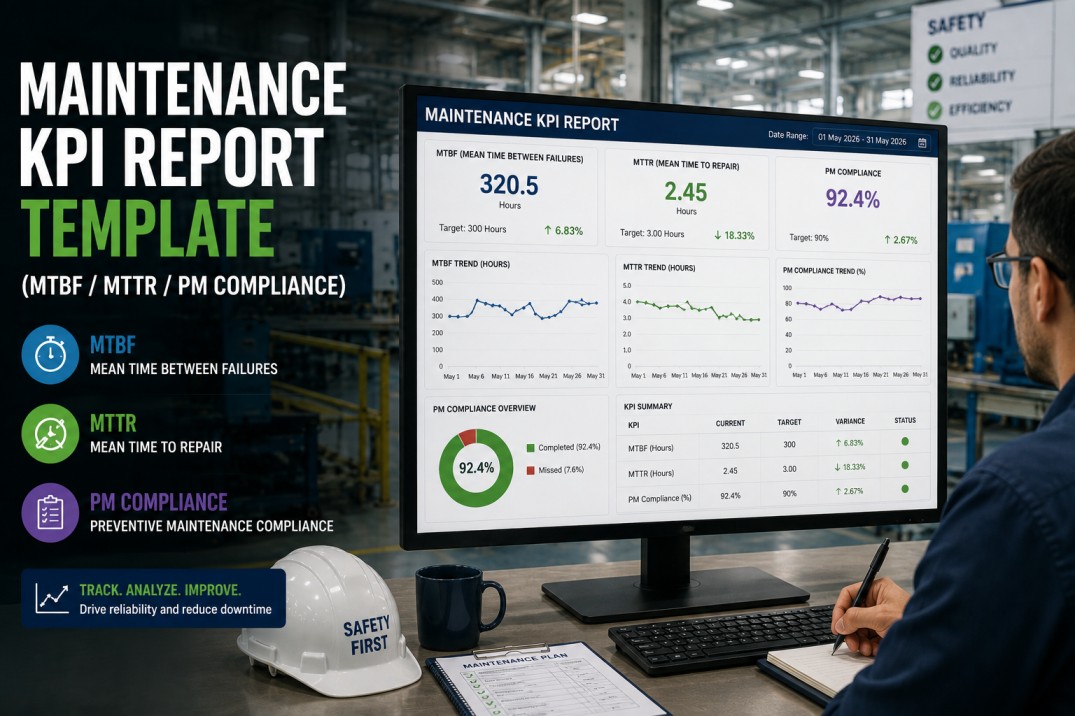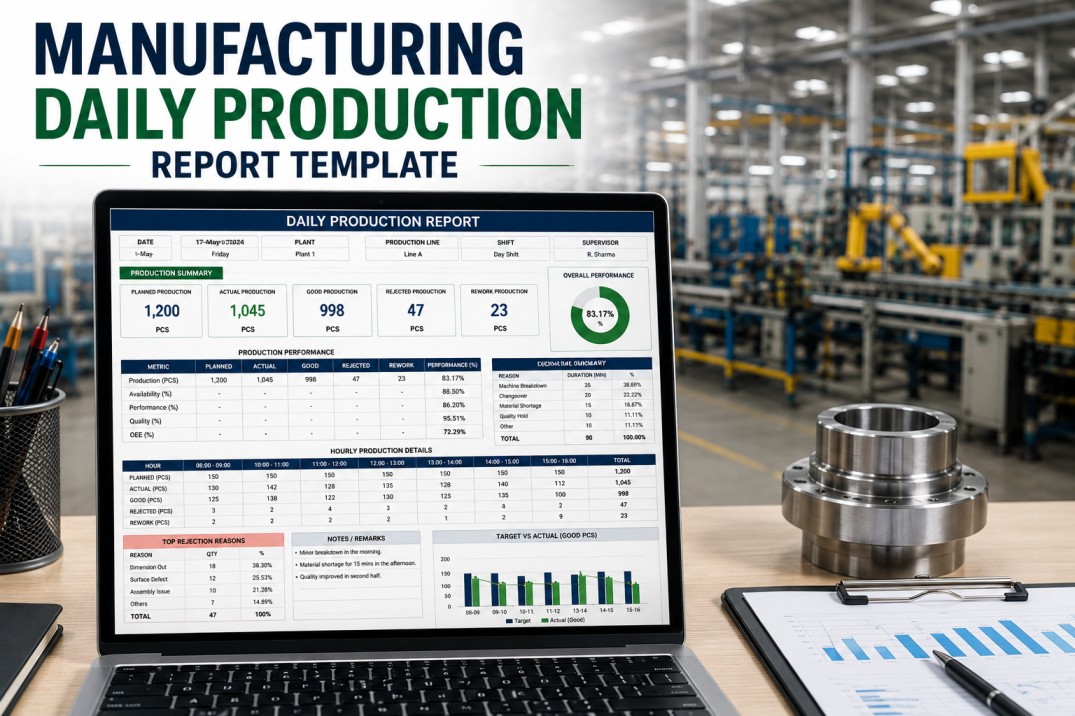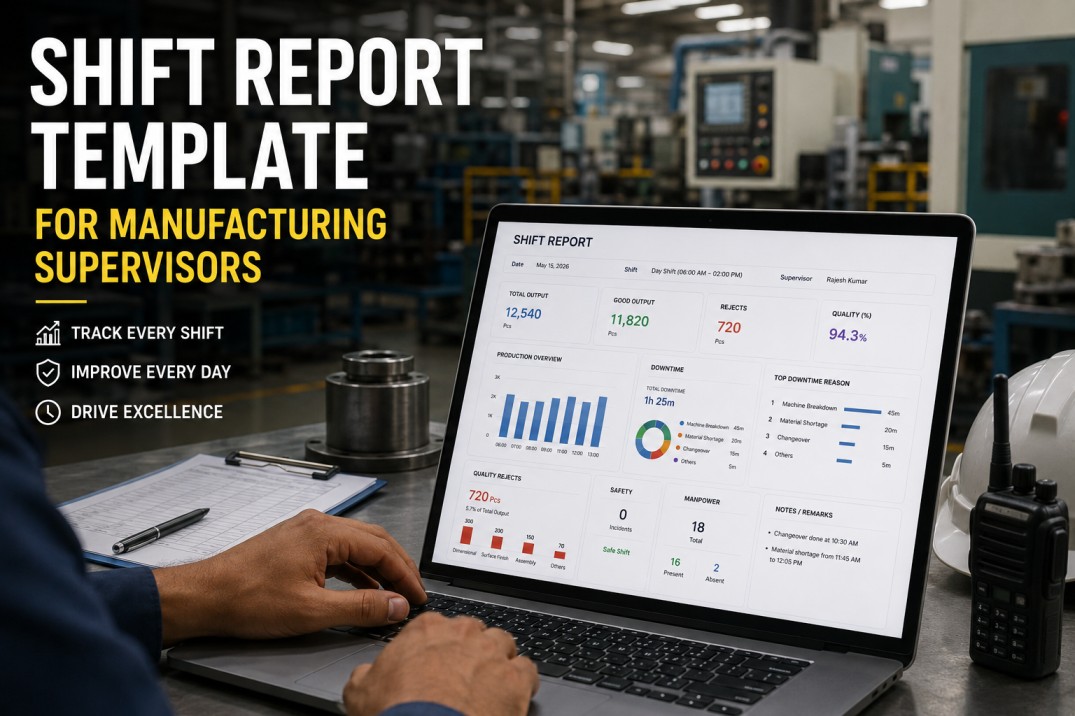
A maintenance report template that consolidates MTBF, MTTR, PM compliance, and backlog into a single operational view is the difference between guessing what happened on the plant floor and knowing exactly where reliability stands. For plant teams running CMMS data through spreadsheets or disconnected reports, the average maintenance manager spends 4-6 hours per week manually compiling these figures. iFactory's analytics platform generates maintenance report templates directly from live CMMS data, eliminating manual aggregation and delivering real-time visibility into every reliability metric that matters. This guide covers what a complete maintenance report template should include, which KPIs drive the most actionable insights, and how automated template generation transforms maintenance decision-making.
Generate Maintenance Report Templates Directly From Your CMMS in Minutes
iFactory connects to your existing CMMS and generates live maintenance report templates with MTBF, MTTR, PM compliance, and backlog. No manual data pulls. No spreadsheets. No delays.
Why a Maintenance Report Template Matters for Plant Teams
Manufacturing plants generate thousands of maintenance events every month. Without a standardized template, these events remain scattered across work orders, spreadsheets, and shift logs. The cost of this fragmentation is measurable.
Plants using standardized maintenance report templates connected to live CMMS data reduce unplanned downtime by 42% within 12 months. Standardized reporting surfaces failure patterns that stay hidden in ad-hoc tracking.
The average maintenance supervisor saves 6.2 hours per week when report templates auto-generate from CMMS data instead of requiring manual compilation across multiple sources.
Teams using structured report templates with MTBF and MTTR trend analysis identify recurring failure root causes 87% faster than teams relying on ad-hoc work order reviews.
Four Essential KPIs Every Maintenance Report Template Must Include
A maintenance report template is only as useful as the KPIs it tracks. These four metrics form the foundation of any reliability-focused maintenance report. Each is directly calculable from CMMS data when the template pulls from live work order and asset history tables.
| KPI | Definition | Target Range | Impact When Tracked |
|---|---|---|---|
| MTBF (Mean Time Between Failures) | Average operating time between equipment failures, calculated as total operating hours divided by number of failures. | Industry-dependent; 300-800 hrs typical for discrete manufacturing | 1 hr MTBF improvement = 1.2% OEE gain on bottleneck equipment per iFactory deployment data |
| MTTR (Mean Time To Repair) | Average time from failure onset to equipment return to production, including diagnosis, parts procurement, and repair. | Under 4 hrs for most production equipment; under 1 hr for critical assets | Every hour MTTR reduction recovers 0.8% of total production capacity on constrained lines |
| PM Compliance | Percentage of scheduled preventive maintenance tasks completed on time, measured against the PM calendar. | 90%+ for world-class maintenance organizations | 15% PM compliance improvement correlates with 28% unplanned downtime reduction across 1,000+ iFactory sites |
| Backlog (Open Work Orders) | Total count and estimated hours of open corrective and preventive work orders not yet completed, segmented by priority. | 2-4 weeks of planned capacity for healthy backlog; over 6 weeks signals systemic issues | Unmanaged backlog above 6 weeks increases emergency work order ratio by 35%, compounding failure rates |
Your CMMS Has the Data. iFactory Builds the Report Template Automatically.
A 30-minute demo shows how iFactory connects to your CMMS, maps your asset hierarchy, and generates live maintenance report templates with every KPI pre-configured. No IT involvement required.
Maintenance Report Template Structure: What Every Section Should Cover
A complete maintenance report template organizes reliability data into logical sections that guide the reader from high-level summary to actionable detail. Below is the recommended structure based on best practices across 1,000+ manufacturing plants.
Plant Reliability at a Glance
Roll-up of total maintenance cost, overall equipment effectiveness impact, and top three reliability risks. Designed for plant managers and directors who need a one-page status update covering the reporting period's maintenance performance against target.
Aligns plant leadership on reliability priorities without requiring deep KPI analysisMTBF and MTTR by Critical Asset
Asset-level breakdown of MTBF, MTTR, failure count, and availability for each critical asset class. Sorted by worst-performing assets to focus attention on the equipment driving the majority of downtime. Includes month-over-month trend arrows.
Directs maintenance resources to the 20% of assets causing 80% of downtimeScheduled vs. Completed PMs
Calendar-based view of all scheduled preventive maintenance tasks with completion status, overdue count, and compliance percentage by asset class and craft. Highlights PMs that were rescheduled or missed, with associated risk level.
Prevents reactive maintenance cycles by surfacing compliance gaps before they cause failuresOpen Work Order Aging and Priority
Distribution of open work orders by priority level, age, and estimated labor hours. Segments backlog into corrective vs. preventive categories and flags orders that exceed target aging thresholds. Includes capacity vs. demand comparison.
Enables data-driven staffing decisions and prevents backlog-driven emergency failuresRoot Cause and Failure Pattern Trends
Pareto chart of top failure modes by frequency and cost, trend lines for recurring failure types, and asset-level failure distribution. AI-powered root cause correlation identifies patterns invisible to manual review.
Eliminates recurring failures by exposing patterns that drive 60%+ of repeat maintenance eventsHow iFactory Generates Maintenance Report Templates From CMMS Data
Manual report creation is the single largest time drain for maintenance teams. iFactory automates the entire template generation pipeline, connecting directly to your CMMS and populating every KPI in real time without data entry or spreadsheet manipulation.
CMMS Connection
iFactory connects to your existing CMMS via API or direct database integration — supporting SAP PM, Maximo, Infor, Maintenance Connection, UpKeep, Fiix, and 40+ other platforms. Connection takes under 2 hours with no CMMS configuration changes required.
Asset Hierarchy Mapping
The platform reads your asset register and work order history to build a hierarchical asset tree automatically. Equipment classes, criticality ratings, and maintenance strategies are mapped from CMMS fields without manual data entry or spreadsheet uploads.
KPI Calculation Engine
MTBF, MTTR, PM compliance, backlog aging, and failure frequency are calculated automatically from live work order and asset data. Calculation formulas follow ISO 14224 and SMRP best practice standards, configurable to your plant's specific definitions.
Template Auto-Population
The maintenance report template populates automatically on your chosen schedule — daily, weekly, or monthly. Reports are delivered via dashboard, email PDF, or embedded into your existing BI tools. No manual data pulling, no spreadsheet errors, no reporting delays.
Stop Pulling CMMS Reports Manually. Let iFactory Do It Automatically.
Book a 30-minute demo. iFactory will connect to your CMMS, map your assets, and show you a live maintenance report template populated with your actual plant data — all within the session.
Data Quality Requirements for Accurate Maintenance Reports
A maintenance report template is only as reliable as the underlying CMMS data. Analysis across iFactory deployments reveals three data quality tiers that directly determine template accuracy and the actionable value of the generated reports.
Plants with 90%+ work order data completeness — including consistent failure codes, accurate start/end times, parts tracking, and completed labor entries — produce maintenance reports with 98%+ KPI accuracy. MTBF, MTTR, and PM compliance figures reflect actual equipment reliability without correction factors.
Plants with moderate data completeness see KPI accuracy of 75-90%. Missing failure codes, incomplete labor entries, and inconsistent clock-in/clock-out times require manual correction. iFactory's engine auto-detects gaps and flags confidence scores on each KPI.
Plants with significant data gaps produce templates with 50-70% KPI accuracy. iFactory's deployment team includes a 30-day data quality remediation phase that addresses work order completeness, failure code standardization, and asset hierarchy gaps before generating automated reports.
Frequently Asked Questions About Maintenance Report Templates
What is the difference between MTBF and MTTR in a maintenance report template?
MTBF (Mean Time Between Failures) measures the average operating time between equipment breakdowns — higher is better and indicates reliable equipment. MTTR (Mean Time To Repair) measures the average time required to restore equipment to operation after a failure — lower is better and indicates efficient maintenance response. A complete maintenance report template tracks both metrics together because they measure fundamentally different aspects of reliability: MTBF reflects failure frequency (preventive maintenance effectiveness) while MTTR reflects repair efficiency (spare parts availability, technician skill, diagnostic procedures). Plants optimizing only one metric without the other often make counterproductive decisions — for example, reducing MTTR by replacing parts preemptively can actually improve MTBF, but only if the correct parts are being replaced based on data.
How often should a maintenance report template be generated?
The generation frequency depends on the audience. Weekly reports are best for maintenance supervisors and reliability engineers who need to track PM compliance, backlog changes, and emerging failure patterns — weekly cycles match the typical maintenance planning cadence. Monthly reports serve plant managers and directors who need trend analysis, cost summaries, and strategic reliability indicators. Daily summary reports benefit shift supervisors and asset engineers monitoring critical equipment. iFactory's template engine supports any schedule and can deliver all three frequencies simultaneously — each drawn from the same live CMMS data with timeframe-appropriate granularity.
Can a maintenance report template include cost data from my CMMS?
Yes. iFactory's maintenance report templates pull cost fields from your CMMS including labor hours with burden rates, parts and material costs, contractor charges, and total work order cost. The template can calculate maintenance cost per asset, maintenance cost per unit produced, and cost breakdown by maintenance type (corrective vs. preventive vs. predictive). These cost KPIs transform the maintenance report from a purely operational document into a financial decision-making tool that plant controllers and finance teams rely on for budgeting and capital planning.
What CMMS platforms does iFactory support for template generation?
iFactory connects directly to 40+ CMMS and EAM platforms including SAP PM, IBM Maximo, Infor EAM, Maintenance Connection, Fiix, UpKeep, eMaint, ManagerPlus, Asset Essentials, and Oracle EAM. For custom or legacy CMMS platforms, iFactory provides a REST API connector and ODBC/JDBC database integration that maps any CMMS schema to the template engine's KPI calculation layer. Connection is read-only unless write-back for auto-generated work orders is configured, ensuring no risk to your CMMS data integrity.
How does iFactory handle data quality gaps in CMMS records?
iFactory's template engine includes a data quality layer that scores every KPI with a confidence indicator. When a CMMS record is missing failure codes, has incomplete time stamps, or lacks labor entries, the platform flags the affected KPI and applies statistical estimation where appropriate. Missing data does not break the report — instead, the template displays the KPI with a confidence badge and the system generates data quality improvement recommendations. Over time, as CMMS data completeness improves through iFactory's data quality dashboards, KPI confidence scores rise automatically without any template reconfiguration.
Your Plant's Maintenance Report Template Is Ready. Your CMMS Data Is Already Connected.
iFactory builds maintenance report templates from your existing CMMS data in under 2 hours. Book a 30-minute demo and see your MTBF, MTTR, PM compliance, and backlog live — no templates to build, no data to prepare.