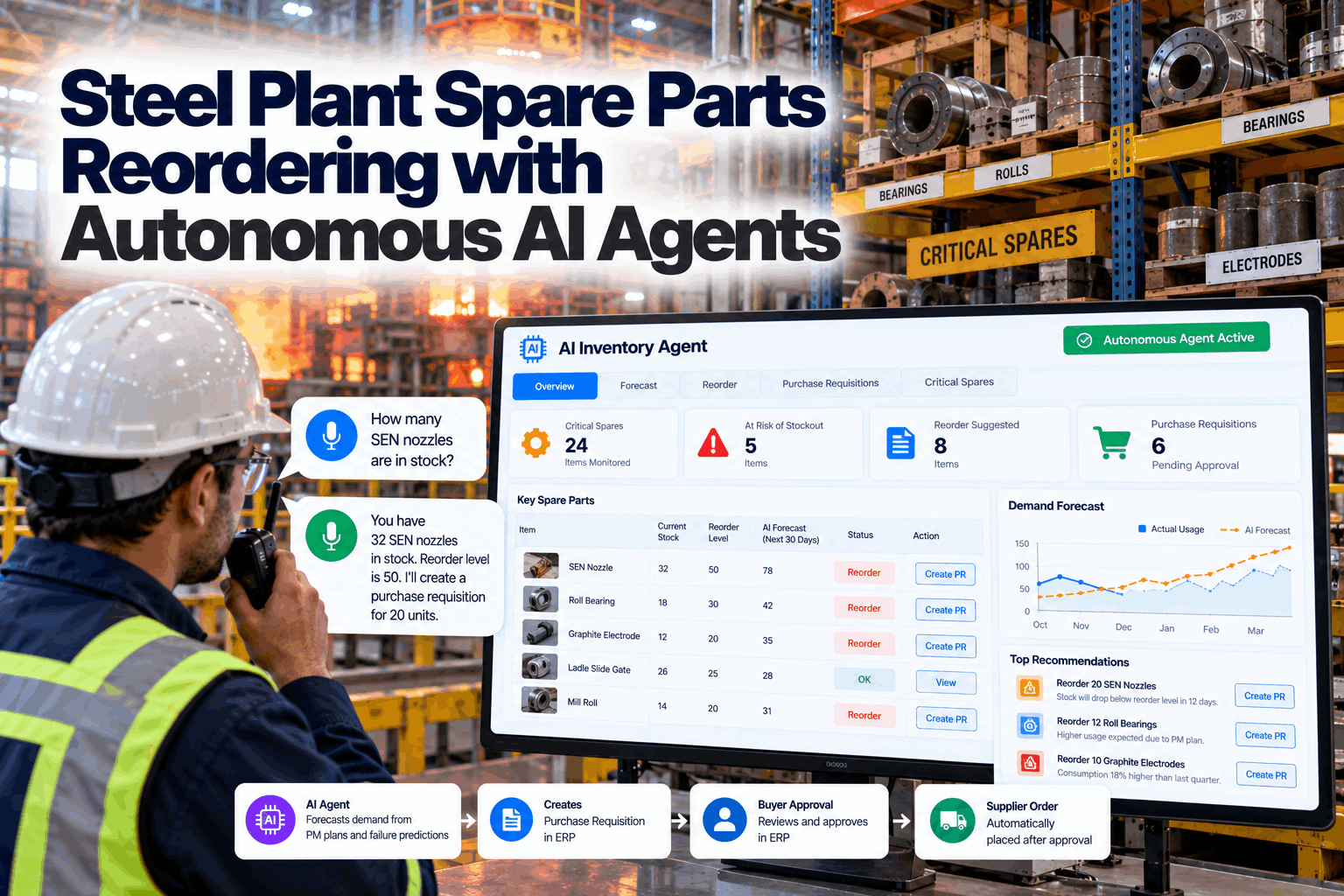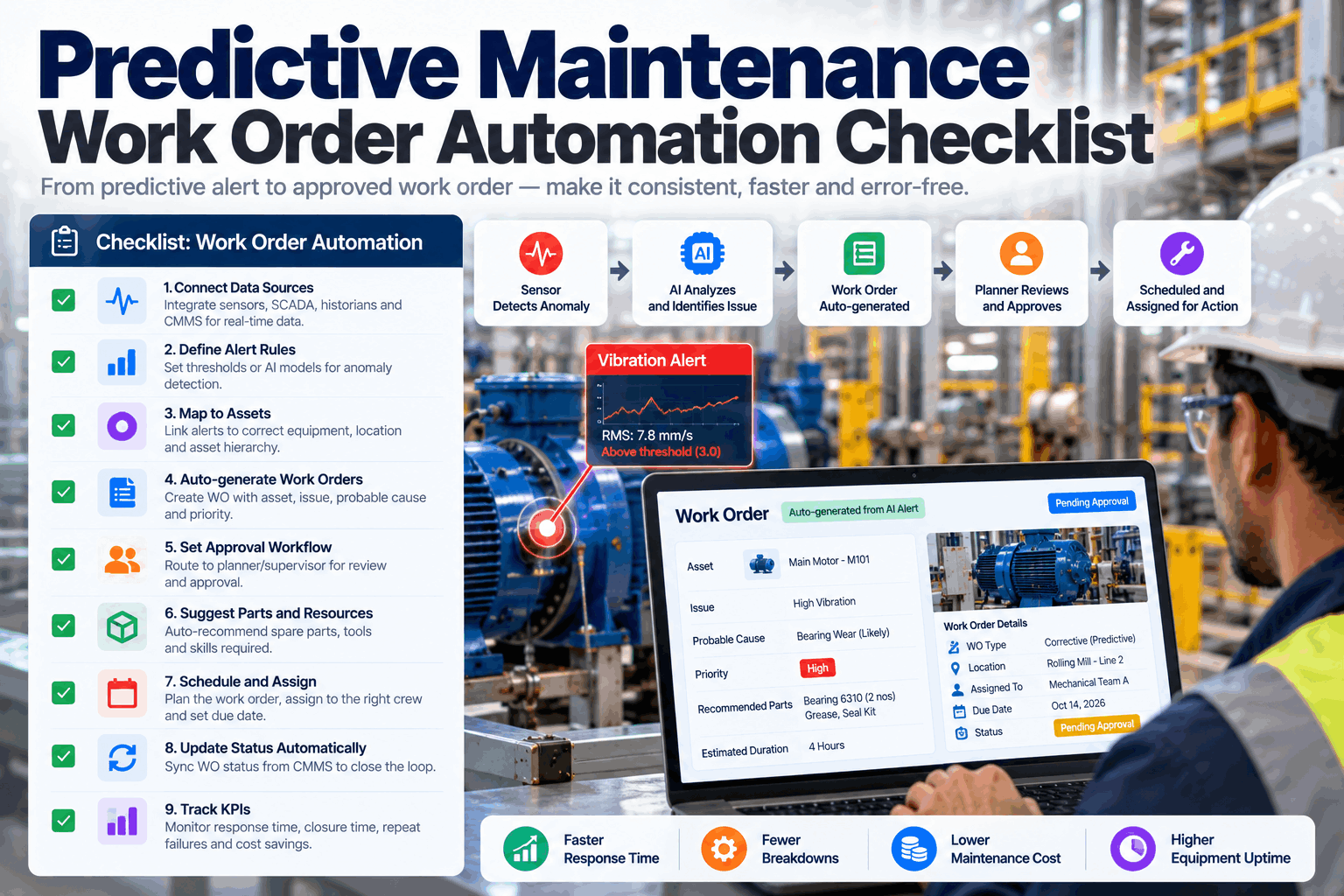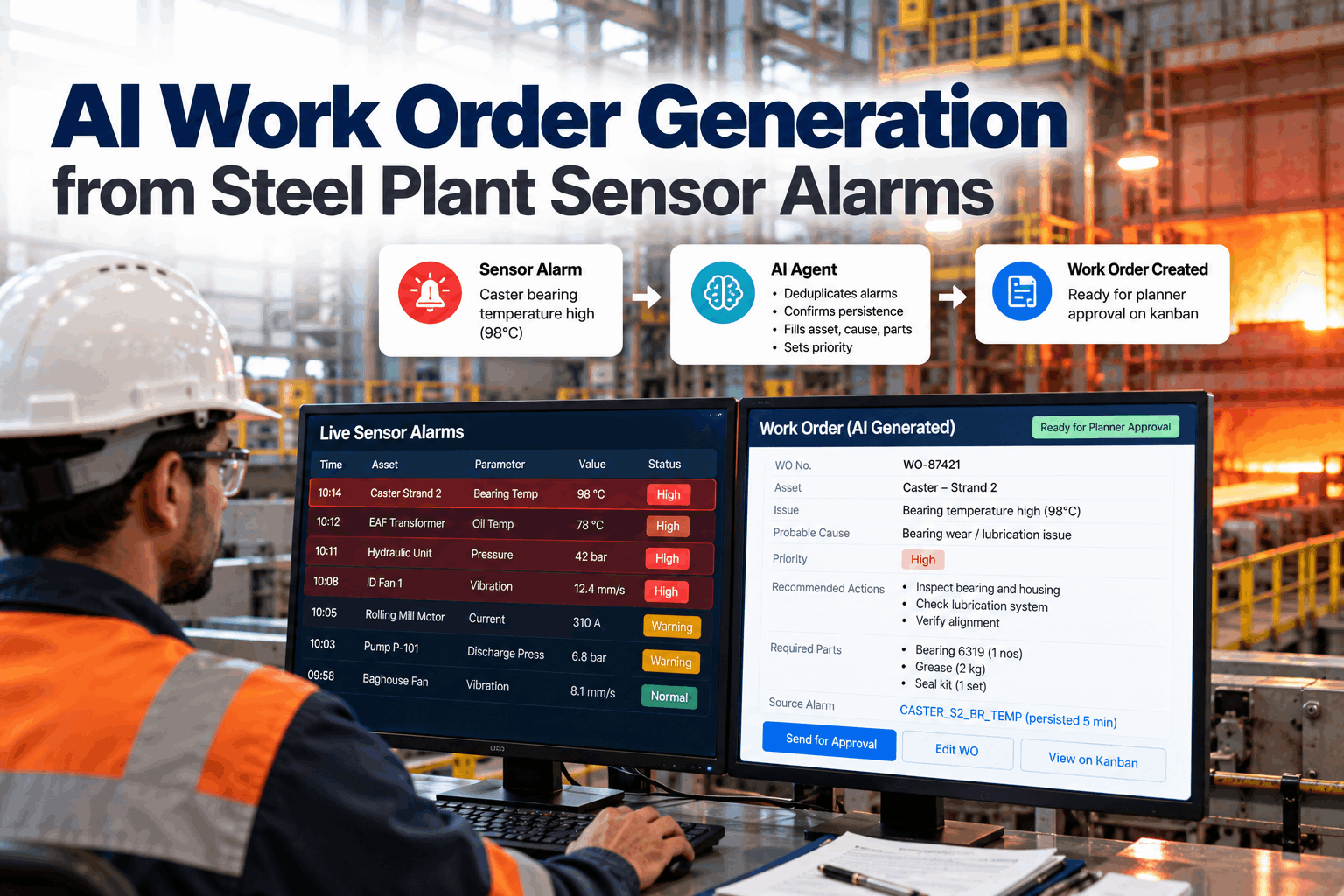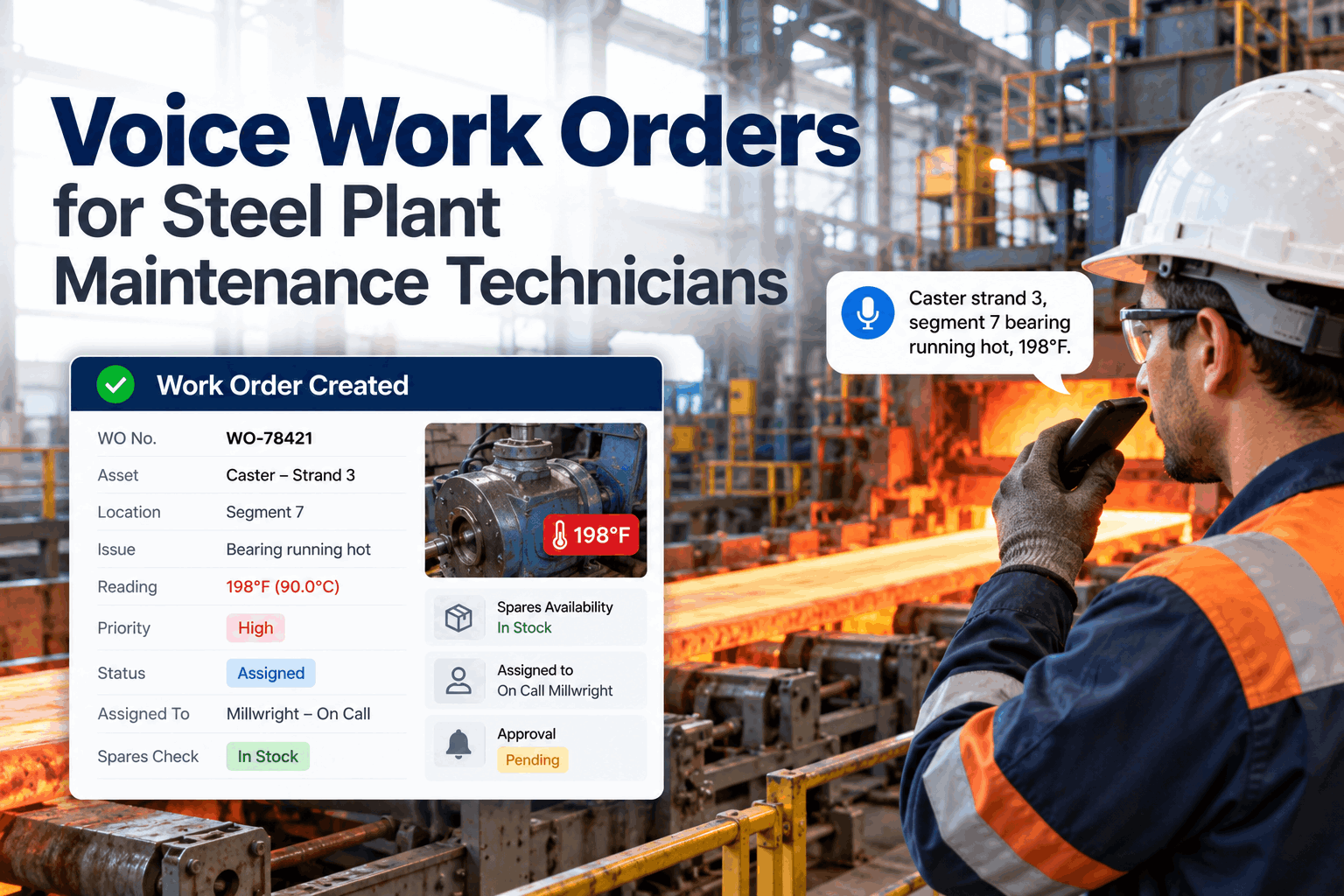
In most steel plants, maintenance planning still runs on alerts, spreadsheets and phone calls. A sensor flags a problem, then someone diagnoses it, writes the work order, checks the storeroom and fits the job into the production schedule, often days later. Agentic AI carries out that whole chain itself, while planners approve each consequential step. You can see the loop running in a short live demo.
From Fault Detection to a Scheduled Job, With Humans Approving Each Step
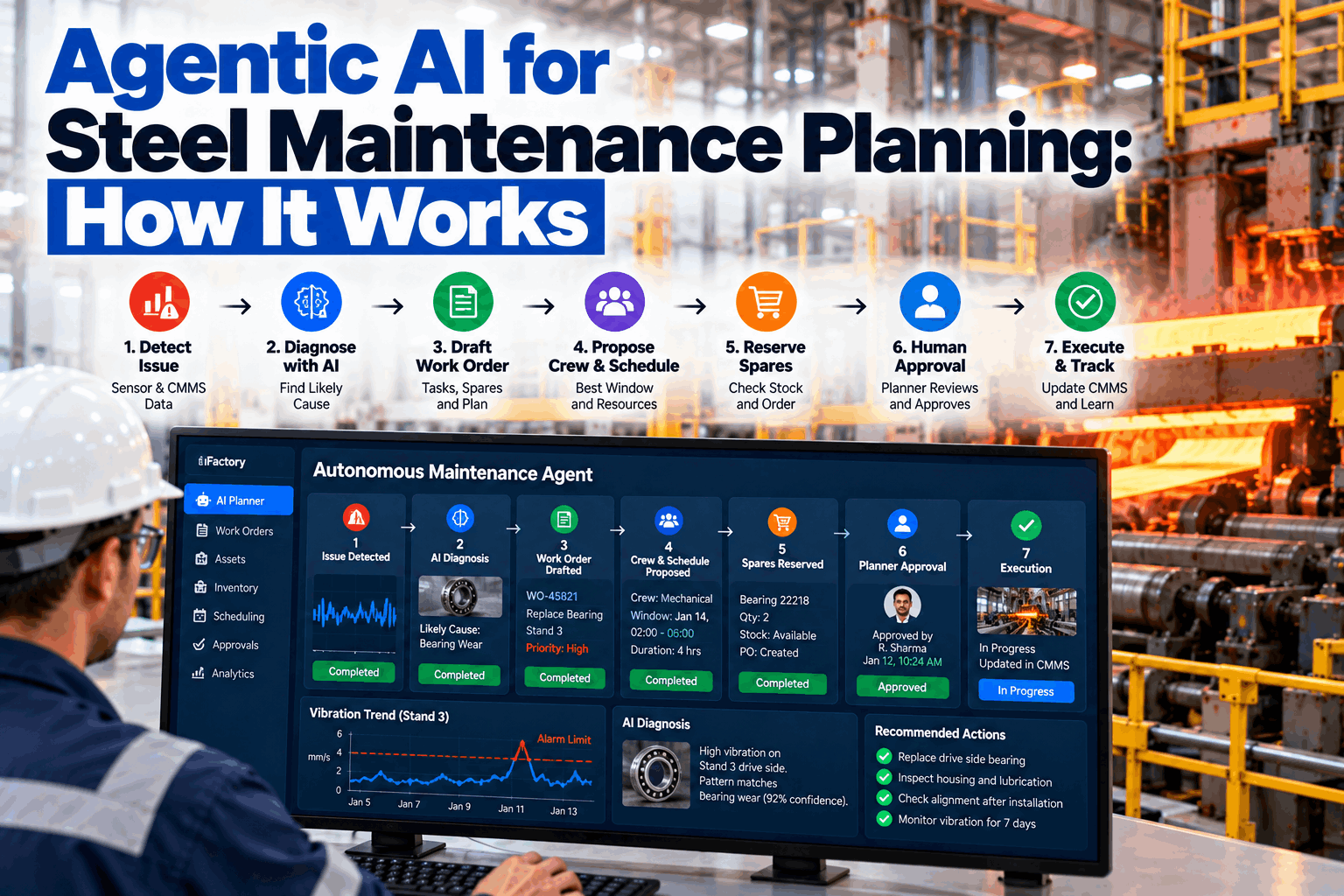
The iFactory Autonomous Maintenance Agent reads sensor and CMMS data, diagnoses the likely cause, drafts the work order, reserves spares and proposes a crew and a window. Every action is logged with its reasoning and gated by your approval levels.
From Dashboards to Agents: Four Levels of Maintenance AI
"AI" covers very different tools, and the label is now attached to almost everything. The useful question is how much of the work the system does after it notices something. Dashboards show data. Predictive alerts tell you something is wrong. Copilots answer questions when asked. An agent takes the next steps itself, within limits you set. The jump from level 3 to level 4 is where planning time is actually saved, because the slow part of maintenance planning is rarely spotting the problem. It is assembling the parts, people, permits and window around it. Our planning team can help you work out which level fits each part of your workflow.
Shows sensor and CMMS data. A person notices, diagnoses and does everything else.
Flags an anomaly or a failure risk. A person takes it from the alert onward.
Answers questions and drafts content when asked, but waits to be prompted at each step.
Pursues a goal across several steps: diagnosing, drafting, reserving and proposing, and stopping for approval where you require it.
Perceive, Diagnose, Plan, Act, Learn
An agent works in a loop. Each pass draws on data that already exists in a steel plant, from historian tags to stores records, and connects them the way an experienced planner would, but continuously and across every asset at once. You can see the loop on your own asset data in a working session.
Watches vibration, temperature, current, oil analysis and process data alongside new CMMS entries and operator notes.
Matches the pattern to likely failure modes using asset history, similar past failures and OEM guidance, and states its confidence.
Drafts the work order and tasks, checks spares, crew skills and the production schedule, and finds a window.
Takes the actions it is allowed to take, such as reserving parts and posting the draft job, and routes the rest for approval.
Reads the technician's findings at close-out and adjusts future diagnoses and lead times.
One Gearbox Fault, Handled End to End
Here is how a single developing fault on a hot strip mill finishing gearbox moves through the agent, and where people stay in control. The times are illustrative. What matters is the sequence and where the approvals sit. Done by hand, the same steps usually involve several systems, phone calls to stores and production, and a planning meeting before the job is scheduled. Our support team can map the same flow to an asset you care about.
Gear-mesh vibration on F4 has crossed its learned baseline and has been rising for six days. Oil debris from last week's sample is also elevated.
The agent compares the pattern with two past F4 failures and the OEM manual and names pinion bearing wear as the most likely cause. It notes that gear tooth damage cannot yet be ruled out.
It drafts a three-task work order with LOTO points, finds the bearing and seal kit in stock and places a reservation. That is allowed automatically at this level.
It checks the rolling schedule and crew rosters, then proposes Thursday's planned roll change with two fitters and one electrician.
The planner reviews the reasoning, adds a borescope check and approves. The job moves to the kanban with permits attached.
The crew confirms outer race spalling and replaces the bearing. The agent records the finding to sharpen future diagnoses on similar gearboxes.
Ask the Agent Why Before You Approve
Every proposal comes with its reasoning, the data behind it and the other options it considered. Planners can question the agent in plain language, change the plan and approve with full visibility.
Four Planning Problems an Agent Handles Well
Agentic planning earns its place where the work is repetitive, depends on data from several systems and is time-sensitive, which describes much of a steel plant's maintenance backlog. These four areas are common starting points because the data already exists and the cost of slow planning is easy to measure. We can help you choose the right first area in a planning workshop.
Gearboxes, spindles and main drives where developing faults must be fitted into roll changes rather than forcing unplanned stops.
Hoist, trolley and brake faults that need fast parts checks and crews with the right certifications, often across shifts.
Leaks, pressure drift and contamination trends that are easy to catch but tedious to turn into planned, kitted jobs.
Gathering every deferred job, condition finding and PM due before an outage into a draft scope with parts and crews attached.
Approval Levels: What the Agent May Do on Its Own
Autonomy should be granted action by action, not switched on all at once. The matrix below shows a sensible starting point for a steel plant. Low-risk, reversible actions run automatically, anything that spends money or commits people needs approval, and anything touching safety or production stays with humans. You decide each level, and you can tighten or relax it as trust builds. We can configure these levels with you in a setup session.
Why Many Agentic AI Projects Stall, and How to Avoid It
Gartner expects agentic AI to appear in a third of enterprise software applications by 2028, and expects 15% of day-to-day work decisions to be made autonomously by then. It also predicts that more than 40% of agentic AI projects will be canceled by the end of 2027 because of rising costs, unclear business value or weak risk controls. It warns about "agent washing", where existing chatbots and automation tools are relabeled as agents. Our support team can help you scope a pilot that avoids these traps.
- A broad goal, such as "automate maintenance", with no single workflow defined
- Agents launched before asset and failure data are clean enough
- No approval levels, so trust breaks at the first bad call
- No baseline, so value can't be shown
- Start with one loop, such as fault to scheduled job, on critical assets
- Connect historian, CMMS, stores and schedule data first
- Grant autonomy one action at a time
- Track planning lead time and unplanned stops from day one
Six Data Sources That Make Agentic Planning Work
An agent is only as good as what it can see. In a steel plant, most of this data already exists, but it sits in separate systems. Connecting these six sources is the main technical work of a deployment. Quality matters more than volume, so clean failure codes on your critical assets are worth more than years of uncoded history. To review which of your systems are ready to connect, book a data readiness call.
Agent, Integrations and AI Server Delivered as One Package
iFactory delivers the Autonomous Maintenance Agent as a turnkey bundle. A pre-configured NVIDIA AI server ships racked and ready with the agent and its connectors pre-loaded, so plant data stays on site. You rack it, plug in power and Ethernet, and the AI is live. To scope it for your plant, request a turnkey quote.
- Pre-configured NVIDIA AI edge server, racked and ready
- Connectors for historian, CMMS, ERP stores and production schedule
- Approval levels configured to your plant's rules
- Cabling and plant network setup
- PLC/SCADA integration and maintenance kanban
- Planner, supervisor and crew training
- 24×7 remote monitoring of the agent and hardware
Server installed, the six data sources connected, critical asset list agreed.
The agent runs in recommend-only mode on one area, and planners compare its proposals with their own.
Approved autonomy levels switched on, planners trained, KPIs baselined.
An Autonomous Maintenance Agent Built for Steel
iFactory's agent is designed around the realities of a steel plant: roll changes, campaigns, continuous operation and strict safety boundaries. Our support team can walk you through a pilot plan.
What Steel Maintenance Leaders Ask About Agentic AI
Let the Agent Do the Legwork, and Keep the Decisions
Connect your plant data, set the approval levels and let the agent turn every developing fault into a ready-to-approve plan with parts, crew and window. The full system is delivered turnkey and goes live in 6 to 12 weeks.