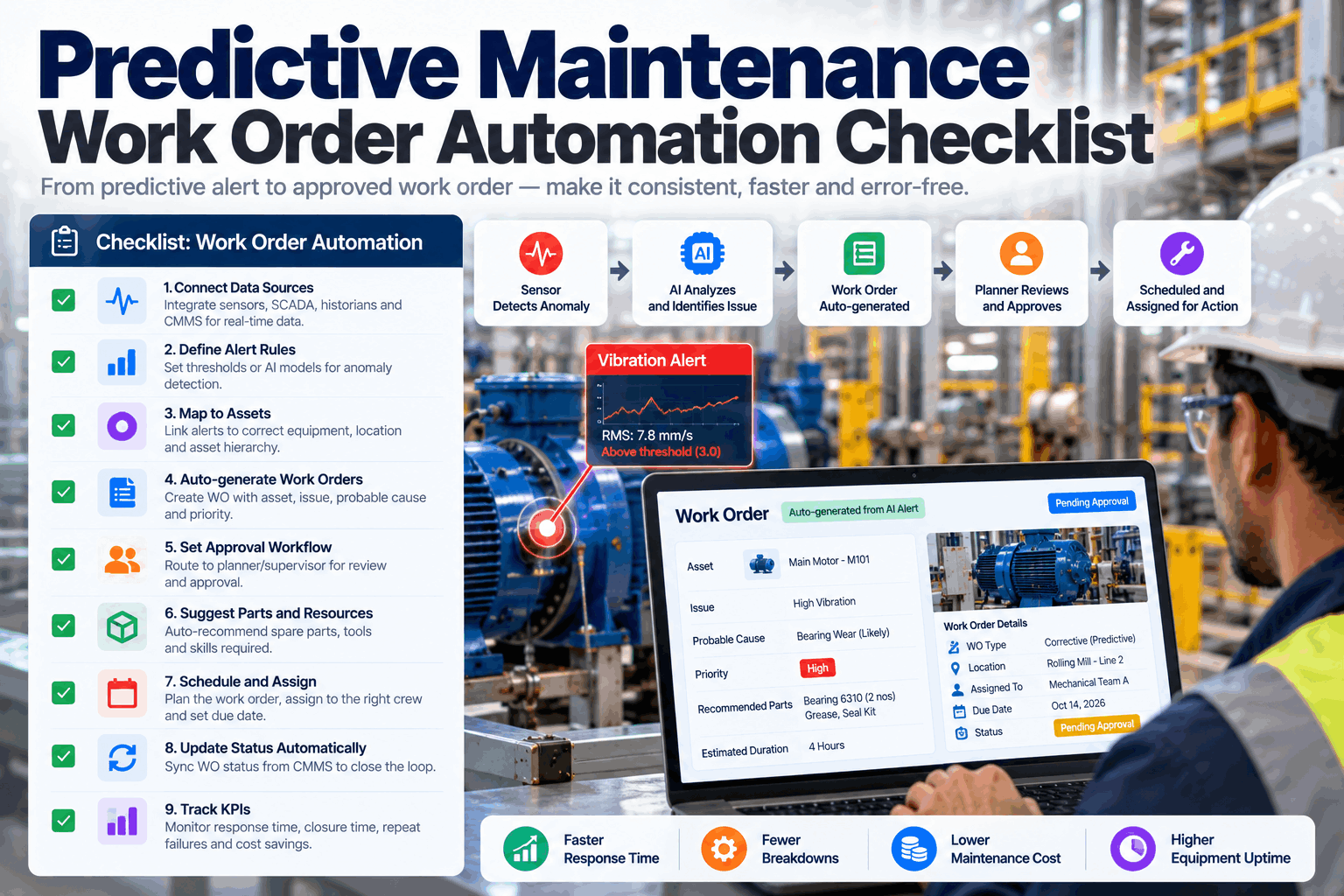
A predictive maintenance alert is only worth something if it turns into the right job, done at the right time. In many plants that step is still manual. An analyst sees a trend, sends an email, a planner types a work order, and the parts are ordered after the technician arrives. Automating the step from alert to work order closes that gap, but switching it on without foundations floods the backlog with noise. This checklist covers the data, rules and KPIs you need first. Review your readiness in an automation session.
Predictive Maintenance Work Order Automation Checklist
Thirty-two checks in seven groups, from asset data to governance. Use it to decide whether you are ready to automate, which assets to start with and how much the system should do on its own.
- The interactive 32-point readiness checklist
- Three automation levels and when to use each
- KPIs and data that keep automation honest
Why Automate the Step from Alert to Work Order
Early warning is wasted if the job starts late.
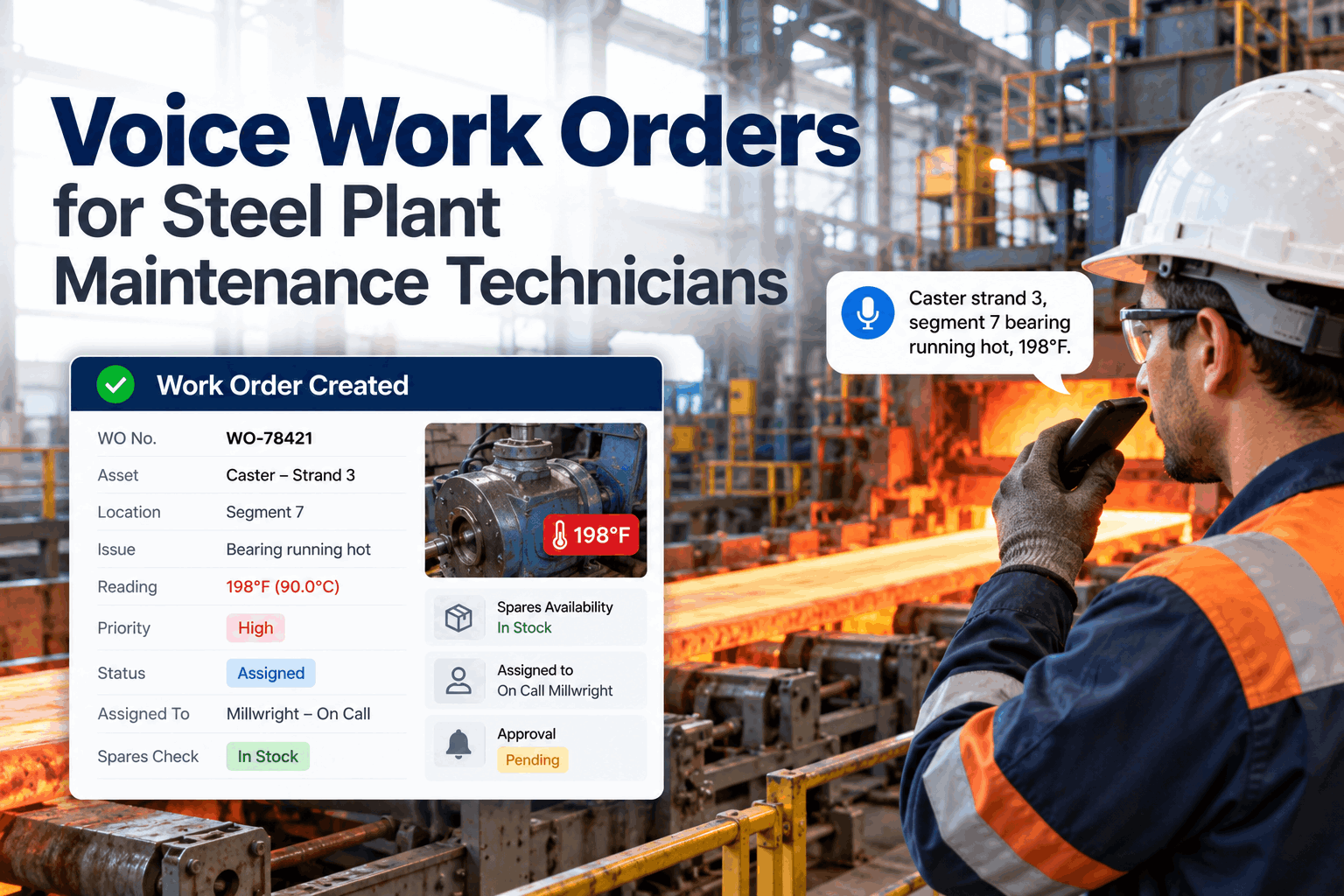
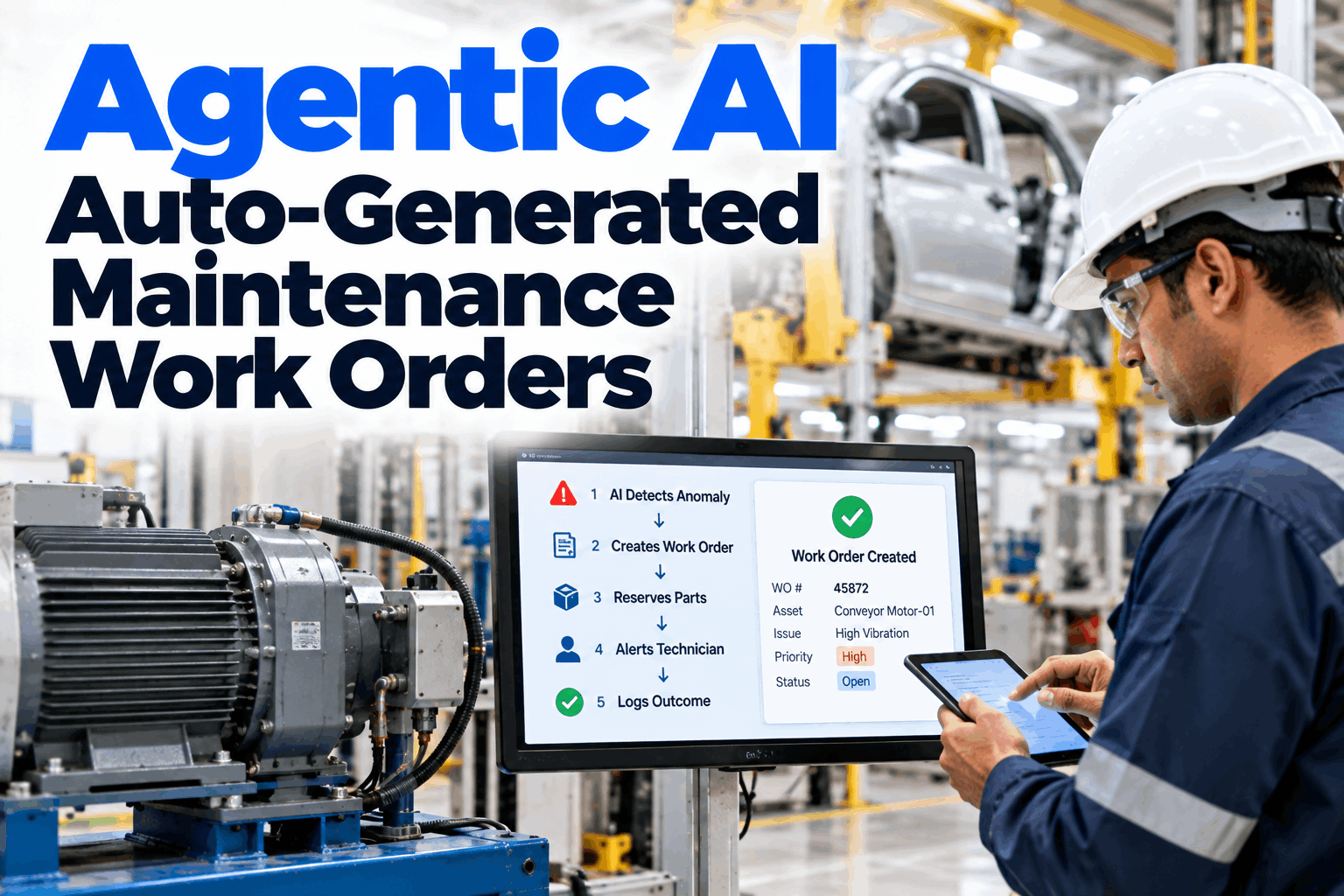
Predictive maintenance gives you time between the first sign of a fault and the failure. Every hour spent passing the alert around by email or waiting for someone to type a work order uses up that time. Automation turns a confirmed alert into a complete work order in minutes, with evidence, parts and priority already filled in. Done well, it also builds a clean record of every alert and outcome, which is what you need to tune the models and prove value. It also takes routine typing off planners, so they spend their time on scheduling and coordination instead of copying readings into forms. Our maintenance specialists can map your current alert flow.
Alerts in inboxes
Warnings sit in email while the fault develops.
Thin work orders
"Check pump" gives the planner nothing to plan with.
Late parts
Spares ordered only after the technician opens the machine.
No feedback
Outcomes never reach the people tuning the alerts.
Three Levels of Automation
Not every asset needs the same level of trust.
Automation is not all or nothing. Choose a level for each asset class based on how well the alert rules perform and how much risk a wrong work order carries. Most plants start everything at level 2 and move proven asset classes to level 3 over time. Some keep new or unusual assets at level 1 for the first months, while the models learn what normal looks like and the team learns how far to trust each alert. Agree your levels in a planning workshop.
Notify
The system alerts a named person with evidence. A person decides whether to raise a work order. Use for new models and low-confidence alerts.
Draft for approval
The system drafts a complete work order and a planner approves, edits or rejects it. The right default for most assets.
Release automatically
The work order is released and scheduled without approval. Use only for routine, well-proven tasks such as lubrication or filter changes.
Move an asset class to automatic release only when its drafts have been approved without changes for a sustained period and its no-fault-found rate is low. Keep the evidence, so anyone can see why the level was raised.
The Work Order Automation Checklist
Tick each item as it is done. The counter at the end shows your total.
Groups 1 and 2 are the foundation. If they are weak, automation will produce work orders that are wrong or noisy, and planners will stop trusting them. Groups 3 to 7 can be built during the pilot. Our implementation team can help with any group.
Asset and data foundation
Automation can only be as accurate as the asset records it writes to.
Alert rules and noise control
A work order should come from a confirmed condition, not a single spike.
Work order templates
Every automated work order should arrive ready to plan.
Priority and automation level
Decide what the system can do alone and what needs a person.
Parts, scheduling and execution
A work order is only useful if the job can actually be done in time.
Feedback loop
Close-out data is what makes the next alert smarter.
KPIs and governance
Measure the automation, not just the maintenance.
From Alert to Ready-to-Plan Job in Minutes
Confirmed alerts become complete work orders with evidence, parts and priority, waiting in the planner's approval lane.
Data Requirements
Five sources make an automated work order complete.
Each part of an automated work order comes from a system you probably already have. The grid shows what is needed and what it is used for. Ask our integration team which of your systems can connect.
KPIs for Work Order Automation
Measure the speed, the accuracy and the outcome.
These KPIs show whether automation is working and where to tune it. Track them by asset class, because a rule that works on pumps may be noisy on gearboxes. Review them monthly with planners and technicians together. The people who approve drafts and inspect the machines usually know which rules are too sensitive long before the numbers prove it, and their notes make each tuning round faster and easier to justify. Set baselines in a KPI review.
Alert to work order time
From confirmed alert to approved work order.
Draft approval rate
Share of drafts approved with few or no edits.
No-fault-found rate
Share of jobs where no fault was found on inspection.
Planned before failure
Share of detected faults repaired before they caused a breakdown.
If technicians often find nothing, the alert thresholds or persistence rules are too sensitive for that asset class. Tighten them before raising the automation level. A falling no-fault-found rate is one of the clearest signs the system is learning.
Automation in Practice
The planner stays in control of what gets done.
At level 2, the planner sees each draft with its evidence and can question it before approving. The exchange below shows a typical check. Questions on setup go to our solutions team.
Automation Mistakes to Avoid
Speed without accuracy just moves the noise.
Most failed automation projects tried to do too much too soon. These patterns are the most common. A short readiness check can spot them.
What works
- Clean asset data before go-live
- Drafts for approval as the default
- Findings coded at close-out
- Levels raised only with evidence
What fails
- One work order per raw alert
- Automatic release from day one
- Generic templates with no parts
- No feedback to the alert rules
How iFactory Automates Predictive Work Orders
Detection, drafting and feedback on your own network.
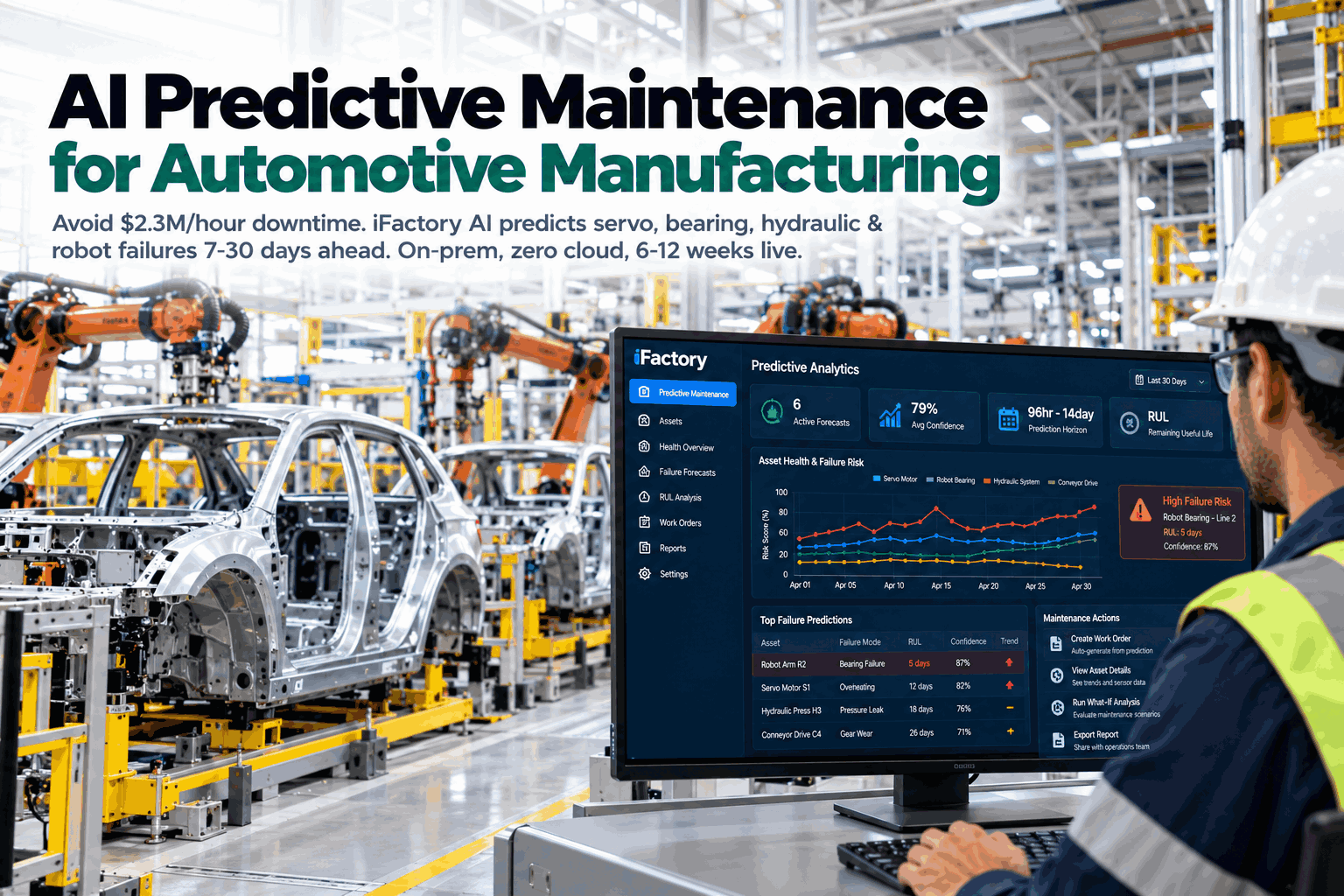
iFactory runs predictive models on an on-prem AI server inside your plant. It confirms alerts, drafts work orders from your templates, checks parts and scheduling windows, and sends drafts to the right approver at the automation level you set. Close-out findings feed back into the rules. Fit questions go to our solutions team.
Confirmed alerts
Persistence and operating state checked.
Complete drafts
Evidence, job plan, parts and priority.
Automation levels
Notify, draft or release by asset class.
Scheduling windows
Jobs fitted to planned stops.
Automation KPIs
Speed, approval and no-fault-found rates.
Feedback loop
Findings tune thresholds and rules.
Results depend on your asset data, sensor coverage and rules. We measure alert to work order time, approval rate and no-fault-found rate on your own data during the pilot, rather than promising a general figure.
Turnkey AI: Delivered, Connected and Live in 6–12 Weeks
You do not build this. It arrives ready.
iFactory ships as a pre-configured NVIDIA AI server with the software pre-loaded, racked and ready. Rack it, plug in power and Ethernet, and the AI is live on your network. Our team handles cabling, network setup, PLC, SCADA, DCS and CMMS integration, sensor and CMMS links, operator training and 24×7 remote monitoring. Data stays on your network. For a scope matched to your plant, request a turnkey quote.
Ship, network and data
Server installed. Sensors, historian, CMMS and stores connected. Asset map checked.
Model training and pilot
Alert rules and templates tuned. Drafts run for approval in one area.
Go-live and training
Automation live by asset class. Planners trained. 24×7 monitoring begins.
Frequently Asked Questions
What is predictive maintenance work order automation?
It is the automatic step from a confirmed predictive alert to a complete work order, with evidence, job plan, parts and priority filled in, ready for approval or release.
Should work orders be released without approval?
Only for routine, well-proven tasks. Most plants use drafts for approval as the default and raise the level only when the data shows drafts are reliably right.
How do we stop duplicate work orders?
Check for open work on the same asset and fault before drafting. If one exists, add the new evidence to it instead.
What data do we need first?
A clean asset hierarchy, sensor tags mapped to assets, criticality rankings and bills of materials. Without these, drafts will be wrong or incomplete.
What is a no-fault-found rate?
The share of automated jobs where the technician found nothing wrong. A high rate means alert rules need tuning for that asset class.
How are emergencies handled?
Safety-critical conditions follow your emergency procedure and call people directly. The system can raise the follow-up work order afterwards.
Which assets should we automate first?
Critical assets with good sensor coverage, clear failure modes and a standard repair, such as pumps, fans and motors. They give reliable drafts quickly and build planner trust for harder assets later.
Does it replace our CMMS?
No. Work orders are written into your CMMS, and approvals and close-outs stay there.
How do we start?
Start with one area and a few critical asset classes at the draft-for-approval level. A 6-week pilot connects your data and tunes the rules. To plan it, contact our team.
Turn Every Confirmed Alert into the Right Job
In thirty minutes we walk through this checklist with your team, score your readiness and pick the first asset classes to automate. You keep the scored checklist either way.
- 1Your asset hierarchy export
- 2Current predictive alerts and who gets them
- 3Criticality rankings if you have them
- 4A sample work order for a common fault
- 5One failure that was predicted but not acted on