A cooling water pump on the caster starts to vibrate at 2 a.m. Within ten minutes the control room has forty alarms from the same pump, its motor and the flow loop behind it. The operator acknowledges them, the shift is busy and nobody raises a work order until the pump trips. What was missing was the step from alarm to planned job. This guide shows how AI work order generation turns steel plant alarms into one clean draft, with asset, likely cause, parts and priority filled in. Start with an alarm review.
AI Work Order Generation from Steel Plant Sensor Alarms
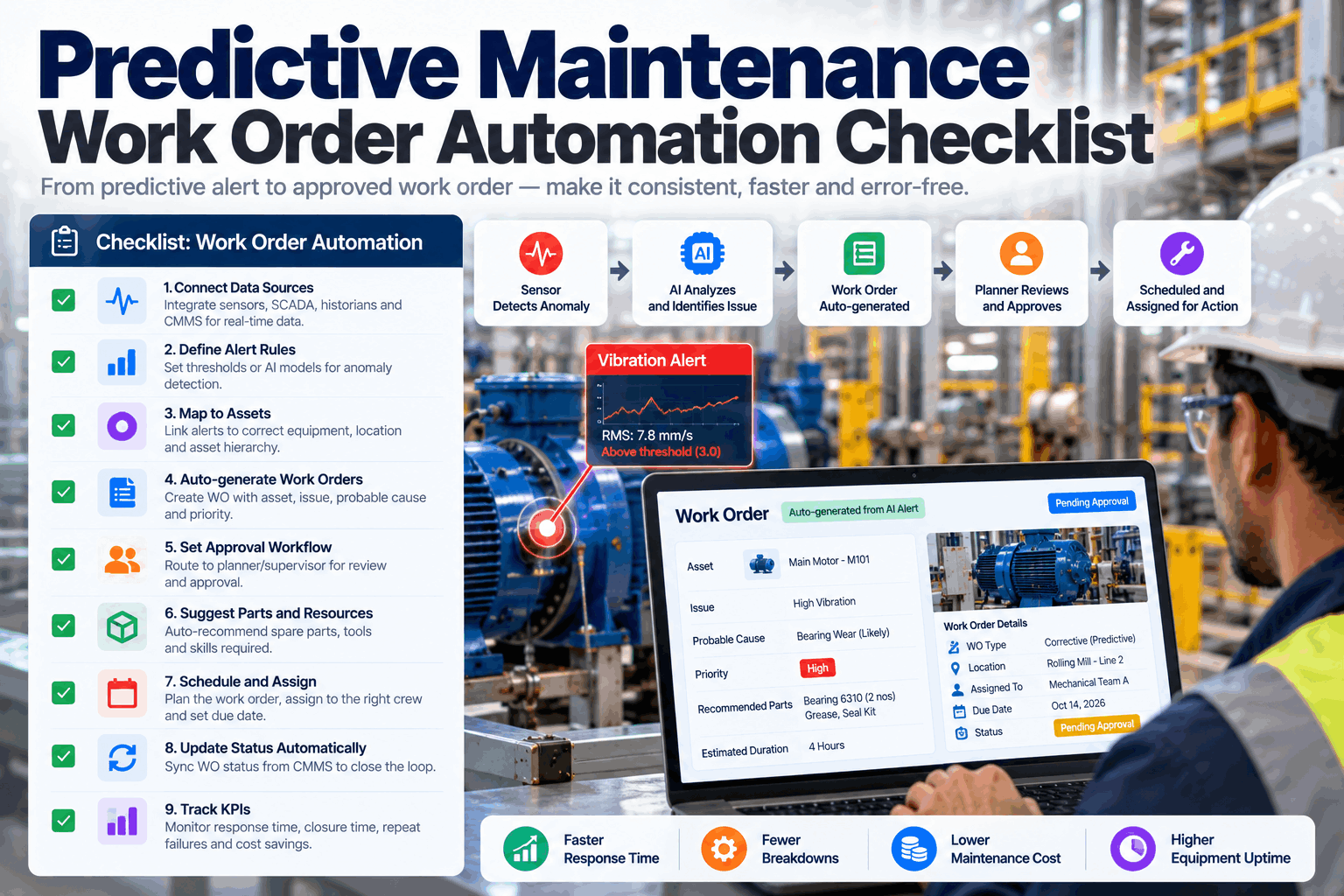
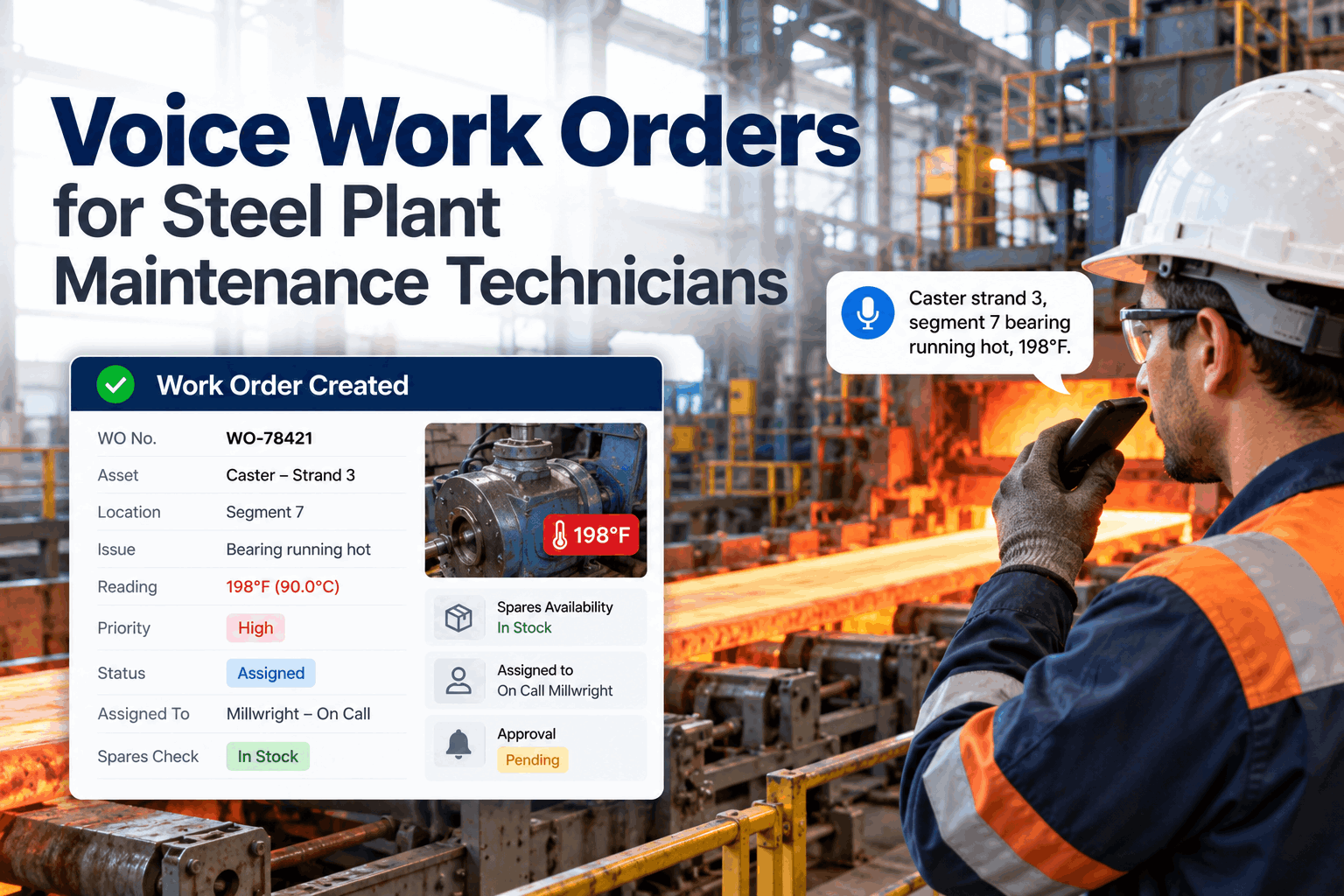
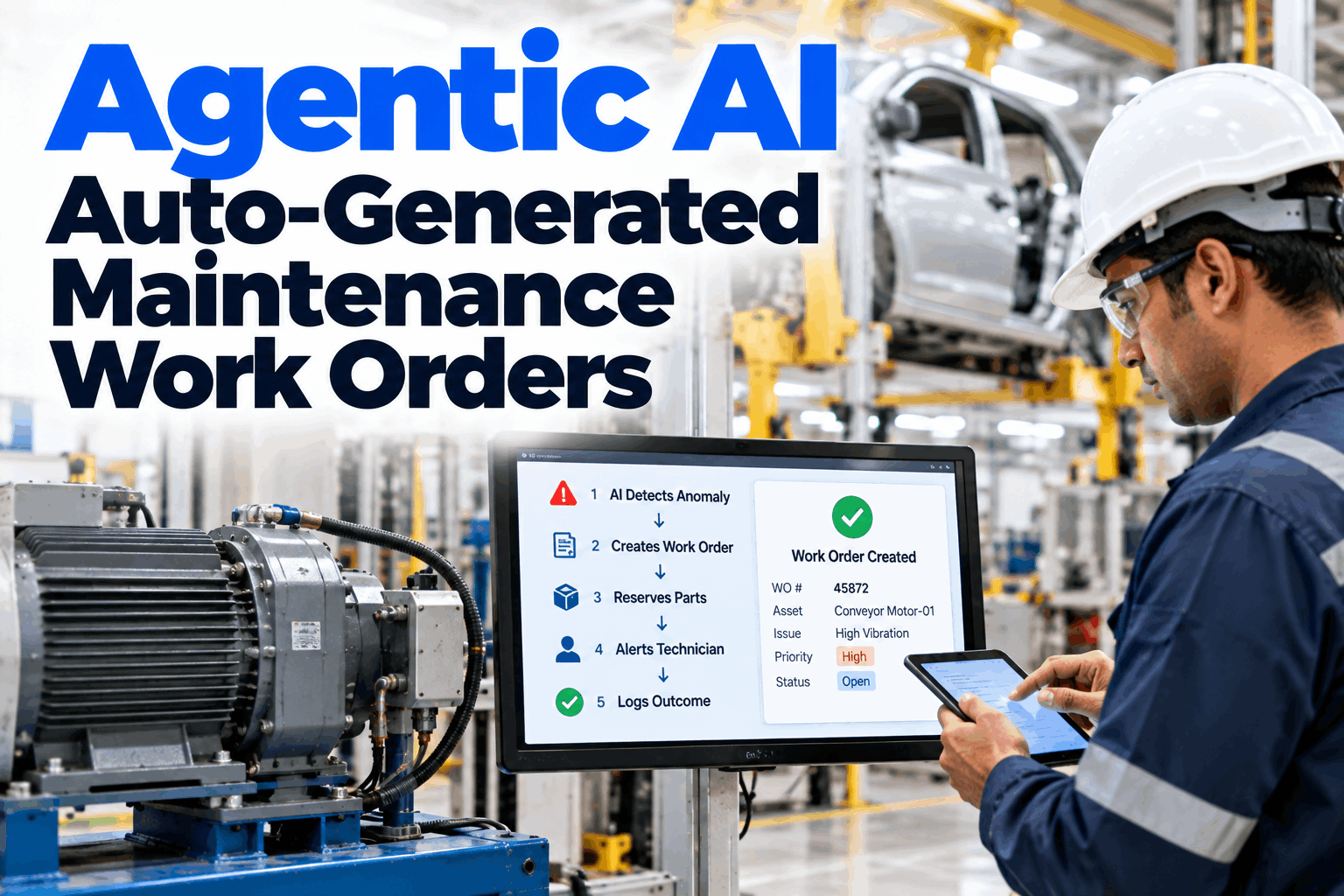
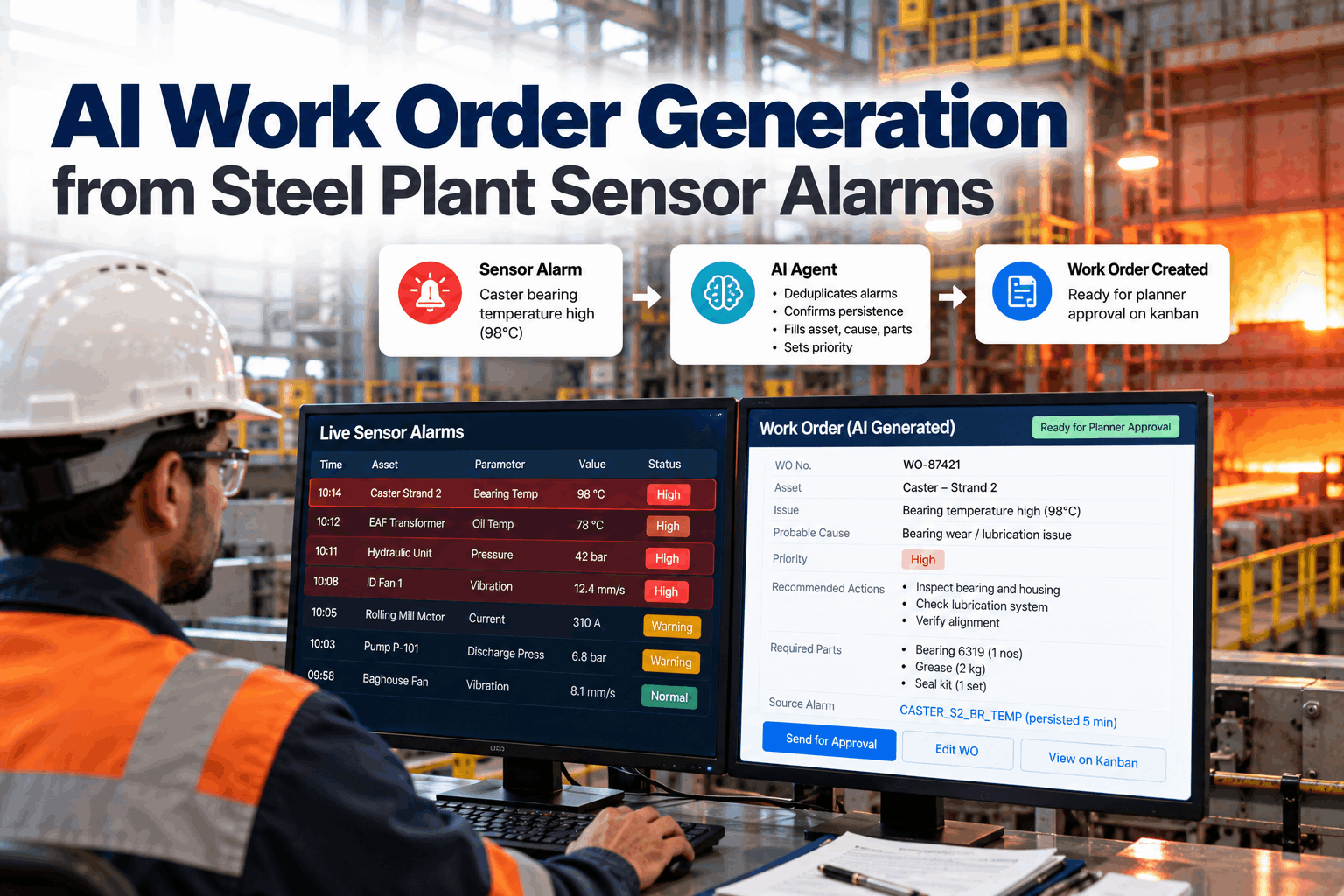
An AI agent groups alarm floods, confirms the problem is real, then drafts a work order with the asset, probable cause, parts and priority. The draft lands in the planner's approval lane, ready to plan.
- Why alarms rarely become work orders on time
- How grouping and persistence checks cut the noise
- What a good AI draft contains and who approves it
Why Alarms Rarely Become Work Orders on Time
The sensor saw it. The process lost it.
Steel plants have more condition sensors than ever, on pumps, fans, gearboxes, hydraulics and transformers. Yet most alarms still end at the acknowledge button. The ANSI/ISA-18.2 alarm management standard describes an alarm flood as ten or more alarms in any ten-minute period per operator, and EEMUA 191 has linked floods to major plant incidents. When one fault fires dozens of alarms, the operator handles the process first and the maintenance follow-up waits for someone to remember it. Our engineering team can show where alarms stall in your plant.
Floods hide faults
One failing pump sets off many related alarms at once.
Chatter wears trust
Alarms that clear and return train people to ignore them.
Typing takes time
Writing a proper work order at 2 a.m. rarely happens.
Thin requests
"Pump noisy" gives the planner nothing to plan with.
From Alarm Flood to One Real Problem
Group first, confirm second, draft last.
The agent never turns every alarm into a work order. That would move the flood from the control room to the planner's desk, and planners would soon stop reading the drafts, which is the same trust problem operators already have with noisy alarms. Instead it groups alarms that belong to the same asset and event, checks that the condition persists, and only then drafts a job. Review the grouping rules for your areas in an alarm mapping session.
Same asset, same event
Alarms from a pump, its motor and its flow loop within minutes are treated as one event.
Expected alarms
Alarms during start-up, shutdown or a planned outage are filtered by operating state.
Persistence check
The condition must last or repeat before a draft is raised, so short spikes are not work.
Open work check
If a work order is already open on the asset, the agent adds evidence to it instead of raising a second one.
A bearing that is wearing shows a trend over hours or days, so a longer persistence window filters noise without much risk. A cooling water loss on a furnace panel cannot wait, so it bypasses the drafting step and goes straight to the emergency process. Set rules by failure mode, not one number for the whole plant.
What a Good AI Draft Contains
A draft the planner can plan from, not a note to chase.
The value of an AI draft is that it arrives complete. Every field below is filled from plant data, not guessed. Where the agent is unsure, it says so and shows the evidence, so the planner can judge quickly. Ask our support desk how fields map to your CMMS.
Show the planner how sure the agent is about the probable cause and why. A draft that says "medium confidence, pattern matches two past bearing failures on this pump" is far more useful than a confident guess, and it builds trust in the agent over time.
Catch Faults While They Are Still Planned Work
An alarm that becomes a planned job costs far less than one that becomes a breakdown. The difference is often a few hours.
How AI Work Order Generation Works
Five steps from signal to planner approval.
The agent runs continuously beside your control system. It does not change any alarm settings or control logic. It only reads, groups, checks and drafts. Because it sits outside the control layer, it can be added to a running plant without a shutdown, and it can be switched off at any time without any effect on production or on the alarms operators see. See the steps live in a product demo.
Read
Alarms and trends from DCS, PLC and historian.
Group
Related alarms joined into one event.
Confirm
Persistence and operating state checked.
Draft
Asset, cause, parts, priority and job plan.
Approve
Planner approves, edits or rejects.
The Planner's Approval Lane
AI drafts, people decide.
Every AI draft goes into a dedicated approval lane on the maintenance kanban board. Planners see the evidence, accept the draft, edit it or reject it with a reason. Rejections teach the agent which patterns are not worth a job. Approved drafts move to the backlog like any other work order. Questions on approval rules go to our planning team.
The agent handles
- Grouping alarm floods into events
- Checking persistence and operating state
- Filling asset, cause, parts and priority
- Linking evidence and past work orders
The planner decides
- Whether the job is real and worth doing
- Final priority and timing
- Changes to the job plan
- Rejections that tune the rules
The approval lane is for planned work. Safety-critical conditions, such as loss of furnace cooling water or a crane brake fault, should follow your emergency procedure and call people directly. The agent can still record the event and raise the follow-up work order afterwards.
Where Alarm-Driven Work Orders Help Most
Start with assets that warn before they fail.
The best first assets have sensors already, a clear failure pattern and a high cost of breakdown. In a steel plant these are often rotating equipment and systems that run hard all day. Assets with a standby unit are also a good start, because the agent can recommend a planned swap instead of an emergency stop, which gives planners room to act on the draft calmly. Pick your first areas in a scoping call.
Pumps and drives
Cooling water pumps, segment drives and withdrawal units.
Fans and hydraulics
Baghouse fans, electrode arm hydraulics and transformer cooling.
Gearboxes and motors
Stand gearboxes, main drives and lube systems.
Compressors and water
Air compressors, cooling towers and water treatment.
Measuring Whether It Works
Three numbers tell you if alarms are turning into the right work.
Before the pilot starts, take a baseline from your own records. Then track the same numbers every week while the agent runs. They show whether drafts are useful, whether faults are caught earlier and whether planners trust the output. Agree the measures in a pilot planning call.
Alarm to work order time
Hours from the first confirmed alarm to an approved work order. This is the gap the agent is built to close.
Draft approval rate
Share of AI drafts that planners approve with few or no edits. A low rate points to rules or asset data that need work.
Planned versus breakdown
Share of jobs on pilot assets that were planned rather than reactive. This is the result that matters most to production.
Grouping hides the noise from planners, but operators still see it. When the agent finds an alarm that keeps clearing and returning without a real fault, it lists it for your control engineers. Fixing the setpoint, deadband or delay at source makes the control room calmer as well as the backlog cleaner.
AI Work Order Mistakes to Avoid
Automation can make bad alarm habits worse.
An agent built on a poor alarm system or a messy asset list will draft poor work orders quickly. These are the patterns we see most often. A short readiness check can catch them before the pilot.
What works
- A clean tag to asset map
- Persistence rules set by failure mode
- Planner approval on every draft
- Rejection reasons recorded and used
What fails
- One work order per alarm
- Drafts with no evidence attached
- Auto-release with no human check
- Ignoring chattering alarms at source
How iFactory Runs AI Work Order Generation
Autonomous WO Agent, on your own network.
iFactory reads alarms and trends from your DCS, PLCs and historian on an on-prem AI server inside your plant. The Autonomous WO Agent groups alarm floods, confirms persistence, drafts the work order with probable cause and parts list and places it in the planner's approval lane on the kanban. Fit questions go to our solutions team.
Flood grouping
Related alarms joined into one event per asset.
Persistence checks
Short spikes filtered, real trends confirmed.
Complete drafts
Asset, evidence, cause, parts, priority and job plan.
Parts check
Stores stock confirmed for every draft.
Approval lane
Drafts land on the kanban for planner review.
No duplicates
Evidence added to open work orders instead.
Results depend on sensor coverage, alarm quality and asset data. We measure grouping rates, draft approval rates and response time on your own data during the pilot, rather than promising a general figure.
Turnkey AI: Delivered, Connected and Live in 6–12 Weeks
You do not build this. It arrives ready.
iFactory ships as a pre-configured NVIDIA AI server with the software pre-loaded, racked and ready. Rack it, plug in power and Ethernet, and the AI is live on your network. Our team handles cabling, network setup, PLC, SCADA, DCS and CMMS integration, historian and CMMS links, operator training and 24×7 remote monitoring. Data stays on your network. For a scope matched to your plant, request a turnkey quote.
Ship, network and data
Server installed. Alarms, trends, asset map and CMMS connected.
Model training and pilot
Grouping and persistence rules tuned. Agent drafts beside planners for one area.
Go-live and training
Agent live across agreed areas. Planners trained. 24×7 monitoring begins.
Frequently Asked Questions
What is AI work order generation?
It is an AI agent that turns sensor alarms into draft work orders. It groups related alarms, checks the problem persists, and fills in the asset, probable cause, parts and priority for a planner to approve.
Will it flood our CMMS with work orders?
No. It drafts one work order per confirmed problem, not per alarm, and adds evidence to open work orders instead of raising duplicates.
What is an alarm flood?
ANSI/ISA-18.2 describes it as ten or more alarms in any ten-minute period per operator. Floods often come from one fault that triggers many related alarms.
Does the agent change our alarm settings?
No. It only reads alarms and trends. Alarm settings and control logic stay with your control engineers.
How does it decide the probable cause?
It matches the signal pattern to past work orders and failure records on the same or similar assets, and shows its confidence and evidence.
Are AI drafts released automatically?
No. Every draft goes into the planner's approval lane. Planners approve, edit or reject each one.
What if our tag names do not match asset names?
That is common. During the first weeks of the pilot we build a tag to asset map with your engineers, starting with the assets in scope, and the agent uses it for every draft.
What about emergencies?
Safety-critical conditions follow your emergency procedure. The agent can record the event and raise the follow-up work order afterwards.
How do we start?
Start with one area that has good sensor coverage, such as caster pumps. A 6-week pilot connects your data, tunes rules and runs the agent beside your planners. To plan it, contact our team.
Turn Your Alarms into Planned Work
In thirty minutes we look at your alarm load, asset data and how condition alarms reach maintenance today. You keep the notes either way.
- 1An alarm log export for one week
- 2Your tag list for one area
- 3Last year's breakdowns on that area
- 4How work requests are raised today
- 5One failure the sensors saw coming