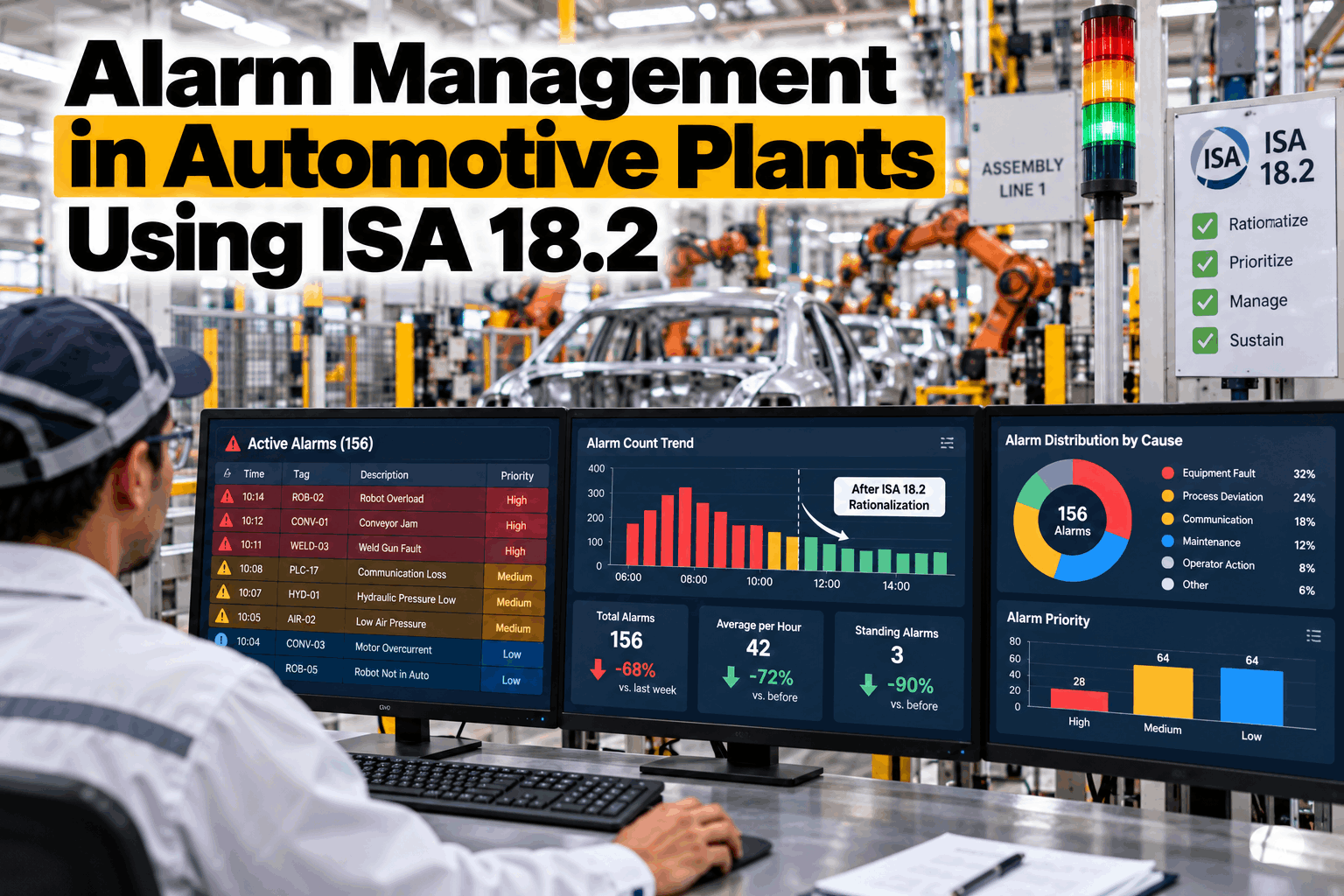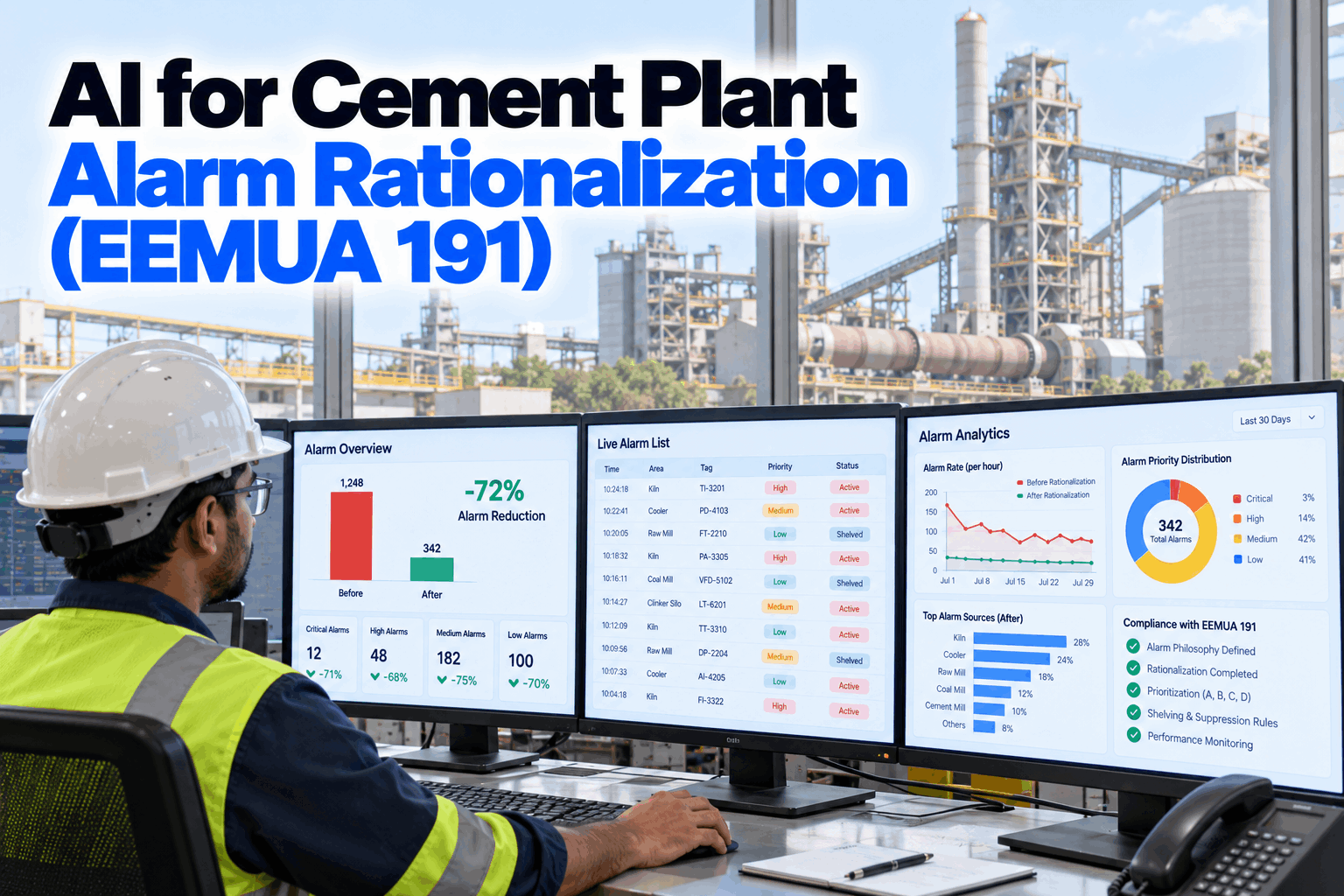
A cement plant control room can see hundreds of alarms in a shift, and far more when the kiln trips. The raw mill, coal mill, preheater, cooler and filters all report through the same consoles, so one upset becomes a wall of red that hides the alarm that matters. EEMUA 191 sets out what a manageable alarm system looks like, and ISA-18.2 sets out how to get there. AI speeds the work by finding bad actors, grouping flood sequences and flagging alarms that need no action. Start with an alarm review.
AI for Cement Plant Alarm Rationalization (EEMUA 191)
Measure alarm load against EEMUA 191 benchmarks, find the few alarms causing most of the noise and tame kiln trip floods, with AI doing the analysis and your team making every change.
- Alarm rates per console against benchmarks
- Bad actors, chattering and standing alarms
- Flood grouping and state-based suppression
Why Cement Control Rooms Flood
One kiln, several mills, a cooler and a handful of operators.
A cement control room often runs the whole pyroprocess and the mills from a few consoles. Alarms are added over years, during commissioning, after incidents and with each new instrument, and are rarely removed. Many were set with wide margins or no deadband, so they chatter around normal values. When the kiln trips, every downstream unit sees its inputs change at once, and alarms that make sense in normal running all fire together. Operators learn to acknowledge without reading, which is exactly when an important alarm gets missed. Our alarm specialists can review your consoles.
Unmanaged alarm system
- Alarms added, never removed
- Most alarms marked high priority
- Chattering alarms acknowledged by habit
- Kiln trips bury the first-out cause
Rationalized alarm system
- Every alarm needs an operator action
- Priority set by consequence and time
- Nuisance alarms fixed at the source
- Consequential alarms suppressed by state
EEMUA 191 and ISA-18.2 Benchmarks
Measure first, then you know how far you have to go.
EEMUA 191 is the long-standing guide to alarm system design and management, and ISA-18.2, with its international twin IEC 62682, describes the alarm management lifecycle. Both start from one idea: an alarm should exist only if the operator needs to respond to it. The figures below are widely used targets drawn from these documents, as summarised by Emerson. They are measured per operator console, not for the whole plant. Benchmark your consoles in a working session.
Targets as summarised in Emerson's "Alarm Management by the Numbers". Your alarm philosophy sets the targets your plant uses.
Where Cement Plant Alarms Come From
Each area has its own typical nuisance alarms.
Alarm problems in cement plants tend to cluster in the same places. Knowing where to look first saves weeks of analysis. The examples below are common patterns, not a complete list, and your own alarm history will show which apply. Some, such as carbon monoxide alarms on filters and coal mill temperature alarms, protect against fire and explosion and must stay strong and clear, which is another reason to remove the noise around them. Walk through your areas with our cement process team.
Cyclones and gas
Cyclone pressure and temperature alarms that chatter with normal swings.
Shell and flame
Shell scanner zones, inlet gas and burner alarms during upsets.
Grate and fans
Grate pressure and fan alarms that fire on every kiln speed change.
Vibration and feed
Mill vibration and feed alarms during start and stop.
Temperature and CO
Safety-critical. Must stand out, never be buried.
Differential pressure
Bag filter and fan alarms with no deadband or delay.
The Rationalization Process
Every alarm earns its place, or it goes.
Rationalization reviews each alarm against the alarm philosophy. A small team, usually an experienced operator, a process engineer and a control engineer, asks the same questions of every alarm: what causes it, what happens if nobody acts, what should the operator do, and how long do they have. Alarms with no clear action are removed or turned into events. The rest get a priority, a set point, a deadband and any delay or suppression they need. Plan your first rationalization with our alarm team.
Philosophy
Rules for what an alarm is and how priority is set.
Measure
Rates, floods, bad actors and standing alarms.
Rationalize
Cause, consequence, action, time and priority.
Design
Deadbands, delays and state-based logic.
Sustain
Monitor, audit and control every change.
High priority
Serious consequence, little time to act.
Medium priority
Real consequence, minutes to respond.
Low priority
Lesser consequence or more time available.
See Your Alarm Load Against EEMUA 191
Alarm rates per console, floods, bad actors and standing alarms measured from your DCS history, with AI drafting rationalization suggestions for your team to review.
Bad Actors and Nuisance Alarms
A handful of alarms usually cause most of the noise.
In most alarm systems, a small number of tags produce a large share of all alarms. Fixing these bad actors is the fastest way to cut the load. Take a console that raised 4,840 alarms in a week. A week has 1,008 ten-minute periods, so the average is about 4.8 per 10 minutes. If the top 10 alarms account for 2,230 of them, that is 46% of the load. Fixing or removing those 10 alone would bring the average down to about 2.6 per 10 minutes. These figures are illustrative. Find your bad actors with our analytics team.
Add deadband
Stop alarms cycling around the set point.
Add on-delay
Ignore spikes of a few seconds.
Fix or remove
Alarms active for days carry no news.
Keep one
Two alarms for one condition become one.
Kiln Trip Floods and State-Based Alarming
After a trip, the operator needs the first cause, not fifty consequences.
When the kiln trips, feed stops, the burner goes out, fan speeds change and the cooler and mills react. Each of these raises alarms that are expected and need no separate action. State-based alarming changes alarm behaviour with the plant state, so when the kiln is confirmed down, the alarms that only follow from that state are held back while the alarms that still matter, especially safety alarms, stay live. AI helps by grouping alarm sequences from past trips and showing which alarms always follow which. Review your trip floods in a short session.
AI Anomaly Detection Alongside Alarms
Early warnings should help the operator, not add to the noise.
Fixed alarm limits catch a value once it crosses a line. Anomaly detection looks at how many signals move together and can flag an unusual pattern earlier, such as a preheater stage heating up while feed and fuel are steady. The risk is that these warnings simply become more alarms. A sound design keeps AI insights separate from the alarm system, as advisories on their own screen or in a daily review, so they inform the operator without breaking the alarm rate targets. Ask our AI team how advisories are handled.
Fixed alarm limits
- One signal against one line
- Fires when the limit is crossed
- Requires an operator response
- Counted in alarm rate targets
AI anomaly advisories
- Many signals compared together
- Flags unusual patterns earlier
- Informs, does not demand action
- Kept apart from the alarm list
Cement Alarm Rationalization Checklist
Eight checks for an alarm system that stays manageable.
Use this checklist to see where your alarm program stands today. Tick items already in place. Get help with the gaps from our alarm team.
Alarm Management Mistakes to Avoid
Cutting alarms without a method only moves the risk.
These are the patterns that most often stop alarm programs from lasting. A short alarm review can find them.
What works
- Philosophy first, then rationalization
- Bad actors fixed before anything else
- Safety alarms protected and clear
- Change control on every alarm
What fails
- Mass shelving to quiet the console
- Raising every alarm to high priority
- AI warnings added as new alarms
- One-off clean-up with no monitoring
How iFactory Supports Alarm Rationalization
AI Anomaly Detection and Alarm Analytics, on your own network.
iFactory's Alarm Analytics measures alarm load against EEMUA 191 benchmarks from your DCS history, finds bad actors and groups flood sequences, while AI Anomaly Detection gives early advisories kept apart from the alarm list. It runs on an on-prem AI server inside your plant.
Alarm KPIs
Rates, floods and priority split per console.
Bad actors
Top alarms ranked with history.
Chatter finder
Deadband and delay suggestions.
Flood grouping
First-out and consequential alarms.
Rationalization drafts
Cause, consequence and action for review.
Anomaly advisories
Early warnings outside the alarm list.
Alarm philosophy, priorities, suppression and every change remain decisions for your team under your change process. Figures on this page are worked examples.
Turnkey AI: Delivered, Connected and Live in 6–12 Weeks
You do not build this. It arrives ready.
iFactory ships as a pre-configured NVIDIA AI server with the software pre-loaded, racked and ready. Rack it, plug in power and Ethernet, and the AI is live on your network. Our team handles cabling, network setup, PLC, SCADA, DCS and CMMS integration, DCS alarm history links, operator training and 24×7 remote monitoring. Data stays on your network. For a scope matched to your plant, request a turnkey quote.
Ship, network and data
Server installed. DCS alarm and event history connected. Consoles and areas mapped.
Model training and pilot
Alarm KPIs, bad actors, flood grouping and anomaly models set up for one kiln line.
Go-live and training
Alarm analytics live. Operators and engineers trained. 24×7 monitoring begins.
Frequently Asked Questions
What is EEMUA 191?
A widely used guide to alarm system design, management and procurement, published by the Engineering Equipment and Materials Users Association.
How does it relate to ISA-18.2?
ISA-18.2 and IEC 62682 define an alarm management lifecycle. EEMUA 191 gives detailed guidance and benchmarks. Many plants use them together.
What alarm rate should a cement console target?
A common target is about 1 to 2 alarms per 10 minutes in normal running, with floods above 10 alarms in 10 minutes kept under 1% of the time.
What is a bad actor alarm?
One of the few alarms that produce a large share of the total. Fixing them is usually the fastest way to cut alarm load.
How do we handle kiln trip floods?
Find the first-out alarm, then use state-based alarming so consequential alarms are held back once the kiln is confirmed down, while safety alarms stay live.
Does the AI change alarm settings?
No. It analyses history and drafts suggestions. Your rationalization team decides, and every change goes through management of change.
How much can alarm load be reduced?
It depends on where you start. Plants with many bad actors often see large reductions from fixing only a few tags. The pilot measures your baseline first.
Will AI advisories add to the alarm count?
They should not. Advisories are kept apart from the alarm list so they inform operators without adding to alarm load.
How do we start?
Start with one console or kiln line. A 6-week pilot connects alarm history, measures the baseline and drafts the first rationalization list. To plan it, contact our team.
Give Your Operators Back Their Attention
In thirty minutes we review a sample of your alarm history and show the alarm rate, floods and top bad actors for one console. You keep the analysis either way.
- 1A month of DCS alarm and event history
- 2Your alarm philosophy, if one exists
- 3Console and area assignments
- 4Records of recent kiln trips
- 5The alarms your operators complain about most