A batch is finished and waiting. The moisture reading is on a clipboard, the micro sample is logged in a notebook and the pH result still has to be typed into a spreadsheet by someone who has gone for lunch. Nothing is wrong with the product, but nothing can be released either. Paper lab records slow release, hide trends and make every audit a hunt through folders. Food and beverage lab digitization with a LIMS fixes this by capturing each sample and result once, checking it against the specification and sending it straight to your SQC dashboards. This guide shows what moves from paper to digital, how lab data reaches quality control in real time and how to avoid the mistakes that keep paper habits alive on a screen. To apply it to your own lab, book a lab workflow walkthrough.
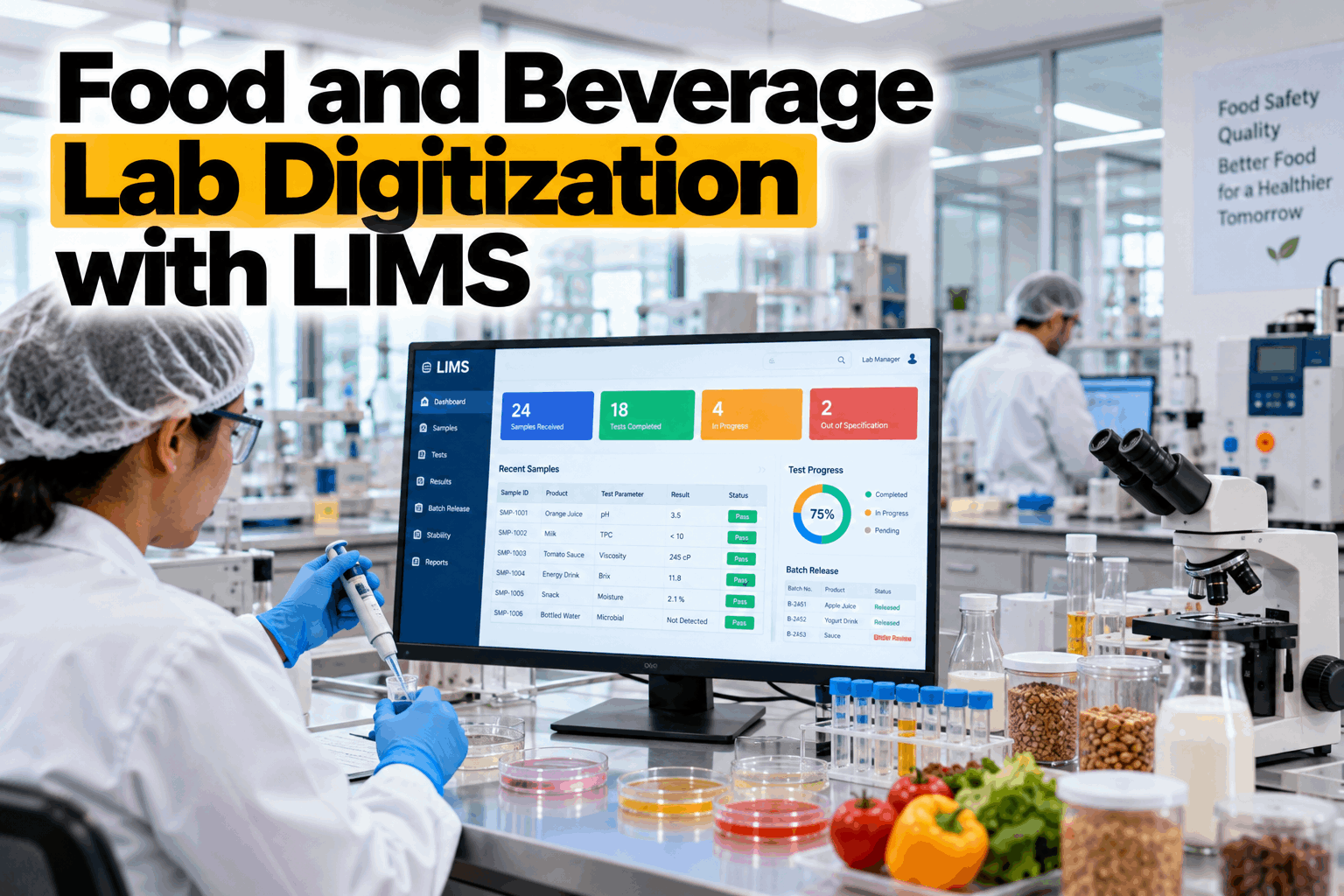
Food and Beverage Lab Digitization with LIMS
A practical guide for quality teams: how to move from paper lab records to a LIMS, connect results to batches and SQC dashboards and release product faster without cutting a single check.
- What moves from paper to a LIMS, and what should not
- How lab results reach SQC dashboards as they are entered
- How to cut release delays without cutting checks
Four tasks explain more than 80% of the lost time, and none of them is testing. The dashed line marks where the cumulative share passes 80%.
What Food Lab Digitization Really Is
Lab digitization moves every sample, test and result into one controlled record.
A laboratory information management system, or LIMS, tracks samples, assigns tests, captures results, compares them with the specification and routes them for review. Digitization is not scanning paper into folders. It means capturing each result once, at the bench or straight from the instrument, so nobody has to type it again. Our quality analytics team can show how this looks on your own lab workflow.
Log every sample
Barcode label, linked to batch, product and line.
Enter results once
At the bench or direct from the instrument.
Compare to spec
Automatic flag when a result is out of limit.
Approve and share
Reviewed results feed batch records and SQC.
Copying a paper form onto a screen keeps every paper delay. Redesign the steps so a result is entered once, checked automatically and reviewed in a queue instead of waiting on a desk.
What Moves From Paper to LIMS
Every manual hand-off is a place for delay and error.
Most of the time lost in a paper lab is spent moving information between people and documents. A LIMS removes those hand-offs one by one. The table shows where the biggest changes happen. To see which ones matter most in your lab, book a lab records review.
Balances, pH meters and moisture analysers can pass results straight into the record. Where an instrument cannot connect, enter the result at the bench at the time of the test, not at the end of the day.
How Lab Data Reaches SQC
A result is only useful to quality while the batch can still be acted on.
Statistical quality control needs results tied to a batch, a line and a specification. When the lab sends data to SQC by weekly spreadsheet, a drifting process is found days after it started. When approved results flow straight into control charts, the same drift shows up within the shift.
A result with no batch identity cannot drive SQC or a recall search. Make batch and line mandatory at sample registration, and the rest of the data follows.
What Digitizing the Lab Is Worth
The hours spent re-typing and searching can look small in a busy lab. Multiplied across a year and the loaded cost of an analyst hour, they become a number worth acting on.
From Sample to Release
A good lab flow has no waiting between a result and a decision.
The path from a sample to a released batch should be short, visible and checked at every step. A digital flow shows who holds each sample, which results are pending and which batches are blocked, so the quality team can act on exceptions instead of chasing paper.
Register
Sample logged and linked to the batch.
Test
Tests assigned and run.
Enter
Results captured once at source.
Check
Automatic comparison to the spec.
Review
Electronic sign-off with an audit trail.
Release
Batch released and SQC updated.
Common Lab Digitization Mistakes
Most failed projects keep the paper habits and change only the medium.
A LIMS project can end up as a paper process on a screen. A few simple checks keep the change real and keep the lab team on side.
Good practice
- Capture results at the bench or from the instrument
- Link every result to a batch, product and spec
- Keep an audit trail on every entry and change
Common mistakes
- Scanning paper and calling it digital
- Re-typing results into a second system
- Exporting to spreadsheets for SQC every week
Confirm that access control, audit trail and record retention meet your food safety scheme and your customers' requirements. Do this before the lab switches, not after the first audit.
How iFactory Connects Lab Data to SQC
Lab results in, live quality control out.
iFactory reads results from your LIMS, lab instruments and digital forms, links each one to a batch, product and line, and checks it against your specification. It builds control charts and capability views, raises alerts when a result or a trend breaks a rule and shows batch status next to production data. It runs on an on-prem server inside your network, with one view across lines and sites. Questions on fit go to our support desk.
Lab results
From your LIMS, instruments and digital forms.
Batch and spec
Every result tied to a batch, line and limit.
Live SQC
Control charts and capability as results arrive.
Act early
Out-of-spec and trend alerts to QA and the line.
Results depend on your lab, products and how consistently results are entered. We measure result turnaround and SQC coverage on your own data during the pilot, rather than promising a general figure.
Turnkey AI: Delivered, Connected and Live in 6–12 Weeks
You do not build this. It arrives ready.
iFactory ships as a pre-configured NVIDIA AI server with the software pre-loaded. Rack it, plug in power and Ethernet, and the AI is live on your network. Our team handles cabling, network setup, LIMS, instrument and plant system integration, team training and 24×7 remote monitoring. Data stays on your own network. For a scope matched to your lab, request a turnkey quote.
Ship, network and lab data
Server installed. LIMS, instruments and batch data connected for the pilot lines.
Links, specs and charts
Batch links and specification limits set. First control charts checked with your quality team.
Go-live and training
Dashboards and alerts live. Teams trained. 24×7 remote monitoring begins.
Frequently Asked Questions
What is a LIMS in a food and beverage plant?
A laboratory information management system tracks samples, tests and results, checks them against specifications and routes them for review and approval. It replaces paper records and spreadsheets with one controlled digital record.
How is a LIMS different from SQC software?
A LIMS manages the lab workflow and records the result. SQC software analyses results over time with control charts, capability and trend rules. Connecting the two means approved results appear in SQC without re-typing.
Do we need to replace our current LIMS?
Not necessarily. If you already have a LIMS, the aim is to connect its results to batches and SQC dashboards. If you only have paper or spreadsheets, digitizing the workflow is the first step.
Will digitization shorten microbiological test times?
No. Incubation time stays the same. What shortens is the handling around it: logging the sample, entering and checking the result, review and sign-off, and getting the batch status to the people who need it.
How do lab results feed SQC dashboards?
Each approved result carries its batch, product, line and time. The integration passes it to SQC, which plots it against the specification and trend rules, so a drift appears while the run is still going.
How do we start?
With one product family and the tests that most often hold up release. A 6-week pilot connects the lab data, links results to batches and shows the first live SQC view. To plan it, contact our team.
See Where Your Lab Records Slow Release
In thirty minutes we look at your lab workflow, your records and how results reach quality today. You keep the notes whether or not you go further with iFactory.
- 1Sample paper records or forms for one product
- 2A list of tests and specifications per product
- 3Your current LIMS or spreadsheets, if any
- 4The steps from sample to batch release
- 5The batch type that waits longest for the lab