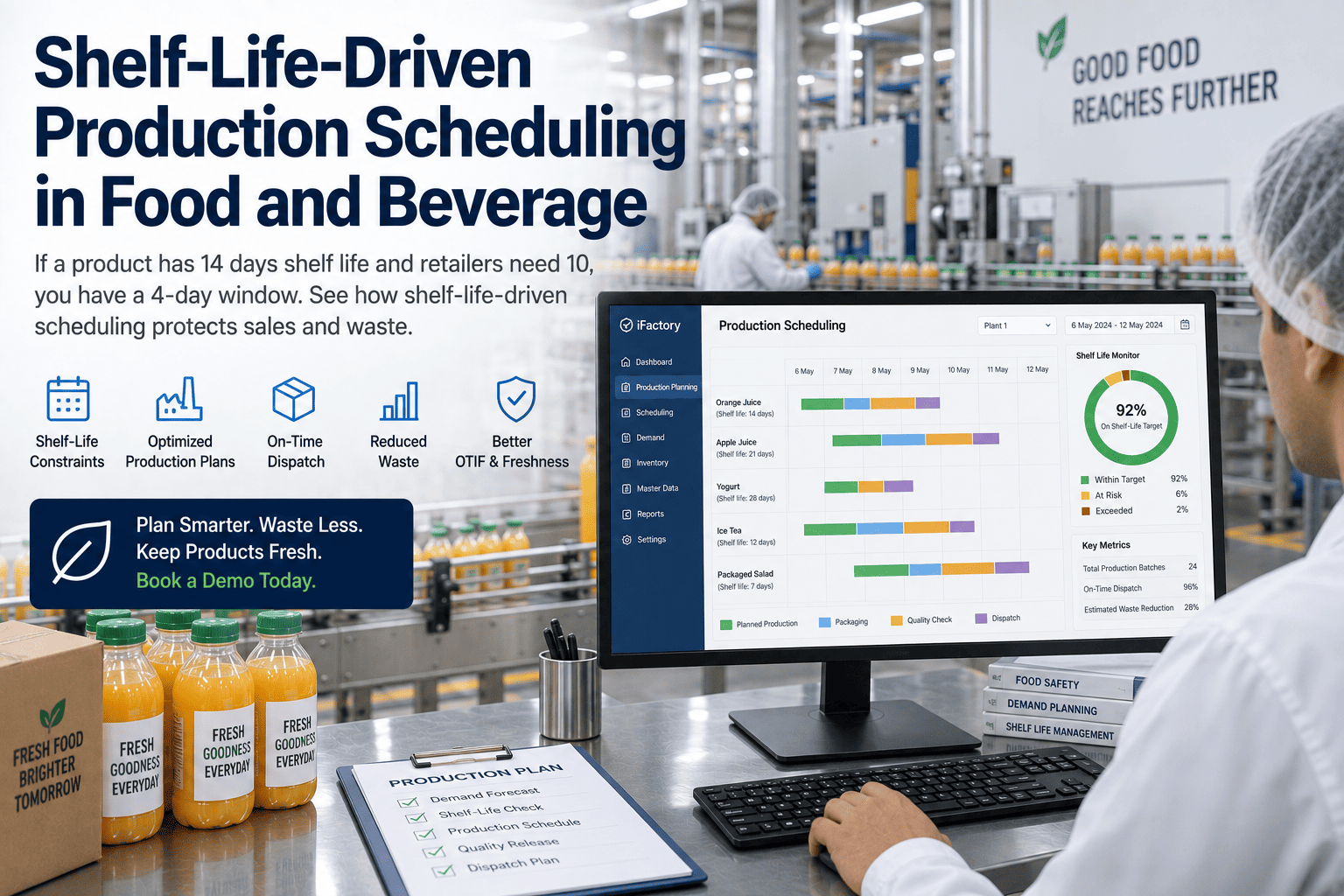
Here's a number that quietly governs a food plant's whole schedule and rarely shows up on the planning board: the shelf-life window. If a product has 14 days of shelf life and your retailer won't accept it with fewer than 10 days remaining, you don't have 14 days to work with — you have 4. That window has to absorb production, quality hold-and-release, and transit to the retailer's dock, and if the schedule spends it carelessly, the product arrives too old to sell. It gets rejected at the door or marked down to clear, and a batch that met every spec becomes a loss. Shelf-life-driven scheduling plans backward from the retailer's freshness cutoff instead of forward from the plant's calendar. You can book a demo to see it on your own products.
Schedule Backward From the Freshness Cutoff, Not Forward From the Plant Calendar
A shelf-life-driven scheduling model treats the remaining-life window as the constraint that governs everything — so product reaches the retailer fresh enough to sell, and batches stop becoming waste on a technicality.
Effective Shelf Life Is the Real Planning Horizon
Most plants plan against the total shelf life printed on the label. But the number that actually constrains the schedule is what planners call effective shelf life: the total shelf life minus the minimum remaining life your customer will accept. A 14-day product with a 10-day retailer requirement has an effective shelf life of four days — and once those four days are gone, no customer at that threshold will take the product, so it's unusable regardless of how good it still is. Planning against the printed 14 instead of the effective 4 is how batches quietly age out in transit and hold.
The gap between the two numbers is where the risk hides, and it's often wider than planners assume. On a short-life fresh product, the customer's reserve can consume more than half the total shelf life, leaving a window measured in a handful of days for everything the plant and the supply chain have to do. That's why effective shelf life isn't an academic distinction — it's the difference between a schedule that looks achievable and one that actually is. The plants that lose the least product are the ones that internalize this early, treating the effective window as the true clock from the moment an order lands rather than discovering the shortfall when a delivery is turned away.
The full period the product remains safe and quality-compliant from production. It's the number everyone quotes — and the wrong one to schedule against.
Total shelf life minus the customer's minimum acceptance. This is the window you have to fit production, hold, and transit into — the true planning horizon.
The remaining life a retailer or distributor demands on arrival. It varies by channel, and it's non-negotiable — arrive under it and the product is refused.
Backward Scheduling: Start From the Dock, Not the Line
The discipline that makes shelf-life scheduling work is planning in reverse. Instead of asking "when can we make this," you ask "what's the latest we can start production and still arrive fresh enough" — then subtract every step between the line and the retailer's shelf from the freshness deadline. Each stage consumes part of the effective shelf life, and the schedule has to account for all of them.
Begin from the date the product must arrive with the customer's minimum remaining life intact — the fixed point every other step is measured back from.
Back off the days the product spends in distribution to reach the retailer's dock — time that's burning shelf life while the product moves.
Account for the hold-and-release period while QA clears the batch. Product on quality hold is aging even though it can't ship yet — a step plans routinely forget.
Back off the time to actually make the batch. What remains is the latest possible production start that still lands the product fresh — the real deadline.
Production time and transit are visible on every plan. The hold-and-release window is the one that gets overlooked, because it feels like waiting rather than work — but a batch sitting in QA hold is spending its effective shelf life just as surely as one on a truck. On a short-window product, a hold that runs a day longer than planned can be the difference between a shipment accepted and a shipment refused. Building the real hold time into the backward calculation is what keeps that surprise off the dock.
Model Every Product's Real Window Before You Sequence
iFactory calculates effective shelf life per product and customer, then schedules backward from the freshness deadline — so a short-window batch never gets planned as if it had the full label life.
The Same Batch Has a Different Deadline for Every Customer
Shelf-life scheduling gets sharper once you realize the window isn't a property of the product — it's a property of the product and the customer together. Different channels demand different remaining life, which means the same batch can be perfect for one customer and already too old for another. A schedule that ignores this either over-restricts everything to the strictest customer or ships short-dated stock to the wrong one.
Typically the strictest remaining-life requirement — often a large fraction of total shelf life must be intact on arrival, leaving the tightest production window.
Need enough remaining life to cover their own onward distribution, so their minimum sits between retail and food service depending on the chain.
Often accepts shorter remaining life because product moves fast — a natural home for shorter-dated stock that retail would refuse.
Carry their own contractual date rules, and export adds the importing country's requirements — the tightest windows of all, where a miss means a rejected shipment at port.
A Batch That Met Every Spec Can Still Become a Loss
The frustrating thing about shelf-life failures is that the product is usually fine — it just arrived too late in its own life to be sold through the intended channel. That turns a perfectly good batch into a cost, in one of a few predictable ways.
Product arrives under the customer's minimum remaining life and is refused on receipt — the batch is now stranded, and the order still has to be filled from somewhere else.
To move short-dated stock before it expires, it's discounted or diverted to a clearance channel, converting planned margin into a loss to avoid a total write-off.
Stock that ages past every channel's threshold before it can be routed anywhere becomes waste — a direct hit that FEFO and shelf-life scheduling exist to prevent.
A rejected or short-dated delivery is a service failure the customer remembers, and repeated misses put the listing itself at risk — the most expensive loss of all.
Why a Spreadsheet Schedule Can't Hold the Window
Most shelf-life failures don't come from bad planning intent — they come from a static plan meeting a moving reality. A schedule built once in a spreadsheet can't react when the inputs that define the window shift, and on a short-dated product, those shifts are exactly what blow the deadline.
Scheduling to total shelf life instead of effective shelf life builds the error in from the start — the plan looks fine and still lands product short-dated.
A spreadsheet uses a nominal QA hold; when the real release runs longer, the window silently shrinks and nobody sees it until the dock.
A single date rule across every channel either wastes window on lenient customers or ships short-dated stock to strict ones.
A line goes down or an ingredient arrives short-dated, and the static plan can't recompute which orders are now at risk — so the miss is discovered, not prevented.
The Window, Built Into Every Scheduling Decision
iFactory treats effective shelf life as a live constraint in the schedule rather than a number a planner checks by hand. It computes each product-and-customer window, schedules backward from the freshness deadline, and recomputes when reality moves — so the plan protects sales and cuts waste at the same time.
What Planning Teams Ask About Shelf-Life Scheduling
Protect Sales and Cut Waste With a Schedule Built Around the Window
iFactory schedules every food and beverage batch backward from its real freshness deadline, matches stock to the right channel, and recomputes when reality moves — so product arrives fresh enough to sell and good batches stop becoming losses.