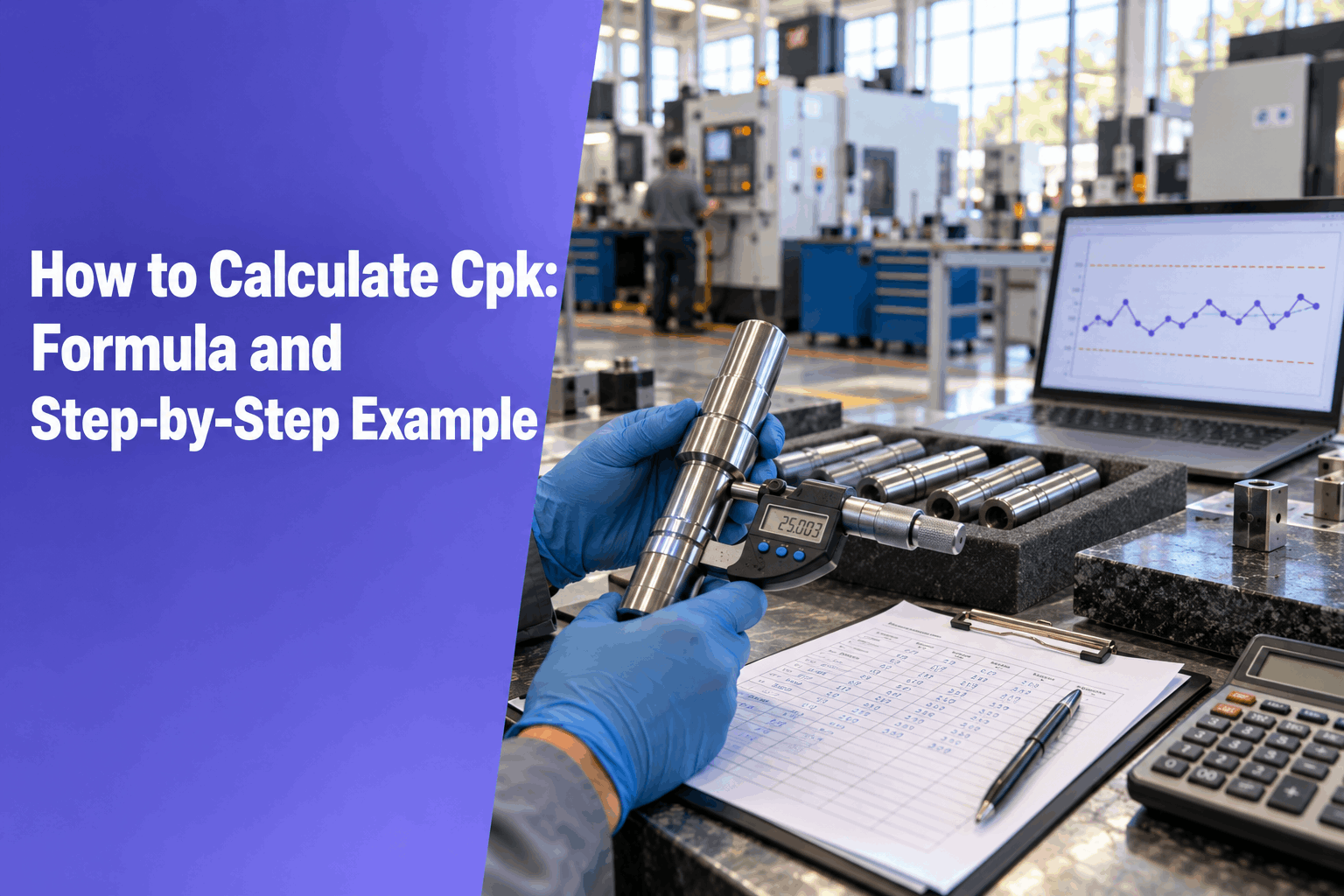
Cpk tells you how close your process runs to the nearest spec limit, measured in units of three standard deviations. This guide shows how to calculate Cpk by hand, step by step, with a worked shaft example. You need three things: your measurements, the spec limits, and subgroups kept in production order. Not sure which index you need? Start with Cp vs Cpk.
From raw measurements to Cpk in seven steps
The math is short. The judgment around it is what matters: picking the right sigma, checking the chart first and reading the result honestly. This page covers all three.
The Cpk formula (and the Cp formula)
Both indices compare the spec with the process spread. Cp looks at spread only. Cpk adds the position of the mean, so it is the one that reflects what the process is making today.
Which sigma goes into the formula
For Cpk, σ is the within-subgroup, or short-term, sigma. It describes how much parts vary over a short run, without the drift between runs. How you estimate it depends on how you collected the data.
R-bar is the average range of your subgroups. The d2 constant depends on subgroup size.
MR-bar is the average moving range of consecutive values, kept in production order.
d2 constants by subgroup size
How to calculate Cpk step by step
Work through these seven steps in order. Skipping the second one is the most common reason a Cpk number falls apart later.
- Collect the data. Gather about 25 subgroups or 100 individual values, recorded in production order. Note the spec limits from the drawing: LSL and USL.
- Check stability. Plot an X-bar and R chart for subgroups, or an individuals chart for single values. If points fall outside the control limits or show clear patterns, find the cause first. Capability only means something for a stable process.
- Calculate the mean. For subgroups, average the subgroup means to get the grand mean. For individuals, average all the values.
- Estimate the within sigma. For subgroups, use σ = R-bar / d2 with the d2 constant for your subgroup size. For individuals, use σ = MR-bar / 1.128.
- Calculate Cpu and Cpl. Cpu = (USL − mean) / (3σ). Cpl = (mean − LSL) / (3σ).
- Take the smaller value as Cpk. The side closer to its limit is the side that will make rejects, so it sets the score.
- Compare with the required value. Check the result against what your customer or control plan asks for. For typical targets, see what a good Cpk value looks like.
Worked example
Here is a complete Cpk calculation example on a turned shaft diameter.
The inputs
The results
What the numbers say
The spread is acceptable: Cp is 1.29. The problem is position. The mean sits 0.012 mm above nominal, so the upper side has less room and Cpu sets the score at 0.98. The estimate of about 1,600 parts per million above the upper limit assumes normal data, so treat it as a rough guide. Centering the process at 25.000 would lift Cpk to about 1.29, with no change to the spread.
Get Cp, Cpk, Pp and Ppk from your own data: paste your measurements and get a one-page capability report. 14-day free trial, no card needed.
Common mistakes
Most wrong Cpk values come from the inputs, not the arithmetic. Watch for these five.
Using the standard deviation of all the data
Running STDEV across every value gives the overall sigma. That produces Ppk, not Cpk. The overall figure includes drift between subgroups, so it can be larger.
Mixing up subgroup order
Subgroups and moving ranges only work in the order parts were made. Sorting by value or merging shifts breaks the range estimate and hides real changes.
Too little data
A handful of subgroups gives a shaky sigma, and Cpk can move a lot from one study to the next.
Ignoring an unstable chart
If the X-bar and R chart shows out-of-control points, the process has no single capability to report. Any Cpk you calculate describes a moving target.
Assuming the data is normal
The formula and the ppm estimate both assume a roughly normal distribution. Skewed characteristics can make Cpk look better or worse than reality.
Getting Cpk without the hand math
Knowing how to calculate Cpk by hand is worth it once, so you can spot a wrong answer later. After that, the arithmetic is the least useful part of your day. If your data already lives in a spreadsheet, you can do the same steps in Excel. Or paste it into the Cp/Cpk Report Generator, which handles the steps above and gives an estimate you can check.
Get Cp, Cpk, Pp and Ppk from your own data: paste your measurements and get a one-page capability report. 14-day free trial, no card needed.
Frequently asked questions
What sigma should I use to calculate Cpk?
Use the within-subgroup, or short-term, sigma. For subgroups, that is R-bar divided by the d2 constant for your subgroup size. For individual values, it is the average moving range divided by 1.128. Do not use the standard deviation of all the data, because that gives Ppk instead of Cpk.
What is the d2 constant?
The d2 constant converts the average subgroup range into an estimate of sigma. It depends only on subgroup size: 1.128 for subgroups of 2, 2.326 for subgroups of 5 and 3.078 for subgroups of 10. Divide R-bar by the d2 value that matches your subgroup size to get the within sigma.
Can I calculate Cpk from individual measurements?
Yes. Keep the values in production order, calculate the moving range between each pair of consecutive values, and average those ranges to get MR-bar. Sigma is MR-bar divided by 1.128. Then apply the same Cpu and Cpl formulas and take the smaller one as Cpk. Check an individuals chart for stability first.
Is the Cp Cpk formula the same for subgroups and individuals?
Yes. The formulas do not change: Cp is the tolerance divided by six sigma, and Cpk is the smaller of the two distances from the mean to a limit, divided by three sigma. Only the sigma estimate changes, using R-bar / d2 for subgroups and MR-bar / 1.128 for individuals.
Why does my Cpk come out lower than my Cp?
Because the mean is not at the center of the tolerance. Cpk measures room to the nearest limit, so any offset lowers it while Cp stays the same. In the worked example, Cp is 1.29 but Cpk is 0.98, since the mean sits 0.012 mm high. Re-centering at nominal would bring Cpk back to about 1.29.