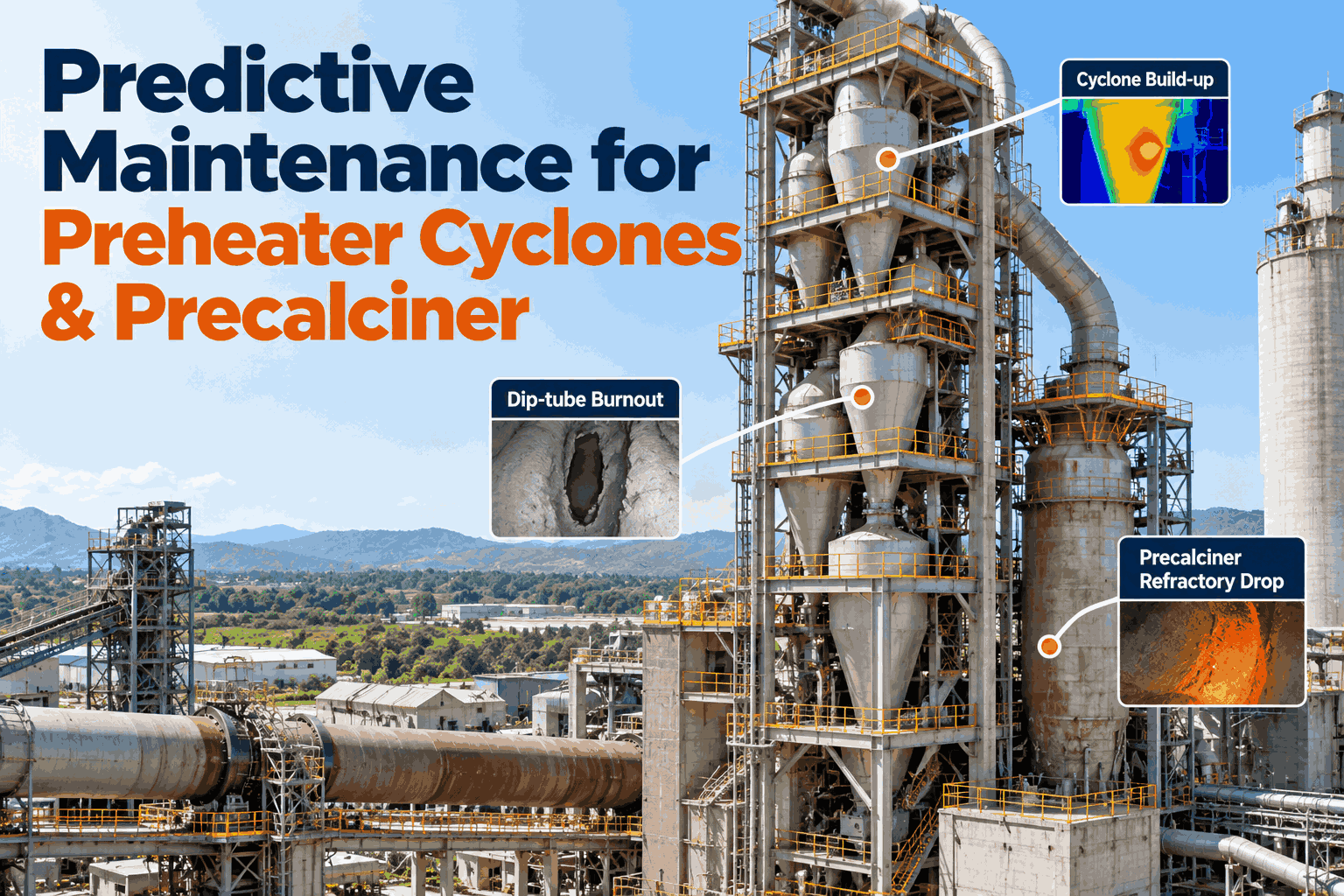
A preheater blockage rarely starts as a blockage. It starts as a cyclone pressure drop that creeps up over a shift, a top-stage outlet temperature that drifts as a dip tube burns away, or a hot spot on the precalciner shell that grows between scans. By the time a fixed alarm trips, the kiln is already close to a stop. Cement preheater software that compares each stage with what it should be doing at the current feed and fuel rate can show the drift while there is still time to plan the response. This page covers the three problems worth watching, a worked example and how to roll it out. Cement plant teams can see it on their own tower data in a preheater walk-through.
Predictive Maintenance for Preheater Cyclones and Precalciner
Detect cyclone build-up, dip-tube burnout and precalciner refractory drop with iFactory's AI and a digital twin baseline, so teams can plan around preheater blockage stops and unplanned kiln pull-outs, on a turnkey on-prem server.
- Each stage compared with a digital twin baseline
- Build-up, dip-tube and refractory patterns flagged early
- Advisory only, no changes to kiln control
Why Preheater Problems Arrive as Stops
The warning is there, but it is spread across screens.
Pressure, temperature, cannon firing and shell scan data all sit in different places, and a fixed alarm limit does not know what is normal at today's feed rate. A build-up that adds a little each shift looks acceptable on every single reading. Our cement process specialists can review how your tower data is used today.
Quiet build-up
Pressure drop rises a little each shift.
Hidden dip-tube damage
Shows only as a temperature drift.
Late refractory signs
Hot spots found between scans.
Fixed alarm limits
Do not adjust to feed and fuel.
What the System Watches in the Tower
Five problems, each with its own signals.
The table is the template for scoping the watch. Each line names a problem, the signals your plant already records and what the system flags. Start with the problems that have cost you the most stops, then add the rest. See it built on your tags in a working session.
The digital twin shows what each stage should read at the current feed and fuel. A gap means look closer, not act blindly. Confirm with an inspection or a cleaning check before any decision. The system is advisory and does not change kiln control settings.
A Worked Example: What One Blockage Stop Costs
Put a figure on one stop, then count them.
Take a kiln producing 6,000 tonnes of clinker a day, which is 250 tonnes an hour. A blockage stop takes 8 hours to clear and bring back, and the plant earns about $15 a tonne in margin. The figure leaves out cleaning labor, restart fuel and any refractory damage. All figures are illustrative.
See Your Own Preheater Data Against a Twin Baseline
Bring a historian export and your stoppage log, and we replay a past blockage to show what the pressure and temperature trends looked like before it.
Three Problems, Three Warning Patterns
Each failure leaves a different trace.
These are common patterns, and each should be confirmed on your own kiln before it is trusted. The pilot replays your past events to check which patterns your data actually shows.
Pressure drop climbs
Stage pressure drop rises against the twin while feed holds steady.
Outlet temperature drifts
Top-stage outlet temperature creeps up at steady feed.
Hot spot grows
Shell temperature rises in one area across successive scans.
Ask the Preheater Watch Why
A flag comes with its reason.
Operators and planners can ask why a stage was flagged and see the trend behind it, drawn from the same data as the dashboard. Try it on your own tower in a live walk-through.
From Tower Data to a Planned Response
A flag is useful when someone can act on it.
Every flag follows the same five steps, and the people on shift decide what to do. Plan the routine with our implementation team.
Collect
Tower signals from your historian.
Model
The twin sets the expected value.
Compare
Actual against expected, by stage.
Flag
Drift sent with its trend and reason.
Act
Inspect, clean or plan the work.
Preheater Monitoring Best Practices
Trust the flag after you have checked it.
These are common gaps when plants start monitoring preheaters with AI. A short readiness review can catch them before the pilot.
What works
- Replaying past blockages to check the patterns
- Calibrating the twin to your kiln and fuel mix
- Checking instrument health before trusting a trend
- Recording the outcome of every flag
What fails
- Acting on a flag with no field check
- Trusting trends from drifting transmitters
- Using one fixed limit for every feed rate
- Starting on all kilns at once
How iFactory Runs Preheater Predictive Maintenance
Signals, twin and flags on one server.
iFactory connects to your historian and kiln control system, builds a digital twin baseline for the tower with your process team and keeps watching every stage against it. Flags go to operators and maintenance with the trend that caused them, and everything runs on your on-prem server. Fit questions go to our solutions team.
Predictive maintenance
Drift flagged before a fixed alarm.
Digital twin baseline
Expected values at the current feed.
Cyclone pressure trends
Build-up risk by stage.
Temperature drift watch
Dip-tube damage patterns.
Shell temperature trends
Refractory hot spots across scans.
On-prem
Process data stays in the plant.
The figures and exchanges on this page are illustrative. Results depend on your kiln, raw mix, fuels, instruments, history and operating practice, and we measure them on your data during the pilot. The system is advisory and no reduction in stops is guaranteed.
Turnkey AI: Delivered, Connected and Live in 6–12 Weeks
You do not build this. It arrives ready.
iFactory ships as a pre-configured NVIDIA AI server with the software pre-loaded, racked and ready. Rack it, plug in power and Ethernet, and the AI is live on your network. Our team handles cabling, network setup, PLC, SCADA, DCS and CMMS integration, operator training and 24×7 remote monitoring. Data stays on your network. For an implementation guide and a quote matched to your plant, request a turnkey quote.
Ship, network and connect history
Server installed. Historian connected. Past blockages and tower tags mapped.
Twin calibration and pilot
Baseline built and replayed on past events. Live pilot on one kiln line.
Go-live and review
Roll-out across the tower. Teams trained. Flags and outcomes reviewed.
Frequently Asked Questions
How can AI detect cyclone build-up in a cement preheater?
It compares each stage's pressure drop and related signals with a digital twin baseline at the current feed and fuel rate, and flags a stage whose pressure drop rises above what is expected, along with supporting signs such as more air cannon firing.
Can it detect dip-tube burnout?
It watches for the pattern that damage tends to leave, such as top-stage outlet temperature drifting upward at steady feed with a falling pressure drop. A flag means inspect, and the finding is confirmed at a stop.
How does it monitor precalciner refractory?
It trends shell temperature data from your scanners alongside calciner temperature and fuel rate, and flags a hot spot that grows across successive scans so inspection can be planned.
Does it control the kiln?
No. It is advisory. It sends flags and trends to your team and does not change kiln control settings.
What data do we need?
Historian data for cyclone pressures and temperatures, kiln feed and fuel rates, gas analysis, shell scan data and a log of past blockages and refractory repairs.
What are the best practices for preheater monitoring?
Replay past blockages to check patterns, calibrate the twin to your kiln, check instrument health, confirm flags in the field and record every outcome.
What does it cost and what is the return?
Cost depends on the number of kilns, tags and integrations, so we issue a turnkey quote after a short scoping call. The return depends on how many stops and pull-outs it helps your team plan around, and the pilot measures that against your own history.
How do we start?
Start with a short session and a historian export that covers a past blockage. A 6-week pilot then builds the baseline, replays your events and runs live on one kiln line. To plan it, contact our team.
Watch Your Preheater Before It Stops You
In thirty minutes we take a historian export from your tower, replay a past blockage against a twin baseline and show the trend that came before it. You keep the results either way.
- 1Historian export of stage pressures and temperatures
- 2Your blockage and stoppage log
- 3Shell scanner data for the calciner
- 4Refractory and dip-tube repair history
- 5Kiln feed, fuel and gas analysis tags