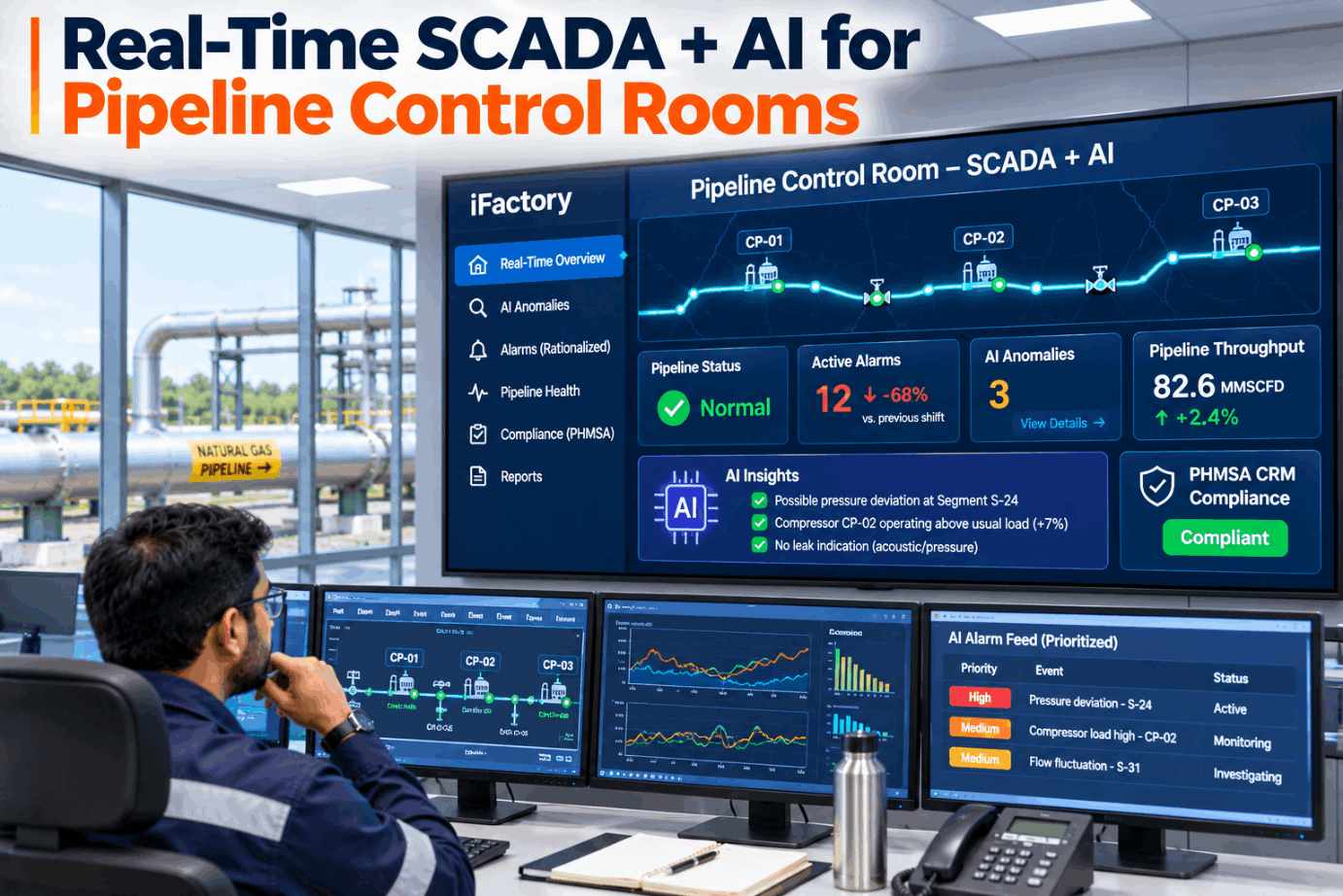
When a compressor trips or a pump station goes down, a pipeline controller can face hundreds of alarms inside a few minutes, and somewhere in that list may be the one reading that matters. PHMSA's control room management rule expects operators to manage that load, not just survive it. Pipeline SCADA AI sits on top of your existing host, groups related alarms, ranks what needs action and flags pressure and flow behaviour that does not fit the hydraulics, while the controller keeps full authority. See it replay a real-looking upset in a short control room demo.
Turn an Alarm Flood Into the Three Things That Need a Controller
iFactory's AI Anomaly Detection Layer reads your SCADA alarm and event stream, groups alarms by cause and checks pressure and flow balance in real time. Controllers get a short, ranked list with the reason for each item, and every suggestion is logged for CRM review.
What 49 CFR 192.631 and 195.446 Ask of a Control Room
Control room management applies to pipeline operators whose controllers monitor and operate the system through SCADA. Section 192.631 covers gas pipelines and 195.446 covers hazardous liquid lines, and both require written procedures that work alongside the operator's normal and emergency procedures. The elements below are where most inspection questions land. Walk through your current CRM plan with our control room support team.
The Review Clock Behind Paragraph (e)
The alarm management paragraph is the most time-driven part of the rule. Some reviews are monthly, and most must happen once each calendar year at intervals no longer than 15 months. Missing one is easy when evidence lives in spreadsheets and email. The AI layer keeps the clock and the evidence in one place. See the review calendar in a CRM evidence demo.
How ISA-18.2 Measures an Alarm Flood
ANSI/ISA-18.2-2016 and its international twin IEC 62682:2022 describe an alarm flood as an alarm rate greater than the operator can effectively manage, with more than 10 alarms in 10 minutes per operator as the usual example. API RP 1167 applies the same lifecycle thinking to pipeline SCADA. The figures below are the targets commonly drawn from these documents and EEMUA 191. Benchmark your own console data with our alarm analysts.
What the AI Layer Does Between SCADA and the Controller
The AI layer does not replace the SCADA host or its alarm system. It reads the same alarm, event and analog stream, and adds three things: grouping of alarms that share a cause, suggestions for suppression or rationalisation that go through your change process, and hydraulic anomaly checks that compare pressures and flows against what the line should be doing. Watch a grouped upset unfold in a live walkthrough.
Ask Why an Alarm Is on Top, Get a Straight Answer
Every ranked item carries its evidence: which alarms were grouped under it, which pressures moved and how the balance changed. Controllers can question the AI in plain words during the shift, and the exchange is kept with the event.
Where AI Sits Next to Leak Detection Rules
On hazardous liquid lines, 49 CFR 195.444 requires an effective leak detection system, and any computational pipeline monitoring (CPM) system must follow API RP 1130. Section 195.134 required leak detection on covered liquid lines built before October 2019 by 1 October 2024. On gas lines, the 2022 valve and rupture detection rule defines a "notification of potential rupture" in 192.635. A gas leak detection and repair final rule was withdrawn before publication in January 2025 and was still listed as pending in PHMSA's September 2025 status chart. Map your current methods with our leak detection team.
What the Controller Sees When the AI Raises Something
An anomaly flag is only useful if the controller can judge it in seconds. Each item arrives as a short record: what moved, how much, what else was grouped with it, the checks the AI suggests and a space for the controller's decision. The record stays with the event for shift handover and later review. Try a live hand-off in a console session.
Seeing Where in the Shift the Alarm Load Lands
Paragraph (d) of the CRM rule deals with fatigue through schedules, education and an hours-of-service limit. Alarm data adds a second view: when in the shift the load peaks. If the heaviest hours fall at the end of a 12-hour night, that is worth knowing when you plan schedules, staffing and alarm rationalisation. The chart is an illustration. Get a shift load report from our support team.
What the AI Can Do and What Stays With People
An anomaly score is a prompt to investigate, not a leak confirmation, and a grouping is a suggestion about cause, not a proof. The AI works from the same instruments as SCADA, so a failed transmitter can mislead it too. The controller's authority and your CRM procedures do not change. Discuss these limits openly in a scoping call.
- Group alarms that share a cause and show the evidence
- Rank items by consequence and explain the ranking
- Flag pressure and flow behaviour that does not fit the hydraulics
- Propose suppression or rationalisation for review
- Keep a time-stamped record of every suggestion
- Decide every action on the pipeline
- Approve any alarm change through management of change
- Confirm or rule out a leak on site
- Own CPM alarms, rupture identification and emergency response
- Check instruments the AI cannot verify on its own
A CRM Evidence Checklist Before the Inspector Arrives
Inspectors ask for records, not intentions. Paragraph (j) requires records that show compliance and documentation of why any deviation was needed for safe operation. Use the list below to check what you can produce today. Ask our compliance support team how the AI layer files each item.
Alarm Intelligence on a Server That Arrives Configured
iFactory delivers the control room AI as a turnkey bundle. A pre-configured NVIDIA AI server ships racked and ready with alarm grouping, hydraulic checks and the evidence log pre-loaded, and connects to your SCADA host read-only inside the OT network. You rack it, plug in power and Ethernet, and the AI is live. For a scoped price, request a turnkey quote.
- Pre-configured NVIDIA AI server, racked and ready
- Read-only link to SCADA alarms, events and analogs
- Alarm grouping models tuned to your stations
- Segment balance and pressure anomaly checks
- Controller console view and plain-language chat
- CRM evidence log with review reminders
- 24×7 remote watch on model health and hardware
Server installed, alarm history loaded, current flood rate and priority mix measured.
Grouping and anomaly checks run silently, results compared with controller actions.
Ranked list shown on consoles, controllers trained, evidence log handed to CRM owners.
An Anomaly Layer Built Around Controller Authority
iFactory adds focus to the SCADA you already run. It reads, groups, checks and records, and leaves every decision with the controller. Ask our support team to sketch it against each console.
What Control Room Managers Ask About SCADA AI
Give Controllers the Short List, Keep the Full Record
Start with one console and its alarm history. Measure the flood rate you have today, run the AI in shadow, and show it on screen only when controllers agree it helps.