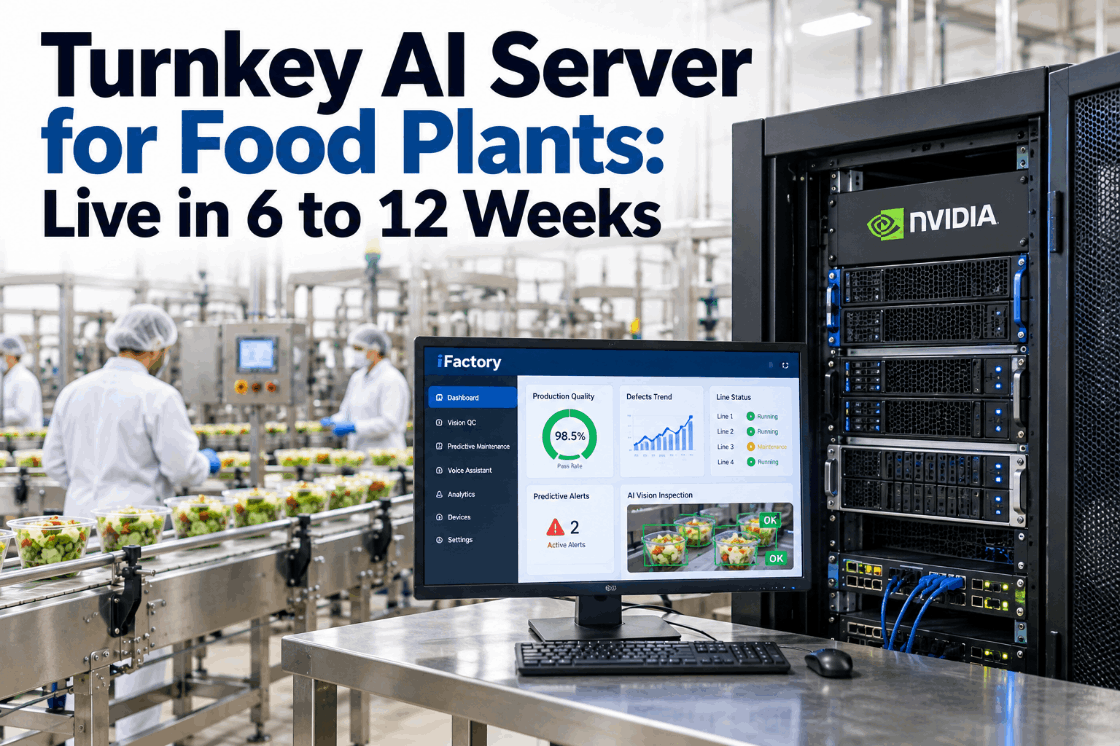
Turnkey AI Server for Food Plants: Live in 6 to 12 Weeks

By Josh Brook on October 19, 2026

turnkey-ai-server-food-plants-live-6-12-weeks

Many food plants want AI for quality checks, voice work orders and failure prediction, but stall at the hardware. Someone has to size a GPU server, rack it, connect it safely to PLCs and keep it running at 3 a.m. A turnkey AI server takes that work off the plant team: it arrives built, loaded and tested, and one supplier owns the result. This guide explains what turnkey covers, how the server fits into a segmented plant network and what happens in each of the 12 weeks. Walk through a plan for your site in a turnkey AI briefing.

TURNKEY AI · FOOD PLANTS

One NVIDIA AI Server, Racked and Ready, Live in 6 to 12 Weeks

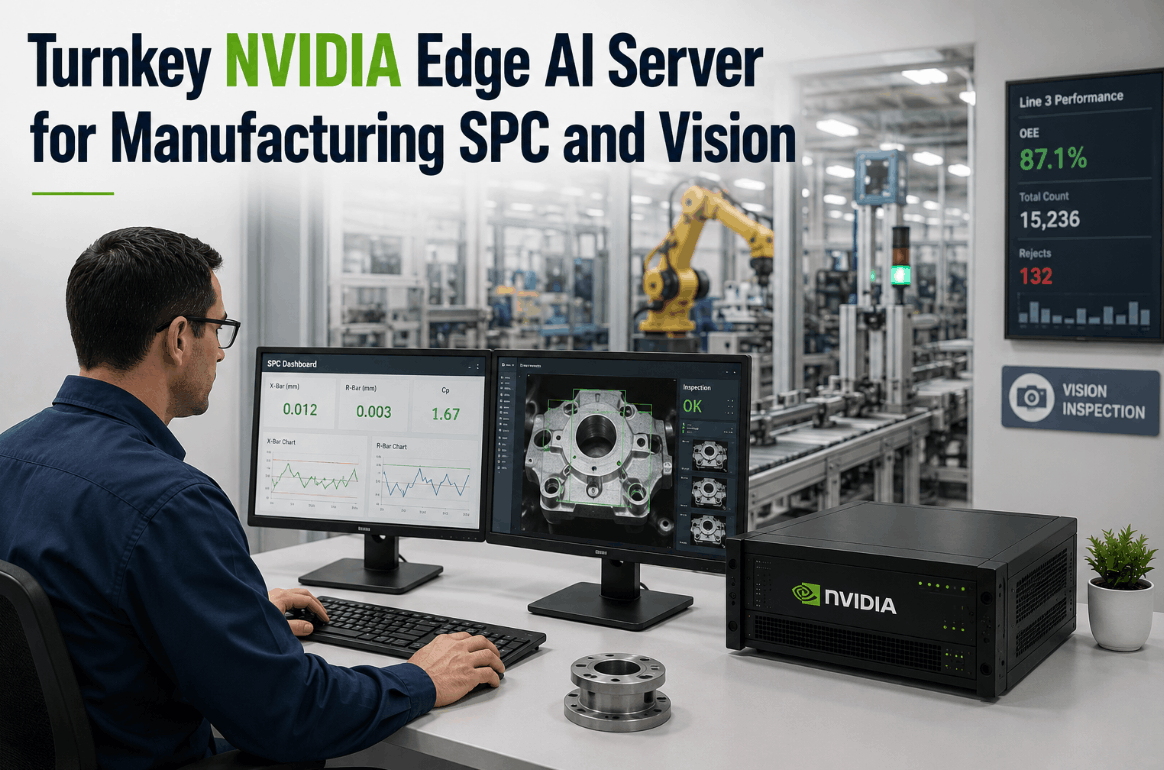
The iFactory Turnkey NVIDIA AI Server bundles hardware and software with PLC/SCADA integration, network and cabling, operator training and 24x7 remote monitoring. It runs vision QC, voice and predictive models on site, inside your plant network.

iFactory AI server · Rack R2Live
Plant OT zone · Week 12 of 12
Vision QC · Lines 2 and 3Running
Voice agent · 14 headsetsRunning
Predictive models · 38 assetsRunning
PLC/SCADA linkRead-only Remote monitoringOutbound only
24x7 monitoring · all health checks passing
WHAT TURNKEY ACTUALLY MEANS

Turnkey vs DIY: Who Owns Each Piece of Work

"Turnkey" is used loosely, so it helps to list the work. A do-it-yourself AI project buys a server and then leaves the plant to handle drivers, models, integration, network design, training and support, often across several suppliers. A turnkey bundle hands all of it to one supplier with one plan and one point of contact. The matrix shows where the effort sits in each model. Check the split for your own team with our integration team.

Workstream
DIY: the plant owns it
Turnkey: iFactory owns it
Plant still provides
Server sizing and build
Choose GPUs, storage and OS, then build and burn in
Pre-configured NVIDIA server, tested before it ships
Rack space and power
AI software stack
Drivers, runtimes, model serving, licences, patching
iFactory pre-loaded and kept current
Change windows
Models
Collect data, label, train, tune, validate
Food-ready models tuned on your lines
QA time to label and review
PLC/SCADA integration
Map tags, write drivers, test with controls team
Tag mapping and links built and tested
Tag list and controls sign-off
Network and cabling
Design zones, pull cable, set switches and firewalls
Cabling, switching and firewall rules installed
IT/OT security approval
Operator training
Write material, run sessions per shift
Role-based training for operators and technicians
Release people from the line
Run and support
On-call staff for hardware and models
24x7 remote monitoring and response
Named site contact
ON-PREMISES AI vs CLOUD

Why the AI Runs Inside the Plant

Cloud AI is fine for monthly reports and cross-site comparisons. It struggles when a result must act on the line within moments, when the data is continuous video, or when the line must keep running during an internet outage. Food plants also tend to keep recipes, line images and process data on site. Use the questions below to decide where each workload belongs, and test your own list in a workload review.

Q1Must the result act on the line within a second or two?Yes: a reject, a stop or a live alertOn-premises
Q2Is the input heavy, such as video from several cameras?Yes: streaming it out costs bandwidth all dayOn-premises
Q3Must it keep working if the internet link fails?Yes: quality checks can't pause for an outageOn-premises
Q4Does the data include recipes, images or anything your policy keeps on site?Yes: keep processing in the plantOn-premises
All noMonthly trends, group benchmarks, long-term model trainingSummaries can be shared with a cloud or head office systemCloud is fine
EDGE AI FOOD MANUFACTURING

Three Workloads, One Server

One server can carry several jobs at once, which is what makes the hardware worth racking. In a food plant, the usual three are vision QC on the packing lines, a voice agent for operators and technicians, and predictive models on critical assets. Each one has its own inputs and outputs, and each output goes somewhere people already work. Ask our support team which workloads suit your first phase.

Vision QC
InLine cameras in washdown-rated housings
›
ModelSeal, label, fill and foreign-object checks
›
OutReject signal to the PLC, image log for QA
Voice agent
InHeadsets on operators and technicians
›
ModelSpeech to fields, read back for confirmation
›
OutWork orders, checks and shift notes
Predictive
InPLC/SCADA tags, vibration and temperature
›
ModelAnomaly and wear models per asset
›
OutEarly alerts and planned work orders
TURNKEY AI SERVER FOOD PLANTS TEMPLATE

Site Readiness Checklist Before the Server Ships

Most delays in AI projects are not about AI. They come from a missing rack slot, a power circuit nobody booked or a firewall request stuck in a queue. Work through this checklist in week one and the server can go straight in when it arrives. Exact rack, power and cooling needs are confirmed at the site survey, so use this as a list of questions, not a spec. Run through it with an engineer in a site readiness call.

01Space and power
02Network
03Plant systems
04People

Hardware, Software, Integration and Support From One Team

iFactory ships the NVIDIA server pre-configured, connects it to your PLCs and SCADA, runs the network and cabling, trains your people and monitors it 24x7. Vision QC, voice and predictive models all run on site.

Plant manager and iFactory · Week 7
Plant managerHow is the seal check on Line 3 doing in shadow mode?
iFactoryIt agreed with QA on most checks this week. The misses were mainly on clear film under the new lights.
Plant managerAre we still on track for go-live in week 9?
iFactoryYes, once QA labels this week's clear-film images and the model is retuned in week 8.
IT/OT SECURITY

Where the Server Sits on a Segmented Plant Network

An AI server that reads PLC data is part of the control system, so it should follow the same security model. IEC 62443-3-2 groups assets into zones by risk and joins them only through conduits, each with a stated purpose, protocol set and controls. Security levels SL 1 to SL 4 describe the attacker a zone must resist. IEC 62443-2-4 sets requirements for service providers who integrate and maintain these systems. The stack below shows a common placement based on the Purdue model. Review it against your own zones with our security team.

L4–5
Business networkERP, email, head office reports
L3.5
Industrial DMZRemote access gateway, monitoring relay, patch server. Outside sessions end here.
L3
Site operations zone · iFactory AI serverAlongside the historian and MES. Reads line data, serves models, holds images.
L2
Supervisory controlSCADA and HMIs on each line
L0–1
Basic control and processPLCs, drives, sensors, cameras on their own segment
Conduit A · Data inServer reads agreed tags from SCADA or PLCs over a defined protocol such as OPC UA.
Conduit B · Signals outOnly agreed reject or alarm signals are written, signed off by controls engineering.
Conduit C · MonitoringOutbound only, through the DMZ, with named, logged and time-limited support sessions.
TURNKEY AI SERVER FOOD PLANTS IMPLEMENTATION GUIDE

The 12-Week Plan, Week by Week

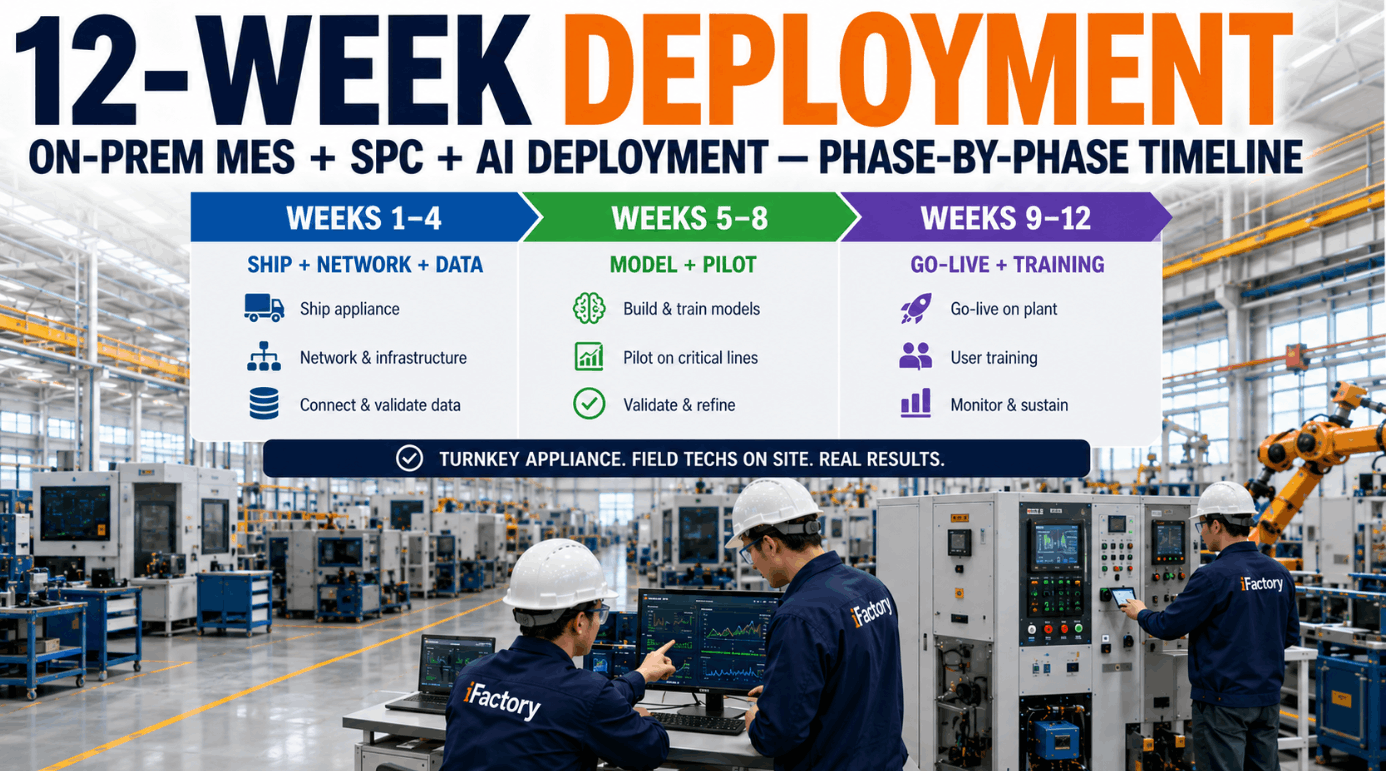
Twelve weeks covers a typical first phase of several lines and workloads. A smaller scope, such as one line with the network already in place, can finish nearer six weeks. Each week ends with something you can check, and the pilot is judged against measures agreed in week one, not against a demo. Map these weeks to your calendar in a project planning session.

Weeks 1–4 · Ship, network and data
1Kickoff and surveyUse cases, baseline measures, rack, power and network survey
2Design sign-offZones and conduits agreed with IT and OT, tag list, camera positions
3Server rackedServer arrives pre-loaded, racked, powered and on the network
4Data flowingPLC/SCADA links read-only, cameras and headsets installed
Weeks 5–8 · Models and pilot
5Label and tuneQA labels good and bad product, models tuned to your lines
6Shadow modeModels run silently, results compared with QA checks
7RefineThresholds and voice phrases adjusted, false rejects reviewed
8Pilot sign-offResults checked against the week 1 measures
Weeks 9–12 · Go-live and training
9Go-live, first lineReject signals and alerts switched on, operators trained
10ExtendFurther lines and workloads, technician training
11HandoverSOPs, escalation contacts, 24x7 monitoring confirmed
12ReviewMeasures against baseline, plan for the next phase
TURNKEY AI SERVER FOOD PLANTS EXAMPLES

How the First Phase Often Looks by Plant Type

These are illustrations of typical first phases, not case studies. The right first workload is the one where a clear problem meets data you already have. Talk through your own starting point with our support team.

Illustration · Bakery
Vision on bagging and sealsCameras check bag closure and label position. The server sits in an OT room away from flour dust.First workload: vision QC
Illustration · Dairy
Prediction on critical pumpsHomogeniser and CIP pump data from SCADA feed wear models, with early alerts raised as work orders.First workload: predictive
Illustration · Meat processing
Voice in cold rooms, vision on labelsTechnicians close jobs by headset in chill areas while cameras check pack labels for date and allergen text.First workloads: voice and vision
TURNKEY AI SERVER FOOD PLANTS COST AND ROI

Build the Case on Your Own Numbers

Prices depend on scope, so compare a turnkey quote with the full DIY cost, including the hidden lines. Then size one measurable benefit with your own data. The worksheet below uses assumed inputs to show the arithmetic for manual label checks that vision QC could take over. Get a scoped quote through a turnkey quote call.

Count these on the DIY side
Server, GPUs and software licencesIntegrator and controls engineer timeNetwork, cabling and firewall workModel labelling and tuning effortTraining material and sessionsOn-call support and patching
Lines with manual label checks4, assumed
Checks per line per hour4, assumed
Minutes per check3, assumed
Production hours per year6,000, assumed
Manual check time per year4 × 4 × 3 × 6,000 = 288,000 min = 4,800 h
TURNKEY AI DEPLOYMENT

Plug and Play AI: The Standard Package

Everything above comes in one bundle. A pre-configured NVIDIA AI server ships racked and ready with iFactory pre-loaded. You rack it, plug in power and Ethernet, and the AI is live. Confirm your scope with our integration team.

What's Included
  • Pre-configured NVIDIA AI server, racked and ready
  • iFactory software and models pre-loaded
  • PLC/SCADA integration
  • Network and cabling
  • Cameras and headsets for chosen workloads
  • Operator and technician training
  • 24x7 remote monitoring
Live in 6–12 weeks
Wk 1–4
Ship, Network, Data

Survey, design sign-off, server racked, data flowing.

Wk 5–8
Models and Pilot

Labelling, shadow mode, tuning, pilot sign-off.

Wk 9–12
Go-Live and Training

Signals on, all shifts trained, handover and review.

HOW iFACTORY FITS

Industrial AI Hardware With the Work Done for You

The iFactory Turnkey NVIDIA AI Server is built so a food plant gets AI results without becoming an AI integrator. See the full bundle in a server walkthrough.

1
Hardware plus software. One NVIDIA server, pre-configured, with iFactory loaded.
2
Integration done. PLC/SCADA links, network and cabling installed and tested.
3
Three workloads on site. Vision QC, voice and predictive models run in the plant.
4
People and support. Operator training and 24x7 remote monitoring included.
1000+
Industrial clients running iFactory
99.9%
Platform uptime for continuous food lines
6-12 wks
From kickoff to live on-site AI
FREQUENTLY ASKED QUESTIONS

Turnkey AI Server Questions From Plant Managers

What does turnkey include beyond the server?
The bundle covers the pre-configured NVIDIA server, iFactory software and models, PLC/SCADA integration, network and cabling, cameras or headsets for the chosen workloads, operator training and 24x7 remote monitoring. The plant provides rack space, power, a named project lead and QA time for labelling.
Why not run the AI in the cloud?
Vision QC and live alerts must act on the line in moments, video is heavy to stream all day, and quality checks can't pause for an internet outage. Running on site solves all three and keeps recipes and line images inside the plant. Summaries can still be shared with head office systems.
Does the server open our control network to the internet?
It shouldn't. A common design places the server in the site operations zone, reads data through defined conduits and sends monitoring traffic outbound through the industrial DMZ. Support sessions end in the DMZ and are named, logged and time-limited, in line with IEC 62443 zone and conduit thinking.
Where should the server be placed in a food plant?
In a clean, dry, locked room or OT cabinet with suitable power, UPS and cooling, away from washdown, steam and flour dust. Cameras go on the lines in washdown-rated housings, and the server stays out of production areas.
Can the AI write to our PLCs?
Only where you agree it should, such as a reject signal from vision QC. Data links start read-only. Any signal the AI writes is defined with your controls engineer, tested in shadow mode first and switched on at go-live.
What decides 6 weeks versus 12?
Scope and readiness. One line, one workload and a network that is already segmented can be live nearer six weeks. Several lines, three workloads and new cabling usually take the full twelve. Our support team can estimate your timeline.

From Kickoff to On-Site AI in One Quarter

Get a pre-configured NVIDIA AI server, integration, training and 24x7 monitoring in one package. Rack it, plug in power and Ethernet, and start with vision QC, voice or predictive models on your lines.

Example handover summary · Week 12
ServerRacked in OT room, on UPS
Workloads liveVision QC, voice, predictive
NetworkZones and conduits signed off
PeopleAll shifts trained
24x7 remote monitoring active

Share This Story, Choose Your Platform!