Voice Pest Sighting Reports and Trend Alerts for Food Plants

By James C on October 19, 2026

voice-pest-sighting-reports-trend-alerts-food-plants

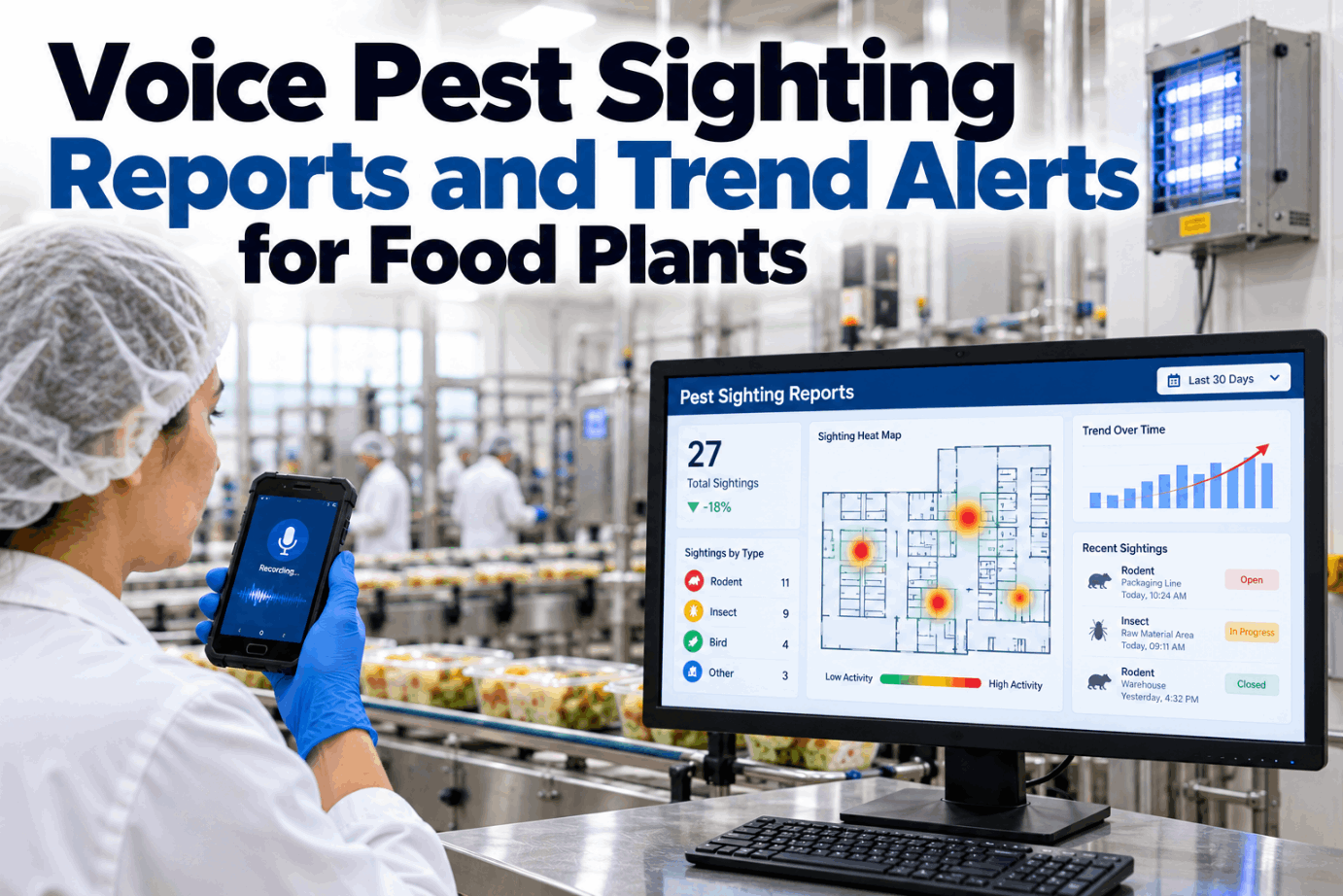
Most pests in a food plant are seen first by the people who work there, not by the pest control technician. A forklift driver spots a mouse at the dock at 2 a.m., a line operator sees flies near a drain, a cleaner finds mouse feces behind a pallet. If those sightings live on a clipboard, nobody sees the pattern until the next service visit or the next audit. Voice pest sighting reports let anyone log what they saw in seconds, so the pattern shows up while there is still time to act. Hear how a sighting becomes a record in a short voice reporting demo.

VOICE REPORTING · TREND AI

Say What You Saw. The Map, the Trend and the Vendor Call Follow.

Any worker can report a pest sighting by voice in seconds. iFactory captures the location and pest type, plots it on a heat map by zone and sends a service request to your pest vendor when a zone crosses its trend threshold.

Pest sighting · 02:14Rodent
Forklift driver · voice"Mouse ran under the racking by dock door three."
Raw store
Packaging
Dock D3
Line 1
Line 2
Waste
iFactory · read backLogged: live mouse, Dock D3, 02:14. Third rodent sighting in this zone in 7 days.
Threshold reached · service request sent to pest provider
PEST SIGHTING LOG

Devices Catch Some Pests. People See the Rest.

A pest program usually rests on monitoring devices: rodent stations, insect light traps and pheromone traps, checked on each service visit. Those devices only show what walks or flies into them. Workers see live pests, feces, gnaw marks and nesting material every day, in places no device covers. The NPMA Pest Management Standards for Food Processing expect a pest sighting log that records the date, time, location, pest type, action taken and who reported it, reviewed by the technician on each visit. Talk through your current log with our food safety team.

MONITORING DEVICES
  • Fixed positions on a numbered device map
  • Checked on a service schedule, often weekly or monthly
  • Show catches and bait activity at each device
  • Miss activity between devices and between visits
WORKER SIGHTINGS
  • Anywhere in the plant, at any hour
  • Reported the moment something is seen
  • Include live pests, feces, damage and entry points
  • Fill the gaps between devices and visits
INTEGRATED PEST MANAGEMENT

What Food Safety Rules Expect From Your Program

Integrated pest management means preventing pests first, monitoring all the time and treating only where needed. The rules behind it are clear. FDA's 21 CFR 117.35(c) says pests must not be allowed in any area of a food plant and that effective measures must keep them out. GFSI schemes add detail on records, reporting and trend review. Check your program against these in a compliance walkthrough.

FDA · 21 CFR 117.35(c)
Keep pests outNo pests in any area of the plant, effective exclusion and protection of food, and pesticides only with precautions
BRCGS Food · Issue 9, 4.14
Report and trendStaff know the signs and report pest activity to a named manager, and activity is trended at least yearly or after an infestation
SQF Code · 11.2.4
Analyze and recordPest activity is analyzed and recorded as part of the pest prevention program
NPMA standards
Log, review, set thresholdsA sighting log reviewed at each visit, trend reports to the plant, and action thresholds agreed with the plant
VOICE PEST SIGHTING REPORTS TEMPLATE

From One Sentence to a Complete Sighting Record

People describe pests the way they speak, not the way a form is laid out. iFactory listens for the parts that matter, fills each field and asks only for what is missing. It reads the record back before saving, so a misheard zone can be fixed at once. Ask our support team for the field list as a template.

"Flies, maybe ten of them, round the floor drain on line two, near the open tray conveyor."
Pest typeFlying insects
Count or signAbout 10, live
Exact spotFloor drain
ZoneLine 2, processing
Product riskNear open product
Time and reporterAuto from headset
PhotoRequested, optional
ActionSanitation check raised

One Spoken Report, Three Things Happen

The sighting lands on the zone heat map, the trend for that zone is refreshed, and if a threshold is crossed, a service request goes to your pest vendor with the evidence attached. Nobody has to chase a clipboard.

Food safety manager and iFactory
FS managerWhy did Dock D3 go to the vendor this morning?
iFactoryThree rodent sightings in 7 days, all after 22:00, plus one station hit on the last visit. Your rule sends a request at three.
FS managerAnything in product areas?
iFactoryNo. All sightings are at the dock racking. Door seal check on D3 added for maintenance.
PEST HEAT MAP

Six Weeks of Sightings, Zone by Zone

A heat map turns scattered reports into a picture anyone can read in seconds. Each cell is one zone in one week, shaded by the number of sightings. Rising rows stand out long before a monthly report would show them. The figures below are illustrative. See your own layout mapped in a heat map session.

Zone
Wk 38
Wk 39
Wk 40
Wk 41
Wk 42
Wk 43
Trend
Dock and receiving
1
0
2
1
3
5
Rising
Raw material store
0
1
0
0
1
0
Low
Packaging store
0
0
1
0
0
0
Low
Line 1
0
0
0
1
0
0
Low
Line 2
0
0
0
0
1
2
Watch
Waste compactor
2
3
2
4
3
4
High, steady
Canteen
1
0
1
1
0
1
Low
012 to 34 or more sightings per week
PEST ACTIVITY TRENDING FOR PLANT MANAGERS

Four Response Levels, Set With Your Pest Provider

Not every sighting needs a vendor visit, and not every vendor visit needs a QA hold. Trend thresholds decide what happens next, so the response matches the risk. Agree the numbers with your pest provider and QA team, write them into your program, and let the system apply them the same way every time. The levels below are an example to adapt. Work out your own thresholds with our support team.

Level 1
LogAny single sighting outside product areas. Recorded, mapped and shown on the next technician visit.
Level 2
CheckTwo sightings in one zone in 7 days. Sanitation and maintenance check the spot for food, water, harbourage and gaps.
Level 3
RequestThree or more in 7 days, or a zone rising three weeks running. Service request to the pest vendor.
Level 4
UrgentAny sighting at open product or contact surfaces. Urgent vendor visit and QA review of product at risk.
Keep reporting blame-free

People report more when a sighting never leads to blame. Thank reporters, show them what changed after their report and share the zone trend at shift briefings. A plant with many reports and fast follow-up is usually in better shape than one with an empty log.

PEST VENDOR SERVICE REQUEST

What Your Pest Provider Receives

When a threshold is crossed, iFactory sends the request straight to the provider's inbox or portal with everything a technician needs to plan the visit. The visit findings come back into the same record, so the loop is closed and ready for audit. Preview a full request in a vendor workflow demo.

Service request SR-0412Level 3
ZoneDock and receiving, door D3
Pest and evidenceRodent, 3 live sightings, 1 station hit
PatternAll after 22:00, near racking
AttachedZone map, sighting log, photos
Requested byFood safety manager
1SentRequest and evidence to the provider
2VisitTechnician inspects, treats if needed
3FindingsEntry points, harbourage and actions
4Close-outPlant fixes proofing and QA signs off
RODENT ACTIVITY AND INSECT SIGHTINGS

What to Report, Pest by Pest

Workers do not need to be pest experts, but a short briefing on what to look for makes reports far more useful. Signs matter as much as live pests, and the location tells the pest provider where to look for the cause. Get a printable briefing card from our food safety team.

Rodents
Live or dead animals, feces, gnaw marks, grease smears along walls, nesting materialUsually night activity at docks, stores and waste areas
Flying insects
Flies, moths or wasps in production, around drains, waste or open doorsOften linked to drains, waste and door discipline
Crawling insects
Cockroaches, ants, beetles in cracks, under equipment, near warm motorsLook for harbourage in gaps and hollow frames
Stored product insects
Moths, beetles or webbing in flour, grain, spices or dry ingredientsCheck stock rotation and spillage
Birds
Birds inside, nests, fouling on racking or ledgesReport open doors and damaged screens at the same time
VOICE PEST SIGHTING REPORTS COST AND ROI

A Simple Worksheet for the Time You Get Back

The biggest value of better sighting data is a problem caught early, which is hard to price and should not be inflated. The part you can count is time: writing paper entries, chasing missing details and building monthly trend reports by hand. The inputs below are assumed, so replace each one with your own. Our team can help you size the full picture.

Sightings reported per month40, assumed
Minutes per paper entry, incl. chasing details8, assumed
Minutes per voice entry1, assumed
Logging time saved40 × (8 − 1) = 280 min, about 4.7 h
Hours to build the monthly trend report by hand6, assumed
Time back per month4.7 + 6 = about 10.7 h

Then add what you cannot easily price: earlier vendor visits, fewer surprises at audit and a record that shows every sighting was followed up. Leave product loss and audit outcomes out of the sum unless your own history supports a figure.

VOICE PEST SIGHTING REPORTS EXAMPLES

Three Illustrations of the Loop in Action

These illustrations show how a typical plant might use the system. They are not case studies or customer results. Walk through your own zones in a planning call.

Signal
Night shift reports mice at one dock door, three times in a week
Response
Level 3 request sent. Technician finds a worn door seal. Maintenance replaces it and sightings stop.
Signal
Two fly reports near a floor drain on a processing line
Response
Level 2 check. Sanitation finds build-up in the drain, adds it to the deep clean plan and the zone settles.
Signal
Webbing reported on a flour sack in the raw store
Response
Level 4 review because product is involved. Lot held by QA, stock inspected, provider visits the same day.
TURNKEY AI DEPLOYMENT

Voice Reporting and Trend AI on a Server That Arrives Ready

iFactory delivers Voice Reporting and Trend AI as a turnkey package. A pre-configured NVIDIA AI server ships racked and ready with the speech models, zone map and trend rules pre-loaded, so reports are processed on site. You rack it, plug in power and Ethernet, and the AI is live. To scope it for your plant, request a turnkey quote.

What's Included
  • Pre-configured NVIDIA AI edge server, racked and ready
  • Voice capture on headsets, handhelds and phones
  • Your plant zone map with device locations
  • Heat map and weekly trend reports by zone
  • Threshold rules agreed with your pest provider
  • Automatic vendor service requests with evidence
  • Audit-ready sighting log with every close-out
Live in 6–12 weeks
Wk 1–4
Map and Connect

Zones and devices mapped, server installed, provider reports and contacts linked.

Wk 5–8
Brief and Pilot

Workers briefed on what to report, voice pilot in two zones, thresholds agreed.

Wk 9–12
Go-Live and Review

Plant-wide reporting, automatic vendor requests on, first monthly trend review.

HOW iFACTORY FITS

Voice Pest Sighting Reports Software That Works With Your Provider

iFactory does not replace your pest control company. It gives them better information, sooner. Our support team can walk you through a pilot plan.

1
Captures sightings by voice. Location and pest type are taken from one spoken sentence and read back.
2
Maps every report. A heat map by zone shows where activity is building.
3
Applies your thresholds. Trend rules decide when to log, check, request or escalate.
4
Calls the vendor. Service requests go out automatically with the evidence attached.
1000+
Industrial clients running iFactory
99.9%
Platform uptime for round-the-clock plants
6-12 wks
From racked server to live sighting reports
FREQUENTLY ASKED QUESTIONS

What Plant Managers Ask About Voice Pest Sighting Reports

What is a voice pest sighting report?
It is a pest sighting logged by speaking instead of writing. A worker says what they saw and where, and the system records the pest type, location, time and reporter, reads the entry back for confirmation and adds it to the sighting log and zone heat map.
Does it replace our pest control provider?
No. Your provider still services devices, inspects and treats. iFactory adds the sightings workers see between visits, trends them by zone and sends service requests when a threshold is crossed, so the provider arrives with better information.
Who sets the trend thresholds?
Your food safety team and pest provider agree them together, as the NPMA standards suggest for action thresholds. Typical rules use the number of sightings in a zone over a set number of days, a rising trend over several weeks, and any sighting near open product.
Will it help with BRCGS or SQF audits?
It supports the parts auditors ask about: a clear reporting route for staff, a complete sighting log, trend analysis and evidence that each sighting was followed up. The audit outcome still depends on your whole program and site conditions.
What if a worker is not sure what the pest is?
They describe what they saw, such as "small brown beetles" or "mouse mess behind the pallet". The system logs the description, asks for a photo if possible and the pest provider confirms the species at the next visit or on the service request.
How do we start?
Start with the zones that already see the most activity, often docks, waste areas and raw stores. Map them, brief the workers there, agree thresholds with your provider and run a short pilot. Our support team can plan that pilot with you.

Every Sighting Logged, Mapped and Followed Up

Let anyone report a pest by voice, see activity build on a zone heat map and get the vendor in before a pattern becomes a problem. The full system is delivered turnkey and goes live in 6 to 12 weeks.
Example weekly summary · Food plant
Sightings loggedBy voice, any shift
Zones risingShown on the heat map
Vendor requestsSent on agreed thresholds
Close-outsSigned off by QA
Every sighting traceable to a close-out

Share This Story, Choose Your Platform!