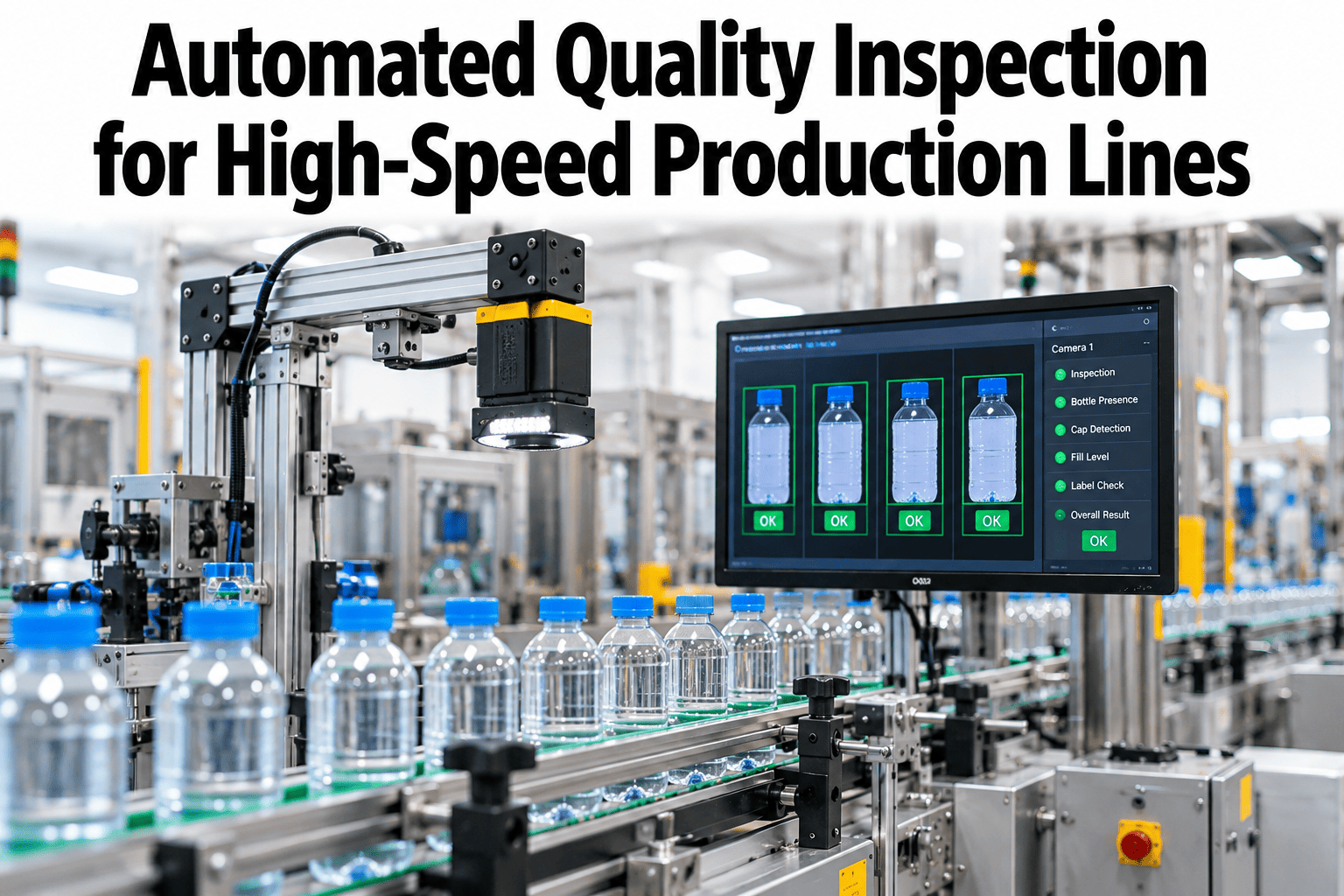
At 600 products a minute, each part sits in front of the camera for about a tenth of a second. Light, image, decision and reject must all fit inside that window. People cannot keep up, and slow systems either miss defects or reject good product. Quality teams can see a timing budget built for their own line speed with iFactory.
Inspect Every Part, Even When the Line Never Slows
iFactory AI vision runs at the line, so capture, decision and reject fit inside the time each part gives you.
Why Speed Breaks Inspection
Doubling line speed halves the time you have for every part. Eyes tire, cameras blur and slow software falls behind. The bars show how the time per part shrinks as the line speeds up.
Four Things That Must Happen in Time
Every high-speed system runs the same chain. A weak link at any point costs accuracy, so plan the chain as one budget instead of four separate purchases.
See
Light the part and freeze its motion in a sharp image.
Decide
Run the model or rules and return pass or fail.
Act
Fire the reject gate before the part leaves reach.
Learn
Log the result and review doubtful calls for improvement.
Step 1: Freeze the Motion
A part that moves during the exposure smears across the image. The blur in the object equals line speed times exposure time. A faster line needs a shorter exposure, and a shorter exposure needs much more light. Engineers can ask support for a blur and exposure worksheet before choosing cameras.
Match the Light to the Exposure
Industry guidance groups lighting by exposure time. The scale shows the usual tiers.
Standard light
Depends on the job
Strobe light
Reflected Light Counts
What matters is the light returning to the camera. Dark or scattering surfaces return far less.
Short Exposure Needs More
If a job needs 80 µs and standard light needs 220 µs, the light must be about 2.75 times brighter.
Time the Flash
The strobe must fire fully inside the exposure window. Jitter of a few microseconds can blur the image.
Manage Heat
Overdriven standard lights heat up and drift in color or brightness. Strobes handle this better.
Step 2: Choose Cameras and Compute
Camera type and compute location shape both image quality and timing. Match each choice to your line, not to a catalog headline.
| Choice | Best for | Watch out for |
|---|---|---|
| Global shutter area camera | Discrete parts moving fast on a conveyor | Needs enough light for short exposures |
| Rolling shutter camera | Slow or still scenes | Skews and blurs fast-moving parts |
| Line-scan camera | Continuous webs, sheets and wide belts | Needs steady motion and encoder timing |
| Edge compute at the line | Tight timing budgets and local control | Needs hardware planning and remote care |
| Shared plant network or cloud | Review, retraining and reporting | Adds delay that can break the budget |
What Fast Lines Need to Catch
Defects fall into a few families, and each family asks for a different view of the part. Listing yours first keeps the camera count, the light choice and the model plan honest.
Scratches and stains
Low-angle or dark-field light makes faint marks stand out against a clean surface.
Dents and warping
Side views and structured light reveal depth changes that a flat image hides.
Missing or wrong parts
Presence checks run fast and suit rules, with AI used for look-alike variants.
Leaks and bad closures
Seal edges vary naturally, so AI models cope better than fixed measurements.
Level and volume
Backlight or inline sensors check level, and vision confirms the cap and the label.
Codes and labels
Readable, correctly placed and matching the product is the test for every pack.
Contamination
Color and texture models flag objects that should never be on the product.
Dimension drift
Trend charts catch slow wear in a tool long before parts fall out of tolerance.
Typical Fast Lines and Their Main Concern
| Line type | Typical speed concern | Common inspection focus |
|---|---|---|
| Beverage filling | Hundreds of containers a minute | Cap, fill level, label and code |
| Pharmaceutical packaging | High speed with strict records | Print, seal, count and mix-ups |
| Food and snack lines | Constant flow of natural shapes | Shape, color, seal and foreign matter |
| Electronics assembly | Small features at short cycle times | Placement, solder and polarity |
| Automotive components | Mixed speeds with heavy parts | Surface, fit and traceability |
See a Timing Budget Built for Your Line
Book a 30-minute session and iFactory AI will map capture, decision and reject timing against your own line speed and defects.
Step 3: Pick the Right Decision Method
Rules-based vision is fast and exact for clear geometry. AI vision handles natural variation and subtle surface defects that rules struggle to describe. Many lines use both on the same part.
| Inspection task | Rules-based vision | AI vision | Common choice |
|---|---|---|---|
| Presence or absence | Strong | Strong | Rules, for speed |
| Dimension and position | Strong | Fair | Rules |
| Print, code and label reading | Strong | Strong | Either, tested on real labels |
| Scratches, stains and dents | Weak on variation | Strong | AI |
| Seal and fill quality | Fair | Strong | AI with rules as a check |
| Natural products such as food | Weak | Strong | AI |
Keep Inference Inside the Budget
A fast first pass clears obvious good parts, and the full model runs only on uncertain ones.
Run the model on accelerators built for it, so speed rises without losing accuracy.
Smaller models run faster but can lose accuracy, so test each reduction on real defects.
Step 4: Balance False Rejects and Escapes
No system is perfect, so every threshold trades two errors. A false reject pulls a good part. An escape lets a bad part through. Quality Digest, in July 2026, called false rejects a hidden inefficiency most teams simply accept. Plant teams can review false rejects by cause on live data to see what starts them.
The system works.
Good product is wasted or reviewed.
A defect reaches the customer.
The system works.
Move the Threshold With Eyes Open
Step 5: Reject the Part in Time
A correct decision is useless if the part has already passed the gate. Travel time between camera and gate equals distance divided by speed. That window must hold the decision, the signal and the actuator.
Roll Out in Four Stages
Trust is built on evidence. Run the system quietly first, then give it control in steps.
Shadow mode
The system judges every part, but people still decide.
Assisted review
Inspectors confirm flagged parts and label doubtful ones.
Auto reject
The gate fires on confident calls, with sampling checks.
Continuous learning
Drift alerts and monthly reviews keep accuracy steady.
Mistakes That Cost Months
Most delays have their roots in a short list of avoidable habits. Check this list in the first week and again before go-live.
A Composite Scenario
Picture a bottling line running at 400 containers a minute with two inspectors at the end of the line. Complaints about loose caps and crooked labels keep arriving. The figures below are illustrative, built to show how results are usually tracked, not to promise an outcome.
In shadow mode the team learns that most early false rejects trace back to glare on wet bottles. A small shield and a change of angle fix it before the gate takes control. Inspectors then stop staring at the belt and start reviewing doubtful images and tracing causes upstream.
Questions to Ask Any Vendor
Demos on slow, clean samples look the same for every supplier. These questions separate a system that works on your line speed and shop floor conditions and one that only works on a slide.
Timing proof
Can you show a measured budget for capture, decision and reject at my line speed?
Real samples
Will you test on my own good and defective parts, in my own light, before I commit?
Error reporting
Do I see escapes and false rejects separately, by defect type, shift and product?
Ownership
Who retrains the model, who watches for drift, and what happens when we launch a new pack?
Plant teams also ask about integration. A good answer covers the PLC signal for the reject gate, the link to MES and ERP records for traceability, and a clear plan for remote support when the line runs at night. Ask for a named owner on both sides, because vague ownership is the most common reason that promising pilots stall after the first few weeks.
What a Good Pilot Looks Like
One line, one product family and a short list of defects that cost the most today.
Side-by-side results with inspectors, counted by defect type, over several full shifts.
Agreed pass criteria written down before the pilot starts, so the result is clear to everyone.
Deployment Checklist
Tick each item before you go live. Open items show which parts of the project still carry risk.
The ROI Case in Plain Numbers
Build the case on two costs: escapes that reach customers and good parts wasted by false rejects. Add labor saved and downtime avoided if you can measure them. Finance leads can ask support for a simple ROI worksheet to test their own figures.
Measures to Track Every Week
| Measure | How it is calculated | Owner | Review rhythm |
|---|---|---|---|
| Escape rate | Defects found later divided by parts shipped | Quality | Weekly |
| False reject rate | Good parts rejected divided by parts inspected | Quality and operations | Daily |
| Frames processed on time | On-time decisions divided by parts passing the camera | Automation | Daily |
| Image quality score | Brightness, focus and blur checks per shift | Automation | Per shift |
| Model drift flags | Share of parts with unusual image features | Quality engineering | Weekly |
Keep Accuracy Steady After Go-Live
A model that is perfect in week one can slip by month six. New suppliers, worn tools, dirty lenses and seasonal light all change what the camera sees. Plan the upkeep before launch.
Lens and light check
Wipe optics, confirm brightness and run a known good and a known bad part through the station.
Review doubtful calls
Inspectors confirm borderline images, and the labels return to the training set.
Review thresholds
Compare escape and false reject trends with cost, then adjust settings with the quality lead.
Retrain for new products
New colors, materials or packs get fresh samples and a short shadow run before auto reject.
How iFactory AI Fits
iFactory AI brings vision, line data and quality analytics together. Models run at the line, results flow to dashboards, and doubtful calls come back for review. Exact camera, light and compute scope is confirmed in a line trial.
Edge Inference at the Line
Decisions run locally, so timing does not depend on the plant network.
Timing Budget Planner
Map capture, inference and reject steps against your line speed.
Tiered Inference
Clear obvious parts quickly and spend full model time on doubtful ones.
False Reject Review Loop
Inspectors confirm doubtful calls, and the results feed retraining.
Drift and Image Monitoring
Flag lighting changes and unusual images before accuracy slips.
Defect Analytics
See defects by line, shift, product and cause, side by side.
Frequently Asked Questions
How fast can automated inspection run?
It depends on the part, the defect and the hardware. Lines running 600 or more products a minute leave about 100 milliseconds per part, so timing must be planned at the start. See a timing budget for your own line speed in a short walkthrough.
Do we need strobe lighting?
Often, when exposures fall below about 100 microseconds. Standard lights can work for longer exposures, and overdriving them is a middle step. Test with real parts at real speed, because surface color and shine change how much light reaches the camera.
Will AI inspection raise false rejects?
Not if it is tuned and monitored. Poor lighting, unclear defect samples and unsteady cameras cause most false rejects. A review loop in which inspectors confirm doubtful calls lets thresholds improve over time. Support can explain how review loops are set up on a line.
Can we add this to an existing line?
Usually, if there is space for lighting and a camera, and a signal path to the reject gate. Retrofits need a short site survey of speed, vibration, light and reject hardware. Most plants start on one line and expand once results are verified.
What data do we need to start?
Samples of good and defective parts, line speed, defect definitions and reject records are the core. Images taken in a trial period add depth. Most plants already hold some of this. The first weeks focus on collecting labeled images under real production conditions.
Keep Pace With Your Line Without Missing Defects
iFactory AI vision gives every part a fast, consistent check at the line. Book a walkthrough to see it on your own products.


.png)


