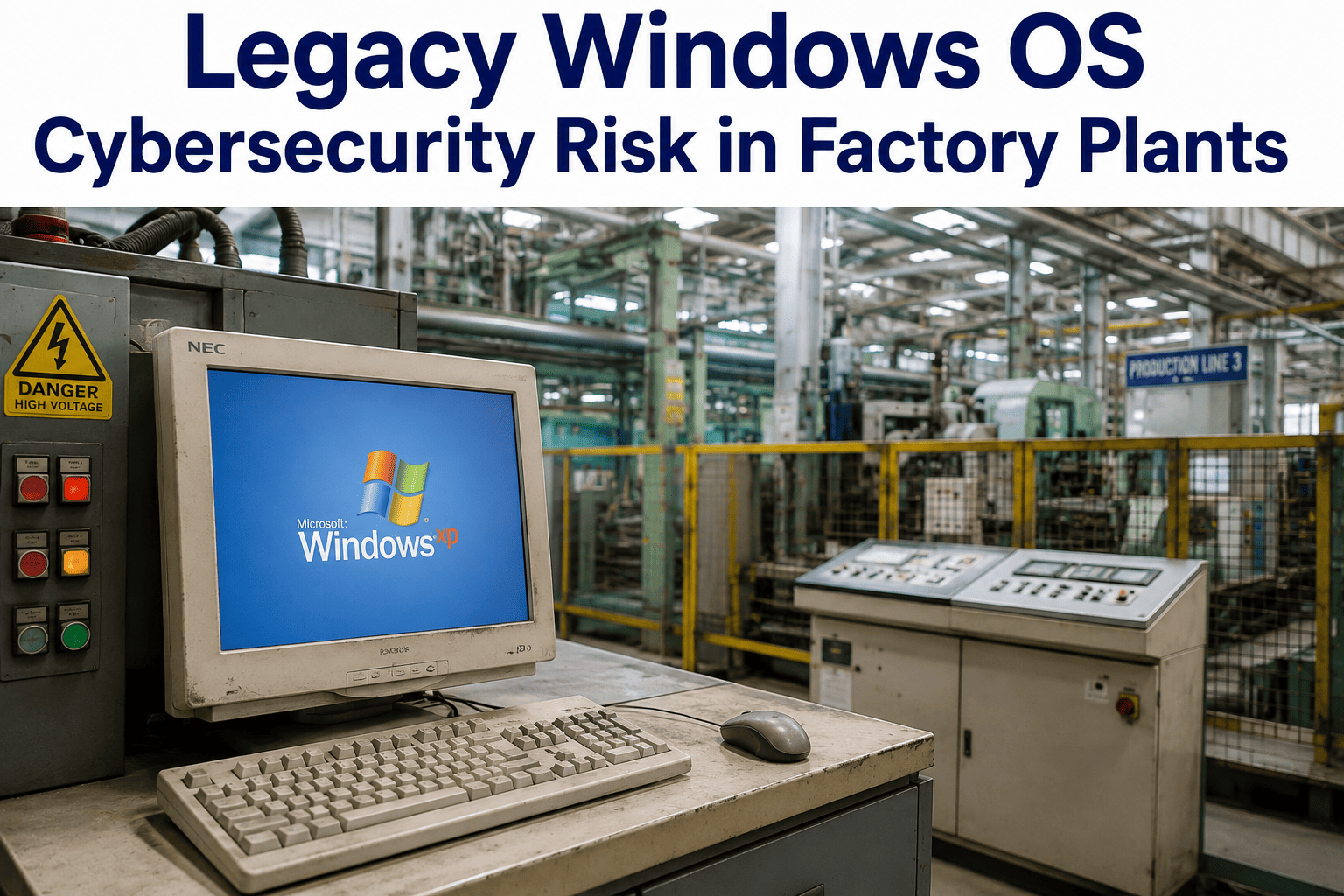
A Windows XP HMI running a packaging line that was installed in 2006 and has never been patched is not a legacy inconvenience — it is an actively exploitable attack surface that your cyber insurance carrier may now be excluding from coverage. Seventy percent of operational technology networks contain at least one end-of-life Windows operating system, and manufacturers have been the single most targeted sector for ransomware attacks for three consecutive years. The critical distinction in brownfield factory environments is that "just upgrade the OS" is frequently not an option: OEM warranty clauses, SCADA application compatibility locks, and embedded control configurations mean the machine cannot be touched without voiding its support contract or breaking its production function. iFactory's brownfield AI platform is designed for exactly this constraint — adding a monitoring, analytics, and security visibility layer above legacy OS systems without modifying a single line of existing control code.
EternalBlue exploits targeting Windows XP and Windows 7 systems account for over 35% of ICS-targeted attacks recorded in CISA advisories through 2024. These vulnerabilities have been publicly known since 2017 — and remain unpatched on end-of-life systems because Microsoft no longer issues security updates for them.
OT Security · Brownfield Modernization · IT/OT Convergence
Legacy Windows OS in Your Factory: The Risk You Cannot Patch Your Way Out Of
Windows XP and Windows 7 HMIs, SCADA workstations, and DCS servers in your plant carry CVEs that will never receive patches. This briefing covers the real attack surface, the compliance pressure building around it, and the brownfield modernization path that keeps production running while eliminating the exposure.
70%
of OT networks contain at least one end-of-life Windows OS (Claroty, 2024)
#1
Most ransomware-targeted sector globally — manufacturing, 3 consecutive years (IBM X-Force 2024)
197
Average days an OT network breach goes undetected before discovery
$4.2M
Average cost of a manufacturing ransomware incident including production downtime
The Threat Inventory
What Is Actually Running on Your OT Network — And What That Means
Most brownfield factories were built when IT and OT were separate worlds. The HMI on your injection molding machine runs Windows XP because the SCADA vendor certified it for that OS in 2007 and the certification has never been updated. The historian server in the control room runs Windows Server 2008 because the process data software requires it. These systems were never intended to be networked in the way they are today — and the attack surface they represent has grown every year as IT/OT convergence has connected them, intentionally or accidentally, to enterprise networks and the internet.
End of Life: April 2014
Windows XP
Common in: HMIs, SCADA operator stations, legacy DCS interfaces, embedded panel PCs
EternalBlue (MS17-010)CVSS 9.8
BlueKeep (CVE-2019-0708)CVSS 9.8
PrintNightmare (CVE-2021-34527)CVSS 8.8
No patches issued since April 2014. Every CVE discovered after that date remains permanently exploitable.
End of Life: January 2020
Windows 7
Common in: SCADA servers, historian workstations, MES terminals, quality inspection stations
EternalBlue (MS17-010)CVSS 9.8
CVE-2020-0601 (CurveBall)CVSS 8.1
CVE-2021-36742 (Kernel EoP)CVSS 7.8
Paid Extended Security Updates (ESU) ended January 2023 for most editions. Enterprise ESU available to 2025 at premium cost — does not cover all vulnerabilities.
End of Life: July 2015
Windows Server 2003/2008
Common in: Process historians, batch management servers, legacy ERP interfaces, engineering workstations
DejaBlue (CVE-2019-1181)CVSS 9.8
ZeroLogon (CVE-2020-1472)CVSS 10.0
PrintNightmare (CVE-2021-34527)CVSS 8.8
Server 2003 EOL July 2015; Server 2008 EOL January 2020. Domain controllers running these versions give attackers domain-wide access via ZeroLogon in under 3 seconds.
Why Standard Fixes Fail
The Three Responses That Don't Work — And Why
When a security audit surfaces legacy Windows OS risk in an OT environment, plant engineering teams typically receive three recommendations from IT. All three are correct in enterprise IT environments. All three have significant failure modes in operational technology contexts that IT teams frequently underestimate.
Why IT Recommends It
Patch management is the foundation of IT security hygiene. For any supported Windows version, critical vulnerability patches are available within days of discovery and can be deployed via WSUS or SCCM across the entire estate.
Why It Fails in OT
End-of-life OS systems receive no patches — by definition. For systems that are still supported but embedded in OEM equipment, the OEM warranty typically requires that no OS changes be made without OEM certification. A Windows 7 SCADA workstation patched without OEM approval may void the maintenance contract on a $2M piece of equipment. And in many cases, the SCADA application itself will not run on a patched OS configuration, because the application was developed and tested against a specific OS version from years ago.
Why IT Recommends It
Network isolation prevents remote exploitation of known vulnerabilities. If an OT system cannot be reached from the enterprise network or internet, EternalBlue cannot be triggered remotely — eliminating the primary attack vector.
Why It Fails in OT
True air gaps almost never exist in practice. Production data must flow to MES, ERP, and quality systems — which creates intentional network paths. Maintenance laptops connect to SCADA systems for diagnostics — which creates periodic USB and direct-connect paths. Vendor remote access for OEM support opens temporary but recurring connections. Stuxnet proved in 2010 that even a genuinely air-gapped facility (Iran's Natanz uranium enrichment plant) is penetrable via USB vector. The Purdue Model segmentation approach reduces risk meaningfully but does not eliminate it.
Why IT Recommends It
New hardware runs supported OS versions. Replacing end-of-life HMIs and SCADA workstations with modern equivalents eliminates the legacy OS attack surface entirely and enables ongoing patch management going forward.
Why It Fails in OT
A brownfield plant with 40 legacy HMIs across 12 production lines cannot replace them on an IT refresh cycle. Each replacement requires OEM involvement, SCADA application migration, production shutdown for commissioning, operator retraining, and validation testing. Total cost for a medium-complexity brownfield replacement program: $1.5M–$6M over 3–5 years. Many plants simply do not have this budget or timeline available — which means the legacy OS risk compounds while waiting for a replacement program that may never be fully funded.
Compliance Landscape
The Regulatory Pressure Converging on Legacy OT Systems
For most of the past decade, OT cybersecurity was a voluntary best-practice domain. That changed sharply between 2021 and 2024, with binding regulatory frameworks emerging across the EU, US federal supply chains, and the insurance sector. Legacy Windows OS systems in manufacturing are now a compliance liability — not just an operational risk.
| Framework / Regulation |
Jurisdiction |
Legacy OS Requirement |
Effective / Deadline |
Non-Compliance Risk |
| NIS2 Directive |
European Union |
Article 21 requires risk management measures for OT systems including vulnerability management and asset inventory. Legacy EOL systems require documented compensating controls. |
October 2024 (enforced) |
Up to €10M or 2% of global annual turnover |
| IEC 62443-2-1 |
International (widely adopted) |
Requires documented security management for all industrial automation and control systems including patch management status and risk assessment for unpatched systems. |
Ongoing — increasingly required in supplier contracts |
Contract disqualification; audit findings |
| NIST CSF 2.0 |
United States |
Identify function requires complete OT asset inventory including OS version. Protect function requires documented controls for systems that cannot be patched. Legacy OS with no compensating control = non-conformance. |
February 2024 (CSF 2.0 released) |
Federal contractor disqualification; audit findings |
| Cyber Insurance Exclusions |
Global (carrier-specific) |
Major carriers (AIG, Chubb, Lloyd's syndicates) now explicitly exclude or sublimit ransomware claims on networks containing unpatched EOL operating systems when no compensating controls are documented. |
2022–present, expanding rapidly |
Claim denial; coverage void on OT incidents |
| CMMC 2.0 (US DoD Supply Chain) |
United States |
Level 2+ requires NIST SP 800-171 compliance, including configuration management that covers OT systems. Legacy OS without documented controls fails CMMC assessment. |
2025 enforcement for DoD contractors |
Loss of DoD contract eligibility |
Know Exactly Which Legacy OS Systems Are Exposing Your Facility
iFactory's brownfield onboarding process begins with an OT asset discovery session — mapping every HMI, SCADA workstation, and historian server, its OS version, its network connectivity, and its current patch status. You leave with a risk-scored inventory your IT, OT, and compliance teams can act on immediately.
Modernization Roadmap
The Brownfield-First Path: Contain → Monitor → Layer → Prove → Expand
The correct response to legacy OS risk in a brownfield factory is not to pretend the machines can be patched, not to claim an air gap that doesn't exist, and not to wait for a replacement budget that may never arrive. The correct response is a phased containment and monitoring program that reduces risk immediately, generates operational visibility as a byproduct, and builds the business case for controlled hardware replacement over 2–3 years.
Phase 1 · Days 1–30
Contain: OT Asset Discovery and Network Segmentation
Before any AI layer or monitoring tool can add value, you need to know what you are protecting. OT asset discovery maps every networked device in the plant — HMIs, PLCs, SCADA servers, historians, engineering workstations, and any rogue IT equipment that has found its way onto the OT network. Each asset is documented with OS version, firmware version, open ports, and current network paths. Network segmentation using the Purdue Model (or IEC 62443 Security Zone approach) isolates OT from corporate IT — not with a full air gap, but with a managed DMZ that controls data flows while maintaining production integration. Compensating controls (application whitelisting, USB port disabling, read-only network shares) are applied to every legacy OS system that cannot be patched.
Complete OT asset inventory with risk scoring
Documented compensating controls for compliance
Network segmentation architecture implemented
Phase 2 · Days 30–60
Monitor: OT Network Traffic Analysis and Anomaly Detection
Passive network monitoring deployed at the OT network level captures traffic between PLCs, HMIs, and SCADA systems without touching any legacy OS system directly. Passive monitoring means no agent installation, no configuration changes to protected systems, and no OEM warranty implications. The monitoring baseline establishes normal communication patterns for every device pair — so that when a legacy HMI begins talking to an IP address it has never communicated with before (a classic indicator of lateral movement or command-and-control), an alert fires within minutes rather than 197 days. This phase also captures the operational data — cycle times, downtime events, production counts — that feeds the AI layer in Phase 3.
Network baseline established for all OT devices
Anomaly detection active — no agent on legacy systems
Operational data stream initiated for AI layer
Phase 3 · Days 60–90
Layer: iFactory AI Platform Above Legacy OS — No Replacement Required
iFactory connects to OT data at the network and edge layer — reading from PLCs, historians, and SCADA data exports without requiring any modification to the legacy OS systems themselves. The AI platform sits above the existing control layer in a read-only architecture: it consumes process data, quality signals, and equipment telemetry, applies machine learning models trained on that plant's baseline, and surfaces production optimization insights, predictive maintenance alerts, and anomaly flags. The Windows XP HMI continues running exactly as it always has — the operator's workflow does not change. What changes is that plant management now has AI-powered visibility into what that machine is producing, how it is performing against its historical baseline, and what maintenance risk is accumulating on the equipment it controls.
AI platform live — no legacy system modification
Production visibility and OEE tracking active
Predictive maintenance alerts generating
Phase 4 · Days 90–180
Prove and Expand: Business Case for Controlled Hardware Replacement
The first 90 days of iFactory operation generate the data that makes controlled hardware replacement fundable. Production efficiency gains, downtime reduction, and predictive maintenance savings are now measured — not estimated. The AI platform's data also identifies which legacy machines carry the highest operational risk (based on failure frequency, production impact, and maintenance costs), which provides a prioritized replacement sequence that IT security and plant engineering can align on. Hardware replacement now happens on a risk-prioritized schedule rather than an IT refresh cycle, and each replacement is funded by the documented operational savings from the platform rather than requiring a net new capital appropriation.
Documented ROI from AI layer funds replacement program
Risk-prioritized HMI replacement sequence defined
Compliance posture documented for all remaining legacy systems
The Attack Timeline
How OT Attacks on Legacy Windows Systems Actually Unfold
Understanding the attack sequence matters because it identifies where each defensive layer in the brownfield modernization roadmap intercepts the threat. The following four-stage attack model is derived from documented ICS incidents including WannaCry (2017), NotPetya (2017), Triton/TRISIS (2017), and the Norsk Hydro ransomware attack (2019).
Stage 1
Initial Access
Phishing email opens on enterprise IT network, or USB drive inserted into maintenance laptop connected to OT. In WannaCry and NotPetya, initial access was via SMB vulnerability (EternalBlue) on internet-exposed or enterprise-connected Windows systems.
Brownfield defense: Network segmentation (Phase 1) limits IT-to-OT propagation paths. USB port disabling on legacy HMIs eliminates the physical vector.
Stage 2
Lateral Movement
Malware scans network for additional Windows XP/7 hosts via SMB (port 445). EternalBlue exploits unpatched SMB vulnerability — propagation is automated and takes seconds per host. An unpatched Windows XP network allows complete lateral spread in under 5 minutes.
Brownfield defense: OT network anomaly detection (Phase 2) identifies abnormal SMB scanning from a device that has never performed it — triggering an alert before propagation completes.
Stage 3
Persistence and Reconnaissance
Attacker establishes persistent access, maps OT asset structure (PLCs, SCADA architecture, engineering workstations), and identifies high-impact targets. Average dwell time: 197 days. During this phase, production continues normally — which is why most plants do not detect the intrusion until encryption begins.
Brownfield defense: Passive network monitoring detects command-and-control traffic (anomalous outbound connections from OT devices) and unexpected device-to-device communication patterns characteristic of reconnaissance.
Stage 4
Impact: Encryption or Manipulation
Ransomware encrypts historian databases, SCADA configuration files, and HMI application files. Or — in the Triton case — safety system logic is manipulated to create conditions for physical damage. At this point, production stops, emergency response begins, and the $4.2M–$8.7M incident cost clock starts.
Brownfield defense: If Stages 1–3 detection failed, iFactory's AI platform anomaly detection (unusual process behavior, unexpected production stops) provides a last-layer signal that something is wrong before physical damage occurs.
Risk Quantification
Expected Annual Loss: Calculating Your Legacy OS Exposure
Expected Annual Loss (EAL) is the standard risk quantification method used by insurance actuaries and security teams to put a dollar figure on a specific threat scenario. For legacy Windows OS in OT environments, the EAL calculation is straightforward — and the numbers justify immediate action on brownfield modernization.
Ransomware — Production Halt
EAL: $756K–$1.57M / year
Data Exfiltration — IP Theft
EAL: $216K–$540K / year
Safety System Manipulation
EAL: $600K–$2M / year
Combined EAL for a mid-size brownfield plant with legacy OS exposure: $1.57M–$4.1M per year — compared to a brownfield modernization program cost of $150K–$400K in Year 1.
"
The hardest conversation I have with plant engineers is explaining that air-gapping an OT network is a risk reduction measure, not a security guarantee — and that the moment you accept that distinction, the entire modernization calculus changes. Plants that believe they are air-gapped consistently have more unmonitored connectivity than they realize: vendor remote access tunnels opened during a service call that were never closed, maintenance laptops that bridge IT and OT at the USB level, historian servers with scheduled data pushes to enterprise systems. What I tell every IT/OT convergence team I work with is this: document every connection you believe you don't have, and you will find three connections you didn't know existed. Then start your risk quantification from there — not from the assumption of isolation. The brownfield-first approach, adding a monitoring and AI layer above legacy systems without touching them, is the only operationally feasible path for most plants, and it is also the path that generates compliance documentation as a byproduct rather than as a separate effort.
Dr. Ananya Krishnamurthy, GICSP, CISSP
OT / ICS Security Architect · IT/OT Convergence Lead, Tier 1 Automotive Supplier · 14 years in industrial cybersecurity · Former ICS-CERT technical advisor
Frequently Asked Questions
Can I upgrade the OS on an HMI without replacing the machine?
In most cases, no — not without significant risk and cost. The primary blocker is the OEM warranty and certification requirement: SCADA vendors certify their applications against a specific OS version and build, and any OS change outside that certification voids the support agreement and may break the application entirely. A secondary blocker is hardware compatibility: HMIs running Windows XP were manufactured with processors and memory configurations that cannot support Windows 10 or 11 without hardware replacement. The practical path is to treat OS upgrade as a machine replacement project (full HMI hardware and software replacement with modern equivalents, funded by the operational ROI generated by the AI monitoring layer), not as an in-place software update. In the interim, compensating controls — application whitelisting, network segmentation, USB port disabling, and passive monitoring — reduce the risk of the unpatched system to a manageable level. Contact iFactory to discuss your specific HMI model and what compensating controls apply.
Is an air-gapped OT network actually secure against legacy OS vulnerabilities?
An air gap reduces the attack surface for remotely exploited vulnerabilities like EternalBlue, but it does not eliminate the risk from legacy OS systems for four reasons. First, true air gaps are extremely rare in production facilities — production data integration, vendor remote access, and maintenance activities create connectivity paths that are often undocumented. Second, USB-based attack vectors are immune to network air gaps — Stuxnet demonstrated this definitively in 2010 against one of the most tightly controlled air-gapped facilities in the world. Third, insider threat scenarios — a disgruntled or compromised employee with physical access — bypass air-gap controls entirely. Fourth, air gaps provide no visibility: a compromised system on an air-gapped network can persist for months or years without detection because there is no traffic monitoring to flag anomalous behavior. Network segmentation using the Purdue Model, combined with passive OT traffic monitoring, provides substantially better security posture than a claimed air gap. Book a session to assess your actual network topology against your assumed air-gap architecture.
Which compliance frameworks specifically address legacy OS systems in manufacturing OT?
Four frameworks now have direct or practical requirements that legacy OS systems must address. NIS2 Directive (EU, enforced October 2024) requires documented vulnerability management and risk assessment for OT systems — unpatched EOL systems without compensating controls are a clear non-conformance. IEC 62443-2-1 requires patch management documentation and documented risk acceptance for systems that cannot be patched — legacy OS systems require a formal compensating control record. NIST CSF 2.0 (February 2024) requires complete OT asset inventory with patch status in the Identify function, and documented controls for unpatched systems in the Protect function. CMMC 2.0 (US DoD supply chain, 2025 enforcement) requires NIST SP 800-171 compliance across OT environments. Cyber insurance policies from major carriers now explicitly require documented compensating controls for EOL OS systems as a policy condition, with some carriers voiding ransomware coverage entirely on networks with undocumented legacy OS exposure. The iFactory brownfield onboarding process generates the asset inventory and compensating control documentation that satisfies all four frameworks as a byproduct of platform deployment — contact support for the compliance documentation template.
How does iFactory connect to legacy OS systems without modifying them or voiding warranties?
iFactory uses three connectivity methods that do not require any modification to legacy OS systems. The first is passive network tap — a hardware tap or span port on the OT network switch captures all traffic between OT devices in read-only mode. No software is installed on any legacy system; the tap is invisible to the devices being monitored. The second is PLC and controller direct connection — iFactory communicates directly with PLCs (Siemens, Allen-Bradley, Mitsubishi, Fanuc, and others) via standard industrial protocols (OPC-UA, Modbus, EtherNet/IP) rather than through the HMI or SCADA system. The PLC does not have a Windows OS and is not subject to the same EOL constraints. The third is historian data pull — where a process historian exists (OSIsoft PI, Aspentech IP21, and others), iFactory connects to the historian API to retrieve process data without touching the historian server OS. All three methods are read-only and do not trigger OEM warranty conditions because no modification is made to any monitored system. Book a technical session to confirm which connectivity method applies to your specific equipment mix.
What is the realistic financial risk of delaying brownfield modernization by 12 months?
Using the Expected Annual Loss model above, a mid-size brownfield plant with 20+ end-of-life Windows HMIs and no OT monitoring carries a combined EAL of $1.57M–$4.1M per year in legacy OS cybersecurity exposure. Delaying modernization by 12 months means accepting that full risk exposure for another year. Beyond the actuarial risk, three compounding factors make delay increasingly expensive over time: regulatory frameworks are tightening (NIS2 fines and CMMC enforcement increase the compliance cost of non-action), cyber insurance premiums and exclusions are expanding rapidly on legacy OS networks, and the operational ROI from the AI layer (production optimization, predictive maintenance, quality analytics) that the plant is not capturing during the delay period. A brownfield modernization program that costs $150K–$400K in Year 1 and generates documented operational savings of $300K–$800K in that same year is cash-positive even under a conservative scenario. The question is not whether modernization has a positive return — it does, by a wide margin. The question is whether a cyber incident forces the decision under emergency conditions or whether the plant makes it on a planned timeline. Reach out to iFactory support to model your specific delay cost against your brownfield program cost.
Brownfield Modernization Without Ripping and Replacing
Your Legacy Windows HMIs Don't Need to Be Replaced to Stop Being a Liability
iFactory's brownfield platform adds OT asset visibility, network anomaly detection, and AI-powered production intelligence above your legacy OS systems — without touching a single line of control code, voiding any OEM warranty, or stopping production for a single shift. The 90-day proof of value includes the compliance documentation your IT security and legal teams need.