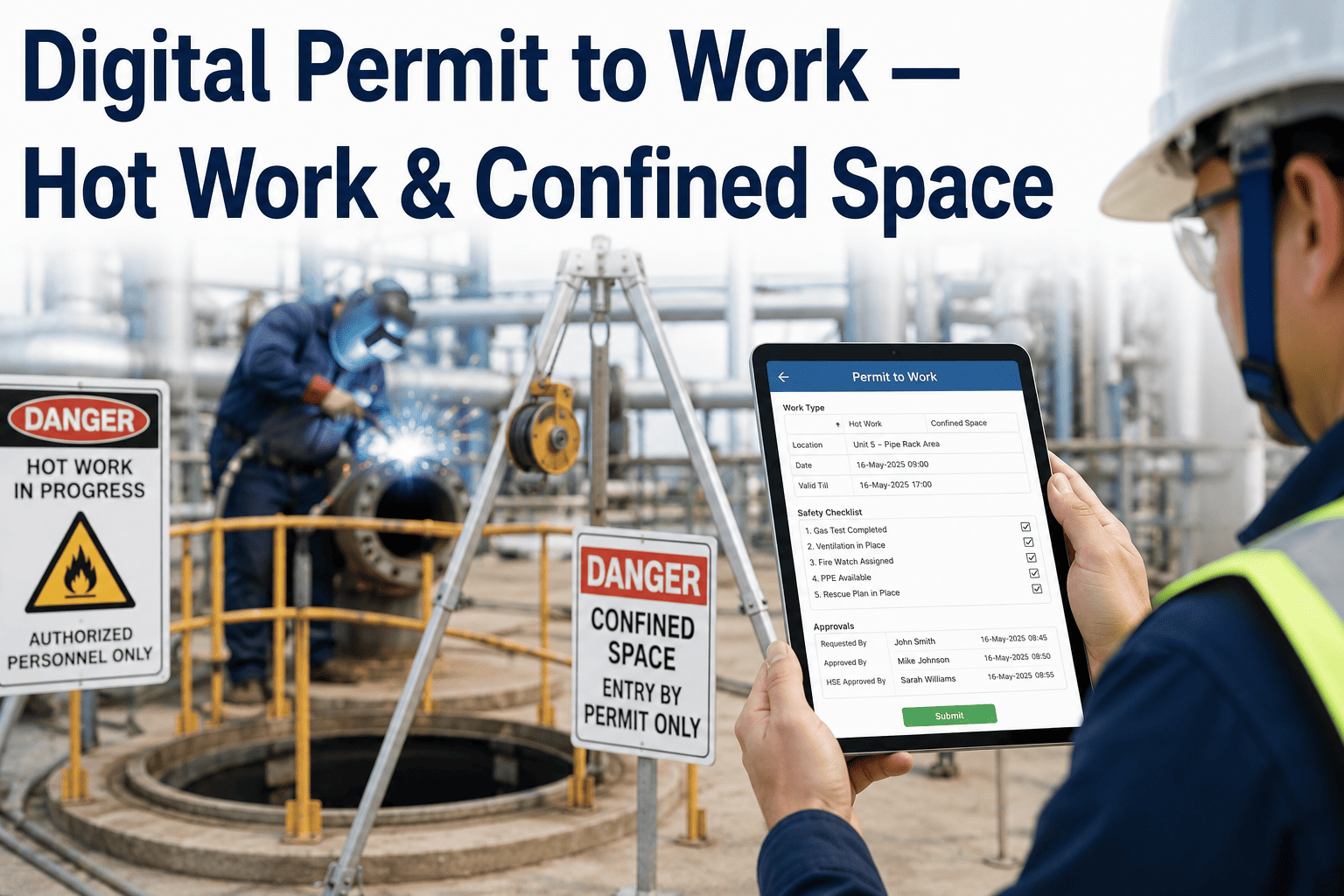
A hot work permit that lives in a clipboard folder in the maintenance office is only useful if someone remembers where the folder is, whether the fire watch actually signed it, and whether it expired two hours ago. Paper permit-to-work systems fail quietly, not loudly, which is exactly what makes them dangerous during hot work, confined space entry, and electrical isolation jobs. A digital permit-to-work system fixes that by routing hot work, confined space, and excavation permits through an approval chain that expires automatically and cannot be silently skipped. Safety leaders ready to move off paper can book a demo to see the workflow live.
DIGITAL PERMIT TO WORK · HIGH-RISK SAFETY · 2026
Every High-Risk Job, Properly Permitted and Time-Bound
Hot work, confined space entry, electrical isolation, and excavation permits with automated approval chains, mandatory sign-offs, and permits that expire on their own instead of quietly staying valid.
HW
Hot work permits requiring a fire watch and gas-free certification before ignition sources are allowed
CS
Confined space entry permits with atmospheric testing logged before and during occupancy
EL
Electrical isolation permits tied to lockout tagout verification at every isolation point
EX
Excavation permits checked against underground utility maps before digging begins
Why Paper Permits Break Down Under Pressure
Paper permit systems are built on the assumption that everyone involved will follow the process exactly as written, every single time, even when a job is running behind schedule and a supervisor is under pressure to get a crew moving. In practice, that assumption breaks constantly. A permit gets pre-signed before the actual gas test happens, a fire watch steps away for ten minutes without anyone tracking the gap, or a permit that should have expired at the end of a shift is still sitting on a clipboard being treated as valid the next morning because nobody physically closed it out.
A digital permit-to-work system removes the human memory requirement from enforcement. Approval steps cannot be skipped in the app, gas readings are logged with a timestamp rather than written from memory afterward, and the permit itself expires automatically at the defined time whether or not anyone remembers to close it.
There is a subtler failure mode too, which is the permit that is technically valid but no longer reflects reality. A confined space entry permit issued at eight in the morning may still show as active at two in the afternoon even though the atmospheric conditions inside the space have shifted, ventilation has stopped, or the original crew has been swapped out for a different team who never saw the original briefing. Paper permits have no mechanism to prompt a re-check, they simply remain valid until someone thinks to question them.
Why Time-Based Expiry Changes Behavior on the Floor
The single biggest behavioral shift plants report after moving to digital permits is not about the initial approval, it is about what happens as a job runs long. A hot work permit that is set to expire at the end of a shift forces a genuine decision point when that time arrives, either the crew closes out the job and formally re-permits if work continues, or a supervisor consciously extends the permit after confirming conditions are still safe. Neither of those outcomes was reliably happening under a paper system, where a permit simply stayed on a clipboard as implicitly valid for as long as nobody removed it.
This matters most during long or complex jobs that span shift changes, since a new crew arriving on an active hot work site has no way of knowing, from a paper permit alone, whether the fire watch briefing that morning still applies to them. A digital permit that requires re-acknowledgment at shift change closes that gap directly, ensuring every crew working under a permit has actually confirmed the current conditions rather than inheriting an assumption from the previous shift.
Safety teams also use expiry data itself as a leading indicator. A pattern of permits repeatedly needing extensions on a particular job type or area often signals that the original time estimate is unrealistic, which is valuable planning information that a paper system, with no record of how often extensions happened, would never surface.
How a Digital Permit Moves Through Approval
1
Request Submitted
The requesting supervisor selects the permit type and the app pulls in the required checks automatically.
2
Pre-Job Checks Logged
Gas tests, isolation verification, or utility checks are entered with photo evidence before approval can proceed.
3
Approval Chain Signs Off
Each required approver signs digitally in sequence, and the permit cannot activate until every signature is captured.
4
Permit Expires Automatically
At the defined end time the permit closes itself, forcing a fresh review before any work can continue.
AUTOMATED APPROVAL CHAINS
Stop Relying on Memory to Keep Permits Current
See how time-based expiry and mandatory sign-offs close the gaps paper permits leave open.
Permit Types at a Glance
Not every high-risk job carries the same approval requirements or validity window, and treating them identically either slows down low-risk jobs unnecessarily or under-controls genuinely dangerous ones. Configuring each permit type with its own approval chain and validity rules, rather than forcing every job through a single generic form, is what allows a digital system to feel faster than paper for routine work while still applying full rigor to the jobs that genuinely need it.
| Permit Type | Typical Validity | Minimum Approvers |
|---|---|---|
| Hot Work | Single shift | Supervisor, Fire Watch |
| Confined Space | Single entry window | Supervisor, Safety Officer |
| Electrical Isolation | Duration of task | Electrical Lead, Safety Officer |
| Excavation | Single shift | Supervisor, Utility Verifier |
What Safety Managers Are Saying
Auditors used to ask us to prove a permit was closed on time and we would be flipping through binders. Now every permit has a digital timestamp for every step, and if something expired late the app already flagged it before the audit ever happened.
EHS Manager, Metal Fabrication Facility
What Tends to Go Wrong Without a Digital System
Incident investigations at plants still running paper permits reveal a recurring set of contributing factors that a digital system directly addresses. Pre-signed permits, where a supervisor authorizes a job before the required gas test or isolation check has actually happened because the crew is waiting and the paperwork feels like a formality, show up repeatedly in post-incident reviews. So does the fire watch who steps away briefly without anyone formally tracking the gap in coverage, and the permit that technically expired hours earlier but was never physically removed or replaced, leaving ambiguity about whether the job was still authorized.
None of these failures happen because crews are careless. They happen because paper systems place the entire burden of enforcement on human memory and diligence under time pressure, and even highly conscientious teams will eventually have a day where something slips. A digital system does not eliminate human error entirely, but it removes the specific failure modes that depend on someone remembering a step, tracking an expiry time, or manually verifying that every required signature has actually been collected before work begins.
Frequently Asked Questions
Can a digital permit be approved from a phone away from the plant?
Approvers can review and sign permits from a phone or tablet as long as they have the required credentials and the job's pre-checks have already been logged, which is useful for a safety officer who needs to authorize a confined space entry while walking to a different part of a large site. That said, most plants still require the actual pre-job checks such as gas testing to be logged on-site with a photo, since remote approval only applies to the sign-off step itself, not to verifying physical conditions at the job location.
What happens if a permit expires while work is still in progress?
The system flags the crew and supervisor automatically as the expiry time approaches, and if the permit lapses before renewal, the job is marked as unauthorized in the system until a new permit or an extension is approved. This is intentional friction, since it forces a genuine review of whether conditions have changed rather than allowing work to continue indefinitely under a permit that was only ever meant to cover a specific window of time. Extension requests are logged separately from the original approval, which gives safety teams a clear record of how often jobs run past their original estimate.
Does this replace our existing lockout tagout program?
No, the electrical isolation permit works alongside an existing lockout tagout program rather than replacing it, capturing which isolation points were verified, by whom, and with what lock and tag identifiers, so the physical LOTO process stays exactly as trained while the digital permit adds a verifiable record layer on top of it. Teams can review how this integrates with current procedures through support.
Can permit history be pulled for an audit or incident investigation?
Every permit, approval timestamp, pre-check entry, and photo is retained and searchable by date, permit type, area, or approver, which makes pulling a complete history for an external audit or an internal incident investigation a matter of a filtered search rather than a manual binder search that can take hours to reconstruct accurately. This same history also makes it straightforward to identify patterns across many permits, such as a specific job type that consistently requires extensions or a particular area where pre-checks fail more often than average.
How long does it take to roll out digital permits across a site?
A single permit type such as hot work can typically go live within two to three weeks once approval chains and required checks are configured, with additional permit types added incrementally afterward. Safety leaders can book a demo to map a realistic rollout order for their own facility's highest-risk work first.
Rolling Out Digital Permits Without Disrupting Operations
A common concern before rollout is that adding a digital layer to an already time-pressured process will slow crews down further, especially on sites where paper permits, however imperfect, are at least fast to fill out by hand. In practice, most of the time added during rollout comes from the initial configuration of approval chains and required pre-checks, not from ongoing daily use. Once a permit type is properly configured, submitting and approving a routine permit on a phone or tablet is typically faster than locating a physical form, filling it in, and walking it to each required signatory in person.
The rollout sequence that tends to work best starts with the single highest-risk permit type at a site, most often hot work or confined space entry, configured thoroughly with input from the safety team, supervisors, and the crews who will actually use it daily. Running that one permit type for a few weeks surfaces any workflow friction while the stakes of getting it wrong are still contained to a single process, and the lessons learned there make every subsequent permit type faster to configure and roll out.
DIGITAL PERMIT TO WORK
Give Every High-Risk Job a Permit That Can't Be Skipped
Move hot work, confined space, and electrical isolation permits off paper and onto a system that enforces itself.