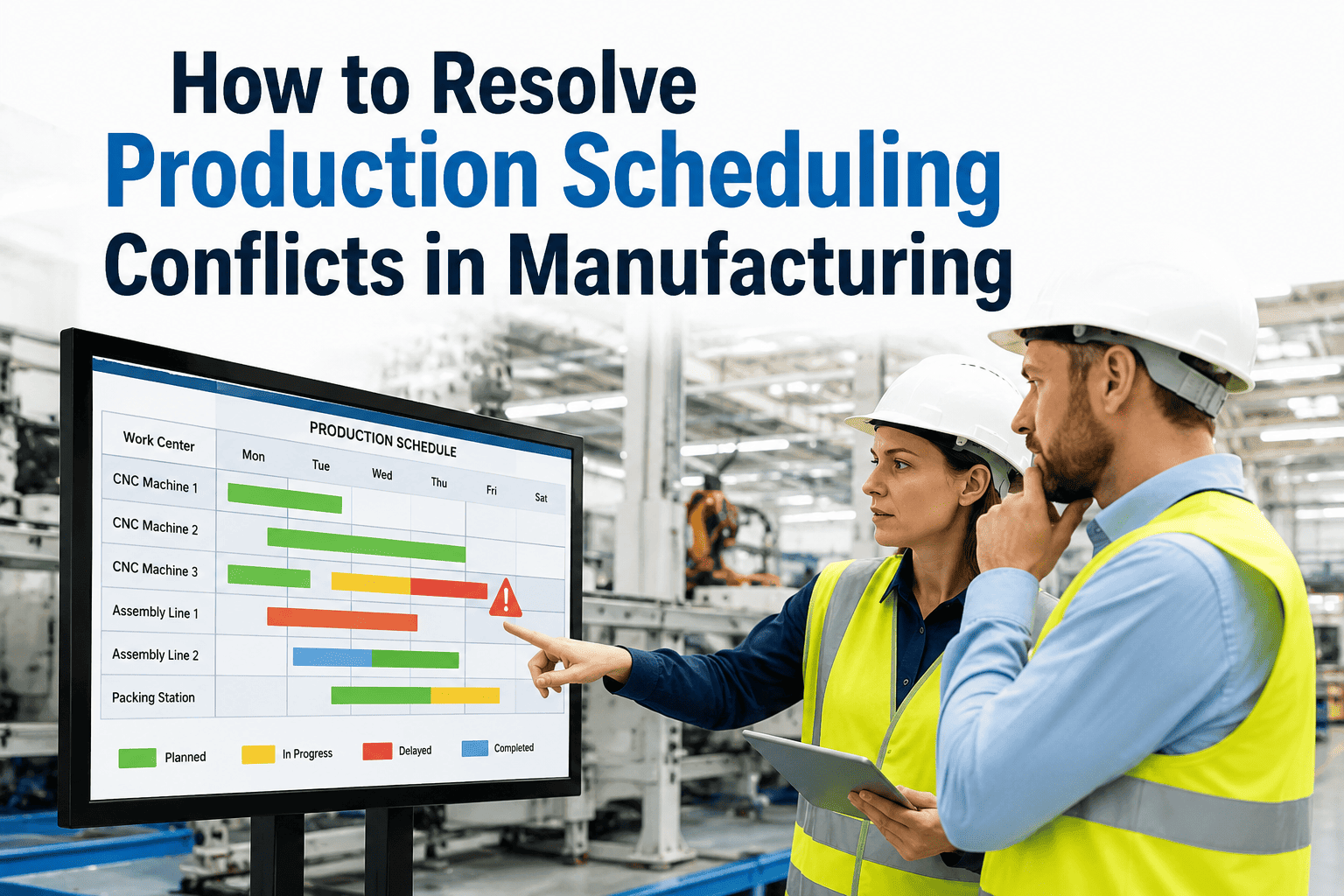
The scheduling board looks fine at 8am and falls apart by 10, because a rush order just landed, a machine went down on line three, and two customers who were both promised Friday delivery are now competing for the same finite hours of press time. Planners spend the rest of the day firefighting instead of planning, moving jobs around by instinct and hoping nobody notices which customer quietly slipped. iFactory's AI scheduling engine resolves these conflicts automatically against your actual priority rules and capacity limits, and you can book a demo to see it untangle a real conflict from your own schedule.
Every Schedule Conflict Is a Decision Someone Is Making Anyway — Just Without the Data
iFactory's AI applies your priority rules, capacity limits, and customer commitments automatically whenever a conflict appears, so resolution is consistent instead of dependent on who is loudest that day.
Scheduling Conflicts Are Not a People Problem — They Are a Visibility Problem
Planners are rarely bad at their jobs; they are working with a partial picture that changes faster than a spreadsheet or whiteboard can be updated. The figures below describe how frequently the underlying conditions for a scheduling conflict occur across a typical manufacturing week.
Almost Every Scheduling Conflict Falls Into One of Three Categories
Recognizing which type of conflict is occurring is the first step toward resolving it consistently, because each type calls for a different resolution logic rather than a single generic rule.
Resource Contention
Two or more jobs need the same machine, tooling, or skilled operator during an overlapping window, forcing a sequencing decision between them.
Capacity Overrun
Total committed order volume exceeds available capacity for a given period, requiring either a schedule extension or a customer communication about the delay.
Priority Collision
Two customer commitments carry equal apparent urgency, and no formal rule exists to determine which one takes precedence on the shared resource.
Stop Resolving the Same Conflict Type Differently Every Time
iFactory applies a consistent, documented resolution logic to every scheduling conflict, so customers get a predictable answer and your planners get their afternoons back. Book a demo and walk through your current priority rules together.
From Conflict Detection to Resolved Schedule in Real Time
iFactory's engine does not wait for a planner to notice a conflict has formed. It continuously checks the live schedule against capacity and priority rules, catching the problem before it becomes a missed delivery.
Continuous Conflict Detection
Every new order, machine change, and material delay is checked against the live schedule in real time, flagging a conflict the moment it forms rather than at the next planning meeting.
Priority Rule Application
Your documented priority rules, whether based on customer tier, contract terms, or order type, are applied automatically to determine which job takes precedence.
Capacity-Aware Resequencing
The engine resequences affected jobs within real capacity constraints, checking that the new sequence does not simply create a different conflict downstream.
Planner Review and Customer Communication
The proposed resolution is presented to the planner for review, with the customer-facing delivery impact clearly stated so the communication is proactive rather than reactive.
Manual Firefighting vs AI-Driven Conflict Resolution
The comparison below reflects the practical difference between a planner manually juggling conflicting priorities and an AI engine applying documented rules consistently in real time.
| Dimension | Manual Resolution | iFactory AI Resolution |
|---|---|---|
| Detection Speed | Often noticed only at the next planning check | Immediate, as soon as the conflict forms |
| Consistency | Varies by planner and by day | Same documented rule applied every time |
| Downstream Impact Check | Rarely traced beyond the immediate fix | Checked automatically before resolution is finalized |
| Customer Communication | Reactive, after the delay is already visible | Proactive, with impact stated at resolution time |
| Planner Time Spent | 30 to 45 minutes per significant conflict | Minutes, reviewing a proposed resolution |
Outcomes From Plants Running AI-Driven Conflict Resolution
These figures reflect measured results at facilities that adopted automated conflict resolution, tracked over a minimum three-month period against their prior manual process.
Rolling Out Automated Conflict Resolution
The rollout starts with formalizing the priority logic your best planners already use informally, then letting the AI apply it consistently at scale.
Document Priority Rules
Existing informal priority logic is captured and formalized into rules the AI can apply consistently across every planner and shift.
Connect the Live Schedule
The current scheduling system is connected so the AI can monitor for conflicts as they form rather than working from a static snapshot.
Pilot on One Planning Team
One team reviews AI-proposed resolutions alongside their normal process, validating recommendations before full trust is extended.
Expand Across the Plant
Once validated, automated resolution extends across additional lines and planning teams with continuous rule refinement.
Questions Planners Ask About Automated Scheduling Conflict Resolution
Give Every Conflict the Same Fair, Documented Resolution
iFactory's AI catches scheduling conflicts the moment they form and resolves them against your real priority rules, not whoever calls the loudest. Book a demo and see it applied to a live conflict on your schedule.