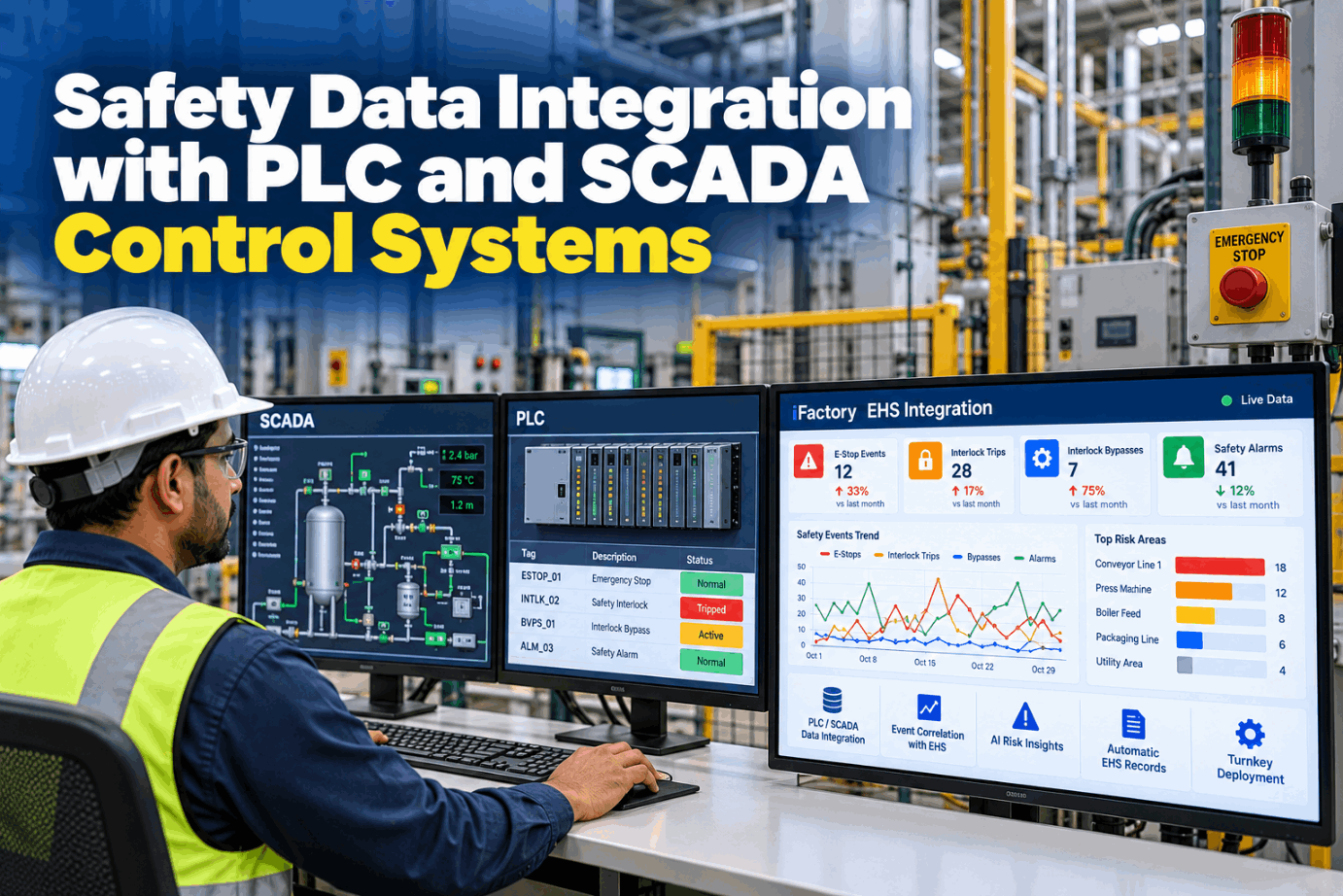
Safety Data Integration with PLC and SCADA Control Systems

By David Cook on October 27, 2026

safety-data-integration-plc-scada-control-systems

Every safety PLC on your floor already records the moments that matter to EHS: an e-stop hit on Line 2, a guard opened mid-cycle, a maintenance key turned to run a light curtain out of the loop. Most of those events stay inside the controller or scroll off a SCADA alarm screen, and never reach the near-miss or incident record. Safety data integration reads those signals, keeps their original timestamps and links them to EHS records, so repeated bypasses show up as a pattern long before they show up as an injury. Trace the signal path in a short safety data demo.

TURNKEY INTEGRATION · MACHINE SAFETY DATA

Turn E-Stops, Interlock Trips and Bypasses Into EHS Evidence

iFactory Turnkey Integration reads e-stop, interlock and bypass signals from your PLCs and SCADA and feeds them to the EHS platform. The AI flags frequent bypasses as SIF precursors, so EHS can act before someone is hurt.

PLC
E-stop 14 on Line 2Safety PLC · Cat 1 stop · 09:41:07.312
SCADA
Alarm + timestampESD-L2-14 raised · source time kept
EHS
Bypass pattern flaggedGuard 3 key · 6th this week · no permit
Read-only path · nothing written back to safety logic
SAFETY SYSTEM DATA

Six Machine Safety Signals Your Controllers Already Record

A safety PLC or safety relay knows a great deal that EHS never sees. It knows when an e-stop was pressed and which one, when a guard opened, when a light curtain was muted and when someone turned a key to run with a safeguard out of the loop. Each of those is a fact with a time attached, which is exactly what most incident reviews lack. List the signals on your own lines with our controls support team.

01
E-stop pressedWhich device, which line, which stop category and how long until reset
02
Guard interlock openedDoor or gate opened, with or without a normal stop first
03
Light curtain or scanner tripBeam break or zone intrusion, plus muting on and off
04
Bypass or maintenance keyKey switch turned to a mode that runs with a safeguard out of the loop
05
Safety faultChannel mismatch, failed test pulse or safety relay fault
06
Safe speed or zone limitRobot or drive tripped a safe speed, position or zone limit
E-STOP ANALYTICS

Read the Stop Category Before You Read the Count

IEC 60204-1 and NFPA 79 define three stop categories. Category 0 removes power from the actuators at once. Category 1 is a controlled stop that keeps power until the machine stops, then removes it. Category 2 is a controlled stop with power left on. An emergency stop may only be Category 0 or 1. Knowing the category tells you what each logged event means, and what an e-stop pressed fifteen times a shift is really saying. Review your stop functions in a stop data session.

0
Category 0Immediate removal of power to the actuators. An uncontrolled stop, the machine coasts
1
Category 1Controlled stop with power available to stop, then removed. Common on drive-based machines
2
Category 2Controlled stop with power left on. A normal operational stop, never an e-stop
!
E-stop as an everyday buttonOften points to a missing normal stop, a jam-prone station or a guard that is awkward to open
Reset is not restart

Under ISO 13850, resetting an emergency stop device must not by itself restart the machine. Logging the gap between stop, reset and restart shows whether that rule holds on every line.

OT DATA SAFETY

The Safety Layer Stays Untouched, Only Its Status Moves

Safety functions carry a rating. ISO 13849-1 grades them by Performance Level from PL a to PL e, and IEC 62061 by Safety Integrity Level up to SIL 3 for machinery, both resting on IEC 61508. That rating belongs to the validated safety program, so the integration only reads status and event tags. Rockwell's GuardLogix guidance notes that reading does not affect safety system behaviour, while warning that heavy read rates can load a controller. Agree the read path with our OT support team.

PL a–b
Lower levels for low-risk functions
PL c · SIL 1
PFHd from 10-6 to below 10-5 per hour
PL d · SIL 2
PFHd from 10-7 to below 10-6 per hour
PL e · SIL 3
PFHd from 10-8 to below 10-7, the top for machinery
SIL 4
IEC 61508 only, outside IEC 62061
WHAT THE LINK READS
  • E-stop, guard, curtain and key status bits
  • Safety fault and diagnostic codes
  • SCADA alarm events with source timestamps
  • Run state and mode, for context
  • All over OPC UA, EtherNet/IP or your SCADA server, set to read
WHAT IT NEVER TOUCHES
  • Safety tags, safety programs or their signatures
  • Reset, mute or bypass commands
  • Setpoints or outputs of any kind
  • The stop category or rating of any function

Every Bypass Lands in the EHS Record, With Its Time

iFactory reads the safety signals your controllers already produce, links each one to the permit, LOTO or near-miss record it belongs with, and tells EHS when a pattern starts to look like SIF potential.

Packaging hall · EHS manager and iFactory
EHS managerWhich guards were bypassed most on Line 2 this month?
iFactoryGuard 3 on the palletiser, 19 key bypasses. 14 had no matching LOTO or permit record, mostly on nights during jam clearing.
EHS managerDoes that count as a SIF precursor?
iFactoryIt fits the pattern: a high-risk task with a safeguard out of the loop and no recorded control. I've flagged it for your review.
INTERLOCK BYPASS DETECTION

From a Turned Key to a Flag in the EHS Queue

Defeated safeguards are common, not rare. A 2006 HVBG study, reported by the German KAN commission, found that around 37% of protective devices on machinery were defeated, temporarily or permanently. ISO 14119 asks machine designers to minimise the motivation to defeat interlocks, and OSHA 1910.147 brings servicing under lockout rules whenever a worker must remove or bypass a guard or other safety device. Bypass key logging shows where both are slipping. Map your bypass points with our machine safety team.

Key turned
Bypass or maintenance mode on Guard 3
→
Status bit
Safety PLC exposes key state to the standard program
→
Source time
PLC timestamp kept, not arrival time
→
Match
Checked against LOTO, permit and work order records
→
Flag
No match, or a repeat pattern, goes to EHS
Minor servicing is not a free pass

OSHA's minor servicing exception covers routine, repetitive tasks integral to production only when other measures give effective protection. A bypass key with no such measure on record deserves a look.

SIF PRECURSORS

Three Conditions That Make a Bypass a Serious Injury Risk

Not every safety event carries the same weight. The Campbell Institute at the National Safety Council describes SIF precursors as high-risk situations where controls are broken, absent or not complied with. Its framework names three conditions together: a high-risk activity, missing critical controls and a serious outcome likely if things continue. PLC data shows the first two directly. People judge the third. Talk through your SIF criteria with our EHS support team.

Seen in PLC data
High-risk activityJam clearing, setup or cleaning inside a hazard zone, read from mode and run state
PLC plus EHS data
Control missingGuard bypassed, curtain muted or maintenance key on, with no LOTO or permit record
Judged by people
Serious outcome likelyEHS weighs the hazard: crush, entanglement, stored energy or a fall
ALARM SAFETY CORRELATION

Patterns Worth a Second Look, and Where Each One Links

One e-stop is an event. The same e-stop pressed every night at the same station, or a bypass that always appears just before a jam alarm, is a pattern. Correlation only works when each source keeps its own timestamp, the safety PLC's time for the stop and the SCADA server's time for the alarm, synced to one plant clock. Thresholds are set with your EHS team, not by default. Walk through your alarm history in a correlation review.

Pattern in the data
What it may mean
EHS record it links to
Typical response
Repeated e-stops at one station
E-stop used as a normal stop, or a recurring jam
Near-miss or hazard report
Check normal stop and jam method
Guard opened mid-cycle
Someone reaching in, or a worn interlock
Inspection finding
Inspect switch and actuator
Key bypass, no LOTO record
Servicing under a bypass, outside 1910.147
LOTO audit
SIF review
Curtain muted outside its window
Muting used to keep a line running
Hazard report
Review muting logic with controls
Safety fault reset again and again
Degraded sensor, cable or connector
Maintenance work order
Raise and track repeat
Alarm shelved during a bypass
Two layers out at the same time
SIF review
Escalate to EHS manager
SAFETY DATA INTEGRATION PLC SCADA IMPLEMENTATION GUIDE

Five Steps From Safety I/O List to Live EHS Flags

The order matters. Controls engineering confirms what each signal means before anyone draws conclusions from it, and EHS agrees what counts as a flag before alerts reach anyone. Each step ends with something the plant signs. Get a step plan for your lines from our support team.

1ListSafety devices, tags and stop categories per machine
2AgreeRead path and read rates signed by controls
3LinkEach signal mapped to its EHS record type
4ShadowFlags run silently while EHS checks them
5Go liveFlags reach EHS with source, time and context
SAFETY DATA INTEGRATION PLC SCADA TEMPLATE

One Record per Safety Signal, Signed by Controls and EHS

Fill in one record for each safety signal before data flows. It stops a raw bit from being misread and keeps controls, maintenance and EHS reading the same thing. Get a blank version in a template walkthrough.

SignalE-stop 14, Line 2 palletiser infeed
Source tagSafety PLC status bit, read-only
Function ratingCat 1 stop, PL from the design file
Timestamp sourceSafety PLC, synced to plant clock
Linked recordsNear-miss, LOTO, work order
Flag ruleAgreed with EHS on site
Read rateAgreed with controls, never maximum
OwnersControls engineer and EHS manager
SAFETY DATA INTEGRATION PLC SCADA EXAMPLES

Three Signal Patterns and What EHS Did Next

These are illustrations of how flags usually play out, not case studies. Your own procedures decide the response. Bring a recent event to our support engineers to see how it would read.

Night-shift e-stops on a filler
A pattern, not a personOne e-stop pressed far more often on nights traces back to a jam point. The fix is a guarded jam-clearing method, not a warning letter.
Bypass key on a palletiser
Flagged as SIF potentialKey bypasses with no LOTO record during jam clearing go to EHS review, and the task gets a written energy control procedure.
Repeat faults on a robot cell
Maintenance, not disciplineA door switch that faults and resets all week becomes a work order, and the repeat count shows when it is truly fixed.
SAFETY DATA INTEGRATION PLC SCADA COST AND ROI

Price the Hours Spent Digging Through Stop Logs

The real value is the serious injury that never happens, and that should never be turned into a made-up figure. What you can size is the manual work of pulling stop and bypass logs today. Every input below is assumed, to show the arithmetic only. Build the case with your own figures in a value session.

Lines with safety PLCs8, assumed
Minutes per line per week exporting and reading logs45, assumed
Weekly effort8 × 45 = 360 min, or 6 hours
Working weeks per year48, assumed
Yearly effort on manual log review6 × 48 = 288 hours

Set those hours against the integration scope for your own lines. Keep injury cost estimates out of the sum unless your own claims data supports them.

TURNKEY AI DEPLOYMENT

Safety Tie-Ins, EHS Link and an NVIDIA Server in One Scope

A pre-configured NVIDIA AI server ships racked and ready, with iFactory, the PLC and SCADA connectors and the safety pattern models pre-loaded. Our team maps the safety I/O with your controls engineers and links it to the EHS platform. You rack it, plug in power and Ethernet, and the AI is live. Scope it for your lines with a turnkey quote.

What's Included
  • Pre-configured NVIDIA AI server, racked and ready
  • Read-only PLC and SCADA connectors for safety status
  • Safety I/O mapping with your controls engineers
  • E-stop, interlock and bypass pattern models
  • Links to near-miss, LOTO, permit and work order records
  • SIF precursor flags routed to EHS review
  • 24×7 remote monitoring of server and data flows
Live in 6–12 weeks
Wk 1–4
Survey and Connect

Safety devices listed, read path signed off, server racked, status tags flowing.

Wk 5–8
Map and Shadow

Signals linked to EHS records, flags run silently and are checked by EHS.

Wk 9–12
Go-Live and Review

Flags switched on, EHS and supervisors trained, weekly pattern review started.

HOW iFACTORY FITS

Controls Data and EHS Records, Finally in One Place

Safety signals usually live with controls engineering and safety records with EHS, in different tools. iFactory joins the two without touching the safety layer. Our support team can walk you through a pilot plan.

1
Reads e-stops, interlocks and bypasses. PLC and SCADA signals arrive read-only, with source timestamps.
2
Feeds the EHS platform. Each event links to the near-miss, LOTO or permit record it belongs to.
3
Flags SIF precursors. The AI flags frequent bypasses as SIF precursors for EHS review.
4
Leaves safety logic alone. No writes to safety tags, programs or resets.
1000+
Industrial clients running iFactory
99.9%
Platform uptime for always-on plants
6-12 wks
From racked server to live safety flags
FREQUENTLY ASKED QUESTIONS

What Plant Managers Ask About Safety Data From PLCs and SCADA

What is safety data integration with PLC and SCADA?
It means reading the safety events your control systems already record, such as e-stops, interlock trips, muting and bypass keys, and linking them to EHS records. Data flows one way, from the controllers to the EHS platform, with original timestamps kept.
Can reading a safety PLC affect the safety function?
Reading status does not change what the safety program does, which is why the link only reads and never writes to safety tags. Read rates still matter, because very heavy polling can load a controller, so they are agreed with your controls engineers. You can see the read path on a live demo.
Do we need to change our safety PLC program?
Usually not. Most safety PLCs already pass device status to the standard program or SCADA for operator screens. Where a status bit is missing, any change goes through your normal safety validation and management of change, done by your controls team. Our support team can review your safety I/O list.
How does the AI decide a bypass is a SIF precursor?
It looks for the conditions the Campbell Institute describes: a high-risk task, a missing control and a likely serious outcome. PLC data shows the task state and the bypass, and EHS data shows whether a LOTO or permit covered it. The flag goes to EHS, and a person decides.
Will crews feel the data is used against them?
It works best when it isn't. Patterns are reviewed by line, station and shift, and most flags point to design or procedure problems, such as a jam point that invites a bypass. Agree how the data is used with supervisors and worker representatives first, and walk through it with our team.
Where should we start?
Pick one line with known bypass or jam issues and a safety PLC already in place. List its safety devices, connect read-only and let flags run silently for a few weeks while EHS checks them. Book a 30-minute session to plan that first line.

Let the Safety PLC Tell EHS What It Already Knows

Read e-stops, interlocks and bypasses from your PLCs and SCADA, link them to EHS records and get SIF precursor flags before the next serious incident. Delivered turnkey, live in 6 to 12 weeks.
Example weekly summary · Line 2
Signals readE-stops, guards, curtains, keys
AccessRead-only, signed by controls
Linked toNear-miss, LOTO, permits
FlagsReviewed by EHS each week
Safety logic untouched, every event time-stamped

Share This Story, Choose Your Platform!