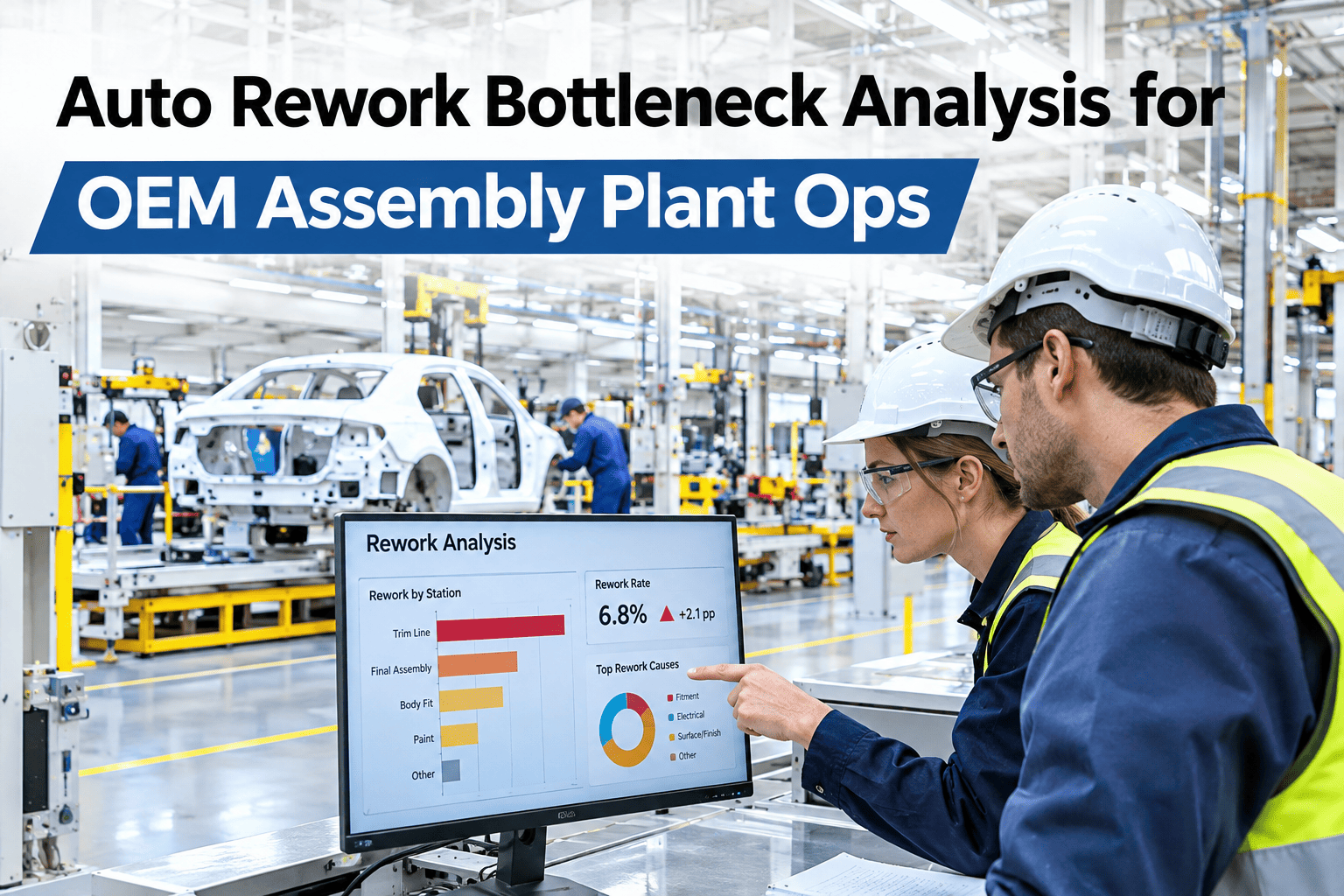
A rework loop that was sized for the occasional bad part quietly becomes a second production line once defect volume rises, except nobody budgeted capacity for it. Parts queue, technicians get pulled from other tasks, and a bottleneck forms that the main line's throughput numbers never show, because the delay happens off to the side. Auto OEM assembly operations wanting to see their own rework loop's real capacity can map a rework loop against its actual load with iFactory AI's team.
Your Rework Loop Is a Second Production Line — Does It Have the Capacity For One?
iFactory AI maps rework loop load against available capacity, finds where it chronically backs up, and tests load-leveling changes before you add headcount.
How a Rework Loop Quietly Becomes the Real Constraint
Main-line throughput reports look healthy because the line itself keeps moving — defective units simply get pulled off and routed to a side loop. If that loop's capacity never keeps pace with the defect rate feeding it, a queue builds that nobody on the main line dashboard ever sees.
Four Questions That Reveal a Chronic Rework Bottleneck
See Whether Your Rework Loop Has a Real Capacity Gap
Share your rework queue and staffing data and a short session will show whether the gap is structural or just a bad week.
Load-Leveling Tactics, Ranked by Effort
| Tactic | Effort | What It Fixes |
|---|---|---|
| Stagger defect-prone model builds | Low | Smooths demand spikes tied to specific variants |
| Cross-train a flex technician pool | Medium | Covers volume swings without permanent headcount |
| Add a second rework shift overlap | Medium | Clears backlog before it carries into the next day |
| Fix the upstream defect source | High | Reduces demand at the source rather than expanding capacity |
Why Fixing the Source Still Beats Expanding the Loop
Adding rework capacity treats a symptom. If the underlying defect rate stays the same, a bigger loop just processes more bad parts faster — it does not reduce how many bad parts get made. The highest-value fix is almost always upstream, even when the rework loop itself badly needs short-term relief in the meantime.
A Composite Scenario: The Loop That Grew With the Line
An assembly plant that ramped production for a new model variant never resized its rework loop to match, assuming the same ratio of defects to volume would hold. It did not — the new variant's fastening sequence produced defects at nearly twice the rate of the prior model, and within three weeks the rework queue had grown to a full shift's worth of backlog. Staffing the loop against the new variant's actual defect rate, rather than the old assumption, cleared the backlog within two weeks, while a parallel fix to the fastening sequence itself began reducing the defect rate at the source — the combination iFactory AI's support team can help plan for a model ramp before it happens again.
Measuring the Hidden Cost of a Backed-Up Loop
A growing rework queue costs more than the labor spent processing it — parts sitting in the loop tie up inventory, delay shipments, and often need re-inspection a second time if they wait long enough for conditions to change. Most plants under-count this because the queue lives outside the main-line cost tracking that finance actually watches.
Putting a dollar figure on queue-aging, not just on the labor hours spent reworking, usually makes the capacity gap far more visible to the people who approve staffing changes.
When a Temporary Surge Is Not Actually Temporary
Plants often treat a growing rework backlog as a short-term blip tied to a specific bad lot or a one-off equipment issue, and sometimes that is exactly what it is. But a surge that persists past the point where the original cause was fixed is usually a sign that demand on the loop has permanently shifted — from a new model mix, a supplier change, or a process drift that never got corrected — and staffing or process changes, not patience, are what actually close the gap.
Frequently Asked Questions
Find Out If Your Rework Loop Can Actually Keep Up
iFactory AI compares rework demand against real capacity and tests load-leveling changes before you commit budget. Book a walkthrough with your own queue data.