A single reversed cell or a missed torque step in battery pack assembly rarely shows up as a visible defect on the line; it shows up weeks later as a field failure, by which point tracing it back to one shift on one assembly station is close to impossible. At gigafactory volumes, a human inspector checking cell orientation, component presence, and torque sequence on every pack is not a staffing plan, it is a bottleneck waiting to happen. Vision-based verification built for the pace of gigafactory assembly closes that gap at the point of error rather than months later. See assembly verification running at gigafactory line speed.
Catch the Assembly Error Before It Leaves the Station
iFactory AI verifies cell orientation, component presence, and torque sequence on every pack, at gigafactory line speed, without adding inspection headcount.
Three Error Types, One Verification Pass
Most assembly errors in battery pack production fall into a small number of categories, each needing a different kind of check at the same station: cell orientation errors are geometric, component presence errors are about what is missing rather than what is wrong, and torque sequence errors are about order and value together. A single vision and sensor pass can check all three without slowing the line, as long as the model is built to recognize each error type on its own terms rather than treating assembly verification as one generic check.
Cell Orientation
Verifies polarity and physical alignment of each cell against the expected pack layout.
Missing Component
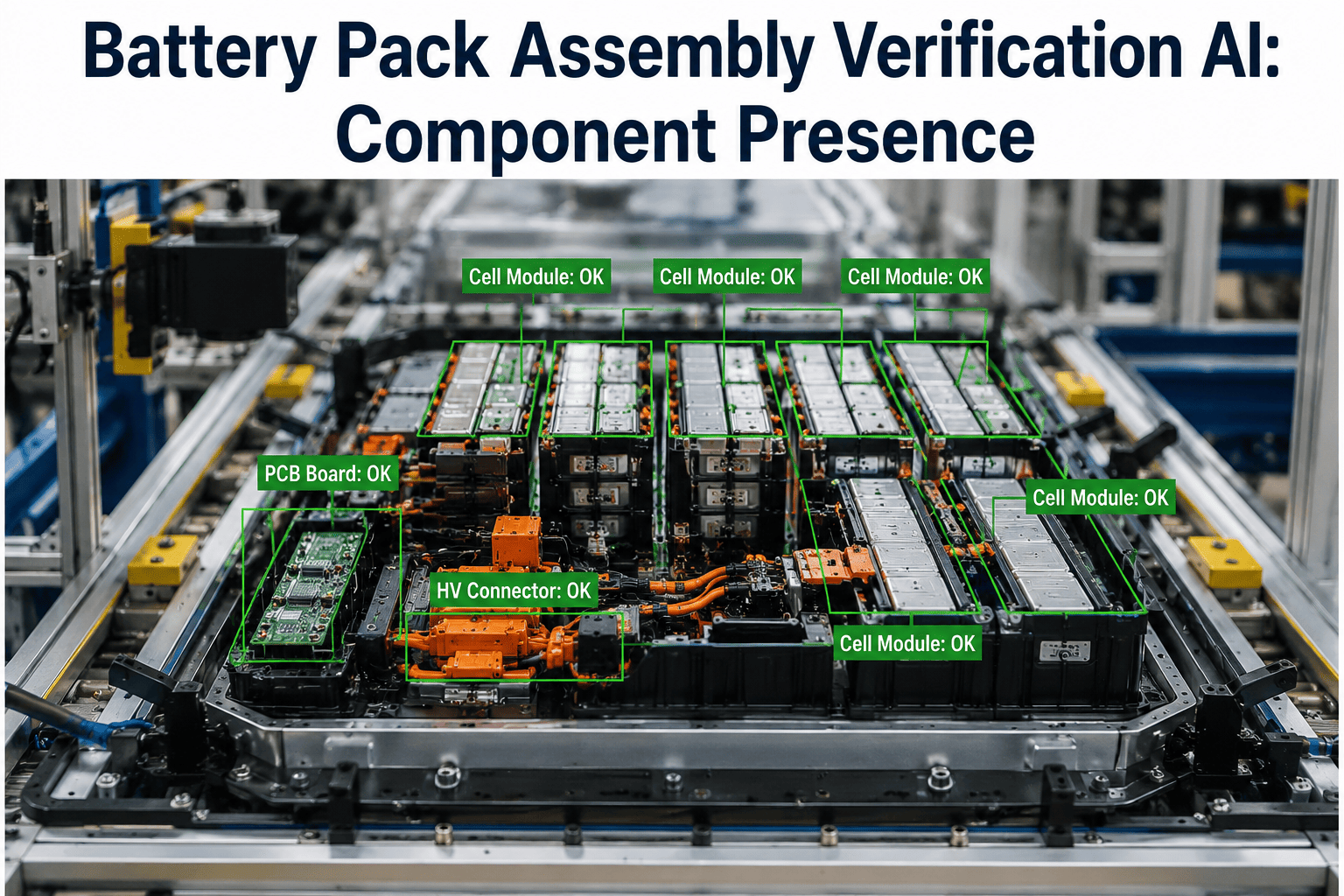
Confirms presence of busbars, thermal pads, fasteners, and connectors at each station.
Torque Sequence
Validates that fasteners were torqued in the correct order and to the correct value.
Placement Accuracy
Checks component position against tolerance, catching shifted or misaligned parts.
Cell Orientation Verification
A reversed or rotated cell is one of the hardest errors to catch visually at speed, which is exactly why it is one of the most common field-failure root causes.
Verify Your Own Assembly Sequence
Book a 30-minute session and see cell orientation, component, and torque verification running on your own pack design.
Torque Sequence, Not Just Torque Value
A torque wrench confirms the final value was reached. It does not confirm the fasteners were tightened in the specified order, and sequence matters for even clamp-load distribution.
| Check Type | What It Confirms | What It Misses Alone |
|---|---|---|
| Torque value only | Final tightness reached the target spec | Order of tightening across fasteners |
| Sequence verification | Fasteners tightened in the specified order | Final value, without a paired torque reading |
| Combined check | Both order and value confirmed together | Nothing relevant to clamp-load distribution |
Built for Gigafactory Line Speed
Verification that cannot keep pace with the line becomes the bottleneck it was meant to prevent.
Rolling Out Across Assembly Stations
iFactory AI integrates with the camera and sensor hardware already present at most modern assembly stations.
Expert Review
The clearest case for station-level verification is usually a single traced field failure, since showing the specific orientation or torque error that caused it, and how a station-level check would have caught it in seconds, makes the argument for full-pack verification concrete rather than hypothetical.
Frequently Asked Questions
Does this slow down the assembly line?
No, verification is designed to run within the existing station cycle time, so it does not add a separate inspection step or reduce throughput. Support can confirm cycle-time impact for your line speed.
What camera hardware does this require?
Most modern assembly stations already have the camera coverage needed, and existing hardware is used wherever it meets the resolution and angle requirements for verification.
Can torque sequence verification connect to our existing torque wrenches?
Yes, torque sensor data from smart wrenches already in use is combined with sequence verification rather than requiring new tooling. See torque sensor integration on a call.
How are flagged packs handled on the line?
A flagged pack is routed to a rework or review station automatically, with the specific error type and station recorded for traceability.
Can this scale across multiple assembly lines at once?
Yes, verification models are deployed per station and can scale across as many assembly lines as the gigafactory operates, with centralized visibility across all of them. Ask support about multi-line deployment.
Verify Every Pack, Not Just a Sample
iFactory AI catches cell orientation, component, and torque sequence errors at the station, at gigafactory line speed. Book a demo on your own pack design.