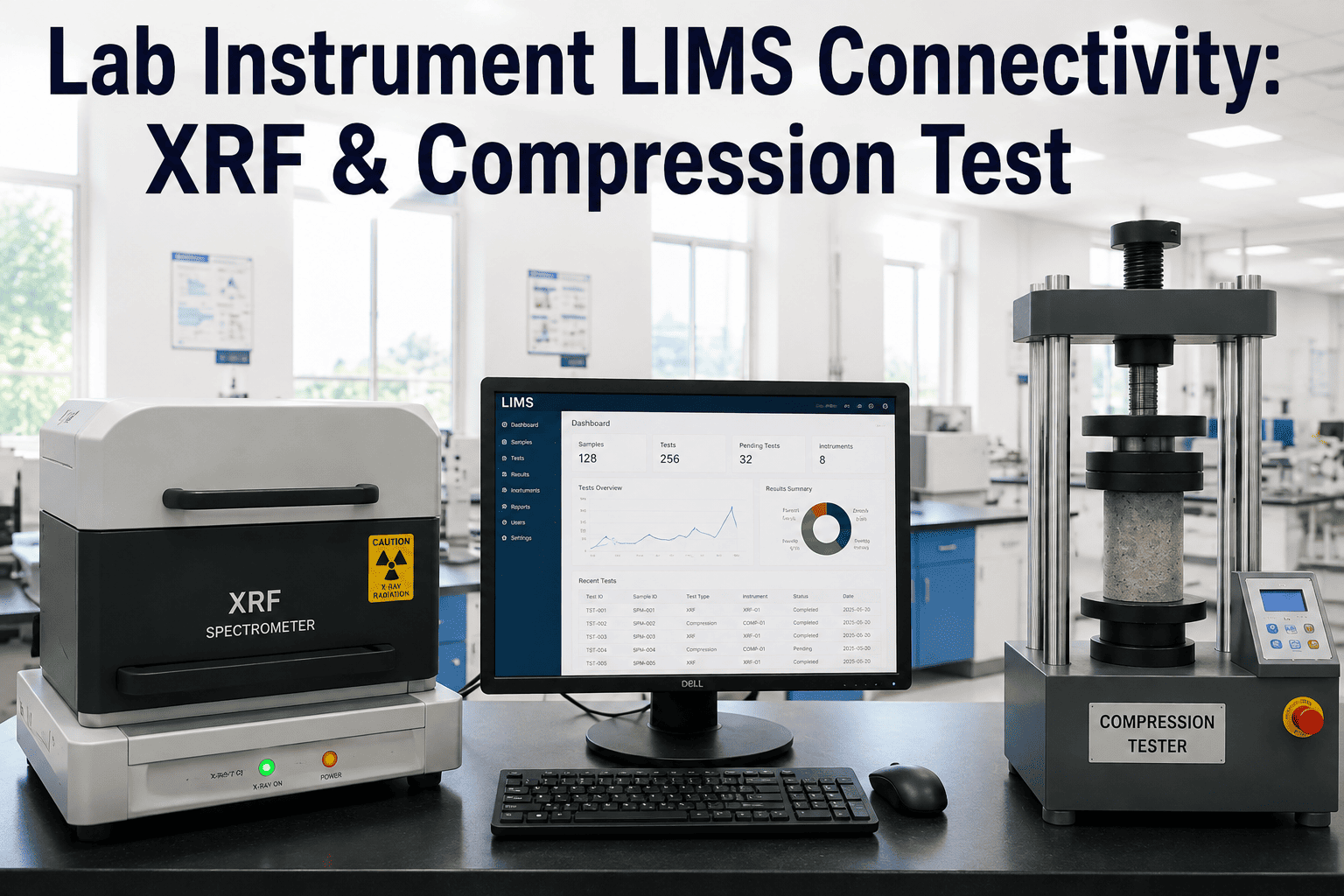
A quality technician runs an XRF analysis, reads the elemental composition off the instrument screen, and types it into the LIMS by hand, and somewhere in that hand-off a decimal point shifts or a field gets skipped entirely. Cement labs run dozens of these instrument-to-LIMS transfers every shift across XRF, compression testing, and fineness equipment, and each manual entry is a separate opportunity for a transcription error to reach a quality record nobody double-checks. The instruments themselves are accurate, the gap sits entirely in the handoff between the screen and the database. See how direct instrument connectivity closes that gap by choosing to book a demo with our team.
CEMENT · DIGITAL LIMS · INSTRUMENT CONNECTIVITY
Every Manual Transcription Between an Instrument and Your LIMS Is a Quality Record Waiting to Be Wrong
XRF analyzers, compression testers, and fineness instruments each produce accurate readings, but most cement labs still retype those readings into the LIMS by hand. iFactory connects the instruments directly to the LIMS so results move without a keyboard in between.
THE HIDDEN COST OF MANUAL ENTRY
Transcription Errors Do Not Show Up as Errors, They Show Up as Bad Decisions
A mistyped compression result does not announce itself, it sits in the LIMS looking exactly as legitimate as every correct entry around it until someone downstream makes a decision based on it, whether that is releasing a batch, adjusting a mix design, or reporting a strength result to a customer. The cost of the error is paid much later and far away from where it actually happened.
The scale of the problem is a function of volume, not carelessness. A single cement quality lab can generate hundreds of XRF, compression, and fineness readings per week, and every one of those readings that gets keyed in by hand carries the same small but nonzero chance of a slipped digit, a skipped field, or a result logged against the wrong sample ID.
100+
Manual instrument-to-LIMS entries in a typical quality lab per week
1-3%
Typical transcription error rate reported across manual laboratory data entry
Minutes
Saved per result when instrument output flows directly into the LIMS record
THE THREE INSTRUMENT TYPES
What Connectivity Looks Like for Each Instrument in the Lab
Each instrument produces a different kind of output and needs a different connection method, which is exactly why a one-size-fits-all integration plan tends to stall halfway through a lab.
XRF Analyzer
Elemental composition results across a dozen or more oxides per sample, typically exported as a structured report file that can be parsed and mapped directly to the corresponding LIMS test fields without retyping a single value.
Compression Tester
Peak load and calculated compressive strength per cube or cylinder, generated at the moment of failure, connected so the result attaches automatically to the correct sample ID, curing age, and mix design record.
Fineness Instrument
Blaine surface area or sieve residue values that feed directly into cement quality release criteria, captured at the point of measurement instead of being copied from a printout later in the shift.
HOW THE DATA FLOWS
From Instrument Reading to LIMS Record in Five Steps
1
Sample Identified at the Instrument
The sample ID is scanned or selected at the instrument, linking the reading to the correct batch before the test even runs.
2
Instrument Generates the Result
XRF, compression, or fineness testing runs as normal and produces its native output file or data string.
3
Automated Parsing and Mapping
The connector reads the instrument's output format and maps each value to the matching LIMS test field automatically.
4
Validation Against Expected Range
Results outside a defined plausibility range are flagged for review before they post, catching instrument errors as well as connectivity issues.
5
Result Posted to the LIMS
The value lands in the LIMS record with a timestamp and instrument ID attached, with no manual keying step anywhere in the chain.
Remove the Keyboard From Between Your Instruments and Your LIMS
iFactory connects XRF, compression, and fineness instruments directly to your LIMS so results move automatically and accurately, shift after shift.
MANUAL ENTRY VS AUTOMATED CAPTURE
What Actually Changes Once the Keyboard Is Out of the Loop
WHERE TRANSCRIPTION ERRORS ACTUALLY COME FROM
Four Recurring Sources of Bad Data Between Instrument and LIMS
Wrong Sample Association
A result gets logged against the wrong sample ID when a technician is working through a batch of cubes or cylinders and loses track of sequence.
Unit or Decimal Errors
A misplaced decimal or a mismatched unit between the instrument display and the LIMS field turns an accurate reading into a misleading record.
Skipped or Partial Fields
Multi-oxide XRF results are especially prone to a field being missed entirely during manual entry when a dozen values need to be copied at once.
Delayed Entry
Results copied from a printout hours after the test runs lose the timestamp accuracy needed for proper curing-age and batch-release traceability.
CONNECTIVITY BY INSTRUMENT TYPE
How Each Instrument Typically Connects Into the LIMS
ROLLOUT PATH
Four Phases to Full Instrument Connectivity
PHASE 1
Audit Instrument Output
Document the exact output format each instrument produces and how it currently reaches the LIMS today.
PHASE 2
Build the Field Mapping
Map every instrument output field to its corresponding LIMS test field, including units and expected ranges.
PHASE 3
Run Parallel Validation
Run automated capture alongside manual entry for a defined period to confirm every result matches before switching over.
PHASE 4
Retire the Manual Step
Remove manual entry from the workflow once validation confirms the automated path is reliable across all instrument types.
FREQUENTLY ASKED QUESTIONS
Questions Lab Managers Ask About Instrument Connectivity
Does connecting instruments to the LIMS require replacing our existing lab equipment?
No, connectivity works with the instruments already installed in the lab, whether they are new models with digital output ports or older units that print or export results in a simpler format. The connection method adapts to what each instrument already supports rather than requiring an equipment upgrade.
Book a demo to see how connectivity works with your specific instrument models.
What happens if an instrument produces a result outside the expected range?
Results outside a defined plausibility range are flagged for review before they post to the LIMS record rather than being silently accepted or silently rejected. This catches both genuine quality issues and instrument or connectivity errors at the same validation step, so an out-of-range reading gets a technician's eyes on it instead of flowing straight into a downstream decision.
How long does a typical instrument connectivity rollout take?
Most labs move from audit through parallel validation to full cutover within a few weeks per instrument type, with XRF and compression testing typically fastest since their output formats tend to be more structured. Fineness instruments with less digital output sometimes take longer depending on the specific model in use.
Contact our support team for a rollout timeline based on your instrument inventory.
Can the same connectivity approach work across multiple plant labs on different LIMS platforms?
Yes, the mapping layer between instrument output and LIMS test fields is built per platform, so multiple plants running different LIMS systems can each be connected using the same underlying instrument connectivity approach. This is particularly useful for groups standardizing quality data practices across several cement plants at once.
Does removing manual entry create an audit trail gap for regulatory review?
It does the opposite, automated capture attaches a timestamp and instrument identifier to every result the moment it posts, which produces a more complete audit trail than manual entry ever could, since manual logs depend on technicians recording that context correctly by hand.
Book a demo to see the audit trail an automated capture record actually looks like.
Give Every Instrument Result a Direct Path Into Your LIMS
Stop paying for transcription errors months later. iFactory connects your lab instruments directly to the LIMS so every result posts accurately, automatically, and on time.