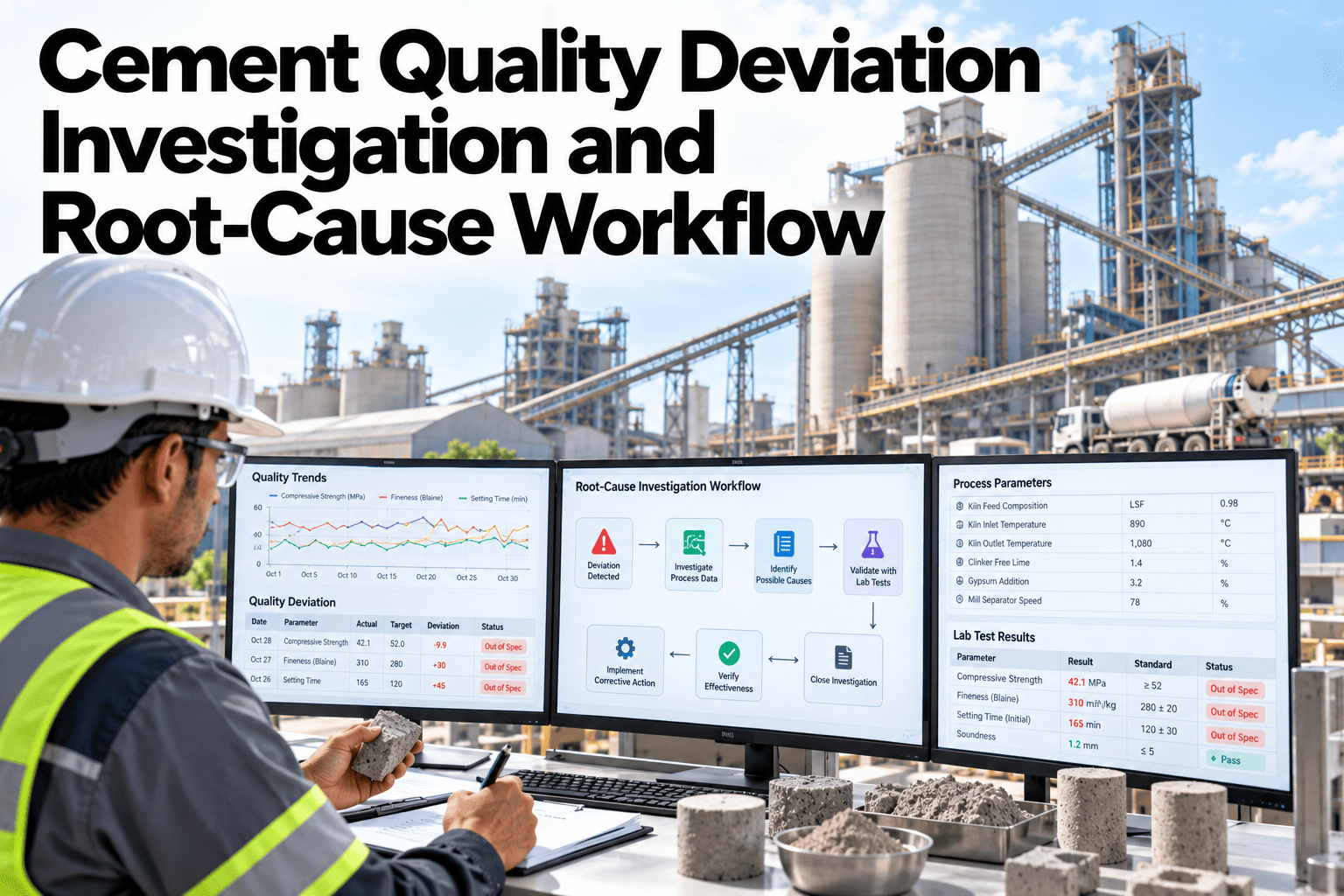
A strength test fails on a Tuesday. By the time anyone traces it back to a specific clinker lot, the batch has already shipped, the silo has turned over twice, and the gypsum supplier has changed. Deviation investigations that rely on paper batch records and memory almost always arrive too late to stop the next bad batch, only in time to explain the last one. See how fast a deviation traces back to its source lot.
From Failed Test to Root Cause in Minutes
iFactory AI links every lab result to the exact material lots, process settings, and shift that produced it, so investigations start with evidence instead of guesswork.
Why Traceability Breaks Down
A cement batch passes through dozens of handoffs between raw material receipt and the bag on a pallet. Each handoff is a point where the paper trail can go cold.
Most plants can tell you which silo a batch came from. Far fewer can tell you, within minutes, which incoming material lot, which mill setting, and which shift combined to produce an out-of-spec result. That gap is what turns a one-batch deviation into a recurring one.
The Investigation Timeline
iFactory AI structures every deviation the same way, so nothing depends on which engineer happened to be on shift.
Trace Your Next Deviation Before It Repeats
Book a 30-minute session and see how a real deviation traces back through material lots and process data.
What a Full Trace Pulls Together
A single deviation record connects data that usually lives in separate systems.
| Data Source | What It Contributes |
|---|---|
| Lab Results | The failed test and every related sample from the same batch window |
| Material Receiving | Lot numbers and certificates for every input used in the batch |
| Process Historian | Mill, kiln, and blending settings during the batch window |
| Shift Records | Operator and shift assignment tied to the production window |
| Prior Deviations | Past occurrences with the same signature, if any exist |
Common Deviation Signatures
Not every deviation has the same shape. Recognizing the pattern early narrows the investigation fast.
Closing the Loop on Corrective Action
A root cause without a verified fix is just a documented recurrence waiting to happen.
Action Assignment
Corrective actions are assigned with an owner and a due date, logged against the specific deviation.
Follow-Up Monitoring
Subsequent batches with similar parameters are watched automatically for recurrence.
Effectiveness Record
Each closed deviation keeps a record of whether the corrective action actually held.
Audit-Ready History
Full investigation and action history exportable for customer or certification audits.
Getting It Running on Your Plant
iFactory AI arrives turnkey, connecting to your lab, batching, and process historian systems.
Frequently Asked Questions
Does this replace our quality engineers?
No, the system assembles evidence and surfaces likely causes, but a quality engineer still reviews and confirms every root cause before corrective action is logged.
How far back can a batch be traced?
Traceability depends on how far back your connected systems retain data, which is typically mapped during setup. Support can confirm retention for your current systems.
Can this detect recurring deviations across plants?
Yes, deviation signatures can be compared across plants in the same organization, flagging a pattern that one site alone might not notice.
What happens if our lab system changes?
Integrations are configured per system during deployment, and a change in lab platform is handled as a reconfiguration rather than a full rebuild. Ask what a migration would involve.
Is the investigation history exportable for audits?
Yes, full deviation records including the traced evidence, root cause, and corrective action history can be exported for customer or certification audits.
Stop Investigating From Memory
iFactory AI traces every deviation back to its source lot and process window automatically. Book a walkthrough to see it on a real batch.