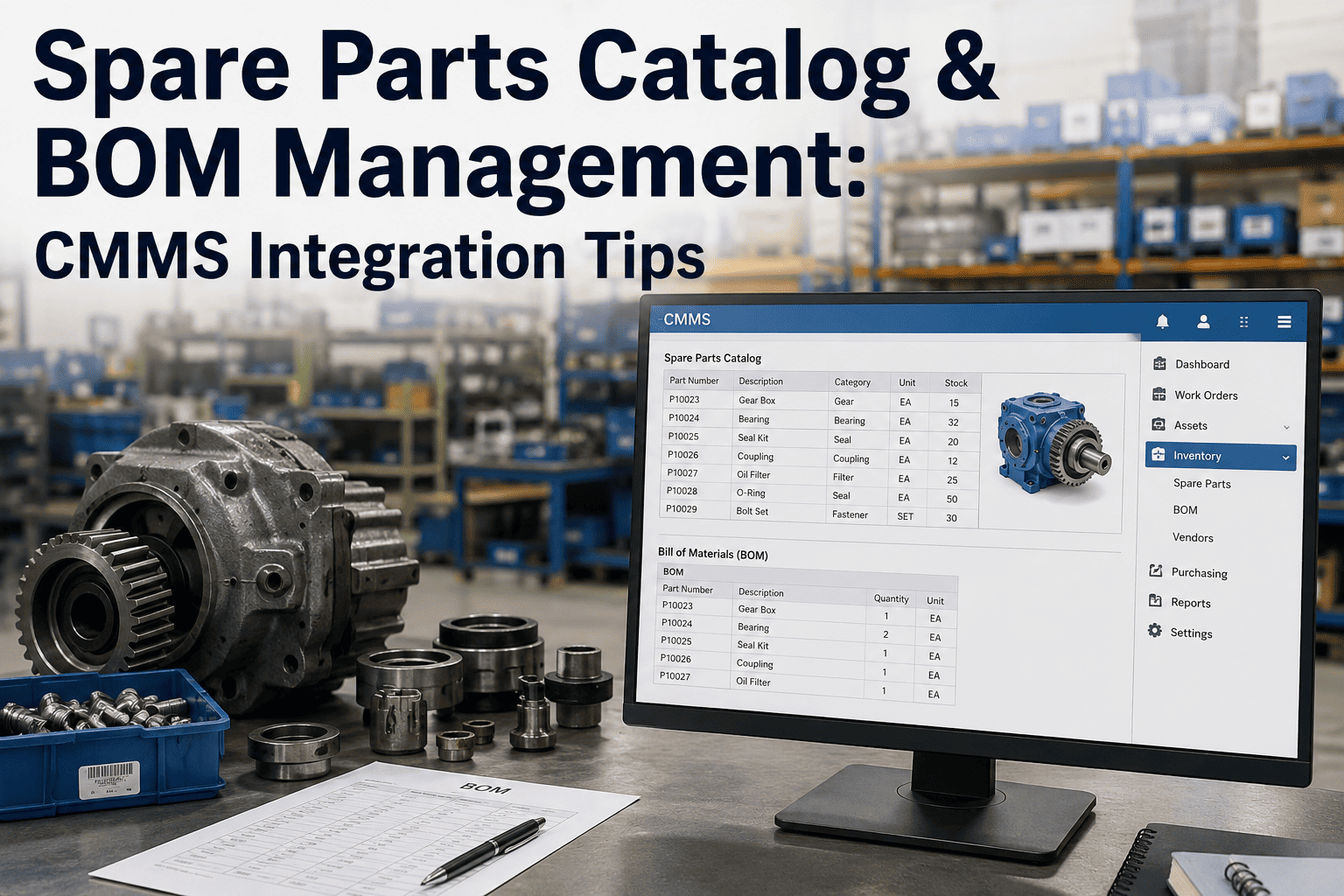
Spare Parts Catalog & BOM Management: CMMS Integration Tips

By Johnson on August 31, 2026

spare-parts-catalog-bom-management-cmms-integration

A bearing fails on a raw mill at two in the morning, and the night shift technician opens the CMMS to order the replacement, only to find three part numbers that could plausibly be the right one, none of them linked clearly to that specific mill, and no indication of which vendor actually stocks it. The part gets ordered wrong, the correct one arrives four days later, and the mill sits idle the whole time. The part was never the problem. The catalog was, and closing that exact gap is what a demo of iFactory is built to show.

CEMENT SPARE PARTS · BOM MANAGEMENT · CMMS INTEGRATION

Your CMMS Only Knows a Part Exists. It Should Also Know Exactly Which Equipment Needs It

A spare parts catalog without a properly linked bill of materials is just a list of numbers. A catalog with equipment-to-part linking built in tells a technician, in seconds, exactly which part fits which machine, how critical it is, and where to source it, turning a four-day delay into a same-shift fix.

THE COST OF AN UNLINKED CATALOG

Most Cement Plants Have a Parts List. Very Few Have a Parts System

Walk through the storeroom logic of most cement plants and the pattern repeats itself, a spreadsheet or a legacy CMMS module holding thousands of part numbers, descriptions, and quantities on hand, built up over years by different people with different naming conventions, and almost never structured around the actual equipment those parts belong to. The list exists. The relationship between that list and the plant's kilns, mills, and conveyors mostly lives in the memory of a few senior technicians who have been there long enough to know it by heart.

That informal knowledge works fine right up until the person who holds it retires, transfers, or simply isn't on shift when a failure happens at an inconvenient hour. Without a structured bill of materials linking every part directly to the specific equipment and even the specific sub-assembly it belongs to, every technician who wasn't there for the original installation is stuck guessing, cross-referencing old work orders, or calling someone at home to confirm a part number before an order can even go out.

The financial impact of this gap rarely shows up as a single dramatic number, which is exactly why it survives budget reviews year after year. It shows up as slightly longer mean time to repair across hundreds of small events, slightly higher emergency freight costs from rush orders on parts that should have been on the shelf, and slightly bloated inventory carrying costs from duplicate parts nobody realized were already stocked under a different description.

30%+
Of stored spare parts inventory at many industrial plants is estimated to be duplicate or obsolete stock nobody has cross-referenced
Hours to Days
Typical delay added to an unplanned repair when the correct part cannot be identified quickly from the CMMS
1 BOM
Per equipment asset is the structural baseline every accurate parts catalog is actually built around
WHAT A BOM ACTUALLY NEEDS TO CONTAIN

Five Fields That Turn a Part Number Into Something a Technician Can Actually Use

A bill of materials that only lists a part number and a quantity is barely more useful than no BOM at all, because it still leaves the technician to independently verify fit, criticality, and sourcing. A working BOM structure captures enough context that the part record itself answers the questions a technician would otherwise have to ask someone else.

EQUIPMENT LINK
Direct reference to the specific asset and sub-assembly the part belongs to, not just a general equipment category.
CRITICALITY RATING
A flag showing whether this part is a stock-critical item that should never run out, or a low-risk consumable.
VENDOR AND LEAD TIME
Approved supplier information paired with realistic lead time, so a shortage triggers action early instead of at the point of failure.
CROSS-REFERENCE HISTORY
Prior part numbers, superseded versions, and alternate manufacturer equivalents, so the same part is never ordered twice under different names.
USAGE AND FAILURE HISTORY
A record of how often this part has actually been replaced on this asset, turning inventory planning into a data-backed decision.
THE BEFORE AND AFTER OF LINKING PARTS TO EQUIPMENT

Same Storeroom, Same Parts. A Completely Different Outcome Once the BOM Is Linked

The comparison below is not hypothetical, it reflects the practical difference plants report between a catalog with no structured equipment linkage and one where every part record is tied directly into the CMMS asset hierarchy.

Scenario Unlinked Catalog BOM-Linked Catalog
Technician Identifies Correct Part Cross-checks manuals or calls a senior colleague Looks up the asset record, part appears instantly
Reordering After a Failure Manually searches part descriptions, risk of wrong match Reorder triggered directly from the linked BOM entry
New Technician Onboarding Relies on tribal knowledge from experienced staff Parts context is built into the system, not one person's memory
Inventory Planning Stock levels set on rough historical averages Stock levels informed by actual asset-specific usage patterns

See What Your Storeroom Looks Like Once Every Part Is Linked to Its Equipment

iFactory connects your existing part records to your equipment hierarchy inside the CMMS, so identifying, ordering, and tracking spares stops depending on who happens to be on shift.

BUILDING THE CATALOG WITHOUT STARTING FROM ZERO

A Practical Path From a Messy Parts List to a Structured, CMMS-Integrated Catalog

Rebuilding a spare parts catalog from scratch feels overwhelming for most plants, largely because the existing part count runs into the thousands and the idea of manually reviewing every single record seems impossible to fit into an already full maintenance schedule. In practice, the plants that succeed do not rebuild everything at once, they work through a defined sequence that prioritizes the parts that matter most first.


1
Prioritize Critical Equipment First
Start the linking exercise with the kiln, raw mill, and cement mill BOMs, since these assets carry the highest production risk if a part is misidentified during an unplanned failure.

2
Reconcile Duplicate and Obsolete Records
Cross-reference existing part descriptions against actual usage before importing them into the new structure, removing duplicate entries that have been silently inflating inventory counts.

3
Link Every Remaining Part to Its Asset
Attach each verified part record to the specific equipment and sub-assembly it belongs to inside the CMMS, rather than leaving it as a standalone catalog entry with no equipment context.

4
Assign Ongoing Catalog Ownership
Put a clear owner and review cadence in place so new equipment, superseded parts, and vendor changes get reflected in the catalog continuously, instead of the structure decaying back into the same disorganized state within a year.
WHERE CATALOG ACCURACY QUIETLY BREAKS DOWN

The Data Quality Issues That Undermine an Otherwise Well-Built Catalog

Even plants that invest real effort into building a structured catalog often watch its accuracy erode over time, and the erosion almost always traces back to a small set of recurring data quality issues rather than a fundamental flaw in the original structure.

Common Issue Root Cause Practical Fix
Duplicate Part Numbers Different departments or shifts created separate entries for the same part Enforce a single-entry-point policy for adding new part records
Orphaned Parts With No Equipment Link Parts added during emergency orders without time to complete linkage Schedule a periodic review specifically for unlinked catalog entries
Outdated Vendor Information Supplier changes made informally and never updated in the catalog Tie vendor record updates to the purchasing approval workflow
Inconsistent Naming Conventions Catalog built up over years by different people with different habits Adopt and enforce one standardized naming format going forward
WHAT CHANGES ONCE THE CATALOG IS TRUSTED

The Measurable Difference a Properly Integrated Catalog Makes

Faster
Parts Identification During Failures
Technicians find the correct part directly from the linked asset record instead of relying on memory or manual cross-checking.
Leaner
Inventory Carrying Costs
Removing duplicate and obsolete stock frees up capital that was sitting unused on storeroom shelves.
Fewer
Wrong-Part Ordering Mistakes
Cross-referenced records and superseded part tracking reduce the chance of ordering the wrong or an outdated part.
Smoother
Onboarding for New Technicians
Parts knowledge lives in the system itself rather than depending on tenure and informal experience.
SPARE PARTS CATALOG QUESTIONS

Common Questions From Maintenance and Storeroom Teams

What is the actual difference between a parts list and a bill of materials?
A parts list is simply a record of part numbers, descriptions, and quantities on hand, with no inherent structure connecting any given part to the equipment it serves. A bill of materials, by contrast, is structured specifically around equipment hierarchy, showing exactly which parts belong to which asset and sub-assembly, along with supporting details like criticality and vendor information. Many plants believe they have a functioning BOM when what they actually have is a well-organized parts list that has never been linked back to the equipment hierarchy inside the CMMS. A demo of iFactory shows the practical difference this linkage makes during an actual repair.
How long does it typically take to build a properly linked spare parts catalog?
The timeline depends heavily on how many equipment assets and part records exist and how much of the existing data is already reasonably accurate versus needing full reconciliation. Plants that prioritize critical equipment first, rather than attempting to link every part across the entire plant simultaneously, typically see their highest-value assets fully catalogued well before the full plant-wide effort is complete, which means the biggest risk reduction happens early rather than only after the entire project finishes.
Does CMMS integration require replacing our existing system?
In most cases, no, since a properly structured catalog and BOM linkage is typically built to work within the CMMS a plant already has rather than requiring a full platform replacement. The more common need is a structured data layer that organizes and cross-references existing part and equipment records, then feeds that structure into the CMMS the plant is already using day to day. Contact our support team to review how catalog integration would work alongside your current CMMS.
How do you keep a catalog from degrading back into disorder after it is built?
Ongoing degradation almost always comes from new parts being added outside the standard process, typically during an emergency order when there is no time to complete proper linkage before the part is urgently needed. Assigning clear catalog ownership and building a periodic review specifically focused on unlinked or inconsistent entries catches this drift before it accumulates into a significant problem again, turning catalog accuracy into an ongoing discipline rather than a one-time cleanup project.
What is the fastest way to identify duplicate part records in an existing catalog?
Cross-referencing part descriptions, manufacturer part numbers, and actual usage history against each other typically surfaces the majority of duplicates, since the same physical part is often entered under slightly different descriptions by different people over time. Usage history is particularly useful here, since two records that are supposedly different parts but show identical consumption patterns against the same equipment are very likely the same part entered twice under different names. Book a demo to see how duplicate detection works against your own existing catalog data.

Give Every Technician the Same Parts Knowledge Your Most Experienced Person Has

iFactory turns a disorganized parts list into a structured, equipment-linked catalog inside your CMMS, so the right part gets identified and ordered correctly every time, regardless of who is on shift.



Share This Story, Choose Your Platform!