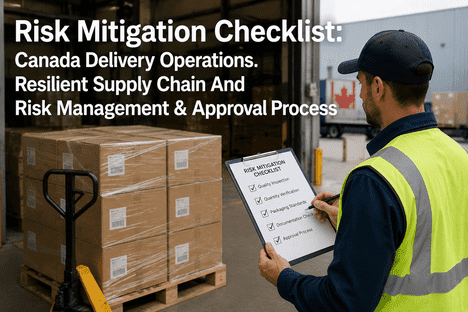
A single-site fulfilment operation can get away with tribal knowledge. A packer who has been there two years just knows how to pack a fragile item, and that knowledge rarely gets written down. The moment a second site opens, or seasonal staff join the first site, that unwritten knowledge stops transferring. Pack-out standardization replaces tribal knowledge with a documented set of pack recipes, visual work instructions and audit checkpoints that produce the same protection outcome whether the box is packed in Ohio or Texas, by a two-year veteran or a two-day hire. Operations teams rolling out standardization across multiple sites can book a session with iFactory AI to see how the platform tracks pack compliance and site-to-site variance from scan and audit data.
Pack-Out Standardization for Consistent Protection Across Fulfillment Sites
Replace site-by-site tribal knowledge with documented pack recipes, visual work instructions and audit checkpoints that hold the same protection standard everywhere you ship from.
Why Pack-Out Drifts Between Sites
Site-to-site packing variance is rarely the result of one bad decision. It accumulates from small, reasonable-seeming choices that each site makes independently, and the drift compounds as the network grows.
Local tweaks and tribal knowledge
A packer finds a faster way to immobilize an odd-shaped item and shows a few coworkers. The tweak never gets documented, so it only survives as long as those specific people stay on shift.
Inconsistent master data
One site's WMS lists a SKU's weight in pounds, another in kilograms, and a third has a stale dimension record from before a packaging redesign. The pack instruction each site generates reflects whichever data it has.
Different available materials
A regional supplier shortage forces one site to substitute bubble wrap for foam sheets. The substitution solves the immediate problem but is never rolled back once the original material is back in stock.
Ad hoc exception handling
Every site encounters damaged inbound stock, mismatched orders and odd-sized items that don't fit the standard carton matrix. Without a documented exception process, each site improvises its own fix.
Unenforced scans and confirmations
When the pack station software allows a packer to skip a confirmation step, some packers will skip it under time pressure. The skipped step is invisible until a damage claim traces back to it.
Siloed training
Each site trains new hires using whatever materials the local supervisor has on hand. Without a shared curriculum, two sites can certify packers against two different versions of the same process.
None of these causes is a packer's fault. They are the predictable result of running a multi-site operation without a system that enforces the same standard everywhere. Teams that want to see where their own sites have drifted can book a variance audit session with iFactory AI.
The Pack Recipe: One Instruction, Every Site
A pack recipe is the atomic unit of standardization. It is a single, versioned instruction that ties a SKU family to a carton, a fill material, a cushioning depth and a sequence of steps. Every site pulls from the same recipe library instead of each site writing its own.
Recipe ID and revision
Every recipe has a unique ID and a revision number. When a recipe changes, the revision increments and every site using it updates simultaneously. No site can run an outdated version without it being visible in the audit trail.
SKU family mapping
Rather than writing one recipe per SKU, which would create thousands of documents, recipes map to SKU families grouped by weight range, fragility tier and dimensions. A new SKU that fits an existing family inherits its recipe automatically.
Materials and tools
The exact carton size, fill material, tape type and any jigs or fixtures required. If a site substitutes a material because of a local shortage, that substitution is logged against the recipe, not improvised silently.
Numbered step sequence
Short, action-verb steps in a fixed order: orient, protect, immobilize, weigh, seal, scan, label. The same seven-step skeleton applies to every recipe so packers moving between SKU families don't have to relearn a new process shape each time.
Quality checkpoints
A weight range, a barcode scan requirement and a visual inspection point built into the recipe itself, not left to the packer's discretion. The pack station enforces these checkpoints before it will mark the order complete.
Escalation path
What the packer does when a component is missing, damaged or out of tolerance. A documented escalation path prevents the ad hoc workarounds that cause site drift in the first place.
iFactory AI stores the pack recipe library centrally and pushes recipe updates to every connected pack station simultaneously, so a revision made at headquarters is live at every site within the same shift. Teams building their recipe library can contact iFactory support for a data migration review.
Visual Work Instructions That Actually Get Followed
A pack recipe stored as a text document in a binder does not standardize anything if packers do not read it under time pressure. The instruction has to be visual, fast to scan and placed where the packer is already looking.
A thumbnail image of each component with its SKU, quantity and bin location. Packers identify the right box and filler by picture, not by reading a part number off a list.
Numbered steps with short action verbs, displayed one at a time on the pack station screen so the packer always knows exactly where they are in the sequence.
A reference photo of the correct finished pack-out next to each acceptance checkpoint. Orientation-sensitive items get a photo showing which side faces up and where labels go.
This three-zone layout, materials and tools, steps, and photos with acceptance checks, is the same structure used across standard work instruction design in manufacturing and fulfilment. For seasonal or temporary staff, a condensed one-page pictogram cheat sheet covering only the top SKU families by volume gets a new hire productive within a single shift, with full recipe lookup available at the station for anything outside that common set.
iFactory AI generates these visual instructions directly from the pack recipe library and displays them on pack station screens, with zoomable images for orientation-critical steps. Sites ready to move from binder instructions to screen-based visual work instructions can book a work-instruction demo.
Standardize Every Site From One Dashboard
iFactory AI pushes pack recipes to every connected site, tracks compliance per packer and flags drift before it shows up in damage claims.
Training and Certification Across the Network
Standardized recipes and visual instructions only hold if every packer at every site is trained against the same curriculum. A training programme built site by site produces the same drift problem as a recipe library built site by site.
Shared curriculum, local delivery
A single learning management system hosts the curriculum for every pack recipe family. Local trainers deliver the material and run hands-on practice, but the content, test questions and pass criteria are identical across sites.
Tiered certification
New hires certify first on Tier 1 and Tier 2 SKU families, which make up the majority of volume at most sites. Certification on Tier 3 and Tier 4 fragile-item recipes requires a supervised practical assessment before the packer is cleared to run those lines unsupervised.
Recertification on revision
When a pack recipe revises, every packer certified on that recipe family gets a short recertification module before their next shift on that line. This keeps certification tied to the live version of the recipe, not a version that may be two revisions old.
Line-walk feedback loop
Supervisors walk the pack line and note any deviation from the visual instruction, feeding that observation back into the training programme. A deviation seen repeatedly across packers usually means the instruction is unclear, not that the packers are at fault.
iFactory AI tracks certification status per packer per recipe family and automatically flags anyone running a line they are not certified on, or anyone whose certification is tied to a superseded recipe revision. Operations teams building a network-wide training programme can book a training integration session to connect their LMS to the recipe library.
Site Variance: What to Allow and What to Lock Down
Not every difference between sites is a problem. A standardization programme that tries to eliminate all local variation usually fails, because some variation reflects real differences in volume, product mix or physical layout. The policy should separate what must be identical from what may vary.
| Element | Must be identical | May vary by site | Why |
|---|---|---|---|
| Pack recipe content | Yes | No | The materials, steps and checkpoints that determine protection outcome must match everywhere |
| Carton and material SKUs | Yes | No | Different suppliers or box dimensions change the protection the recipe assumes |
| Pack station layout | No | Yes | Physical building constraints differ; what matters is that the sequence of operations stays the same |
| Staffing model | No | Yes | A high-volume site may run dedicated pack lines per SKU family while a smaller site runs mixed lines |
| Quality checkpoints | Yes | No | Weight tolerance, scan requirements and visual checks are the enforcement mechanism for the recipe |
| Exception escalation contact | No | Yes | The escalation process must be documented identically, but the specific supervisor contacted is local |
Drawing this line clearly prevents two failure modes: sites that quietly diverge on things that matter, and a head office that tries to micromanage things that don't. iFactory AI's variance dashboard flags deviations only on the "must be identical" row, so site managers are not chased for differences that were never meant to be standardized.
Audit Cadence: Catching Drift Before It Becomes a Trend
A standardization programme needs a layered audit cadence that catches drift at different timescales, from a single mis-packed carton to a slow site-wide trend.
Daily: critical-step spot checks
Shift supervisors check the critical quality steps, weight, scan, visual inspection, on a sample of parcels each shift. This catches individual packer errors before a full day's output ships with the same mistake.
Weekly: cross-site spot comparison
Site managers compare a sample pack-out from their site against the reference photo in the recipe library and against samples from other sites running the same recipe. This catches the slow drift that daily checks miss.
Monthly: central governance review
A central packaging governance team reviews damage trends, volume changes and recipe compliance scores across the whole network. Any recipe with rising damage or falling compliance at multiple sites gets flagged for revision, not just retraining.
Quarterly: recipe and material review
New carton sizes, materials or process changes go through a change-control review covering cost and protection impact before they are approved and pushed network-wide. This is where supplier shortages, new product lines and carrier changes get formally absorbed into the recipe library rather than handled as site-level workarounds.
Audit results are a leading indicator of the operational KPIs that matter most, on-time-in-full, pick accuracy and damage rate, so a consistent audit cadence catches problems before they show up in those lagging metrics. iFactory AI automates the daily and weekly layers directly from pack station scan and weight data, and aggregates the results into the monthly and quarterly governance review. Teams ready to set up a network-wide audit cadence can book a governance session with iFactory AI.
Rolling Out Standardization Without Disrupting Operations
A standardization programme that launches everywhere at once, all SKU families, all sites, in a single week, usually creates more disruption than the inconsistency it was meant to fix. A phased rollout protects throughput while the new system beds in.
Baseline and pilot site
Collect packing cycle times, damage incidents and material usage at one representative site. Build the first pack recipes for the highest-volume SKU families and pilot them on a single line, tracking packing time per unit, damage incidence and freight cube utilization against the baseline.
Second-site validation
Deploy the validated recipes to a second site with a different volume profile or layout. This confirms the recipes generalize rather than being accidentally tuned to the pilot site's specific conditions.
Network rollout by SKU family
Roll the validated recipe families out to the remaining sites in time-boxed waves, covering the highest-volume families first. This limits the scope of any single rollout wave and makes it easier to isolate and fix problems that only appear at scale.
Long-tail families and governance handover
Build recipes for lower-volume SKU families and hand ongoing recipe maintenance to the governance team established in the audit cadence. At this point the programme shifts from a rollout project to standing operations.
iFactory AI is smart manufacturing and industrial software delivered as a pre-configured NVIDIA AI server. For packaging standardization it connects to WMS, pack station hardware and training systems across every site from a single deployment, with the phased rollout typically complete within six to twelve weeks. Operations teams ready to scope a multi-site rollout can book a scoping session with the iFactory team.
Frequently Asked Questions
How many pack recipes does a typical fulfilment network need?
Most networks need far fewer recipes than SKUs, because recipes map to SKU families rather than individual products. A network with tens of thousands of active SKUs typically needs 40 to 80 recipes once SKUs are grouped by weight range, fragility tier and dimension class. Book a demo to see your SKU catalogue mapped to a recipe family structure, or contact support for a data readiness check first.
What happens when a site genuinely needs to deviate from a recipe, for example during a supplier shortage?
The deviation should be logged as a formal substitution tied to the recipe, with an expiry date or a trigger for review, rather than handled as an undocumented local workaround. This keeps the deviation visible to the governance team and ensures it gets reversed once the underlying cause is resolved. Book a session to see substitution tracking in the iFactory platform.
How long does it take new sites to reach the same compliance level as established sites?
With a shared recipe library and visual work instructions already built, a new site typically reaches comparable compliance within four to eight weeks, since it is adopting proven recipes rather than developing its own from scratch. The slower path is building recipes site by site, which can take months and never fully converges. Book a scoping call to map a new-site onboarding timeline.
Does pack-out standardization conflict with site-specific efficiency improvements?
No, as long as the improvement targets layout, staffing or sequencing rather than the recipe content itself. A site can reorganize its pack line for speed without changing the carton, fill material or quality checkpoints the recipe specifies. The variance table in this guide separates what must stay identical from what sites are free to optimize locally. Contact support to review where your site improvements fall, or book a session to discuss specific cases.
What data does iFactory AI need to start tracking pack-out compliance across our sites?
At minimum, barcode scan events and weight data from each pack station, plus the current product master data from the WMS. Existing work instructions, where they exist, help seed the first recipe library faster than building entirely from scratch. Most of this data already exists in site systems and needs only to be connected. Book a scoping session to map your data sources.
Get Every Site Packing to the Same Standard
iFactory AI centralizes your pack recipe library, pushes updates network-wide and tracks compliance from scan and audit data. Book a session scoped to your sites.