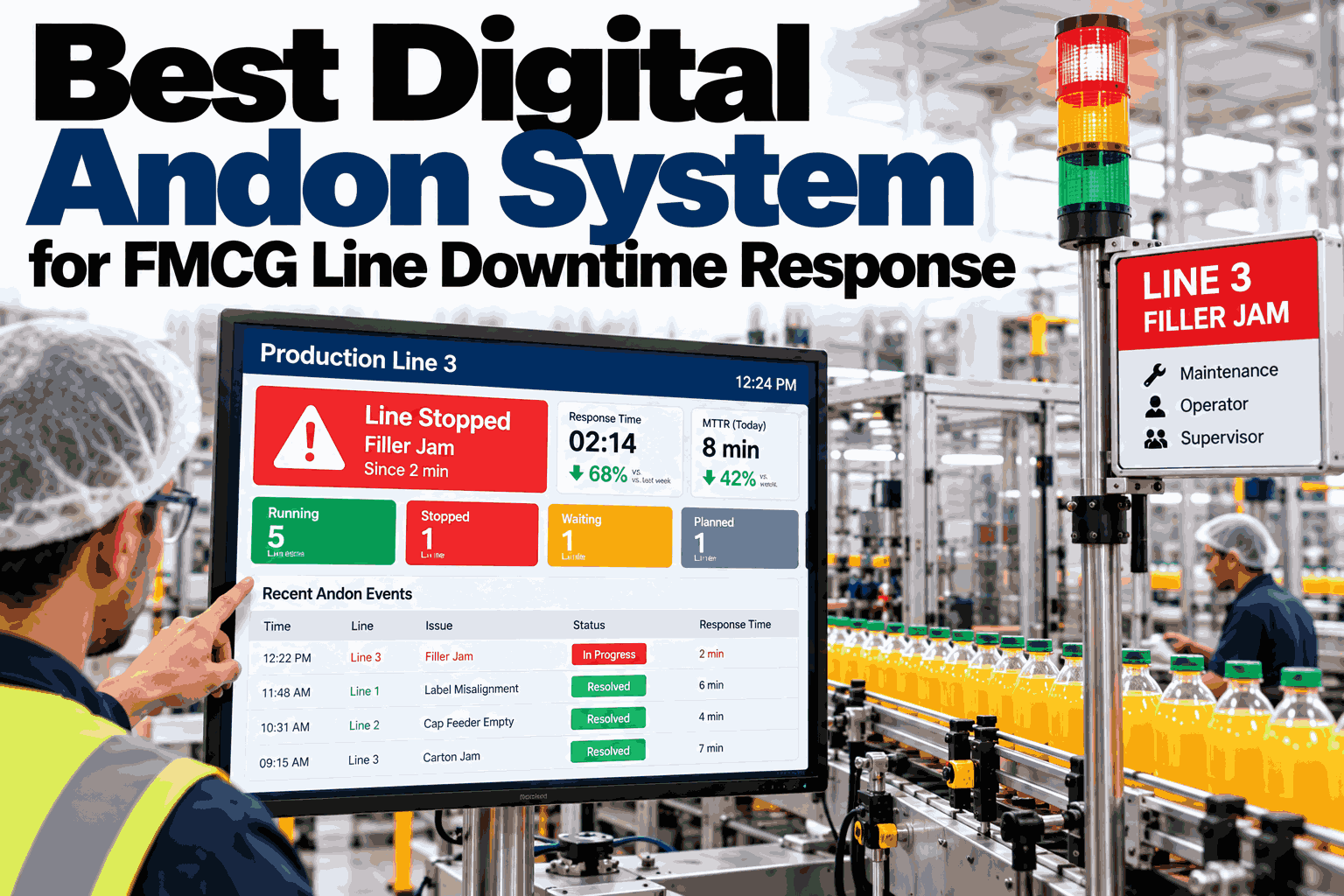
When a filling line goes down on an FMCG plant floor, the clock everyone is actually watching is response time, not just downtime. A machine fault or a quality hold can sit unnoticed for ten minutes if the alert only lives on a stack light nobody is facing, and those ten minutes repeat across every shift of every week. FMCG lines running multiple SKUs with short changeovers cannot afford that gap between a problem happening and the right person seeing it. A digital andon system closes that gap by routing every trigger straight to a mobile device and holding it open until someone responds. Teams can walk through their current downtime escalation path with the iFactory AI team.
Stop Losing Minutes Between a Line Stop and a Response
iFactory AI turns every andon pull, sensor fault, and quality hold into a mobile alert with a built-in escalation clock, so a stopped line never waits on a stack light nobody noticed.
Why Every Unanswered Minute Costs More Than the Last
Downtime loss is not linear. The first few minutes are recoverable with a quick fix, but once a stop crosses a shift's buffer time, it starts eating into changeover windows, overtime budgets, and order fulfillment dates.
The Alert Gets Missed
A stack light only works if someone is looking at it. On a noisy, multi-line floor, a tower light can flash for minutes before anyone walking past actually registers which line it belongs to.
The Wrong Person Gets It First
Paper-based call lists route every fault to the same person regardless of cause, so a quality hold waits behind a mechanical fault in someone's queue when it needed a different responder entirely.
Nobody Owns the Escalation
Without a clock attached to the alert, a stop can sit for fifteen minutes with no automatic nudge to the next person up the chain, and the first anyone hears of it is at shift handover.
A digital andon system does not remove the problem on the floor. It removes the uncertainty about who knows, when they knew, and what happens if they do not respond.
What Actually Counts as an Andon Trigger
Most plants think of andon as the pull cord, but a modern system on an FMCG line needs to catch far more than a manual stop.
| Trigger Type | Typical Source | Urgency | First Responder |
|---|---|---|---|
| Manual Pull Cord | Operator on the line | Immediate | Line lead |
| Machine Fault Code | PLC or sensor signal | Immediate | Maintenance on-call |
| Quality Hold | In-line inspection or QA check | High | Quality supervisor |
| Material Shortage | Low-stock sensor or manual flag | Medium | Warehouse coordinator |
| Changeover Delay | Scheduled start time missed | Medium | Shift supervisor |
| Safety Stop | Guard interlock or emergency stop | Immediate | Plant safety officer |
Each trigger type routes to a different first responder because the person who fixes a jam is rarely the person who should be clearing a quality hold.
Tiered Escalation That Reaches a Real Person
An andon alert that stops at one phone is still a single point of failure. Escalation has to move on its own if nobody acknowledges it in time.
Trigger Fires and Timer Starts
The moment a cord is pulled or a fault code lands, the system logs the time, the line, and the trigger type, and starts a visible countdown.
First Responder Is Paged
A mobile push notification goes to the assigned first responder with the line, trigger type, and a one-tap acknowledge action.
Auto-Escalation on Silence
If the timer expires with no acknowledgement, the alert automatically moves to the next tier without anyone having to decide to escalate it manually.
Resolution Is Logged on the Spot
Whoever resolves the stop records the cause and fix directly against the open alert, closing the loop before walking away from the line.
Teams can map their own escalation tiers with the iFactory AI team against the triggers their lines actually generate.
See an Alert Escalate in Real Time
Book a 30-minute session and watch iFactory AI route a line stop from pull cord to mobile alert to automatic escalation, using triggers like yours.
Stack Light Versus Digital Andon
A tower light tells the floor something is wrong. It does not tell anyone who, when, or how badly.
Stack Light and Paper Call List
Digital Andon with iFactory AI
The hardware on the line can often stay the same. What changes is where the signal goes after it leaves the machine.
Closed-Loop Downtime Tracking
An andon system earns its value after the line restarts, when the record of what happened becomes something a plant can actually act on.
Those answers used to live in a supervisor's memory or a shift-end spreadsheet. Here they live in a search.
A Composite Scenario: Three Lines, One Missed Alert
A packaged snacks plant ran three lines with stack lights and a phone-tree call list. The figures below are an illustrative composite, shown as a relative index with the starting point set at 100.
The plant's biggest find was not a dramatic failure. It was a recurring material-shortage trigger on line 2 that had been silently escalating past its first two tiers every afternoon shift for weeks, unnoticed until the breach log surfaced the pattern.
Andon Readiness Self-Check
Use these checks to find where a line stop still depends on someone noticing rather than a system alerting.
Each unchecked box is a minute that is currently being lost to someone simply not knowing yet.
What iFactory AI Adds to Andon Response
iFactory AI is smart manufacturing and industrial software built for regulated, multi-line production floors, pairing live andon alerts with the rest of plant operations.
Frequently Asked Questions
How is a digital andon system different from a stack light?
A stack light only signals locally on the floor and depends on someone noticing it. A digital andon system sends the same trigger straight to a mobile device, starts an escalation clock, and keeps a time-stamped record of who responded and when. Ask how your current stack lights could feed into mobile alerts.
Can escalation rules differ by trigger type?
Yes. A safety stop, a machine fault, and a material shortage can each carry a different first responder and a different escalation window, so urgent triggers reach a decision-maker faster than lower-priority ones. The rules are configured per line rather than fixed company-wide.
Does this replace existing PLC and sensor hardware?
No. Existing fault codes, pull cords, and sensors usually stay exactly where they are. iFactory AI reads those same signals and adds the mobile alerting, escalation, and closed-loop logging layer on top of them. Walk through your existing line signals in a short call.
What happens if nobody acknowledges an alert at all?
The alert keeps escalating through every configured tier until someone acknowledges it, ending with the plant manager if earlier tiers stay silent. The full breach path is saved on the record, so a review can see exactly where the delay happened.
How long does it take to get a digital andon system running?
iFactory AI is delivered turnkey, with trigger routing and escalation tiers typically configured and piloted on one line within the first few weeks of rollout. Plan a rollout timeline for your plant in a 30-minute call.
Turn Every Line Stop Into an Answered Alert
iFactory AI routes andon triggers to the right person, escalates them automatically, and keeps a closed-loop record of every stop. Book a walkthrough using your own lines and trigger types.