Most digital twins in FMCG plants stop at the dashboard. They show a degrading bearing curve, a drifting fill-valve signature, or a declining health score, and then a reliability engineer has to notice it, interpret it, and manually raise a work order before anything actually happens. That manual step is where the value of the simulation leaks away, because a prediction that sits in a dashboard for two days before someone acts on it has already lost most of its lead time. iFactory's digital twin connects directly into your CMMS, so a failure probability score or a remaining useful life estimate doesn't just get displayed, it becomes a work order with the right parts, the right technician, and the right window — see what that closed loop looks like on your own line.
The Twin Predicts. The CMMS Acts. No One in Between.
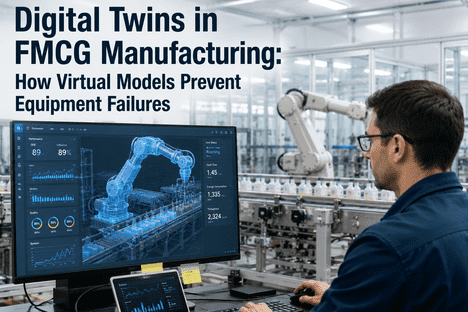
iFactory's digital twin runs continuous virtual line testing against your fillers, cappers, and packaging equipment, then feeds failure probability scores and RUL estimates straight into work order generation and PM schedule tuning — closing the gap between prediction and action.
A Dashboard That Nobody Acts On Isn't Predictive Maintenance
Plenty of FMCG plants already have a digital twin generating good predictions. The failure mode isn't the model, it's what happens after the model produces a number. A health score drops, a RUL estimate shortens, an anomaly flag fires — and then that information sits in a dashboard tab most people check once a shift, if that.
It's tempting to treat this as a training problem — just remind people to check the dashboard more often — but that framing misunderstands the real constraint. A reliability engineer on an FMCG line is already balancing dozens of assets, several open work orders, and the day's production schedule. Expecting them to also serve as the manual bridge between a simulation output and a maintenance action, consistently, across every shift, is asking a person to do a job that belongs in the system.
The cost of that gap compounds on FMCG lines specifically because the equipment runs fast and the failure windows are short. A fill-valve seal or a carousel bearing can move from early-stage degradation to a production-impacting event in a matter of weeks, and every day the prediction sits unread is a day of lead time you can't get back.
It's worth naming exactly why the manual step is so costly on a line like this rather than treating it as a minor inefficiency. FMCG packaging lines run continuously across multiple shifts, and the person best positioned to interpret a twin's output during first shift isn't necessarily on the floor during second or third. A prediction that depends on a specific person checking a specific screen at a specific time is, by construction, unreliable in exactly the way the twin was supposed to fix.
What the Twin Is Actually Simulating
iFactory's digital twin isn't a static 3D model of your line, it's a running simulation calibrated against your actual fillers, cappers, labelers, and conveyors, continuously tested against real operating data to project how each asset's condition will evolve.
The common thread across every one of these asset classes is that the failure signature is present in the data well before it's visible on the line. A drifting flow meter or a slowly loosening capper torque doesn't announce itself to an operator walking the floor — it shows up first as a subtle shift in a sensor reading, which is precisely the kind of signal a continuous simulation is built to catch and a periodic manual inspection is likely to miss.
See a virtual test run against your own filler or capper
iFactory can build a working digital twin of one critical asset and show you the failure probability output before you commit to anything.
How a Prediction Becomes an Action Without a Human in the Loop
The integration isn't a notification that tells someone to go create a work order manually. It's a direct pipeline where crossing a configured threshold generates a structured, ready-to-dispatch work order in the CMMS automatically.
That distinction is easy to state and easy to underestimate. Plenty of systems describe themselves as connected to a CMMS while actually just sending an email or a notification that still requires a person to open the CMMS and build the work order from scratch. The integration only delivers on its promise when the work order itself, fully populated, is what shows up on the other end.
This is the mechanism that actually recovers the lead time a digital twin is supposed to buy you. A fourteen-day warning is only worth fourteen days if the response starts on day one, not on whatever day someone happens to open the dashboard.
It also removes a second, quieter cost of the manual handoff: inconsistency. When work orders are raised by whoever happens to notice a dashboard alert, the quality and completeness of that work order varies with who wrote it and how much context they had at the time. An automatically generated order carries the same structured detail every time, regardless of which shift or which technician is on duty when the threshold fires.
Parts availability is folded into that same automation. A work order that's generated with the predicted failure mode already attached can trigger a parts check against inventory at the same time, so a technician isn't dispatched only to discover the seal kit or bearing they need is three days out on backorder. Catching that gap during the planning window is a very different experience than discovering it mid-repair with the line already stopped.
Letting Condition Data Rewrite the Calendar
Most FMCG plants still run PM on a fixed calendar — replace the bearing every six months whether it needs it or not — because that's what a paper-based or spreadsheet program can manage. A digital twin connected to the CMMS changes that relationship from fixed dates to condition-driven intervals.
The difference matters in both directions. A calendar-based interval that's too aggressive wastes labor and parts replacing components that still had healthy life left. One that's too conservative leaves an asset running past the point the data says it's safe to. The twin removes the guesswork on both sides by tuning the interval to what the asset is actually showing, not what the calendar assumed months ago.
Neither error is visible on its own terms — an over-serviced asset just looks like diligent maintenance, and an under-serviced one looks fine right up until it fails. The only way to know which side of that line a given interval actually sits on is to compare it against the asset's real condition data, which is exactly the comparison a twin makes continuously and a fixed calendar never makes at all.
What Actually Changes When RUL Drives the Schedule
The shift from calendar-based to condition-driven PM isn't just a technical upgrade, it changes what your maintenance team spends its time doing.
| Dimension | Fixed Calendar PM | Digital Twin-Driven PM |
|---|---|---|
| Interval Basis | A pre-set date, regardless of actual condition | RUL estimate recalculated continuously from real data |
| Parts Replaced Early | Common — components swapped with healthy life remaining | Replacement timed to when the asset actually needs it |
| Unplanned Failures | Still occur between scheduled intervals | Flagged as risk rises, before the interval would have caught it |
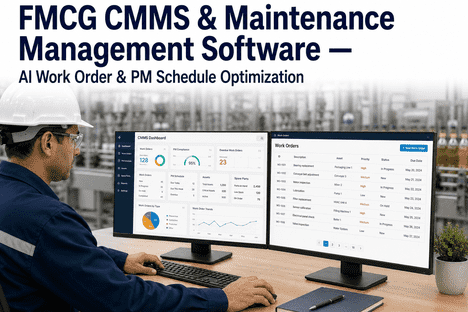
| Work Order Creation | Manually scheduled from the calendar | Auto-generated when the failure probability crosses threshold |
| Schedule Adapts To | Nothing — same interval every cycle | Actual load, run count, and degradation rate per asset |
The point isn't that fixed-calendar PM is worthless, it's that it's a blunt instrument on equipment where the real degradation rate varies with product mix, line speed, and operating hours. A twin that continuously recalculates RUL replaces that blunt instrument with a schedule that actually tracks the asset.
This matters more on FMCG lines than on many other kinds of manufacturing equipment, because the same filler or capper can run wildly different duty cycles depending on what product is scheduled that week. A calendar interval calibrated for one product mix is almost guaranteed to be wrong for another, which is exactly the kind of variability a fixed schedule has no way to account for and a continuously recalculated one handles as a matter of course.
Delivered Ready to Run, Not as a Modeling Project
Building a digital twin sounds like a long simulation-engineering engagement. iFactory delivers it as a turnkey system connected directly to your CMMS, so the loop closes automatically rather than requiring a separate integration project.
Scope covers the cabling, network configuration, PLC and SCADA integration, and operator training, so what your team inherits is a running closed-loop system rather than a dashboard someone still has to watch. Trusted by 1000+ clients with 99.9% uptime, the deployment is built to fit around a live FMCG production line.
Because the rollout starts with your highest-risk assets rather than attempting a plant-wide simulation on day one, the closed loop is proven on equipment where the payoff is clearest before it's extended further. That staged approach keeps the deployment grounded in evidence from your own line rather than a theoretical model applied everywhere at once.
What FMCG Maintenance Teams Ask Before Connecting a Twin to Their CMMS
Let the Twin Write the Work Order, Not Just the Warning
iFactory connects digital twin failure predictions directly into your CMMS, so RUL estimates and risk scores become dispatched work orders and tuned PM schedules — not another dashboard tab.