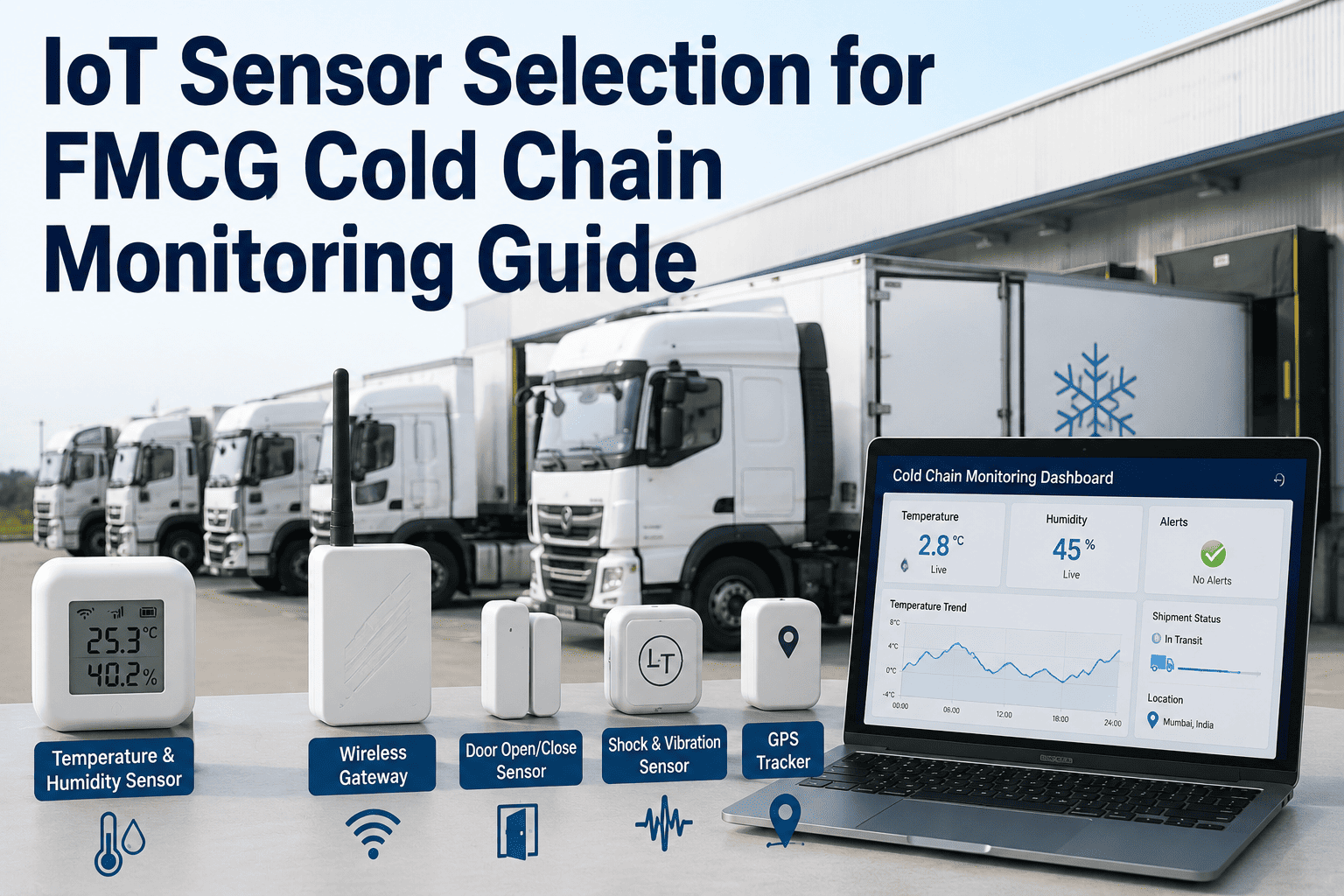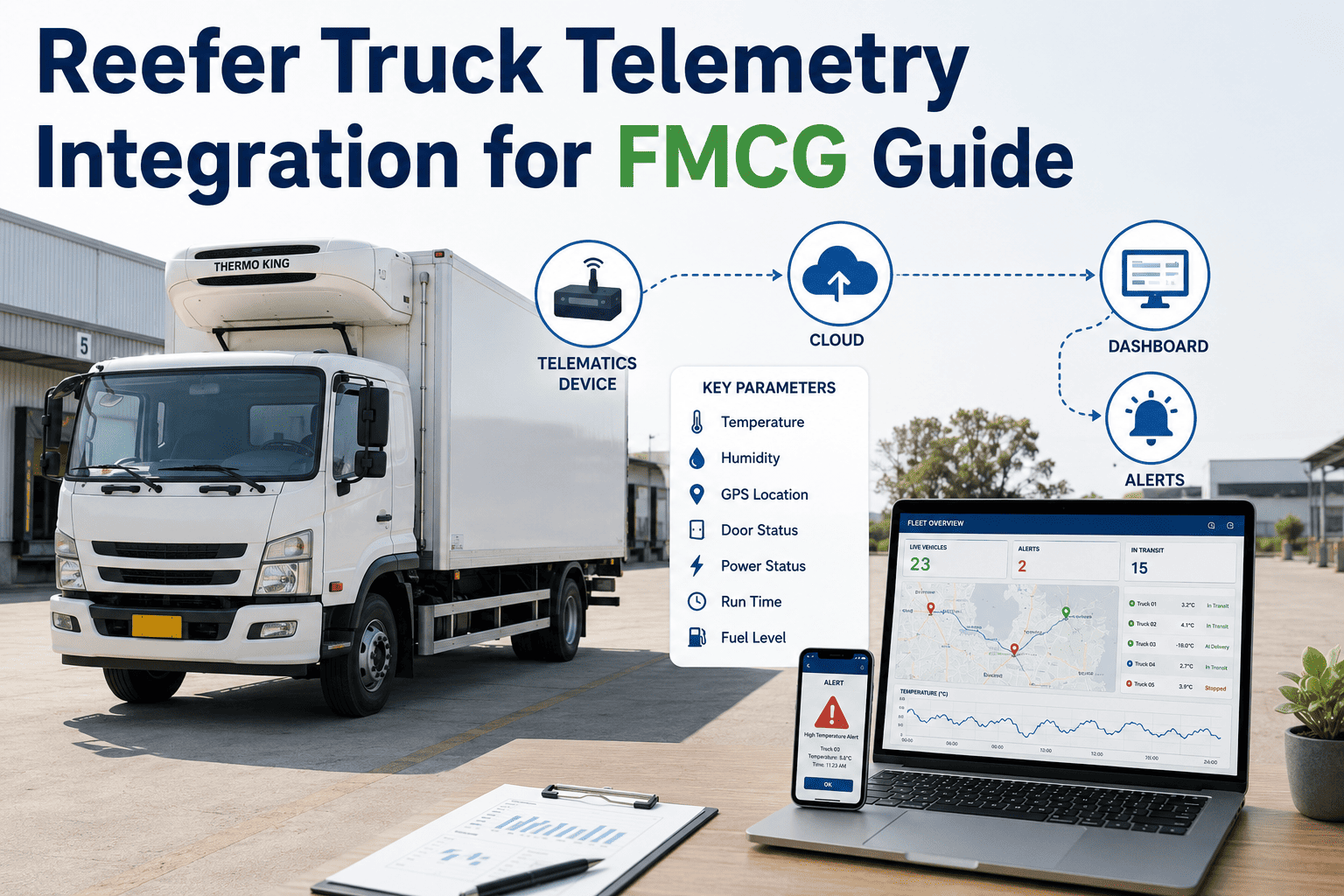
Every reefer trailer on the road already generates temperature, door-open, and fuel data through its own telematics hardware, whether that is a Carrier Lynx modem or a Thermo King connected unit, and most of that data never reaches the brand whose product is actually riding inside the trailer. It sits inside the carrier's own telematics portal, visible to the carrier and sometimes to the trucking company's dispatch team, but invisible to the FMCG brand's quality or logistics group until a delivery arrives with a problem and someone has to call the carrier and ask for a report after the fact. Pulling that same data into a brand-side dashboard in near real time is less a hardware project than an integration project, and getting it right depends on understanding what the OEM APIs actually expose. See how a live integration looks for your carrier mix at ifactory support.
Your Reefer Data Already Exists. It Just Lives in the Wrong Dashboard.
A practical guide to pulling temperature, door-open, and fuel data from carrier telematics into your own cold-chain visibility, without installing new hardware on trailers you don't own.
Why Brand-Side Visibility Is Different From Carrier-Side Visibility
A carrier's telematics platform is built to help the carrier run its fleet: fuel efficiency, driver behavior, maintenance scheduling, and reefer health across every trailer it owns or leases. Temperature and door data exist inside that platform, but they are one dataset among many, and the brand whose product is riding in a specific trailer on a specific lane usually has no direct login, no standing alert configuration tuned to that product's tolerance, and no way to see the data trend across multiple carriers side by side. When five different carriers move a brand's product across a network, that brand ends up with five different portals, five different data formats, and no single view of which lanes are actually running clean.
What Actually Comes Through the OEM API
Carrier Lynx and Thermo King connected units expose a defined set of data fields through their API, and it is worth knowing exactly what is and is not included before assuming an integration will answer every question a quality team might have. Both platforms typically expose cargo compartment temperature, setpoint, reefer operating mode, fuel level, and alarm codes, and both support door-open and door-closed events where a door sensor is present. What they generally do not expose without an additional sensor is product-level temperature at multiple points inside the trailer, since the OEM reading reflects the reefer unit's own return-air sensor rather than a reading taken directly from within the cargo itself.
| Data Field | Typical Update Frequency | Requires Extra Hardware |
|---|---|---|
| Compartment temperature (return air) | 1 to 5 minutes | No, native to reefer unit |
| Setpoint and operating mode | On change or every few minutes | No, native to reefer unit |
| Door open / closed events | Real time on event | Yes, requires door sensor |
| Fuel level and reefer runtime | Every few minutes | No, native to reefer unit |
| Alarm and fault codes | Real time on event | No, native to reefer unit |
| Product-level temperature (multi-point) | 1 to 5 minutes | Yes, requires added environmental sensor |
Carrier Lynx vs Thermo King: What Differs Between the Two
The two most common reefer telematics platforms in North America cover largely the same categories of data, but they differ in API structure, remote control capability, and how quickly alarm data reaches a connected dashboard. Neither is universally better; the right one for a given integration depends on which OEM equipment already sits on the trailers in a given carrier's fleet, since it is rarely practical to ask a carrier to swap reefer hardware to match a brand's preferred integration.
| Factor | Carrier Lynx | Thermo King Connected |
|---|---|---|
| Remote reefer control | Supported for compatible units | Supported for compatible units |
| Alarm data latency | Near real time | Near real time |
| Fleet coverage in North America | Common on Carrier-equipped trailers | Common on Thermo King-equipped trailers |
| Aftermarket sensor compatibility | Compatible with most third-party environmental sensors | Compatible with most third-party environmental sensors |
See Your Own Carrier Mix Mapped to One Dashboard
Bring your list of active carriers and their reefer OEM equipment. We will show what an integrated view of your full network would look like.
How the Integration Actually Gets Built
Setting Alert Thresholds That Actually Get Acted On
An alert that fires on every minor fluctuation trains the team that receives it to ignore alerts altogether, which defeats the purpose of building the integration in the first place. The more durable approach sets two tiers: a watch-level threshold that logs a deviation without paging anyone, and an action-level threshold, typically a sustained deviation beyond a set duration rather than an instantaneous spike, that triggers a message to whoever can actually intervene, whether that is the carrier's dispatch team or the receiving facility. Door-open alerts benefit from a similar duration threshold, since a ten-second door open during normal loading is expected behavior and a ten-minute door open during transit is not.
Common Pitfalls When Connecting Carrier Telematics
Most integration problems are not technical failures of the API itself, they are process gaps around how carriers, credentials, and expectations are managed over time. A carrier changing telematics providers without notice can silently break a connection for weeks before anyone notices the dashboard has gone quiet on that lane. A new carrier onboarded without adding their credentials to the integration means their loads simply never appear in the system at all, which looks like clean data rather than missing data unless someone is specifically checking for gaps.
Who Should Own the Integration Once It's Live
Building the connection is only the first phase; someone needs to own it once it is running, and that ownership typically splits across logistics and quality functions rather than sitting entirely with either one. Logistics teams are best positioned to manage carrier onboarding and confirm data is flowing for every active lane, while quality teams are the right owners for setting and reviewing the actual temperature thresholds tied to product tolerance. Treating the integration as a one-time IT project rather than an ongoing operational responsibility is one of the more common reasons a working integration quietly degrades over a year or two.
Want to see this mapped against your specific carrier network before committing to anything? Talk to our team first.
Frequently Asked Questions
Get Your Carrier Telematics Into One Live Dashboard
Bring your carrier list and their reefer OEM equipment to the call. We will show what an integrated, real-time view of your fleet would look like.