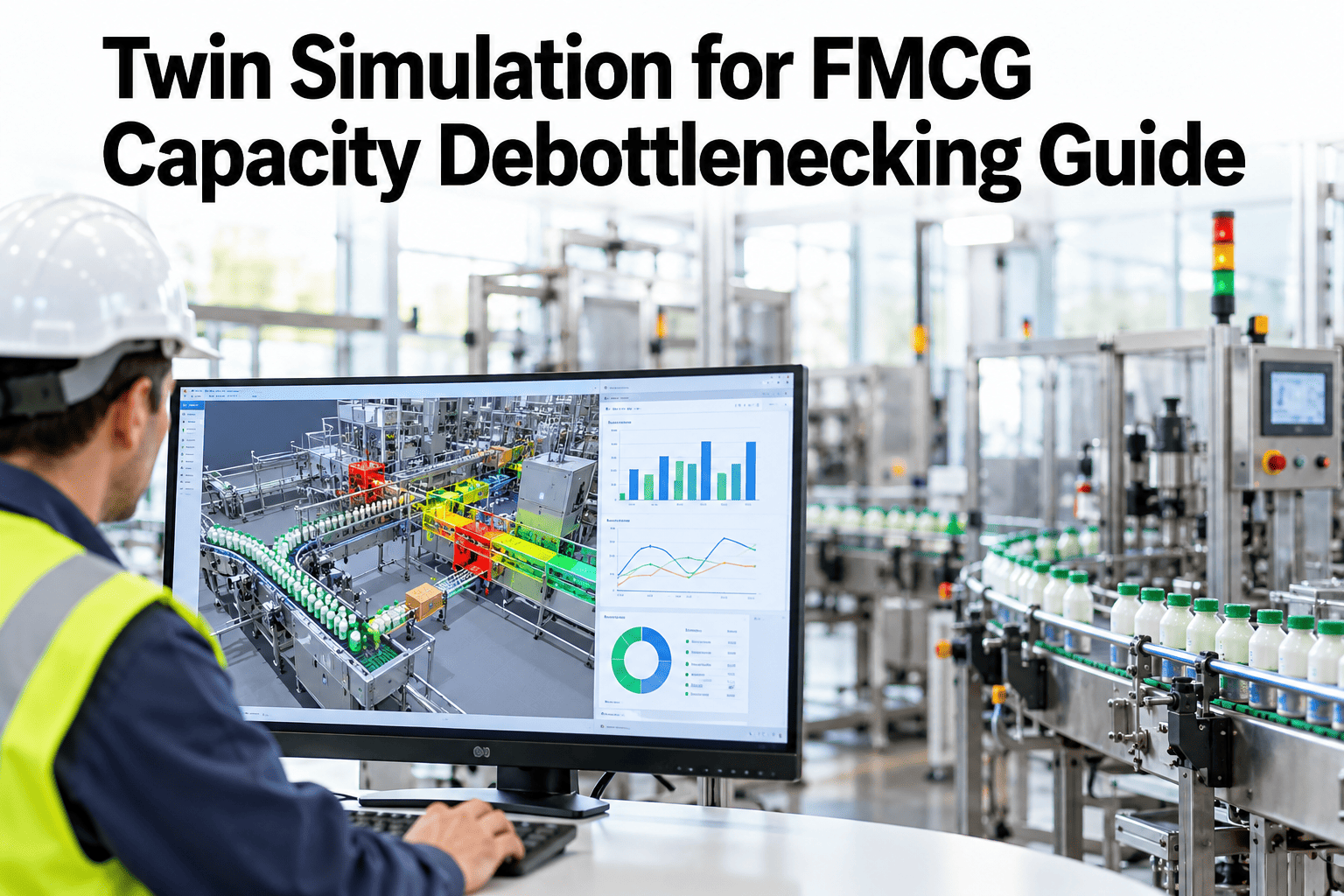
Most FMCG plants know their line is not making as much as it should, and most have a favourite suspect. It might be the filler because it is the most expensive machine, or the case packer because it jams, or the palletiser because operators complain about it. Capital requests then follow the loudest opinion, and the line often ends up no faster because the constraint was somewhere else. A digital twin of the line lets teams find the real constraint with numbers and test the fix on a model before any machine is ordered. Operations and engineering leaders who want to test a debottlenecking idea on their own line can see a line model identify its true constraint using their own speed and downtime data in a short session.
Find the Machine That Really Limits Your Line, Then Test the Fix Before You Buy
iFactory AI builds a virtual model of your packaging line, shows where it truly waits and runs five interventions on the model, so capital goes to the constraint and not to the loudest opinion.
Why the Slowest Machine Is Not Always the Constraint
A packaging line is a chain, and a chain is limited by its weakest link. In practice, the weakest link moves. It depends on how often each machine stops, how long the stops last, how much buffer sits between machines and what product is running.
This is why a simple speed comparison often points to the wrong machine. A fast machine with long stops can limit the line more than a slower machine that runs steadily.
The Arithmetic Behind the Hero Chart
Effective speed starts with rated speed and subtracts what the machine loses in practice. The example line below uses illustrative figures for a five-machine line.
| Machine | Rated Speed | Factor | Effective Speed |
|---|---|---|---|
| Filler | 600 per minute | 0.92 | 552 per minute |
| Labeller | 650 per minute | 0.90 | 585 per minute |
| Cartoner | 520 per minute | 0.95 | 494 per minute |
| Case packer | 580 per minute | 0.88 | 510 per minute |
| Palletiser | 700 per minute | 0.97 | 679 per minute |
Where the Line Waits: Starved, Blocked and Down
Time lost is not spread evenly. Machines upstream of the constraint spend time blocked, and machines downstream spend time starved. The bars show an illustrative share of a shift for each machine.
Stop Debating the Constraint and Measure It
Share a week of machine states and speeds for one line. iFactory AI will show where it blocks and starves, and which machine really sets your output.
Five Interventions to Test on the Model
Once the constraint is known, there are only a few kinds of fix. The twin can test each one, and combinations of them, without touching the real line.
Reduce Changeover Time
Shorter changeovers on the constraint return output directly. They also make shorter runs affordable, which helps planning.
Raise the Constraint Speed
A speed upgrade lifts output until the next machine becomes the constraint. The twin shows exactly where that happens.
Add Buffer Between Machines
Accumulation lets upstream and downstream machines ride through each other's short stops, so fewer stops spread along the line.
Cut Stops at the Constraint
Fixing jams and micro-stops on the constraint raises its effective speed without any new equipment.
Rebalance Line Speeds
Setting every machine to run slightly faster than the constraint reduces blocking and starving without buying anything.
The Constraint Moves: A Sequence of Fixes
Fixing the constraint is not the end. Each gain moves the limit to the next machine. The columns show an illustrative sequence of fixes tested on the twin, with baseline line output as 100.
100
106
109
110
114
How Virtual Line Testing Works
A twin earns trust through a clear process. Six steps take a plant from a line diagram to a ranked list of interventions.
Can the Model Be Trusted? A Validation Check
A simulation that cannot reproduce today's output has no business predicting tomorrow's. The table shows an illustrative validation against four weeks of measured production, and teams can review model validation against their own line output before relying on any prediction.
| Week | Measured Output | Model Output | Error |
|---|---|---|---|
| Week 1 | 31,200 cases | 31,650 cases | +1.4% |
| Week 2 | 29,800 cases | 29,300 cases | -1.7% |
| Week 3 | 32,100 cases | 32,300 cases | +0.6% |
| Week 4 | 30,400 cases | 31,900 cases | +4.9% |
Common Mistakes in Debottlenecking
Most failed debottlenecking projects fail for the same few reasons. Each has a simple remedy.
A Composite Scenario: A Capacity Request Cancelled
A plant asked for a faster filler to meet a growing order book. A model of the line told a different story, and the figures below are illustrative.
Where iFactory AI Fits
A line twin needs machine data, stop records and process knowledge. iFactory AI brings these together and keeps the model current as the line changes.
Line Model Builder
Machines, buffers and product flow are modelled from your line layout and data.
Constraint Detection
Blocking, starving and down time reveal the dynamic constraint for each product.
Intervention Testing
Speed, buffer, changeover and stop fixes are tested alone and in sequence.
Pilot Tracking
Real results are compared with the model's prediction, and the model is refined.
Expert Review: Using a Line Twin Responsibly
A line simulation can save a plant from a costly mistake, and it can also mislead if it is built carelessly. This review sets out how experienced operations engineers judge one.
Frequently Asked Questions
How much data do we need to build a line twin?
Machine states, speeds, stop durations and changeover times for a few weeks across your main products are usually enough for a first model. More history improves accuracy for rare events. Poor data can be handled, but it should be flagged, because model quality cannot exceed input quality. Our team can review your data and say what is usable before you start.
Is a twin different from a normal OEE report?
Yes. An OEE report tells you how each machine performed. A twin shows how the machines interact, including blocking, starving and buffer effects, and it predicts what would happen if something changed. Both are useful, and they share the same data. OEE says where time was lost, and the twin says which loss is worth fixing first.
Can the twin handle many different formats and SKUs?
It can, by modelling each format with its own speeds, stops and changeovers. The constraint often differs between formats, which is one of the most useful findings. See how constraints differ by format in a short walkthrough using your own product list.
How accurate are the predicted gains?
They are estimates with a margin of error, and the margin is shown. Gains from changeover and stop fixes are usually predicted more reliably than gains from new equipment, because they use measured behaviour. Always treat the prediction as a ranking of options, and confirm the winner with a limited pilot before committing the full budget.
How does this connect to our other improvement work?
The twin uses the same stop, speed and changeover data as your OEE and loss tracking, so findings feed directly into those programmes. A constraint found in the model becomes a priority in loss analysis. Ask how twin findings link to your loss dashboards and your improvement tracking.
Spend the Capacity Budget Where the Line Is Actually Limited
See a model of your own line find its constraint, test five interventions and rank them by gain. Book a working session with a line simulation specialist.