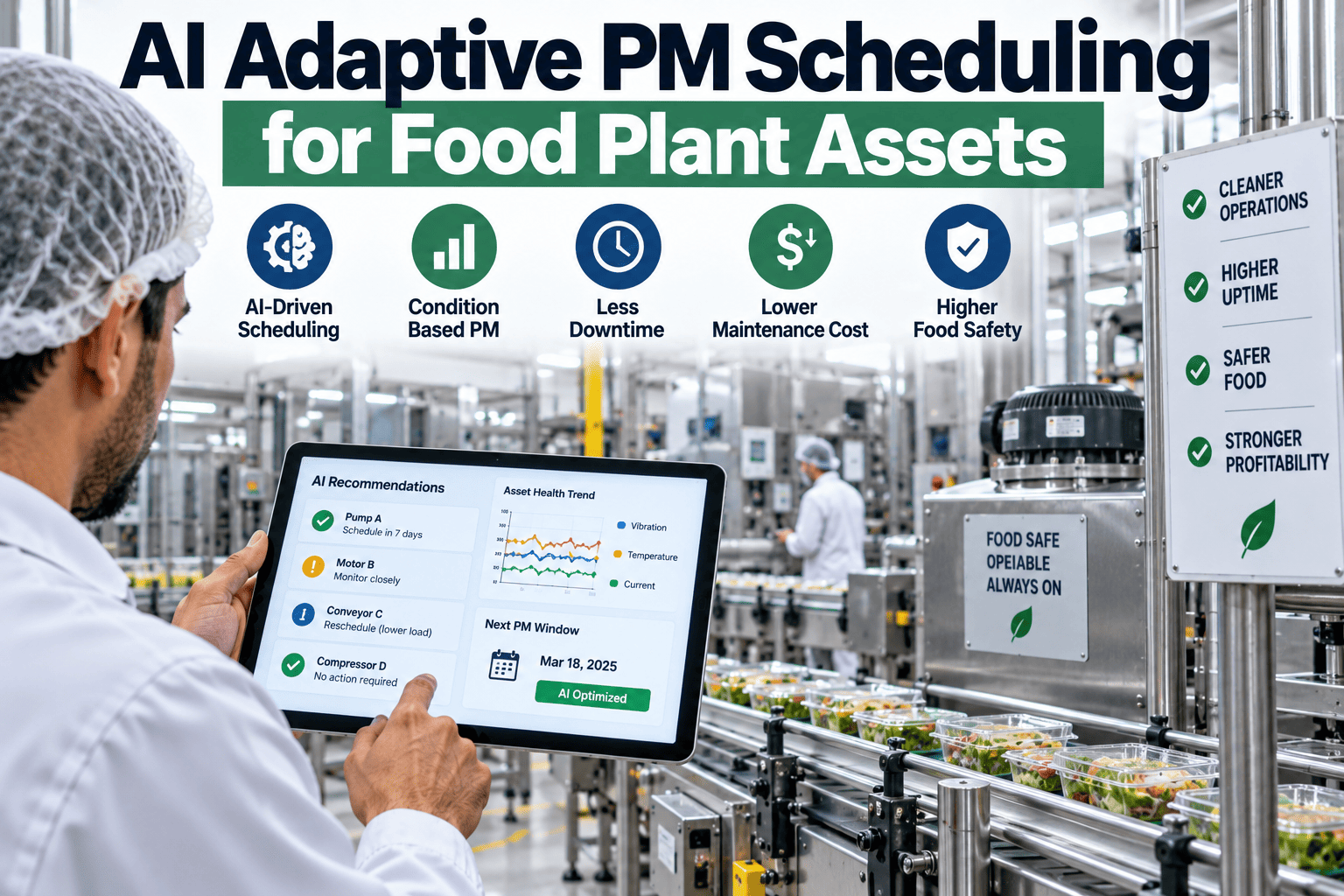
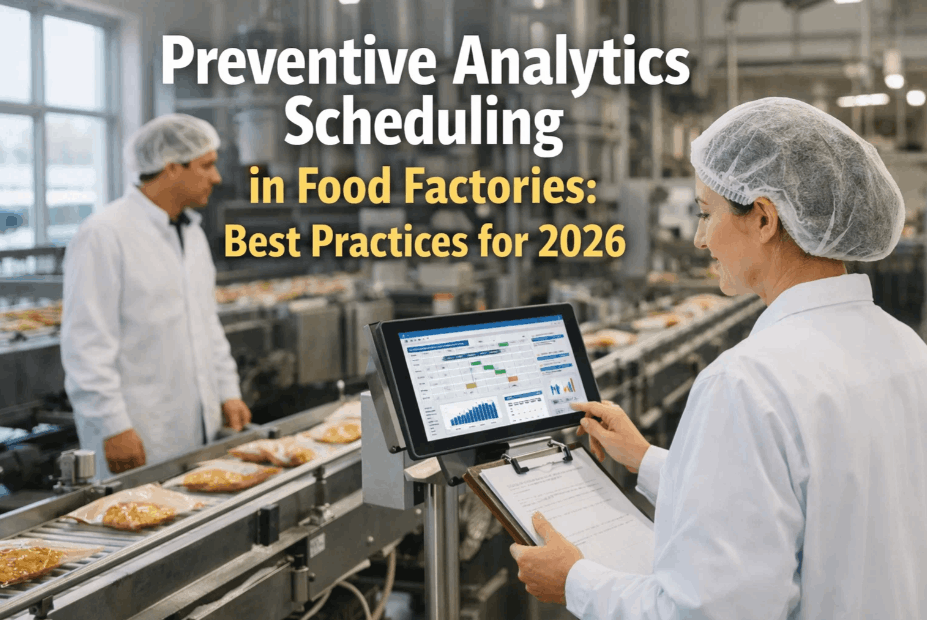
Ask a maintenance planner why a specific pump gets serviced every sixty days and the honest answer is usually "that's what the schedule says," not "that's what the pump actually needs." The calendar became the trigger because it was the easiest thing to automate decades ago, not because sixty days is a meaningful unit of wear for that specific piece of equipment running your specific product mix at your specific line speed. Adaptive scheduling replaces that single fixed trigger with three that actually track reality: how the asset is running, how hard it's been used, and how likely it is to fail based on everything the model has learned from similar equipment. If your PM calendar still reads like it was set once years ago and never revisited, book a demo to see what it looks like when the schedule actually follows the asset.
FOOD & BEVERAGE · ADAPTIVE MAINTENANCE SCHEDULING
Three Triggers That Replace a Single Fixed Date
iFactory shifts your PM schedule from a static calendar to condition-based, runtime-based, and probability-based triggers, so every asset gets serviced according to how it's actually running, not what date happens to fall next on a spreadsheet.
CONDITION-BASED
RUNTIME-BASED
PROBABILITY-BASED
THE THREE TRIGGERS EXPLAINED
What Actually Decides When a Task Fires
A calendar interval is a proxy for wear, a rough guess about how long a component should last under typical conditions. Adaptive scheduling replaces that guess with three signals that measure the thing that actually matters, each suited to a different kind of asset and a different kind of failure mode.
01
Condition-Based Triggers
Vibration, temperature, and pressure readings taken directly from the asset fire a task the moment a real degradation signature appears, regardless of what the calendar says. This works best on assets with well-documented failure signatures like bearings, motors, and pumps.
02
Runtime-Based Triggers
Actual operating hours or cycle counts pulled directly from the PLC decide when service happens, so a machine that sat idle for two weeks doesn't get serviced on the same date as one that ran three full shifts. This suits equipment where wear tracks usage more closely than time.
03
Probability-Based Triggers
A model trained on your failure history estimates the likelihood of failure for each asset over the coming weeks and schedules service before that probability crosses an acceptable threshold, useful for assets without a clean single condition signal but with a rich failure history.
Most plants end up running a blend of all three across their fleet, condition-based on the highest-value rotating equipment, runtime-based on cycle-driven packaging and material handling gear, and probability-based filling in wherever a clean sensor signal isn't practical to install.
SEEING THE DIFFERENCE
What a 90-Day Window Looks Like Under Each Approach
A fixed calendar spaces every service call evenly regardless of what's actually happening on the floor. An adaptive schedule clusters activity where the real risk is and leaves healthy assets alone for longer stretches, which is easiest to see laid out side by side over the same ninety days.
FIXED CALENDAR — EVERY 15 DAYS, NO EXCEPTIONS
Six identical visits regardless of actual condition, evenly spaced whether the asset needs it or not.
AI-ADAPTIVE — TRIGGERED BY ACTUAL CONDITION
Three visits, clustered exactly where a real degradation signal appeared, with long healthy stretches left untouched.
See your own schedule redrawn this way
iFactory can rebuild your current 90-day PM calendar using adaptive triggers and show you exactly what changes.
WHAT CHANGES ON THE FLOOR
The Numbers Behind the Shift
15-25%
reduction in PM labor hours typically achieved without any impact on reliability
30-40%
fewer unplanned failures on assets moved from fixed intervals to condition-based triggers
20%+
of PMs eliminated entirely on equipment that simply didn't run enough to warrant them
2.5x
cost premium avoided on the emergency repairs that adaptive scheduling catches earlier
CALENDAR VS ADAPTIVE
What Actually Changes When the Trigger Isn't a Date
| Factor |
Fixed Calendar |
AI-Adaptive Scheduling |
| Trigger |
A fixed date, regardless of actual use |
Condition, runtime, or failure probability |
| Idle equipment |
Serviced on schedule even if barely used |
Service deferred until real runtime accumulates |
| Heavily used equipment |
Same interval as lightly used peers |
Service moves earlier to match actual wear |
| New SKU or process change |
No automatic adjustment to the schedule |
Probability model updates as new data arrives |
| Planning predictability |
Simple to plan, but often wrong |
Slightly more dynamic, considerably more accurate |
MATCHING TRIGGER TO ASSET
Which Equipment Fits Which Trigger Type
CONDITION-BASED
Motors, pumps, gearboxes, and bearings with a well-documented vibration or thermal failure signature.
RUNTIME-BASED
Fillers, conveyors, and packaging equipment where cycle count tracks wear more reliably than calendar time.
PROBABILITY-BASED
Assets without a clean sensor signal but with a rich failure history the model can learn from directly.
FREQUENTLY ASKED QUESTIONS
What Plants Ask Before Adopting Adaptive Scheduling
Do we have to choose one trigger type for the whole plant?
No, and trying to force a single trigger type across every asset would actually work against you, since different equipment classes genuinely need different signals to schedule accurately. Most plants run a deliberate mix, condition-based triggers on rotating equipment with strong vibration or thermal signatures, runtime-based triggers on cycle-driven packaging and material handling gear, and probability-based triggers filling in on assets where a clean sensor signal isn't practical to install. Deciding which trigger fits which asset class is one of the first things reviewed during setup, and it's revisited over time as more failure data accumulates.
Book a demo to see how a mixed trigger strategy would map to your specific fleet.
What happens if a probability-based trigger turns out to be wrong?
A probability model is never asked to make a single irreversible call, it estimates a failure likelihood that's continuously updated as new data arrives, and the threshold for triggering a task is set conservatively enough to catch developing risk well before it becomes a real problem. If a model's predictions on a specific asset class prove less accurate than expected, that asset class can shift toward a condition-based or runtime-based trigger instead, or a tighter probability threshold, rather than continuing to rely on a signal that isn't performing well. This kind of ongoing accuracy tracking is a standard part of how the system is maintained over time, not an afterthought.
Contact our support team to review how prediction accuracy is tracked and adjusted.
How does this handle a new SKU or a process change on the line?
A probability-based trigger updates its failure estimates as new operating data comes in, so a process change that increases stress on a specific asset class will show up in the model's predictions within a reasonably short window rather than requiring someone to manually notice the shift and adjust the schedule by hand. Condition-based and runtime-based triggers respond even faster since they're reading real-time sensor or cycle data directly, meaning an asset running harder because of a new product mix gets flagged for earlier service automatically, without anyone having to update a calendar entry.
Book a demo to see how a recent process change would have been picked up by the system.
Does adaptive scheduling make maintenance planning harder to forecast?
There's a real trade-off here worth being upfront about: an adaptive schedule is slightly less predictable on any single given week compared to a fixed calendar, since tasks cluster around actual need rather than spreading evenly. In practice this is a minor planning adjustment rather than a real obstacle, since the system still provides a forward-looking view of upcoming likely service needs, just one based on actual risk trajectory instead of an arbitrary date, which tends to make labor planning more accurate over a monthly or quarterly horizon even if the day-to-day rhythm looks somewhat different.
Contact our support team to see how forward planning works under adaptive scheduling.
How long does it take to move a plant from calendar-based to adaptive scheduling?
Most plants start with a pilot group of high-value or historically problematic assets, moving them to condition-based or runtime-based triggers within the first few weeks while the rest of the fleet continues on its existing calendar. Full-fleet transition typically completes within two to three months, staged deliberately so each asset class is validated against its new trigger before the old calendar-based schedule for that class is fully retired, which keeps risk low throughout the transition rather than switching everything over at once.
Book a demo to map a realistic transition timeline for your specific asset count.
SCHEDULED BY CONDITION, NOT BY DATE
Let Your Assets Set Their Own Maintenance Schedule
iFactory replaces your fixed PM calendar with condition-based, runtime-based, and probability-based triggers, so every asset gets serviced exactly when it actually needs it.