By the time a quality check flags an out-of-spec batch, the ingredient that caused it has usually been in the process for twenty minutes already. Feed-forward control flips that timing: it reads inbound moisture, fat and protein data the moment a raw material arrives and adjusts the process before the batch ever starts, rather than reacting after the fact. This guide covers how raw material variability control works, what signals it depends on, and how a plant builds the feedback loop that catches drift before it becomes a reject. Teams ready to see their own raw material data modeled can book a demo with the iFactory AI team.
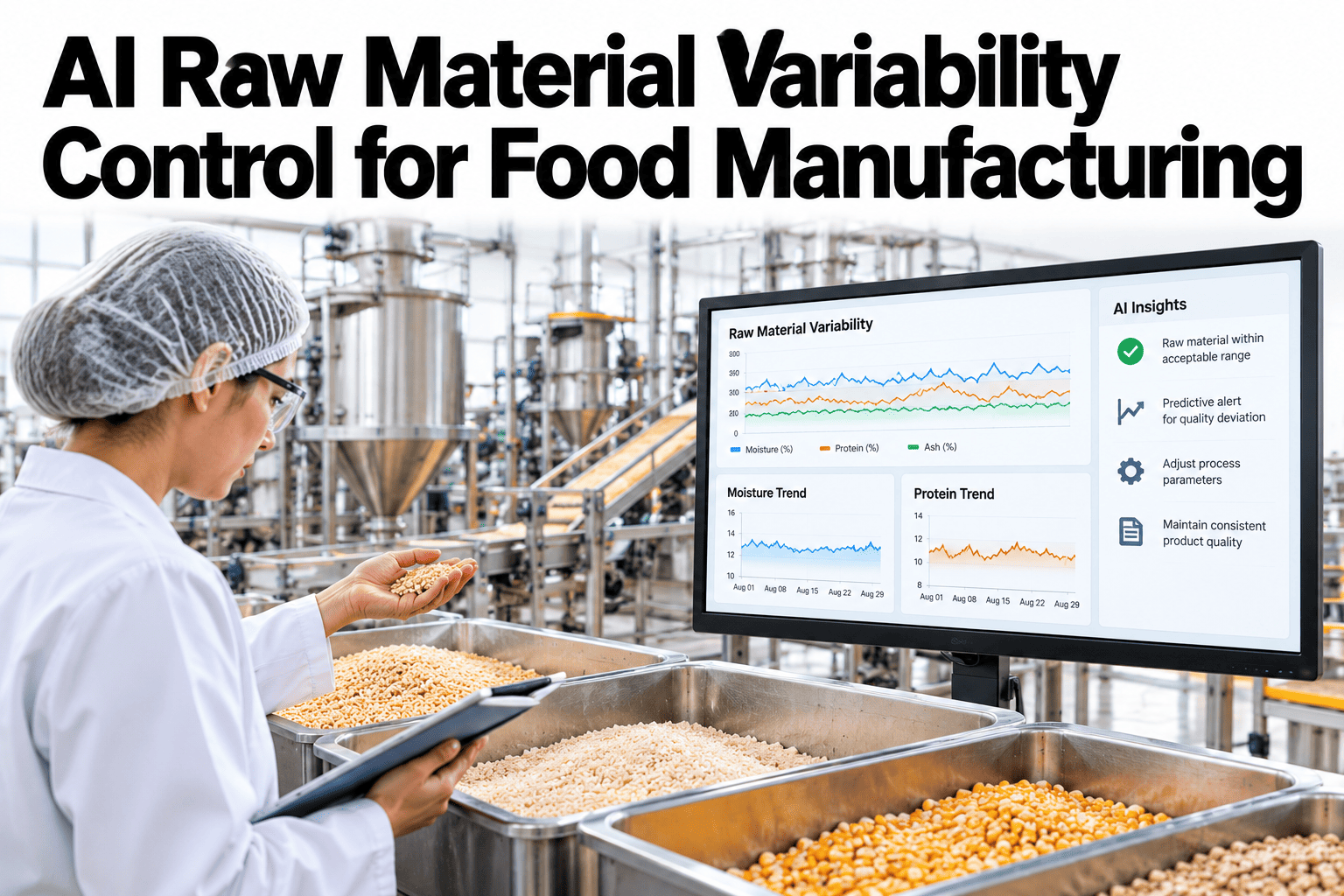
AI Raw Material Variability Control for Food Manufacturing
Reads inbound moisture, fat and protein and adjusts the process before an out-of-spec batch happens.
Reactive Versus Feed-Forward
Most quality systems catch variability after it has already affected the batch, through a lab test or an inline check once production is underway.
Correct after the fact
A deviation is caught mid-process or after, and the correction happens too late to fully prevent the effect.
Correct before it starts
Inbound material data adjusts the process recipe before the batch begins, preventing the deviation entirely.
The Signals That Matter Most
Not every raw material property needs to be tracked. A short list of high-impact signals usually explains most of a process's variability.
| Signal | Typical Source | What It Affects Downstream |
|---|---|---|
| Moisture | Inline NIR sensor or lab sample | Dose, mix time, final texture |
| Fat content | Lab sample at intake | Mouthfeel, mixing behavior |
| Protein | Lab sample or supplier certificate | Structure, elasticity, bake performance |
| Particle size or viscosity | Inline sensor or batch sample | Flow rate, dosing accuracy |
Building the Feed-Forward Loop
The loop runs in a short sequence each time a new material lot arrives, so the adjustment is ready before the batch starts.
Catch Variability Before It Reaches the Line
Book a 30-minute walkthrough and see how raw material data can adjust your process before the batch even starts.
A Sample Pre-Adjustment, Illustrative
The figures below are invented to show the pattern, not to benchmark your process.
Common Variability Control Mistakes
The same errors appear across plants building their first feed-forward loop.
Plain-Language Glossary
Shared terms keep quality, process engineering and procurement teams reading the same report the same way.
Frequently Asked Questions
Do we need inline sensors to start?
No, many plants begin with lab results entered at intake, which still allows a pre-batch adjustment even without real-time inline sensing. Inline sensors can be added later for faster updates. Book a demo to see what your current intake data supports.
How is the baseline value determined?
The baseline is typically the raw material property the recipe was originally formulated around, confirmed with quality and process engineering before any automatic adjustment is enabled.
What if a material reading falls outside the normal range?
An extreme reading triggers a flag for manual review rather than an automatic adjustment, since very large deviations usually indicate a material quality issue worth investigating directly.
Does this connect to our existing lab and ERP systems?
In most cases, yes. iFactory AI reads material data from lab systems or ERP and feeds it into the adjustment loop without duplicating existing records. Ask support which systems connect.
Stop Reacting to Variability After It Happens
iFactory AI reads raw material data and adjusts the process before an out-of-spec batch occurs. Book a walkthrough built around your plant.