Choosing a temperature data logger sounds like a simple procurement decision until a quality manager actually compares the options on the market. USB loggers, Bluetooth-enabled units, and cloud-connected cellular sensors all measure the same physical quantity, yet they solve completely different operational problems and fail in completely different ways. Buying the wrong category for your use case usually does not become obvious until the first serious excursion goes undetected because nobody checked a logger sitting inside a sealed pallet three states away. This guide breaks down the real tradeoffs between logger types so the decision can be made on capability rather than price alone, and where a live comparison walkthrough can help narrow the choice further.
Match the Right Logger to the Right Cold Chain Risk
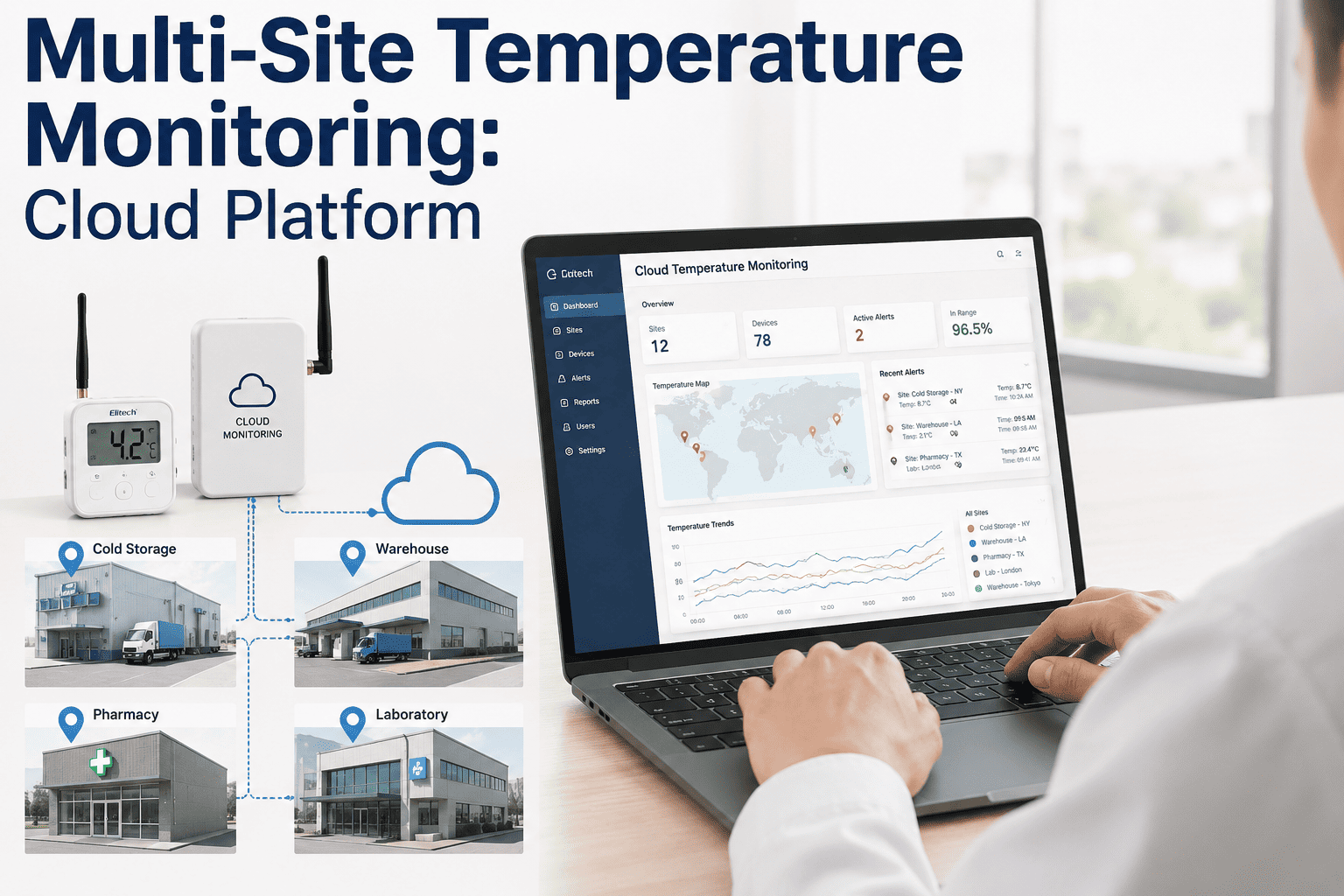
iFactory helps teams deploy the right mix of USB, Bluetooth, and cloud-connected loggers based on real risk points, not guesswork, backed by a unified dashboard for every device type.
USB, Bluetooth, and Cloud Loggers Explained
Every temperature logger on the market falls broadly into one of three connectivity categories, and understanding what each one actually gives you operationally is the first step before comparing brands or price points.
Feature Comparison Across Logger Types
Placing the three categories next to each other on the same criteria makes the tradeoffs concrete rather than abstract.
| Criteria | USB Logger | Bluetooth Logger | Cloud Logger |
|---|---|---|---|
| Data Retrieval | Manual, physical connection | Proximity-based wireless sync | Automatic, continuous |
| Real-Time Alerts | Not available | Only when in range | Full real-time coverage |
| Typical Cost per Unit | Low | Moderate | Higher, often subscription-based |
| Best Fit | Single shipments, short trips | Warehouse zones, dock areas | Long-haul, high-value cargo |
| Battery Life | Months to a year | Months, varies with sync frequency | Weeks to months, higher power draw |
A Simple Way to Narrow Down the Right Type
Rather than comparing every spec sheet on the market, most teams can narrow their choice by answering a small set of questions about how the product actually moves.
Other Selection Criteria That Matter Just As Much
Connectivity type gets most of the attention, but several other factors determine whether a logger actually holds up in daily operational use.
Not Sure Which Logger Fits Your Cold Chain?
Walk through your actual shipment profiles with our team and get a logger mix recommendation built around your real risk points, not a generic catalog list.
Where Cold Chain Logger Deployments Go Wrong
Even with the right logger type selected, a handful of deployment mistakes account for most of the false confidence teams end up with in their monitoring programs.
Frequently Asked Questions
Can I mix USB, Bluetooth, and cloud loggers within the same cold chain program?
Yes, and in practice most mature cold chain programs do exactly this rather than standardizing on a single logger type across every use case. A common pattern is using cloud-connected loggers for long-haul or high-value shipments where real-time alerting matters most, Bluetooth loggers for warehouse zones where a gateway is always nearby, and low-cost USB loggers for lower-risk single-use shipments where manual retrieval is acceptable. The key requirement for this to work smoothly is a monitoring platform that can ingest data from all three logger types into one unified view, so quality teams are not switching between three separate systems to get a complete picture. Book a demo to see a mixed logger deployment in action.
How much does a cold chain data logger typically cost?
Pricing varies significantly by category and features, with basic single-use USB loggers often costing a modest amount per unit suitable for one-time shipments, Bluetooth-enabled reusable loggers costing more per unit but amortized across many shipments over their service life, and cloud-connected cellular loggers typically involving both a higher hardware cost and an ongoing data or subscription fee to cover the cellular connectivity. The right way to evaluate cost is not the sticker price of the device alone but the total cost per monitored shipment over the device's useful life, factoring in reuse rate, battery replacement, and the value of the visibility gained. Contact support for a cost comparison based on your shipment volume.
What recording interval should I choose for my temperature logger?
The right interval depends on how quickly a dangerous excursion could occur for the specific product being monitored. Highly sensitive pharmaceutical products or ultra-cold vaccines typically warrant a one to five minute recording interval since potency can degrade quickly, while more stable food products in standard refrigerated transport can often use 15 to 30 minute intervals without meaningfully increasing risk. It is worth noting that a shorter interval increases both battery consumption and data storage needs, so the goal is choosing the shortest interval that meaningfully protects the product rather than defaulting to the shortest interval available on the device. Book a demo to get interval recommendations for your product categories.
Do cloud-connected loggers work in areas with poor cellular coverage?
Cloud-connected loggers generally include onboard memory that continues recording readings locally even when cellular signal is unavailable, then transmits the backlog of stored data once connectivity is restored, so brief coverage gaps during rural transit or remote warehouse locations do not result in lost data. What is affected during a coverage gap is the real-time alerting capability, since an alert cannot reach anyone until the data actually transmits, which is an important consideration for routes that pass through consistently low-coverage areas. Some deployments in genuinely remote regions use satellite-enabled loggers instead of standard cellular units specifically to maintain continuous connectivity. Contact support to check coverage options for your specific routes.
How do I know if a logger needs to be replaced or recalibrated?
Most manufacturers specify a recommended calibration interval, commonly annually, and a monitoring platform that tracks device-level calibration due dates automatically will flag units approaching or past that window before they are deployed on a new shipment. Beyond scheduled calibration, watch for signs of drift such as a logger consistently reading differently from a known reference thermometer placed alongside it, physical damage to the housing that could affect the sensor, or battery levels dropping faster than expected, all of which can indicate a unit needs to be pulled from service rather than trusted for another cycle. Book a demo to see automated calibration tracking in the platform.
Build a Logger Strategy That Actually Fits Your Cold Chain
iFactory unifies USB, Bluetooth, and cloud logger data into one dashboard so your team gets full visibility no matter which device is deployed where.