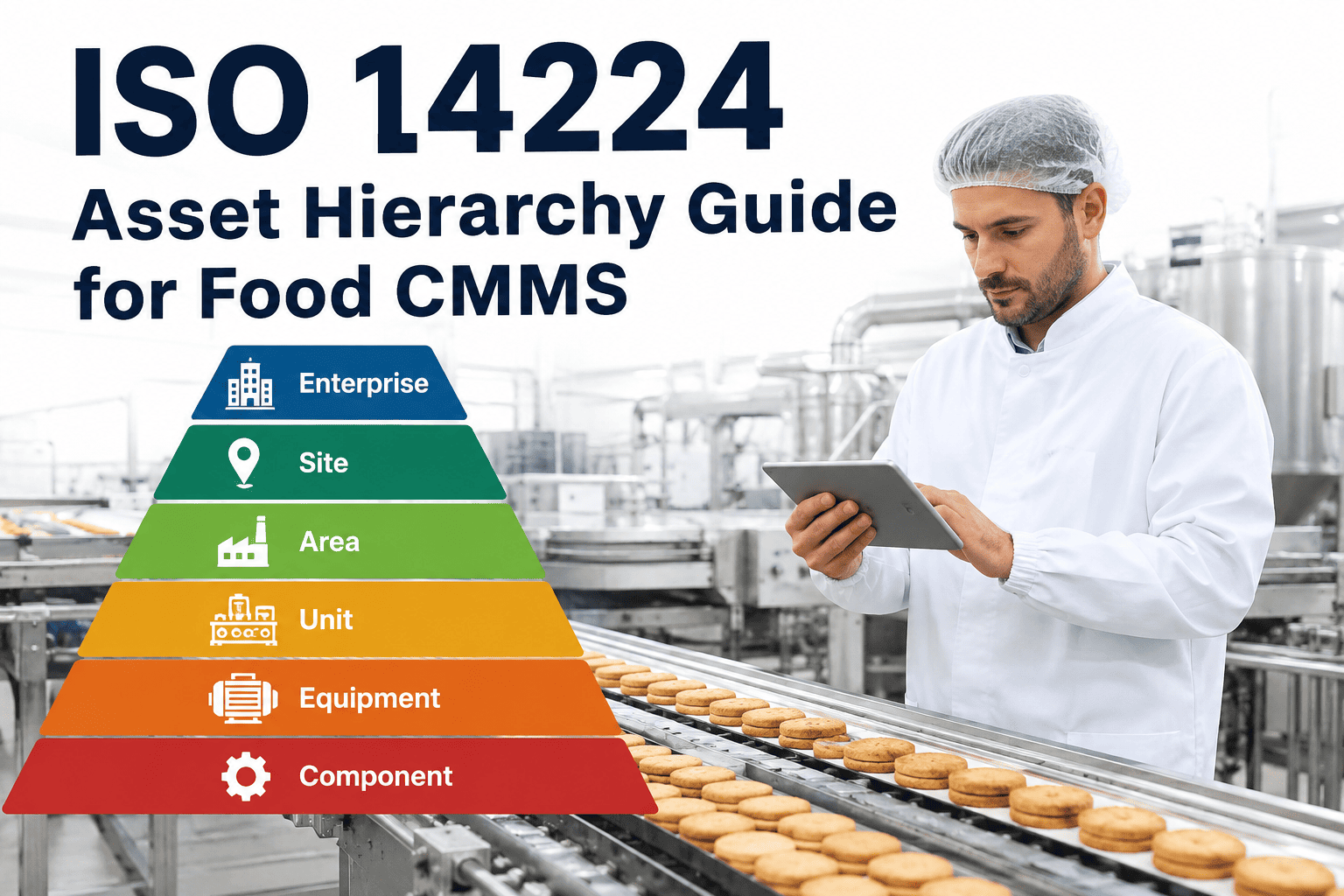
Most food manufacturers build their CMMS asset list the way they built their spare parts shelf — one entry at a time, whenever someone remembered to add it. The result is an asset register with no consistent logic: a filler machine sits at the same level as a single gasket, a pasteurizer shares a naming pattern with nothing else in the plant, and nobody can answer a simple question like "how many pumps do we maintain across all three lines?" without a manual count. ISO 14224, originally written for petroleum and process industries, gives food manufacturers a proven hierarchy — plant, line, unit, sub-unit, component — that turns a flat parts list into a structure that reporting, PM scheduling, and failure analysis can actually use. Plants that rebuild their asset tree around this hierarchy typically cut asset search time by more than half and finally get PM compliance and MTBF numbers that mean something. Maintenance leaders ready to map their own plant onto this structure can Book a Demo and walk through a live hierarchy build with iFactory's implementation team.
Why a Flat Asset List Breaks Down on the Plant Floor
A food plant is not one machine — it is a chain of machines, each dependent on the one before it, each with its own failure modes, spare parts, and maintenance cadence. When a CMMS asset list ignores that structure, three problems show up almost immediately and get worse as the plant adds lines, acquires facilities, or brings new engineers onto the maintenance team.
Reporting That Cannot Roll Up
Without parent-child relationships between assets, a maintenance manager cannot pull "all downtime on Line 2" without manually tagging every work order. Reliability metrics like MTBF and MTTR end up calculated per machine in isolation, never at the line or plant level where budget decisions actually get made, which means capital requests for equipment replacement rarely get the data-backed justification leadership expects to see before approving spend.
Duplicate and Conflicting Asset Records
When there is no numbering convention tied to location, technicians create a second record for an asset that already exists because they cannot find the first one. Duplicate records fracture the maintenance history of a single machine across two or three IDs, wrecking failure trend analysis over time and making it look, on paper, like a plant has more equipment than it actually operates.
PM Programs That Skip Sub-Components
Flat lists tend to stop at the machine level, so bearings, seals, sensors, and drive components never get their own PM schedule. Failures at the component level get logged against the parent asset, hiding exactly which part is driving repeat breakdowns and repeat spend, and leaving planners to reorder the same part reactively instead of scheduling its replacement ahead of failure.
The Five ISO 14224 Levels, Adapted for Food Production Lines
ISO 14224 defines a taxonomy from plant down to maintainable item. Food manufacturers do not need to adopt the standard's oil-and-gas terminology wholesale — the value is in the layered logic, mapped onto how a production line is actually built and run day to day. Each level exists for a specific reporting or maintenance purpose, and skipping a level usually means losing the ability to answer a specific class of question later, whether that is a line-level OEE comparison or a component-level failure trend.
Plant / Site
The top of the hierarchy — a single facility or campus. Every asset below this level inherits the plant code, which becomes the first segment of every asset ID and every work order reference across the site. For organizations running multiple facilities, this is also the level that enables cross-plant benchmarking, since every subordinate asset can be rolled up consistently regardless of which site it physically sits in.
Production Line / Area
A dedicated line — filling, packaging, mixing, pasteurization — or a functional area like utilities or CIP. This is the level most food plants report OEE, downtime, and labor allocation against, so it needs to be a first-class object in the hierarchy, not a free-text field that varies in spelling from one work order to the next and silently breaks every rollup report built on top of it.
Unit / Equipment
The physical machine — a filler, a case packer, a pasteurizer, a blast freezer. This is the level most technicians think in, and where the bulk of PM tasks, work orders, and downtime codes get logged in daily practice. It is also usually the level a spare parts bill of materials is attached to, which is why a clean, consistent unit-level naming convention matters more than any other single decision in the hierarchy.
Sub-Unit / Assembly
A functional group within the equipment — the filling head assembly, the drive train, the conveyor sub-system. Sub-units matter most when a machine has multiple independent failure zones that need separate maintenance history.
Component / Maintainable Item
The part that actually gets replaced — a bearing, a seal, a sensor, a valve actuator. Tracking failures at this level is what turns raw breakdown data into a real reliability program instead of a maintenance log.
Sample Asset Numbering Convention for a Food Plant
A numbering convention only works if every technician, planner, and engineer can decode an asset ID without opening the CMMS. The table below shows a working five-segment format used across multiple F&B deployments, scaled for plants with two to twelve production lines.
| Segment | Example Code | Represents | Notes |
|---|---|---|---|
| Plant | PLT01 | Facility or site code | Fixed across the whole organization, never reused |
| Line / Area | LN03 | Production line or functional zone | Sequential per plant, includes CIP, utilities, warehouse |
| Unit | FIL02 | Equipment type and sequence | Type prefix (FIL, PAS, CNV) plus a running number |
| Sub-Unit | DRV | Assembly within the unit | Only used where the unit has multiple failure zones |
| Component | BRG01 | Maintainable item | Tracked separately only for high-failure, high-cost parts |
Full asset ID example: PLT01-LN03-FIL02-DRV-BRG01. Most plants stop tracking at the unit level for low-criticality equipment and extend to sub-unit and component levels only for assets flagged as high-criticality during an FMEA review.
Criticality Classification: Deciding What Deserves Component-Level Tracking
The single biggest design decision in an asset hierarchy rebuild is not the numbering format — it is deciding which assets earn a full sub-unit and component breakdown and which stop at the unit level. Getting this wrong in either direction creates real cost: too shallow and reliability data stays useless for high-risk equipment, too deep and the maintenance team spends more time maintaining the CMMS than the plant. A lightweight criticality scoring pass, run once per asset during the initial hierarchy build, solves this cleanly.
Full Component-Level Tracking
Bottleneck equipment with no redundancy, food-safety-critical units like pasteurizers and metal detectors, and any asset with a documented history of repeat failures. These typically represent 15 to 25% of total plant assets but drive the majority of unplanned downtime cost, so the extra data entry effort pays for itself quickly through faster root cause analysis and more targeted spare parts stocking.
Sub-Unit Level Only
Equipment with some redundancy or buffer capacity downstream, where a failure causes a slowdown rather than a full line stop. Sub-unit tracking gives enough granularity to spot trends without the overhead of tracking every individual bearing and seal.
Unit Level Only
Redundant equipment, non-production support assets, and machines with low failure frequency and low replacement cost. These make up the bulk of a typical asset count and are best kept simple — unit-level PM and work order tracking is sufficient.
Running this classification consistently also feeds directly into PM scheduling design — high-criticality assets typically warrant condition-based or usage-based PM triggers, while low-criticality equipment is well served by simple calendar-based schedules that do not consume planner time disproportionate to the risk involved.
The six-step sequence above works because it separates structural decisions from data migration. Plants that try to migrate PM history and asset structure simultaneously almost always end up reworking the hierarchy a second time once gaps surface, because nobody caught them before history got attached. Locking the line list, equipment classification, and criticality flags first — before a single PM task gets reattached — means the structure only has to be built once. It also gives maintenance managers a natural checkpoint to socialize the new hierarchy with technicians and supervisors before it becomes the system of record, which matters more than most rollout plans account for. Technicians who do not trust or understand the new asset numbering will quietly revert to searching by machine nickname, and the hierarchy's value collapses regardless of how well it was designed on paper. Building in a short training pass between steps five and six, where each shift lead walks through the new IDs for their line, consistently produces higher long-term adoption than a hierarchy rollout communicated purely through an email or a wiki page.
Building the Hierarchy: A Six-Step Rollout Sequence
Rebuilding an asset register while the plant keeps running requires a sequence that does not stall production or strand open work orders mid-migration. The following order has proven reliable across single-line and multi-line F&B facilities alike, and it is deliberately structured so that structural decisions are locked before any historical data gets touched, which is the step most rushed rebuilds skip and later regret.
Walk the Floor Line by Line
Physically verify every asset against the current CMMS list. Most plants find 10 to 20% of listed assets no longer exist and 5 to 10% of real equipment was never entered at all.
Define the Line and Area List
Lock the Level 2 structure first — every line, plus CIP, utilities, and warehouse as their own areas. This becomes the backbone every other asset attaches to.
Classify Equipment by Type
Assign each unit a type prefix — filler, pasteurizer, conveyor, mixer — so filtering and reporting by equipment class works plant-wide, not just line by line.
Flag Criticality Per Asset
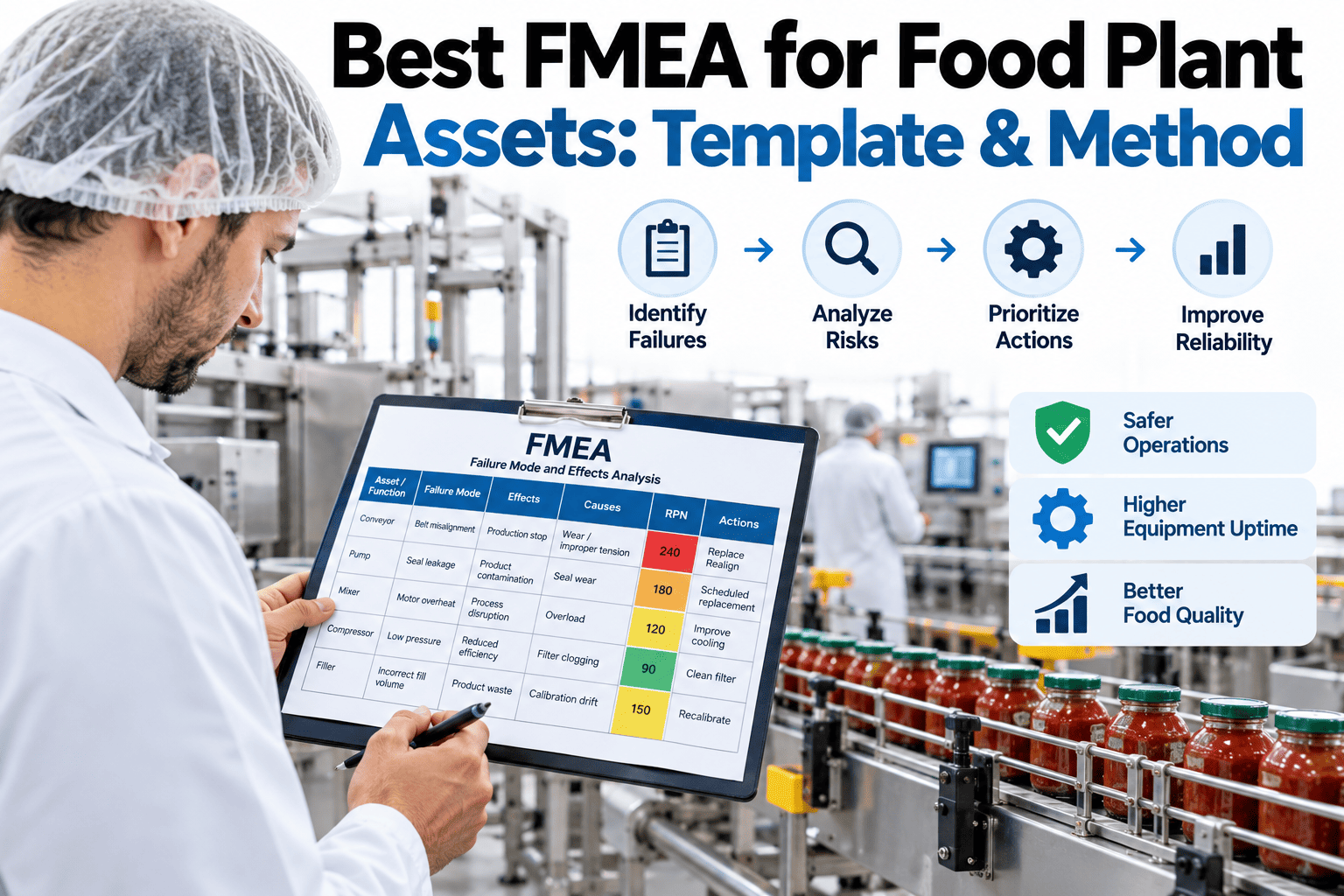
Run a lightweight FMEA pass to mark each unit as high, medium, or low criticality. Criticality determines whether it gets sub-unit and component-level tracking at all.
Build Sub-Units for High-Criticality Assets
Only break high-criticality units into sub-units and components. Applying this level to every asset creates a bloated hierarchy nobody maintains accurately.
Migrate PM Tasks and History
Re-attach existing PM schedules and work order history to the new asset IDs last, once the hierarchy is validated, so historical data does not fracture again mid-project.
What Plants Actually See After the Rebuild
The value of a proper asset hierarchy is easiest to see in the reporting it unlocks. Plants that complete a full rebuild consistently report the same categories of improvement within the first two quarters of operating on the new structure, well before any additional CMMS features or automation are layered on top.
None of these outcomes require new hardware, sensors, or a platform switch — they come purely from restructuring how the CMMS organizes assets that were, in most cases, already being maintained. That is what makes the hierarchy rebuild one of the highest-leverage projects a maintenance department can run in a single quarter, and why it is usually the first recommendation iFactory's implementation team makes to a new food manufacturing client regardless of which CMMS platform they run on.
What Breaks When Plants Skip the Hierarchy Rebuild
Plants that migrate to a new CMMS platform without rebuilding the asset structure carry every flat-list problem into the new system — just with a nicer interface on top. The most common downstream failures show up months after go-live, once leadership starts asking for reliability metrics the data cannot produce.
These are not hypothetical risks — they are the most common support requests iFactory's implementation team fields from food manufacturers who migrated CMMS platforms in the last two years without touching the underlying asset structure. In nearly every case, the plant assumed a new interface would resolve reporting gaps that were actually caused by the data model underneath it, and spent months troubleshooting a symptom instead of the root cause.
Reliability KPIs Reported at the Wrong Level
Without a Level 2 line structure, downtime and MTBF get reported per machine only, making it impossible to compare line performance across shifts or identify which line is actually driving plant-wide OEE loss.
Spare Parts Tied to the Wrong Asset Level
Parts inventory linked to a unit rather than the specific sub-unit or component that consumes it leads to inflated stock counts for parts nobody actually pulls, and stockouts for the ones that fail most often.
Audit Trails That Cannot Be Traced
SQF and BRC auditors increasingly ask for equipment-specific maintenance history tied to food-contact zones. A flat hierarchy makes it difficult to prove which specific component was serviced ahead of a hygiene-critical run, and audit prep teams end up manually reconstructing timelines from work order comments the night before an audit rather than pulling a clean report on demand.
Frequently Asked Questions: Asset Hierarchy for Food CMMS
Do we need to follow ISO 14224 exactly, or just the general structure?
Most food manufacturers adopt the layered logic of ISO 14224 — plant, line, unit, sub-unit, component — without adopting its full oil-and-gas terminology or its complete failure mode taxonomy. The standard is a reference framework, not a certification requirement, so plants are free to rename levels to match how their floor actually talks about equipment, as long as the parent-child relationships stay consistent across the whole facility. iFactory's implementation team can help translate the standard into terminology your technicians already use.
How long does rebuilding an asset hierarchy take for a mid-size plant?
A single-facility plant with three to six lines typically completes a full hierarchy rebuild — floor walk, numbering convention, criticality classification, and CMMS load — in two to four weeks when the work is prioritized alongside normal maintenance duties. Multi-line facilities with legacy spreadsheet asset lists sometimes take longer during the initial floor verification step, since discrepancies between the paper record and physical reality tend to be higher than expected, particularly at plants that have gone through equipment upgrades or line reconfigurations without updating the CMMS to match.
Should every asset go down to the component level?
No — extending every asset to sub-unit and component level creates a hierarchy that is expensive to build and even more expensive to keep accurate over time. Best practice is to reserve component-level tracking for assets flagged as high-criticality during an FMEA pass, typically 15 to 25% of total assets in a food plant, while lower-criticality equipment stops at the unit level where PM tasks and work orders are still fully functional.
Can we rebuild the hierarchy without disrupting active PM schedules?
Yes, if the migration sequence re-attaches PM tasks and history last, after the new structure is validated on the floor. Running both hierarchies in parallel for a short transition window, rather than cutting over all at once, prevents open work orders from getting orphaned mid-project. Teams planning a migration can contact iFactory Support for a transition checklist specific to their current CMMS platform.
Does asset hierarchy design affect audit readiness?
Directly — SQF, BRC, and FDA audits increasingly expect maintenance history to be traceable to the specific equipment and component involved in a food-contact or hygiene-critical process, not just a general work order description. A properly leveled hierarchy lets a plant pull complete maintenance history for a single component in seconds during an audit walk, rather than searching through unstructured notes across multiple work orders.