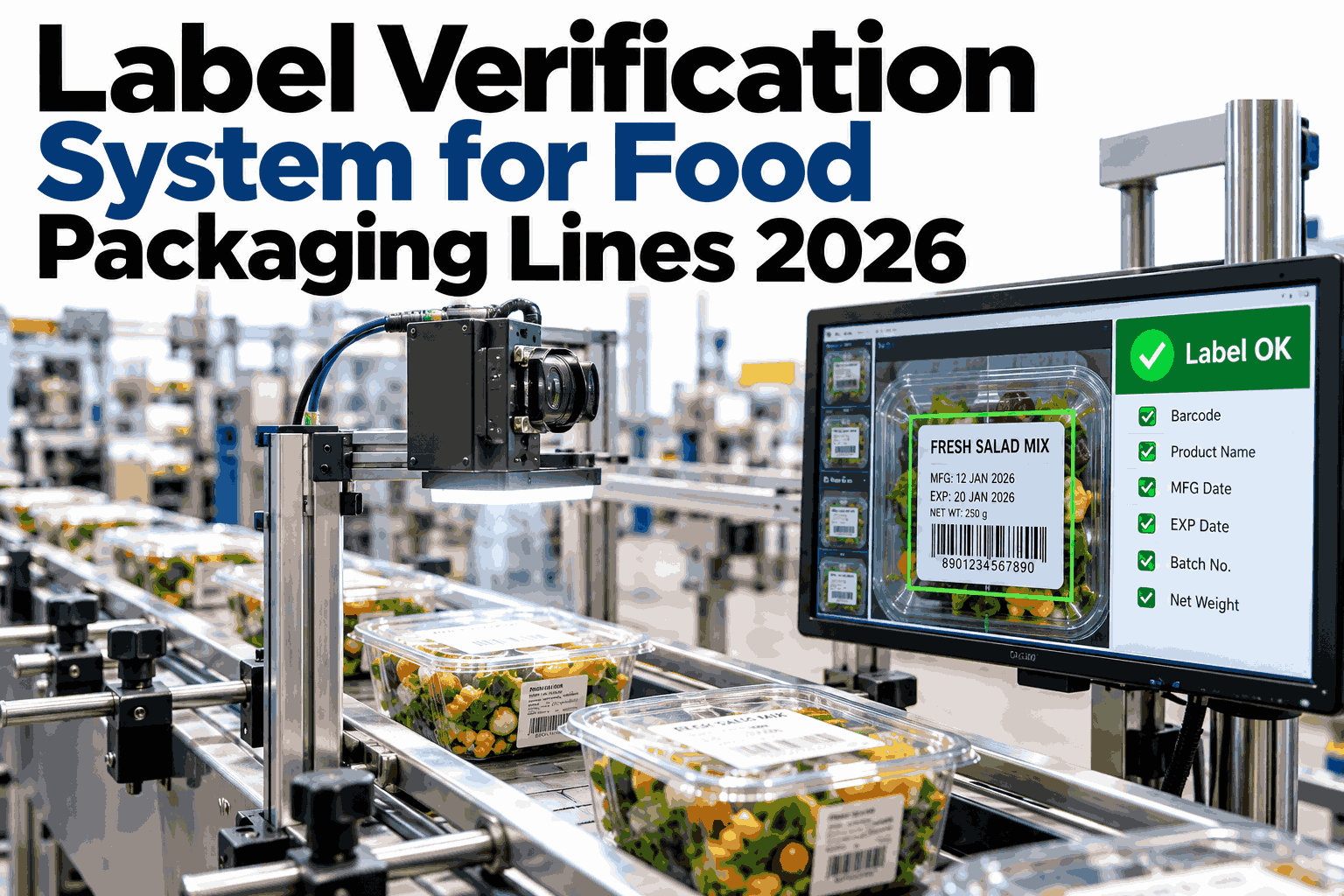
A wrong label rarely starts as a labeling problem. It starts as a changeover problem: a new SKU loads onto the line, a new allergen profile applies, a new date code gets set, and for a few minutes the label on the package and the order the plant meant to run are not guaranteed to match. Steady-state running is not where most mislabels happen. The changeover is. Plants that want to close that window can see a changeover verification gate running against a real work order in a short session.
Three Label Checks, One Gate, Tied to the Work Order
iFactory AI verifies SKU artwork, allergen text, and date code against the active production order at every changeover, then keeps checking through the run.
Why "Check The Label" Is Really Three Different Checks
Treating label verification as one task is where most programs lose precision. A wrong SKU, a wrong allergen statement, and a wrong date code are three distinct failures, caught by three distinct techniques, each with its own way of slipping past a generic check.
A wrong SKU is an artwork problem: the wrong label entirely, or the right label in the wrong size or flavor variant, caught by comparing the whole printed image against an approved reference. A wrong allergen line is a text problem inside a specific region of a correct label, caught by reading that region and matching it against the formulation on file. A wrong date code is a different problem again, because the date is supposed to change every run, so the check is not "does it match a fixed reference" but "does it match what this specific work order says it should be today."
This is also why a plant can run a label inspection program for years, pass its audits, and still have a near miss nobody can explain. The program may be excellent at the check it was built for, usually SKU artwork, while quietly carrying a weaker version of the allergen and date-code checks bundled in as an afterthought rather than designed on their own terms.
Lane One: Catching the Wrong SKU
A wrong SKU usually means the right artwork for a different product, or a stale version of the right product's artwork, now loaded where a newer one should sit. Either failure looks, at a glance, like a correctly operating label applicator doing exactly what it was set up to do, because nothing about the machine itself malfunctioned.
The check compares the full printed label against an approved reference image for the SKU the work order names, pixel region by pixel region, flagging a mismatch anywhere on the label rather than at one fixed spot. That catches both a totally wrong label and a right-product label carrying an outdated flavor callout, net weight, or promotional graphic nobody revised.
The hard part is not the comparison itself. It is knowing, at the instant a pack passes the camera, which SKU the line is supposed to be running right now, which is why this lane only works tied to a live work order rather than a label loaded once at shift start and assumed correct all day.
A seasonal variant or a limited-run promotional label makes this harder still, because the reference image itself is new and short-lived. The approval step that adds a new reference image to the system has to happen before the run, not during it, or the artwork lane has nothing current to compare against for that specific batch.
Multi-language and export packaging adds one more layer, since the same base product may ship under several approved labels distinguished only by a language block or a regional compliance mark. The artwork lane has to treat each of those as its own distinct reference rather than one reference with acceptable variation, because the whole point of an export label is that the wrong regional version is itself the defect, not a tolerable near-match.
Lane Two: Catching the Wrong Allergen Line
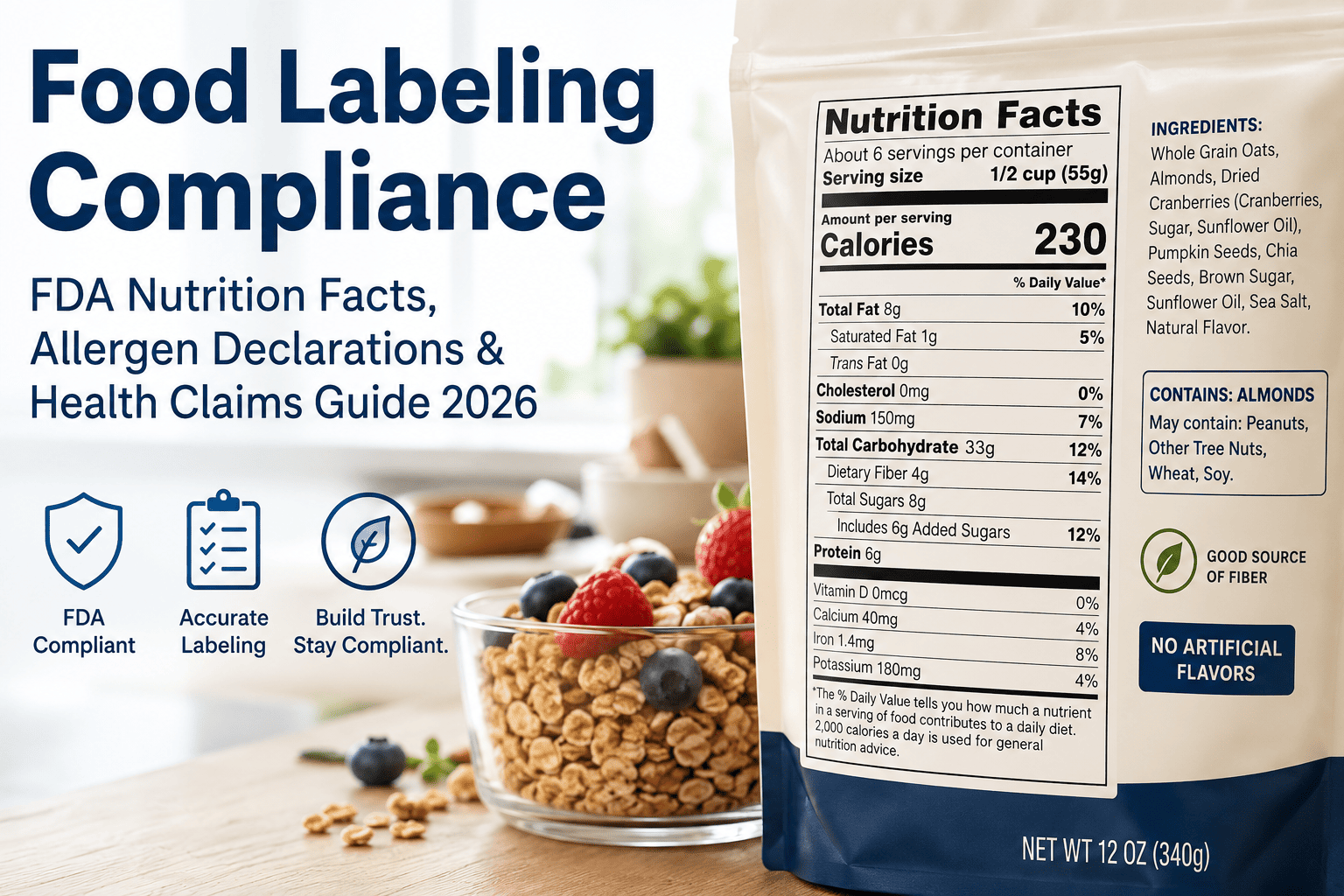
An allergen mismatch is the quietest of the three failures and the most consequential. The label can be otherwise correct, the SKU right, the date code right, and a single missing or wrong allergen statement is still a recall-grade defect, because the harm it causes has nothing to do with how the rest of the package looks.
This lane reads a specific region of the label, the allergen declaration block, and matches its text against the formulation record for the product actually running. A full-label artwork match is the wrong tool here: artwork comparison treats the whole label as one image and can pass a label where the allergen text itself has drifted from a template edit or a wrong revision was pulled, as long as the overall layout still resembles the reference.
Shared lines make this lane earn its place even harder. A line that alternates a product containing tree nuts with a nut-free version of the same basic recipe is running two formulations through the same equipment, and the allergen statement is the one part of the label that absolutely must track which version is actually in the package at that moment, not which version ran most recently.
Lane Three: Catching the Wrong Date Code
The date code is the one field on the label that is supposed to be different every run, which makes it the hardest of the three to verify and the easiest to get wrong without anyone noticing until a complaint arrives.
Verification here reads the printed date and lot code and checks it against what the active work order specifies for that run, not against a fixed reference image. A correct date code on yesterday's run is a wrong date code today, and a system that only checks "is there a date printed, and is it legible" misses the failure that actually matters: a printer that never advanced, or advanced to the wrong value after a changeover.
Legibility still matters, since a smeared or faint print defeats the purpose even with the right value underneath, so this lane carries both a read-quality check and a value-match check rather than either alone.
Lot numbers often ride alongside the date in the same printed string, and a traceability investigation depends on that lot number being exactly right as much as the consumer-facing date does. A verification lane that only looks at whether a date exists and reads clearly, without confirming the lot portion against the run record too, leaves half the traceability chain unchecked.
See All Three Lanes Running Against Your Own Work Orders
Book a 30-minute session and iFactory AI will show SKU, allergen, and date code verification tied to a real changeover on your line.
Why the Changeover Is Where Mislabels Actually Start
A line running the same SKU for eight hours rarely produces a label mismatch out of nowhere. The risk concentrates at the moment something changes.
None of this means steady-state running is risk-free. It means a verification program that checks hard at changeover and lighter through the run matches where the actual failure rate lives, rather than spreading the same scrutiny evenly across a shift where most of the risk sits in a five-minute window.
A fifth moment deserves its own mention: a short, unplanned stoppage that interrupts a run without technically being a changeover. A jam, a brief printer fault, or a quick manual intervention can leave the date-code printer in an uncertain state even though the work order never changed, which is one more reason the date-code lane should verify the printed value every time rather than only at the start of a run.
What "Tied to the Work Order" Actually Means
The phrase does a lot of work in this page, so it is worth being specific about what it requires underneath.
A Live Order, Not a Static Reference
The system reads which SKU, allergen profile, and date value the current work order specifies, not a label image loaded once and trusted all shift.
A Formulation Link, Not Just a Template
The allergen check compares against the actual formulation record for the product running, so a template edit cannot quietly drift out of sync with what is really in the product.
A Changeover Event, Not a Fixed Schedule
Verification intensity steps up the moment the work order changes, rather than on a clock that may not line up with when the line actually switches over.
A Hold, Not Just a Flag
A mismatch at changeover should stop the line or divert the pack, not log a warning an operator can scroll past under production pressure.
Where Each Lane Tends to Break, Structurally
Beyond the moment of changeover, each lane has a structural weak point worth knowing before it shows up as a floor incident.
The SKU artwork lane breaks hardest around revision control. A print supplier ships a corrected roll with a tiny legal-text change, the plant approves the new artwork, and if the reference image library is not updated at the same moment the approved roll goes into service, the artwork lane spends however long it takes someone to notice flagging a perfectly correct label as a mismatch against a now-outdated reference. The fix is procedural as much as technical: the reference library and the approved-roll inventory need to change together, not on two separate schedules.
The allergen lane breaks hardest around shared equipment and co-packing. A contract manufacturer running several brand owners' formulations through one line has more formulation records to keep current than a single-brand plant, and a lag between a brand owner's recipe change and the co-packer's formulation record is exactly the gap a text-match check cannot close by itself. The record has to be current for the check on top of it to mean anything.
The date-code lane breaks hardest around the printer itself, not the verification logic. A printhead nearing end of life produces a date code that reads correctly most of the time and faintly or incorrectly during a worn stretch of the ribbon or a clogged nozzle, which is a maintenance problem wearing a label-verification costume. A verification lane that flags a pattern of near-misses on one printer, rather than only hard fails, gives maintenance a lead indicator before the printer produces an outright illegible run.
Operator View: What Changes on the Floor
A verification gate only works if the operator can act on what it shows. The table below compares what an operator sees before and after a work-order-tied gate replaces a generic label check.
| Moment | Generic Label Check | Work-Order-Tied Gate |
|---|---|---|
| Changeover start | No distinct step, same checks as mid-run | All three lanes verify against the new order before the line resumes full speed |
| Allergen profile switch | Relies on operator remembering the change | System already knows the new formulation and checks against it automatically |
| Date code reset | Legibility check only, value unchecked | Printed value matched against today's work-order date, not just readability |
| A mismatch found | Logged, operator may not see it immediately | Line holds or pack diverts, operator sees exactly which lane failed and why |
The difference is not whether a check exists. It is whether the check knows, at the moment it runs, what the correct answer is supposed to be for the order actually on the line, rather than assuming the first pack of the day set the standard for every pack after it.
That difference also changes what happens after a hold. An operator told simply "label mismatch" has to go investigate which of three possible problems occurred. An operator told which specific lane failed, against which specific order, can usually fix the root cause in the time it takes to walk to the labeler, because the system has already done the diagnosis rather than leaving that work for whoever responds to the alarm.
Where iFactory AI Fits
iFactory AI runs the three-lane gate against the live work order, and keeps a record of every changeover, match, and hold for the floor and for quality.
Work-Order Integration
The active SKU, allergen profile, and date value are pulled from the order feeding the line, not a label set once at shift start.
Three-Lane Verification
SKU artwork match, allergen text match, and date-code value match run as three distinct checks, each against its own source of truth.
Changeover-Weighted Checking
Verification intensity rises automatically at a detected work-order change, then settles to a lighter ongoing sample through the run.
Hold and Record
A mismatch stops the line or diverts the pack and logs which lane failed, against which order, for the shift record.
A Short Self-Check Before Your Next Changeover
Run these against your current label program. A no points at exactly which lane needs attention first.
Frequently Asked Questions
Why split label verification into three lanes instead of one check?
Because a wrong SKU, a wrong allergen statement, and a wrong date code fail in different ways and need different evidence to catch. A full-artwork match is built to catch the wrong label entirely, but it can miss a text-level allergen drift inside an otherwise correct layout, and it has no concept of a date value that is supposed to change every run. Three targeted checks catch what one generalized check tends to miss.
What does tying verification to the work order actually add?
It gives each check a correct, current answer to compare against, rather than a fixed reference that can go stale the moment the line changes over. A date code is the clearest example: the right value changes every run, so checking against yesterday's correct answer produces a wrong result today unless the check reads from the live order. See this tied to your own order data in a short walkthrough.
Do we need this if we already check labels at changeover manually?
A manual changeover check is a real control, but it depends on one person remembering three different things under time pressure, often during a shift handover. An automated gate checks all three every time a work order changes, without depending on memory, and keeps checking at a lighter level through the run rather than stopping at the first pack.
How does the allergen lane stay current when a formulation changes?
The allergen check reads from the formulation record tied to the work order, so when a recipe or allergen profile changes in that system of record, the check picks up the new reference automatically rather than waiting for someone to revise a separate label template by hand. Ask support how the formulation link is set up for your specific systems.
What data do we need before setting this up?
The core is approved label artwork by SKU, formulation or allergen records by product, and a feed of the active work order including the required date-code value for each run. Most plants already hold these across label management, quality, and production-scheduling systems. The early weeks of a rollout focus on linking the three lanes to their correct sources rather than building the vision checks from scratch.
Close the Changeover Window Where Mislabels Start
iFactory AI ties SKU, allergen, and date-code verification to the live work order, so a changeover gets caught before it becomes a recall. Book a walkthrough on your own line.