OEE in FMCG lives or dies on the count. A shampoo filler, a soap wrapper, a detergent pouch line or a snack cartoner can lose more output to two-minute jams and slow SKU changeovers than to any single breakdown, yet most packing lines still learn their real output from a clipboard tally or an end-of-shift pallet count. When the unit count is late or wrong, availability, performance and quality are all guesses. iFactory AI's Line OEE & Production portal counts every unit crossing a line you draw on a phone camera view, so each unit's time lands in the line record as it happens. Sign up free and start counting your packing line.
OEE for FMCG Packing Lines: Count Every Unit With a Phone Camera
Point a phone at the conveyor, draw a counting line, and every bottle, bar, pouch, carton or shrink pack that crosses it is counted live in the browser. That count feeds hour-by-hour output, stops, runs and orders, pack-out and OEE.
What OEE in FMCG Actually Measures
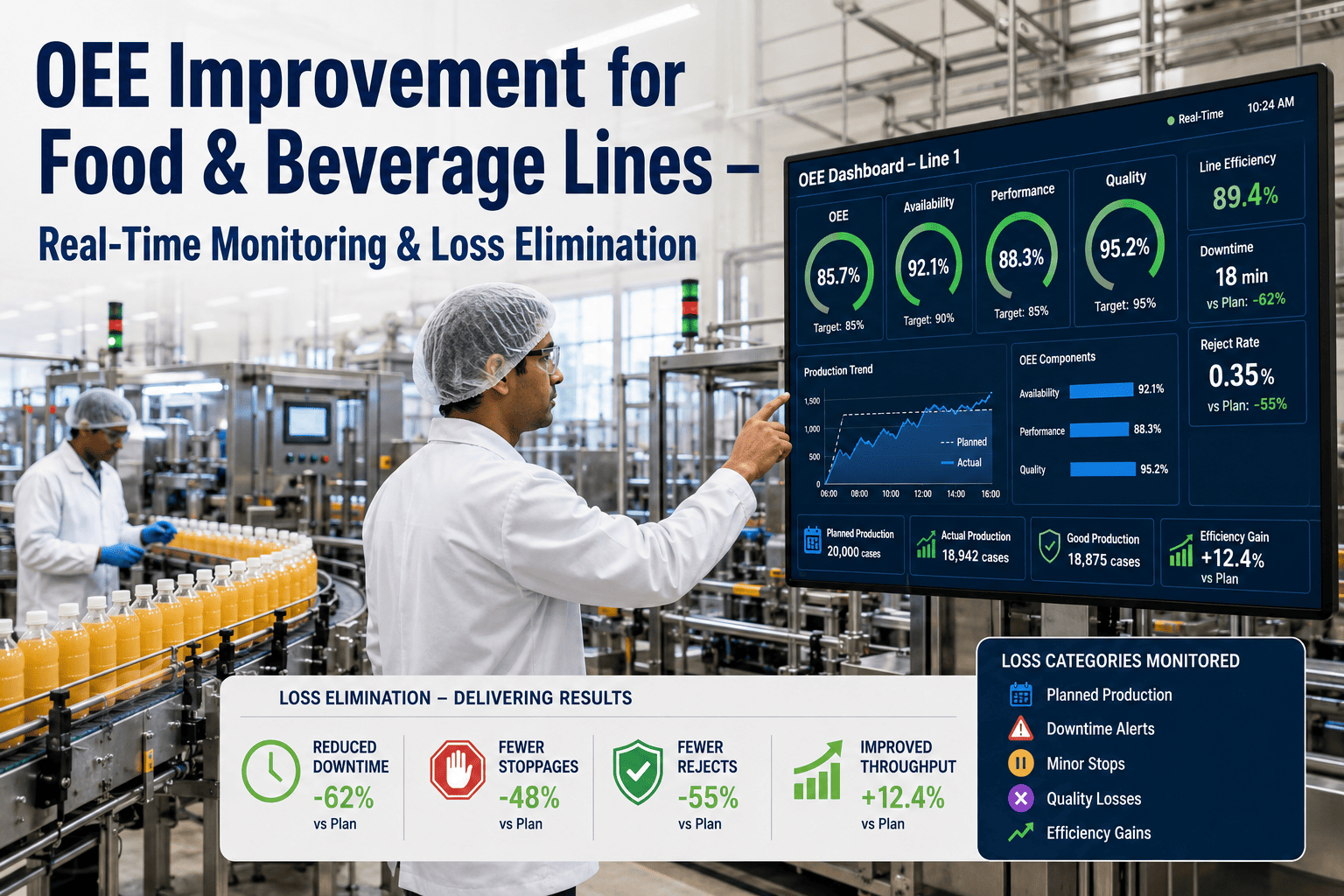
Overall Equipment Effectiveness multiplies three losses together: availability, performance and quality. On a high-speed FMCG packing line each one hinges on knowing exactly how many units came off the line and when.
Run time divided by planned production time. It drops with breakdowns, changeovers, material waits and every stop long enough to notice.
Actual units against what the rated speed should have made in the run time. Micro-stops and slow running hide here.
Good units divided by total units. Rejects at the checkweigher, leakers, bad seals and rework all pull it down.
Example figures only: a line planned for 480 minutes that runs 420 minutes has 87.5% availability. If it is rated at 120 units per minute and makes 45,360 units in those 420 minutes, performance is 90%. If 44,000 of them are good, quality is about 97%. OEE is 87.5% × 90% × 97% ≈ 76%.
Why FMCG Packing Lines Lose OEE Without Anyone Seeing It
A fallen bottle, a label jam or a starved cartoner clears in under a minute and never reaches the downtime log.
Fragrance, pack size and artwork changes several times a shift eat availability that is rarely timed end to end.
Lines run below rated speed after a restart or on a tricky format, and nobody notices without a per-minute count.
Manual tallies and pallet counts arrive at shift end, too late to fix the hour that went wrong.
Micro-Stops and SKU Changeovers: Where the Count Shows the Loss
When every unit carries its own timestamp, a gap in the stream is a stop. A short gap is a micro-stop on the packing line, a long gap between the last unit of one SKU and the first good unit of the next is the real changeover time, and a thinner stream at full run time is a performance loss.
| Loss on an FMCG line | Typical example | What the unit count reveals |
|---|---|---|
| Micro-stop | Shampoo bottles tipping at the capper infeed | Short gaps between unit times, hour by hour |
| SKU changeover | Switching a detergent line from 1 kg to 2 kg packs | Time from last unit of one run to first unit of the next |
| Reduced speed | Soap flow-wrapper running slow after a film change | Units per hour below the expected rate |
| Pack-out shortfall | Snack cases or shrink packs short against the order | Counted units against the run or order quantity |
Start Counting Your Packing Line Today
Sign up, point a phone at the conveyor, draw a counting line, and watch found, missed and extra units in your browser.
Counting Units With a Phone Camera
No new sensor or PLC change is needed to start. The live count takes video from the source you already have and counts each unit that crosses the counting line you draw.
Counting runs in the browser on small grey frames, and only each unit's time is sent to the line record. In the sample run, the count shows 4 of 4 units found, 0 missed and 0 extra.
How the Line OEE & Production Portal Works, Step by Step
Add the packing line and its runs in Setup and Runs & orders.
Use this device, a phone via QR, a recorded video, a fixed camera or the sample.
Place it across the conveyor where units pass one at a time.
Each crossing is timed and recorded, then read in Overview, Hour by hour, Stops and Analysis.
What the Portal Reports
| Module | What it shows a packing team |
|---|---|
| Overview | The line's current picture of output and OEE in one place |
| Hour by hour | Units counted in each hour, so a slow hour is visible during the shift |
| Live count | Units crossing the counting line, with found, missed and extra checks |
| Runs & orders | Output against each SKU run and production order |
| Stops | Gaps in production, including micro-stops and changeovers |
| Pack-out | Packed quantity against what the order needs |
| ERP posting | Production quantities prepared for posting to your ERP |
| Analysis | Trends across lines, shifts and runs |
| Setup | Lines, cameras and counting configuration |
Clipboard Count vs Camera Count
Where It Fits on FMCG and Personal Care Lines
Shampoo and liquid personal care
Count bottles after the capper or labeller to see filler micro-stops.
Soap bars
Count wrapped bars leaving the flow-wrapper, run by run.
Detergent and home care
Count pouches, bottles or cartons through frequent pack-size changes.
Snacks, cartons and shrink packs
Count end-of-line cases and shrink packs against the order for pack-out.
For more on running FMCG and plant maintenance, see iFactory AI and the full set of iFactory tools, or ask our support team how to set up your first line.
Frequently Asked Questions
What is OEE in FMCG?
OEE in FMCG is availability × performance × quality on a consumer-goods line, such as shampoo, soap, detergent or snack packing. Because these lines run fast and change SKUs often, accurate unit counts are what make the number trustworthy. Sign up and start counting to see unit-level counting on your own line.
Can a phone camera really count units on a packing line?
Yes. You point the camera at the line and draw a counting line, and each unit that crosses it is counted. Sources include this device's camera, a phone joined via QR, a recorded video, a fixed camera or the sample video.
Is the video sent to the cloud?
Counting runs in the browser on small grey frames, and only each unit's time is sent to the line record.
How does it help with micro-stops and SKU changeovers?
Every counted unit has a time, so gaps in the stream show where the line stopped. Short gaps point to micro-stops and the gap between runs shows the changeover. These appear in the Stops, Hour by hour and Runs & orders views.
Can counts go to our ERP?
The portal includes Pack-out and ERP posting modules for production quantities. Sign up to set up your line and its postings.
Count Every Unit. Then Fix the Hour That Went Wrong.
Sign up, point a phone at your FMCG packing line and start counting every unit in your browser.