Most maintenance teams don't actually have a root cause problem, they have a classification problem wearing a root cause problem's clothes. A filler jams for the fourth time this quarter, a technician closes the work order with "fixed, restarted line," and six months later a reliability engineer trying to understand why that same filler keeps failing has nothing to work with except a pile of disconnected tickets that all describe the symptom and none of them describe the cause. More than half of unplanned failures across manufacturing are repeats of something already fixed once, which means the fix the first time wasn't actually a fix, it was a pause. A dashboard that surfaces repeat failures and cause-code patterns directly on the live maintenance view changes that, and the fastest way to see it working against your own failure history is to book a demo.
FOOD & BEVERAGE · RELIABILITY & ROOT CAUSE
Stop Fixing the Same Failure a Fourth Time
iFactory surfaces repeat failures, top cause codes, and drift patterns directly on the live maintenance dashboard, so a recurring problem shows up as a pattern instead of staying buried across dozens of unlinked work orders.
SYMPTOM VS ROOT CAUSE
Why Most Work Orders Never Actually Reach the Cause
A closed work order and a solved problem are not the same thing, and the gap between them is exactly where repeat failures live. Every investigation narrows from a visible symptom down through a chain of contributing factors to the actual condition that let the failure happen, but most maintenance teams stop climbing down that chain the moment the line is running again.
What Gets Reported
"Filler jammed, cleared and restarted"
What's Actually Happening
Film tension drifting since Tuesday's changeover
What Enabled It
A sensor recalibration step skipped during the last PM
The Actual Root Cause
PM checklist never updated after the line's last changeover procedure
Without a dashboard connecting these layers automatically, reaching the bottom level requires a dedicated investigation every single time, which is exactly why most plants only do it after a failure becomes expensive enough to justify the effort.
WHERE THE REPEATS ACTUALLY CLUSTER
The Cause Codes That Show Up Again and Again
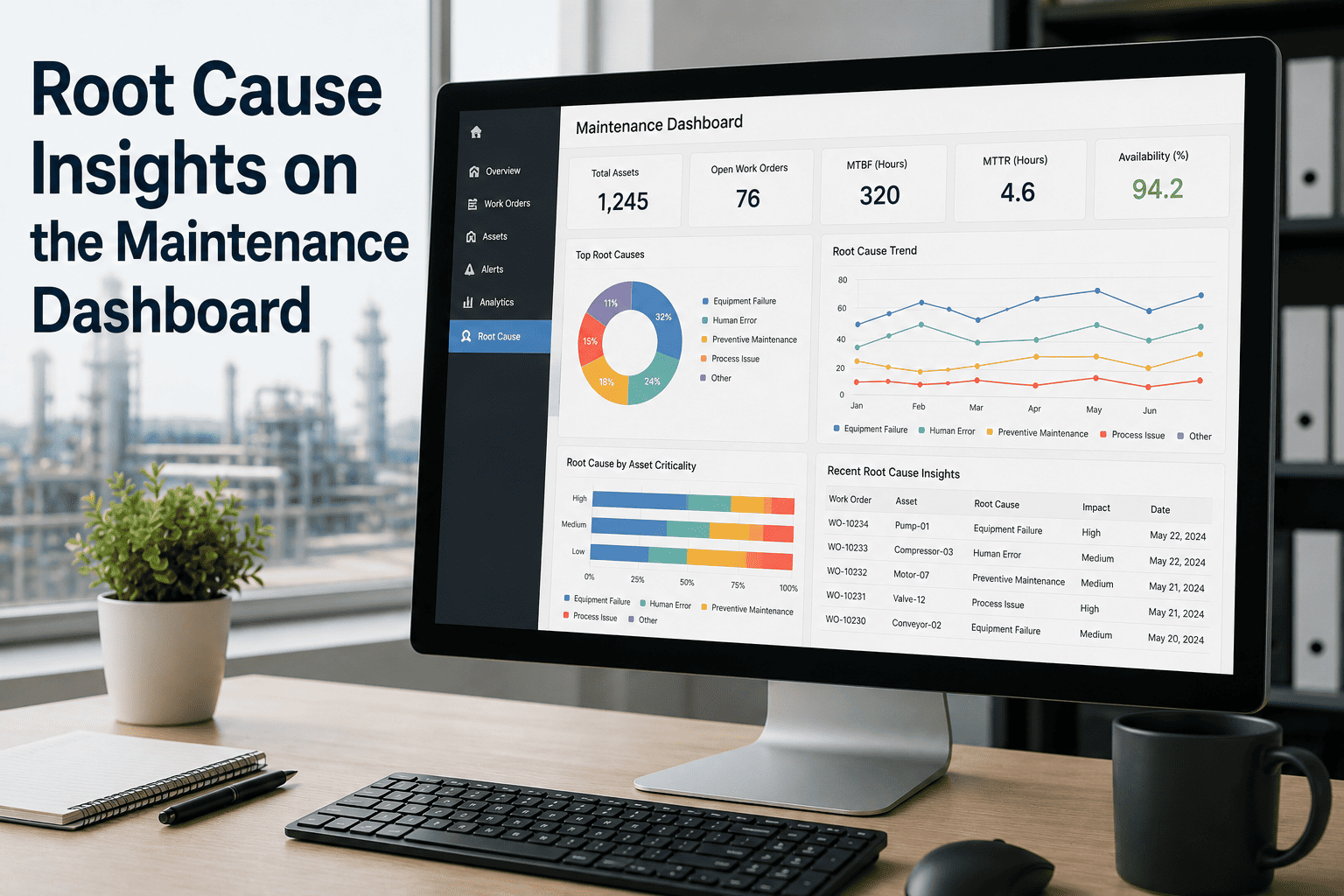
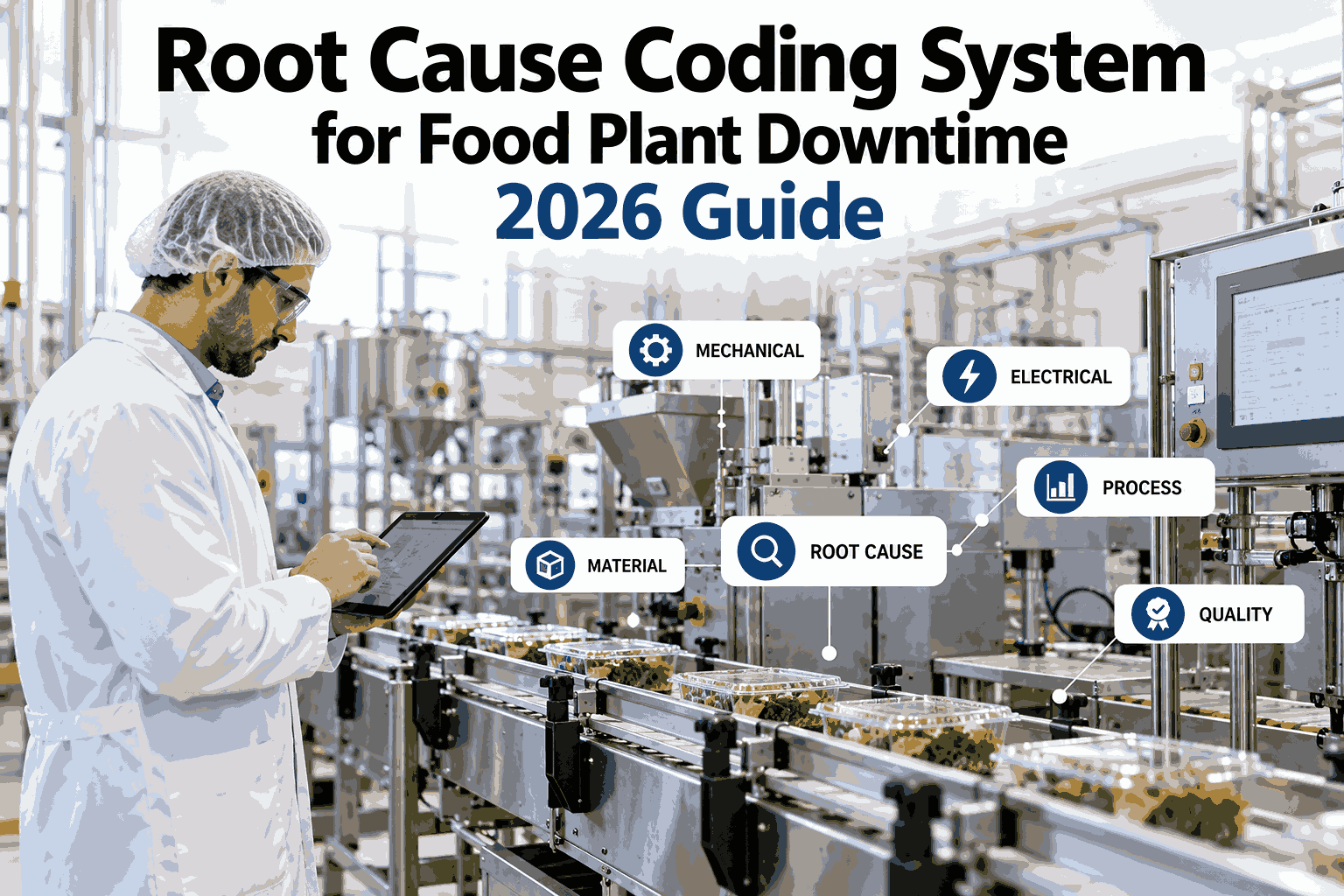
When failure data is coded consistently and pulled into one view, the same small handful of root causes tends to explain a disproportionate share of total downtime, which is exactly the kind of pattern that stays invisible when every work order is reviewed in isolation.
Maintenance-Tasking Insufficient
32%
Component Wear (Bearings, Belts, Seals)
24%
Operator Workaround Became Standard Practice
14%
Parts or Procurement Delay
11%
A pattern like this points a reliability team directly at the PM program itself rather than at any single asset, since "maintenance-tasking insufficient" showing up as the top cause code across a quarter is a program-level signal, not a one-off equipment issue.
See your own repeat failure pattern
iFactory can run your existing work order history through this analysis and show you which cause codes are actually driving your downtime.
ON THE LIVE DASHBOARD
What Shows Up the Moment a Pattern Emerges
Rather than waiting for a monthly reliability meeting to notice a trend, the dashboard flags a repeat pattern the moment the data crosses a threshold, right alongside the regular work order feed maintenance leads already check every day.
REPEAT · 3RD OCCURRENCE
Filler Line 2 — Jam at Labeler Exit
Same failure mode logged twice in the past six weeks. Cause code: calibration drift. Suggested action: review last PM completion.
TREND · RISING
Conveyor Motor Bearing Temp — Line 5
Gradual temperature increase over 12 days, consistent with the early signature of a bearing wear pattern seen twice before on this asset class.
RESOLVED · ROOT CAUSE CONFIRMED
Mixer Seal Failures — Line 1
Root cause traced to an incorrect torque spec in the PM checklist, now corrected and rolled out to all three sister mixers.
MANUAL RCA VS DASHBOARD RCA
What Actually Changes When the Pattern Surfaces Itself
| Factor |
Manual Review |
Dashboard-Driven RCA |
| Repeat detection |
Depends on someone noticing a pattern across separate tickets |
Flagged automatically once a failure mode recurs |
| Cause code consistency |
Varies by technician, undermining trend analysis |
Structured, tiered codes applied consistently |
| Time to identify a pattern |
Often a full quarter or longer |
Days, as soon as the threshold is crossed |
| Corrective action tracking |
Sticky notes or informal follow-up |
Linked corrective work order tracked to closure |
| Fix propagation |
Rarely reaches identical assets at sister lines |
Rolled out to every matching asset automatically |
TURNKEY DEPLOYMENT
How iFactory Builds This Into Your Dashboard
What Gets Built
A structured, tiered cause-code library matched to your equipment
Automatic repeat-failure detection across your work order history
Live dashboard cards flagging emerging patterns and confirmed root causes
Linked corrective action tracking through to verified closure
Cross-asset fix propagation for identical equipment at sister lines
Rollout Timeline
Weeks 1-2: Failure history audit and cause-code standardization
Weeks 3-4: Dashboard build and pattern-detection threshold tuning
Weeks 5-6: Team training and first live pattern reviews
FREQUENTLY ASKED QUESTIONS
What Reliability Teams Ask Before Rolling This Out
Our technicians already use failure codes, why isn't that enough?
Failure codes only produce reliable trend data if they're applied consistently across every technician and every shift, and in practice this is exactly where most plants fall apart, since one technician's "mechanical failure" is another's "operator error" for the same underlying event. When coding is inconsistent, reliability teams stop trusting the trend reports and fall back to manually reviewing individual work orders, which erases the entire scale advantage a structured system was supposed to provide. A tiered, governed code library with clear definitions at every level is what makes the pattern-detection actually reliable rather than just theoretically possible.
Book a demo to see how code governance is set up against your current library.
How does the dashboard decide something is actually a repeat failure and not a coincidence?
The system matches failures against the same asset and the same failure mode code within a defined time window, rather than simply flagging any two breakdowns on the same equipment as related. A pump that fails from a bearing issue in January and from an unrelated seal issue in March isn't treated as a repeat, but two bearing failures on that same pump within a few months are flagged immediately for review. This distinction matters because treating every failure as a potential repeat would flood the dashboard with noise and undermine confidence in the flags that actually matter.
Contact our support team to review the matching logic in detail.
Can this work with our existing 5 Whys or fishbone process?
Yes, the dashboard is built to support whichever structured RCA technique your team already uses rather than replacing it with something new. A 5 Whys or fishbone investigation still happens the same way it always has, the difference is that the findings get logged against a standardized cause code and linked directly to the originating work order, which is what makes the pattern visible across future failures rather than the investigation living only in a document that gets filed away and forgotten.
Book a demo to see how your existing RCA process fits into the dashboard.
How does a fix actually get rolled out to sister equipment automatically?
Once a root cause is confirmed and linked to a specific asset class, the dashboard identifies every other asset in the network matching that same class and configuration, and surfaces a recommendation to apply the same corrective action, whether that's a PM checklist update, a torque spec correction, or a part substitution. This closes a gap that's extremely common in multi-line and multi-plant operations, where a fix discovered on one machine never reaches the three identical machines running elsewhere simply because nobody thought to check.
Contact our support team to discuss how this maps across your equipment fleet.
What if our failure history data is messy or incomplete going in?
Most plants starting this process have some degree of inconsistent historical coding, and that's expected rather than a blocker to getting started. The initial failure history audit specifically looks for gaps and inconsistencies in your existing data, and pattern detection is tuned to work with the data quality you actually have today while improving as coding discipline improves going forward. Waiting for perfect historical data before starting would mean waiting indefinitely, so the more practical approach is starting with what exists and tightening the coding standard from that point forward.
Book a demo to discuss how this works against your current data quality.
EVERY REPEAT, SURFACED AUTOMATICALLY
Stop Letting the Same Failure Hide in Plain Sight
iFactory surfaces repeat failures, top cause codes, and drift patterns directly on your live maintenance dashboard, turning scattered work orders into a pattern your team can actually act on.