Every morning, an HVAC dispatcher faces the same puzzle: forty open jobs, a dozen technicians, uneven skills, parts sitting in the wrong van and a service-level clock running on every ticket. Solving it by hand takes hours and still leaves drive time on the table once the first emergency call lands. Automated technician scheduling treats the board as one constraint problem and solves it in minutes, and the clearest way to judge it is to see a live scheduling run on your own job history.
AI HVAC DISPATCH AND AUTOMATED ROUTING
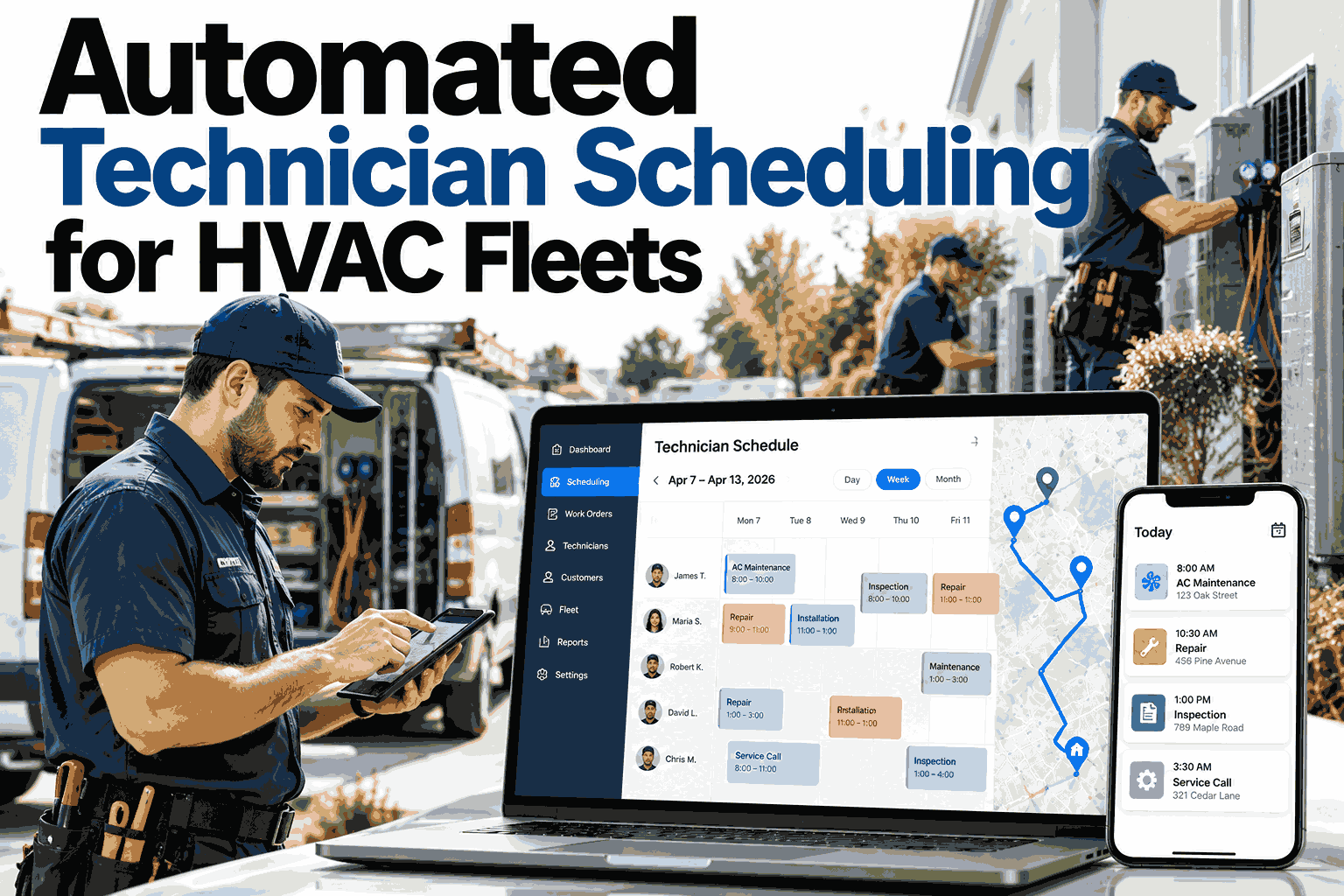
Automated Technician Scheduling for HVAC Fleets
iFactory AI Dispatch assigns every job against skill, geography, parts and SLA together, so dispatchers stop rebuilding the day by hand.
THE DISPATCHER'S DAY
Where Manual Scheduling Hours Actually Go
Most scheduling time is not spent deciding. It is spent checking: who is certified, who is close, who has the part and which ticket is about to breach.
Illustrative split of a manual dispatch morning
Bar lengths are a conceptual model, not measured data. Your own split will differ.
FOUR CONSTRAINTS
One Assignment, Four Rules That Must All Hold
A good schedule is not the nearest technician. It is the technician who satisfies every rule at once.
SKILL
Right Qualification
Refrigerant handling, controls, chillers or rooftop units. The job needs the matching certification.
GEOGRAPHY
Shortest Real Route
Jobs are clustered by actual drive time, so a tech finishes one site and starts the next nearby.
PARTS
Part on the Van
The assignment checks van stock first, avoiding the second visit caused by a missing contactor.
SLA
Deadline Respected
Response and resolution windows weigh every choice, so urgent contracts never sit behind easy jobs.
See all four constraints solved on one board
Bring a typical week of tickets and watch the schedule rebuild itself against your technicians.
HOW THE ENGINE THINKS
From Open Ticket to Confirmed Assignment
The engine runs the same sequence on every job, which is why its choices are repeatable and easy to audit.
1
Filter by hard rules
Technicians without the required skill or van parts are removed before anything else is scored.
2
Score the remaining options
Drive time, SLA urgency and workload balance are weighed for each qualified technician.
3
Sequence the route
Accepted jobs are ordered to cut backtracking between sites across the full shift.
4
Push to the technician
The route reaches the mobile app with job details, and the dispatcher keeps override control.
SAME DAY CHANGES
What Happens When the Plan Breaks at 10 AM
The real test is not the morning plan. It is how fast the schedule recovers when reality interrupts it.
Emergency call arrives
The engine finds the closest qualified tech, then reshuffles that tech's later jobs to other people.
Technician calls out
Their jobs are redistributed by skill and proximity, with SLA-critical tickets placed first.
Job runs long
Downstream arrival times update and at-risk visits move to a nearer technician before they slip.
Part delayed
The visit is rescheduled for when stock lands, and the tech is given a job that can be finished today.
APPROACH COMPARISON
Spreadsheet, Basic Software or Constraint-Based
Not every scheduling tool reasons about the same inputs. This is where they differ.
| Factor | Manual Board | Basic Scheduler | Constraint-Based |
|---|---|---|---|
| Skill matching | Dispatcher memory | Static tags | Certification-aware, enforced |
| Travel | Estimated by eye | Straight-line distance | Real drive-time routing |
| Parts | Phone call to the tech | Not considered | Van stock checked per job |
| SLA | Watched manually | Priority label | Deadline-weighted scoring |
| Re-planning | Rebuilt by hand | Manual reassign | Automatic re-optimization |
ROLLOUT
How iFactory Brings Auto Scheduling Online
The rollout builds on your existing work-order and technician data, so dispatchers are not retraining on a blank system.
Phase 1
Connect
Link work orders, technician profiles, skills and van inventory.
Phase 2
Calibrate
Tune scoring weights to your SLA tiers, service regions and shift rules.
Phase 3
Run in Parallel
Compare engine suggestions with the manual board before trusting them.
Phase 4
Go Live
Dispatchers supervise exceptions while routine assignment runs automatically.
FAQ
Questions Dispatch Managers Ask First
Does automation remove the dispatcher?
No. The engine handles routine assignment while dispatchers manage exceptions, customer calls and judgment calls. Every suggestion can be overridden, and the reason is logged. Walk through the dispatcher view in a short session.
What data is needed to start?
Open work orders, technician skills and certifications, service territories and van inventory are the core inputs. Most teams already hold these in a CMMS or field service tool. Ask support about your data sources before kickoff.
How does it handle emergency calls?
An urgent ticket is scored against live positions and remaining workload, then assigned to the best qualified technician. Displaced jobs are re-planned automatically instead of left for someone to fix. See an emergency reshuffle live on a sample board.
Can different regions use different rules?
Yes. Service tiers, shift lengths and travel limits can be configured per region or depot, so one branch's rules do not distort another's schedule. Results still roll up into a single fleet view. Discuss multi-region setup with our team.
How soon will we see a difference?
Results vary by fleet size and data quality, so we avoid promising a fixed number. The parallel-run phase shows suggested versus actual schedules side by side before you commit. Plan a pilot with a demo to set realistic targets.
Give Your Dispatchers Their Mornings Back
iFactory AI Dispatch schedules by skill, geography, parts and SLA, then re-plans as the day changes.